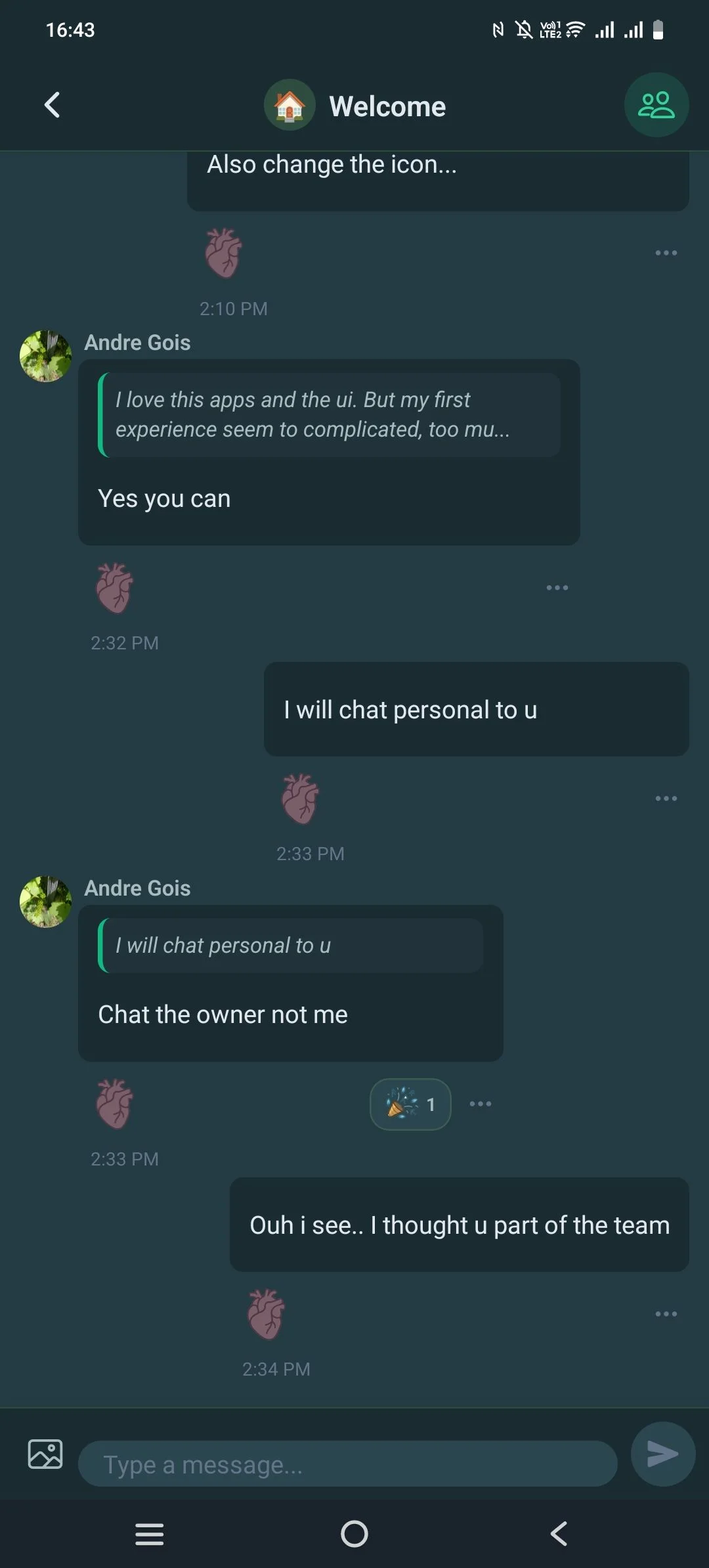
I'm seeing this question pop up a lot now that FC released their official PWA feature and there are a couple devs selling a push notification add on. James William Elrod what would you say the benefits are of going doing a standalone app (like this) over PWA with push notifications?

The headline is a big one: you can sell memberships inside the app now. Alongside it, a release with a lot of polish in it.
Sell memberships through Apple and Google
Members can buy a membership without leaving the app, and what they bought lives on your site, not in the store — the entitlement survives a reinstall, a new device, and the same person signing in on the web.
- You decide what each product unlocks: a role, particular spaces or courses, or everything.
- Renewals, cancellations, refunds and failed billing arrive from the stores on their own, with nobody opening the app.
- The app never sees a card, a price or an address — Apple and Google run the payment.
- Build your products and your paywall in Customize → Subscriptions: the heading and intro members read, the icons, the plan order, the wording when a membership lapses. It pushes out to App Store Connect and Play Console rather than you retyping everything into two consoles.
It's off until you turn it on, and an app that hasn't behaves exactly as it always did — no subscribe screen, no prices, no extra settings.
In the app
- Post something unlisted. A new visibility choice keeps a post out of the feed and out of everyone's notifications — it lives at its own address for the people you send it to. Relisting it later announces it properly. Anyone you @mention still hears either way.
- Menu buttons can carry your own pictures, in any zone, with a separate image for a tab's selected state. They answer a tap now too, and any row can be told to hold still.
- Screens fill in as they load — the shape of the post or card that's coming, instead of a spinner in an empty space.
- Sort the member directory in either direction, and it remembers.
- A member whose email needs confirming is told so, with a button to send a fresh one.
Fixed
- A scheduled post waits for the time you set. It was going out the moment you tapped Post — the composer closed and the post appeared, which reads as success until you notice the date.
- An unlisted post no longer announces itself, and relisting one now does.
- A widget that fails to load recovers on its own instead of staying blank until the app is reopened.
- Errors are explained rather than shown as a code, in English, Spanish or Greek.
- Sign-in no longer crashes against a stale saved copy of your settings.
In WP Admin
- Backup & Restore is its own tab, with Include secrets on by default — a backup without your credentials isn't one you can restore from. Private add-ons now declare their own tables, so a snapshot covers their data too.
- The Theme preview shows real screens. Hover a colour and the preview repaints everything it paints, so you can see at a glance where it goes; if the current screen doesn't use it, the phone switches to one that does. There are six presets now, each dressing the whole app rather than swapping one accent — including the new Emerald Canopy.
- The smart banner works for a hidden App Store listing. Apple's own banner only ever existed in Safari and silently collapsed whenever the App Store couldn't resolve the app — every load, for an unlisted employees-only listing. iPhones get the same prompt Android does now.
- The maintenance screen takes an icon or emoji, not just an image, and the Notifications tab folds into sections you can skim.
If you build your own app
- Test a store credential before a build depends on it — a Test button asks Apple and Google directly and reports the verdict, instead of a build failing hours later on a permission nobody checked.
- Turning on in-app purchases adds the native package at the version this release was tested against, and tracks which apps still need a build for it.
- A submit no longer hangs on a project with no git, build numbers only ever go up, and a rollback snapshot has a download button.
Plugin updates are available now — update TBC Community App and your add-ons as usual. The app-side changes ride along with the next app-store release, which we'll post about when it clears review.
Four releases have landed since we last posted, and between them they change what this app is: you build its screens and its navigation now, rather than choosing from what we laid out.
You build the screens
Widget screens. The home screen used to be the only place widgets could live, in the only arrangement you got. Now you compose named screens — a "Community" sidebar, a staff dashboard, a getting-started page — each with its own widgets, order and audience rule, in Customize → Widget Screens. Point a menu item at one and it becomes a tab or a launcher tile, including the screen the app opens on.
Every nav element is a row, across four zones. The top icons, the tab bar, the launcher, and the strip across the top of the launcher are all sections you fill yourself. Add, remove, reorder, relabel, recolour, restrict by role — and drag a row from any zone into any other. Built-ins like Courses and Bookmarks can be removed and brought back, and a plugin update can't resurrect one you deliberately took out. Five free tab slots, no fixed core tabs.
A visual "+" picker replaces the old add-item form: every screen, add-on tile and widget screen drawn with the real icons and labels members will see. You pick a destination by recognising it, not by remembering a route.
Widgets that show your actual content
- Courses, Blog and Spaces are one full-featured widget each — any source (everything, a topic, what the member is enrolled in, or a hand-picked set) with any layout (hero, carousel, list, tiles).
- Four tile widgets — Tiles, List, Buttons and Chips — sharing one appearance contract, so a setting means the same thing everywhere. Tiles crop where you tell them to, tint themselves from their own artwork, and can carry a glyph.
- Content blocks — headings, rich text, images and banners, video and audio, galleries, spacers, a Call to Action card, a Members widget and a blockquote.
- A Community Menu widget — your website's sidebar, in the app, with real icons and unread counts.
- Point a link at your content by picking it, not by typing an address — a page, post, course, space, and now a Fluent Cart product. Rename it and the link keeps up; delete it and the row quietly goes.
The builder previews all of it with your real content, and reacts as you type.
Chat
- Reactions work exactly like the web — tap to add or remove, hold as many as you like. They sit inside the bubble and wrap instead of running off the edge, and reply, react and the message menu open on a long-press beside it.
- Reading back no longer throws you to the bottom. Reacting to an older message used to snap you to the end, and a message arriving from someone else pulled you down mid-read. Only your own actions move the list now.
- Blocking sticks. Block someone from a conversation, leave, come back — it stays blocked. It used to look undone while the server still refused every send.
Deep links across the whole community
A link to a space, a course, a lesson or a shared post now opens the app at the right place — from an email, a text, anywhere your site's address appears. Previously only member and notification links worked. Copy link comes with it, so a post shared between members opens in the app rather than a browser.
Greek — Ελληνικά
A third language alongside English and Spanish, and a complete one: every app string, every bundled module, and the server side too, so REST errors and push notification bodies arrive in Greek rather than dropping back to English mid-screen. Members pick it in Settings → Language.
Sign-in and sign-up
- Sign-in, sign-up and password recovery are styled and worded separately — own branding, own copy.
- Members agree to your terms when they sign in, with both pages linked. It appears only once you've published them.
- A closed sign-up can hide itself instead of showing a "Registration Closed" card — or keep the card, if it's a pause you mean to explain.
Also worth knowing
- Feed Links — the link row your web portal shows above the main feed, now in the app.
- The Courses tab switches between cards and a list, like Spaces, with you setting where it starts.
- The Spaces tab matches your website exactly, its display rules now yours to set.
- A web page in the tab bar behaves like a real tab.
- The pull-to-refresh scenes are drawn rather than painted — all ten, sharp at any size and aware of light and dark.
- Fixed: a reply answers whoever it replied to; a course in a space group shows up in that group; notifications open the post rather than the sender; videos play on hosts that check which site is asking; names with an apostrophe no longer show raw code; birthdays keep their date.
If you build your own app
- A Publishing tab collects the whole store listing in one screen — names, descriptions, keywords, categories, age rating, screenshots and release notes — reading what's already live and writing your changes back.
- All your apps on one screen, with build, submit, OTA, update-core and full release running across the fleet.
- Store screenshots and Play graphics rendered and uploaded from the dashboard, at the exact sizes each store demands.
- An App Review account, found or created and filled in where Apple needs it, plus a Video Test Kit so the demo recording never touches a real member.
- One App Store Connect key does everything Apple asks for — no Apple ID, no password, no 2FA code.
Plugin updates are available now — update TBC Community App and your add-ons on your site as usual. The app-side changes ride along with the next app-store release, which we'll post about when it clears review.
Two releases in one: what your members get, and what changes if you build your own app.
In the app — everyone
📱 Hold members on a minimum version, per platform. Raising it the day Google approved a release used to lock every iOS member behind a build Apple hadn't published yet. iOS and Android take their own values now, set in your WordPress admin.
⚡ One-tap restart when an update is ready. Opt-in and separate from the store gate: once a fix has downloaded in the background, members get a restart screen instead of waiting for their next cold start. It only appears after a download actually succeeds, so nobody gets stranded on it.
Fixed:
- A post's 3-dot menu did nothing — Edit, Delete, Report, Pin, all of it, on every feed, since late June
- Space groups collapse in the search scope picker, matching every other space list
- Confirmation dialogs no longer fire into a closing sheet
- Real-time events with no payload stopped erroring
In your WordPress admin — everyone
- The Managed tab collects your Apple credentials in one sitting — App Store Connect key, APNs key, Team ID and Type — so you upload rather than email them
- A dark splash image is finally possible on managed, where there was previously no way to supply one
- An APNs Key ID that's really the App Store Connect Key ID is rejected on save. The two are indistinguishable by eye — same length, same character class, identical file format — and the mistake shows no symptom until iOS pushes silently never arrive
In the dashboard — if you build your own
🍏 Apple work no longer asks for an Apple ID. Registering identifiers, creating signing credentials and submitting builds all went through an interactive Apple ID, password and 2FA prompt. Everything Apple now authenticates with an App Store Connect key instead.
🔑 Somewhere to keep your push keys. The APNs key and FCM service account both get a slot. Apple lets you download an APNs key exactly once and nothing in your project references either file, so there was no record and no fallback copy. Storage, not delivery — the upload to EAS still has to happen.
Fixed:
- White-labeled apps failed to bundle at all — the config required a login background the packager strips from every snapshot, while the dashboard reported the slot as satisfied
- A blank Staging URL broke every build command, writing an empty value that invalidated
eas.json - Generated commands now match your shell instead of assuming PowerShell
Also: EAS build-allowance meters so the Free plan's ceiling isn't a surprise, an optional dark splash slot, and separate Apple and Google submission cards.
Managed apps are handled on our side. Building your own? The app-side work is OTA-safe; the dashboard changes arrive with the core update.
Full changelog: https://www.twobirdscode.com/blog/item/tbc-community-app/

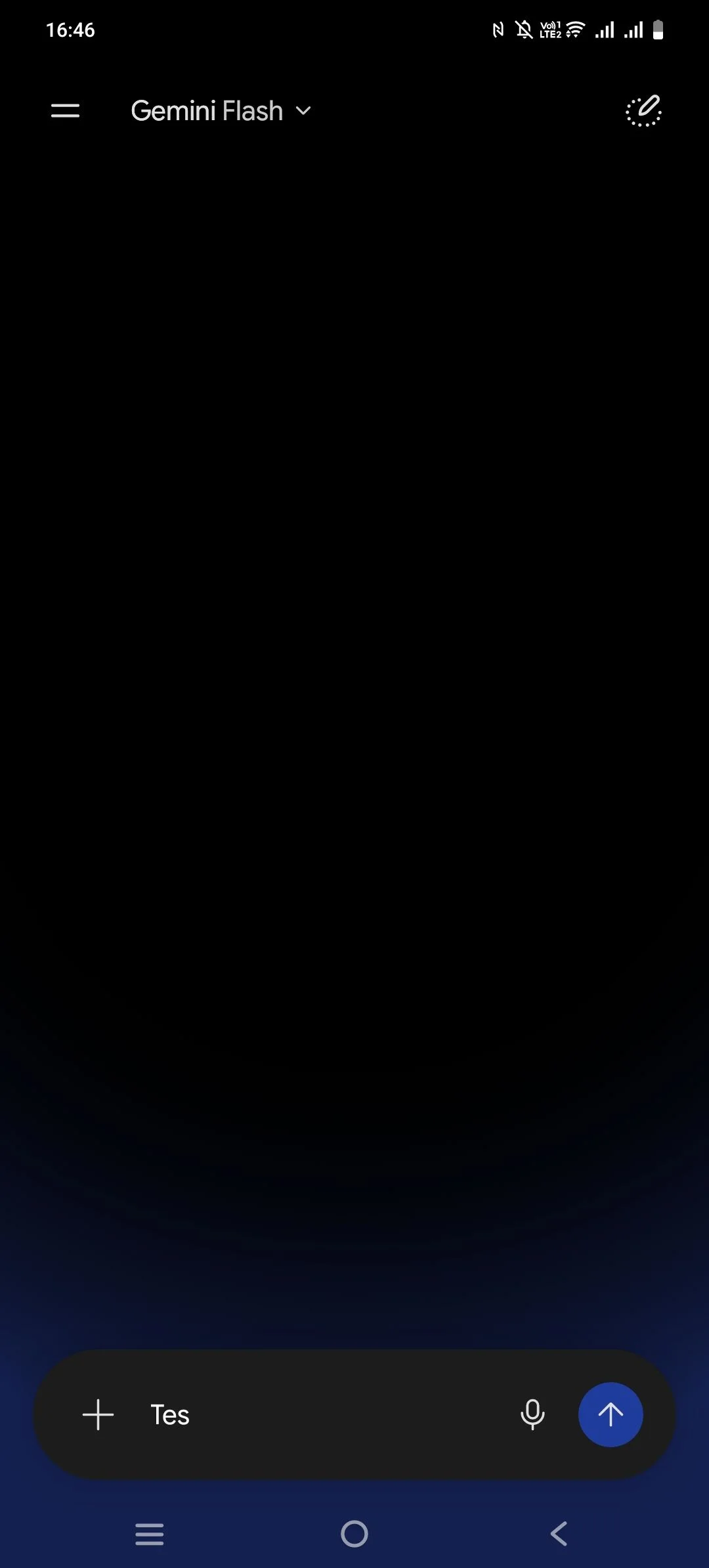
Hello tbc team, quick UI feedback regarding the chat screen. Compared to modern interfaces like Gemini, the input field and layout proportions here feel quite rigid and cramped.
Could you please consider adjusting the input section and padding so the chat thread feels more spacious and precise? Thanks!
Hello i want to ask for confirmarion before purchase...
Actually I’m interested in the Dev Bundle because I want full ownership of the source code and the app.
However, I would prefer not to handle the technical setup and maintenance myself at the beginning. Is it possible to purchase the Dev Bundle and have your team handle the initial setup, deployment, and ongoing technical maintenance as a service? Thankyou.
My goal is to fully own the source code and app, while having your team support the technical side so I don’t need to manage the build process, updates, and releases myself.
But i have another question..
If I choose manage App and later i decide to take over the maintenance myself in the future, would that be possible without rebuilding the app from scratch?
Thats means the dashboard is same between manage app and Dev bundle.
Because i see in Dev Bundle we still paying $50/year for the updates, etc.
Last Question too, is it possible to put Facebook , tiktok, and google pixel in our mobile Apps? Thankyou
I noticed a visual bug regarding the splash screen when first opening the app. The logo is barely visible.
As you can see in the attached screenshot, the logo blends almost completely into the dark background, making it very hard to see. It seems like a contrast issue—it might need a lighter version of the logo for dark mode or just a brighter asset overall to ensure the branding pops when the app loads.
Thanks for taking a look at this one!

I've found that the "Edit" button is suffering from the exact same issue as the "Report" and "Disable comments" options.
When I open the menu on a post I published and tap "Edit", nothing happens. It doesn't open the editor at all, and I'm left unable to edit my post.
Since this is the third button in that specific three-dot menu that doesn't trigger any action, it seems there might be a wider bug with how that entire dropdown menu is handling user taps in the mobile app.
Thanks again for checking into this!
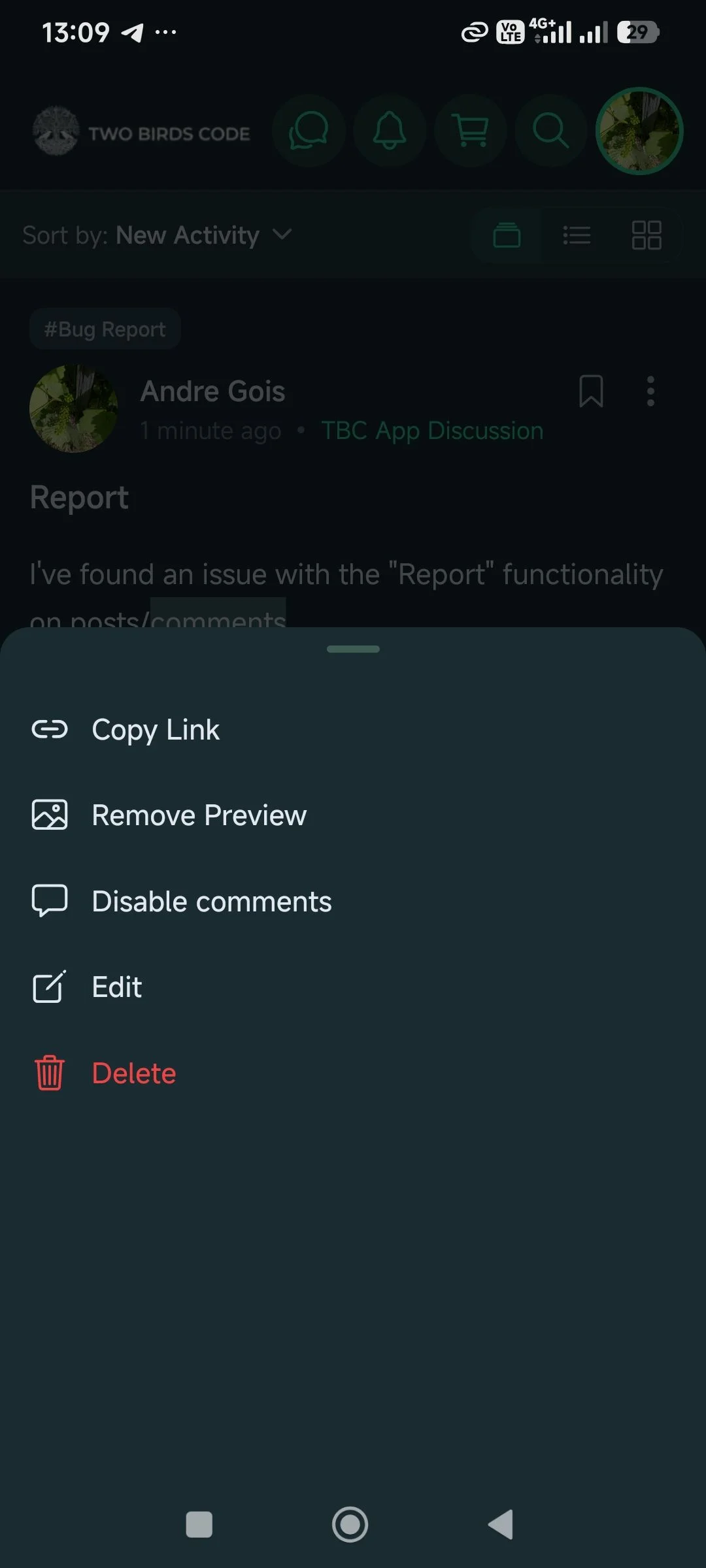
I found an issue with the "Disable comments" option, and it seems to be behaving exactly like the "Report" button issue I mentioned earlier.
When I open the options menu on one of my posts (using the three dots) and tap on "Disable comments", absolutely nothing happens. The menu just closes, the comments remain active, and there is no confirmation or state change.
It looks like the action isn't being triggered correctly from this menu. Could you please look into this one as well?
Thanks again for all the help!
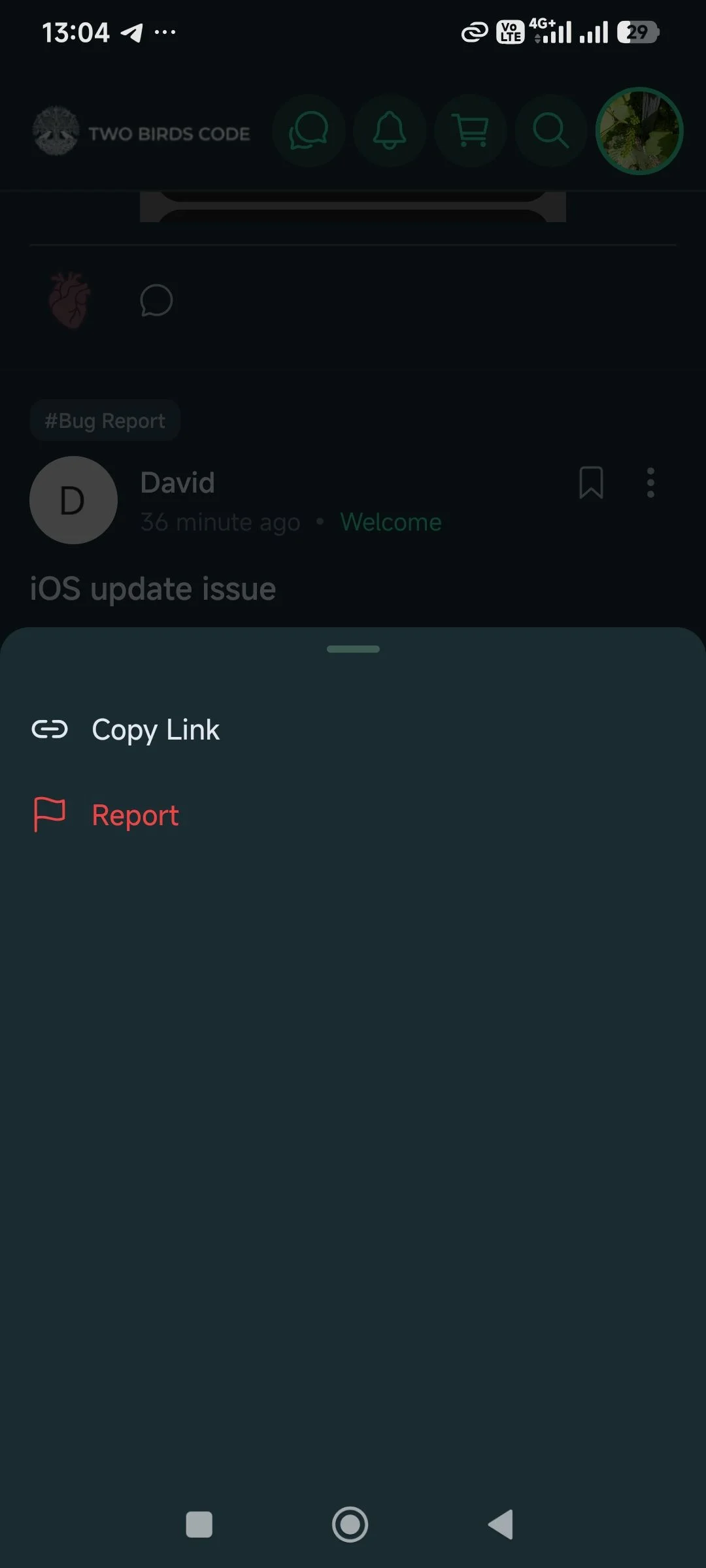
I've found an issue with the "Report" functionality on posts/comments.
When I open the options menu (the three dots) and tap the red "Report" button, absolutely nothing happens. It doesn't trigger any action, there is no confirmation dialog, and no feedback is given to the user.
Could you please check if the button is properly linked to the reporting flow in the app?
Thanks again for looking into this!