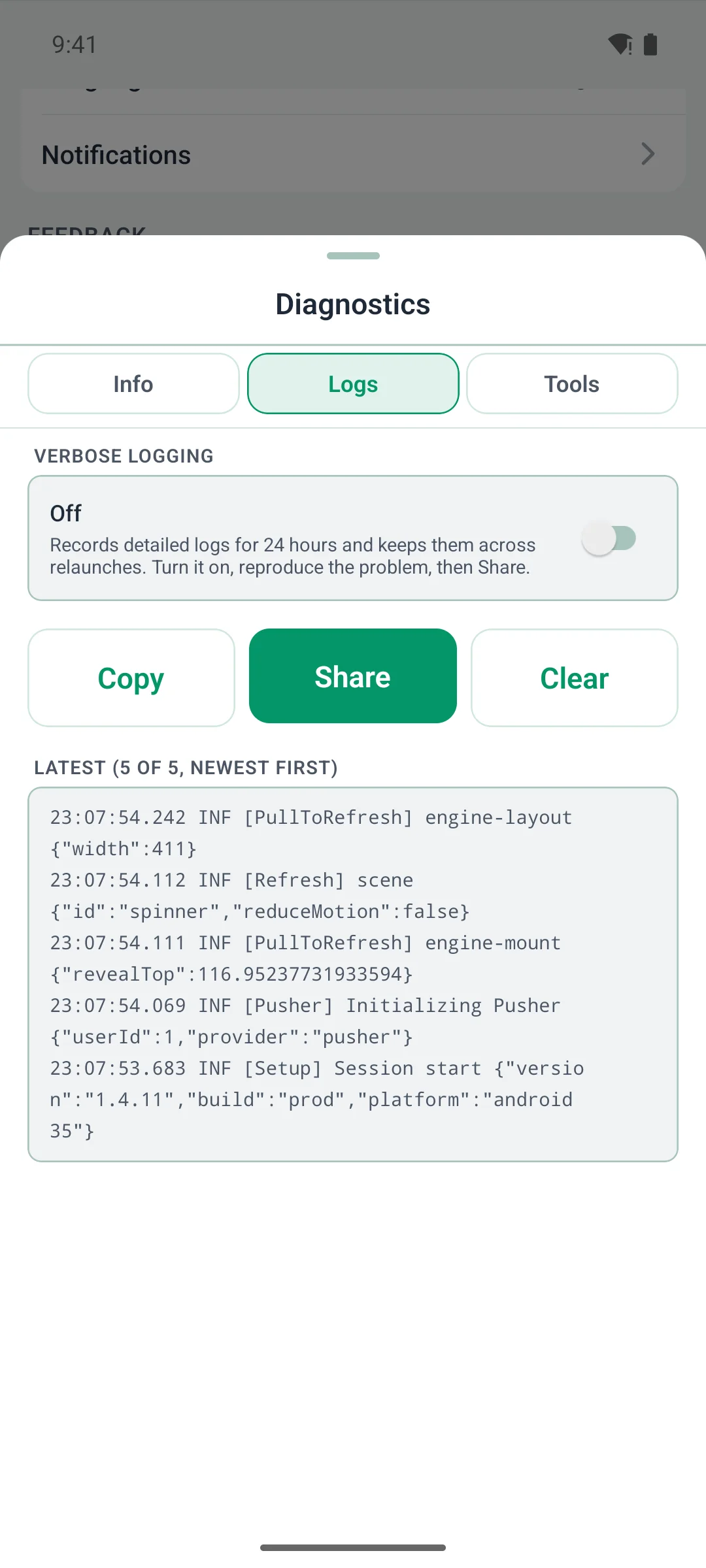
Members can now arrange their own home screen. They press and hold, drag the cards into the order they like, and hide the ones they don't use. You choose which screens allow it.
This update also works with Fluent Community 2.12, which came out on October 16.
Arrange your home screen
- Turn it on for a screen in Customize › Widget Screens. One switch lets members move cards, the other lets them hide cards.
- Members press and hold the screen to start.
- They drag a card to move it, or tap its eye to hide it.
- Hidden cards wait in a Hidden list. One tap brings a card back.
- Pinned cards stay at the top.
- Screens stay locked until you turn a switch on.
For your members
- Fluent Messaging: direct messages open faster, the way Fluent Messaging's own chat opens them.
- Fluent Community: opening a notification email in the app marks it as read, like your website does.
- Fluent Community 2.12: a space's unread badge clears once it's read in the app, like on your website.
- Fluent Messaging 2.12: chat menus match it, with no Block for admins and moderators.
- Fluent Community: space and course tiles now show their cover photos.
- Fluent Community login customizer: on a tablet, the sign-in screen looks like your website's login page.
- Better Messages: the bell's count now stays right on sites that use it too.
- Screens load faster and use less data when you switch back and forth.
- Better for members who use a screen reader.
- Long pages no longer hide their last lines behind the phone's buttons.
- Signing up no longer closes the app on Android.
For you (site admins)
- Fluent Community 2.12: spaces and courses show in the order you set there.
- FluentCRM: if you sell membership in the app, a member you've blocked can subscribe in the app to get back in, as on your website.
- FluentCart Pro: the cart shows each discount rule by name and the price before the discount, as your checkout page does.
- FluentAuth: a member locked out after too many sign-in tries is told to wait, in FluentAuth's own words.
- A new My Courses menu item, so all courses and a member's own courses can be two entries.
- A space or course bought in the app opens right away.
Two small fixes came after it. In 1.3.26, Android builds no longer run out of memory. In 1.3.27, members who pay for their membership on your website get straight into the app, and the renewal screen closes on its own once their membership is back.
Before you update
- This update needs a new app build and a store update.
- Widget screens start locked. Turn on the switches for any screen members may arrange.
- Set your Spaces order in Fluent Community. Customize › Spaces no longer sets it.
- Passkeys show only once the Deep Linking card on the plugin's Config tab is filled in.
Pictures and more detail are on the blog: https://www.twobirdscode.com/blog/core-1-3-25-arrange-your-home-screen/
Which screens will you open up to your members? Tell us below, along with what you'd like in the next update.
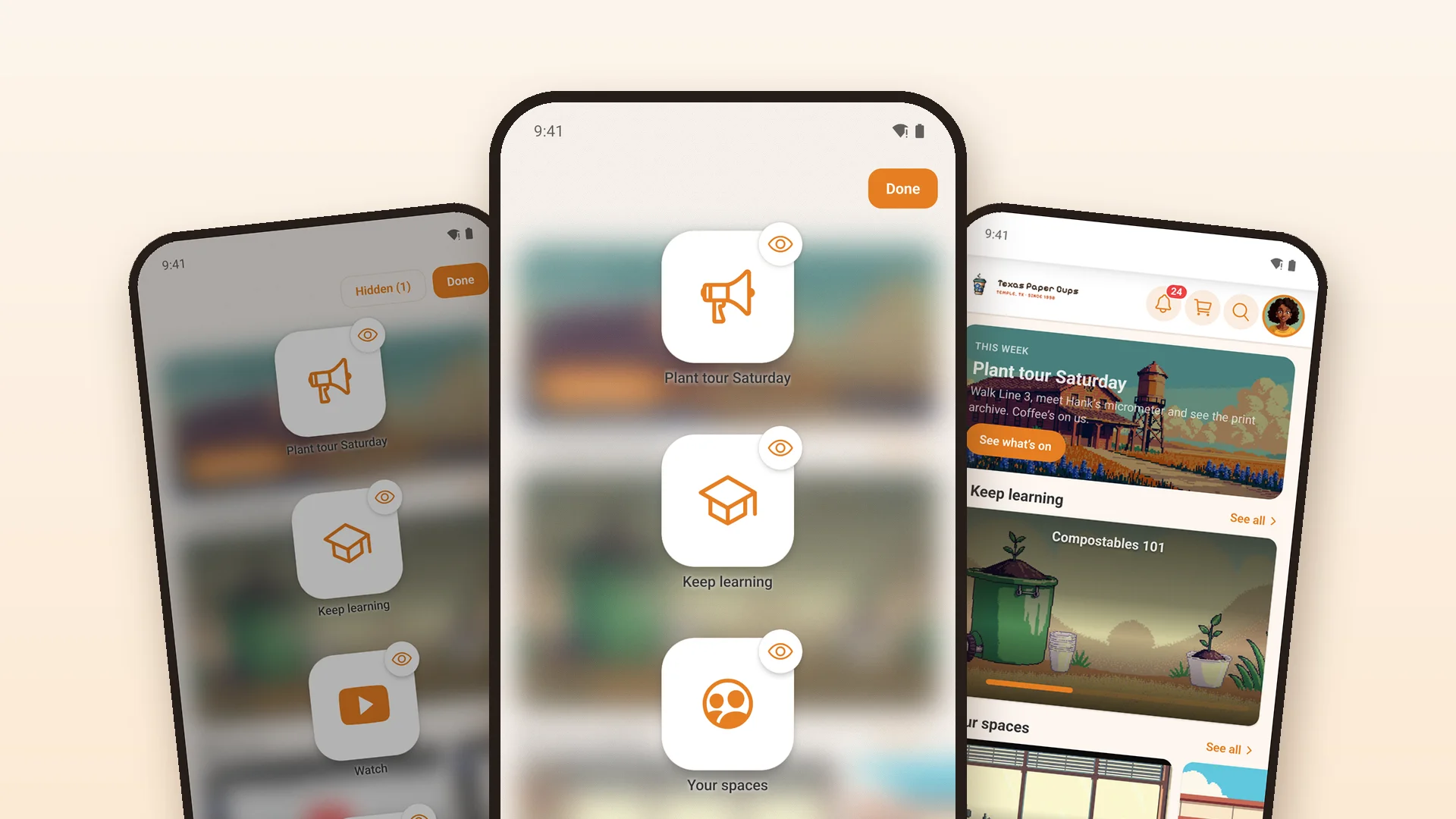
One installed app can now switch between your live site and its copies: your staging site, or a sandbox you set up for one person. This post covers 1.3.24, with a short catch-up on the three updates before it.
Try things on a copy, from the app your members use
Until now, testing a plugin or a setting on your staging site meant a separate app build pointed at it. In 1.3.24 the switch lives in the app. Set your staging site's address in WP Admin › TBC Community App › Config › Staging Site and choose who sees it: Admins only, Admins + roles, or Everyone (for a demo app where people try your setup).
A sandbox per person
Sandbox access gives one person a copy of their own, such as a client trying their setup before it goes live. Pick the member, enter the sandbox's address, and they see only the sites you give them. Admins see the staging site and every sandbox.
How it looks in the app
Hold the logo for 2 seconds (or Settings › About › Diagnostics), open Tools › Site, and tap Switch to. The app checks the copy runs the companion plugin at this version or newer, then restarts there with a red STAGING badge. Each site keeps its own sign-in, and a Back to live site button is on the sign-in screens and every blocking screen, so a copy that is down never leaves anyone stuck. While the app is on a copy, a link to your live site (from an email or a web page) opens on that copy, and so does a tapped notification from the live site.
Also in this release
- The Community Menu widget shows the sidebar groups you pick, as menu rows, a carousel, tiles, a hero card, buttons or chips
- "Spaces in a group" on the Spaces widget shows only that group's spaces
- Pushes leave right away again after a plugin is switched off (sites on 1.3.21 to 1.3.23 waited for the queue: late, never lost)
- On Android, tapping a notification opens it even after the phone closed the app in the background
- Editing a post keeps its voice notes, and a post holds one kind of media, as on the website
- Tapping a blog author or a commenter opens the right profile
- Pages stay clear of the clock when the header hides as you scroll
- Startup crashes on Android 12 and newer reach your Sentry
- The Managed tab walks each client through their part with a short "Your steps" list, and Submit works as soon as the licence is active
- Every add-on's save bar says Saved only when the save went through
Since our last post
1.3.21 to 1.3.23 brought notifications in seconds, the phone's own menus and sheets, one pop-up for reactions, a Comment box setting, post links that open the post, and posts with a document that now go up. The blog has the details.
Before you update
- 1.3.24 needs a new app build (the Android notification fix is native)
- Update the companion plugin to 1.3.24 on your site and on any copy you want to switch to
- Managed clients: if your reviewer account was made on the Managed tab before this update, open Tools › App Review Account once, leave the password box empty and press Set Up Review Account (or Top Up Access). It keeps the password the stores have.
- Wrote your own module? Check it before you update: 1.3.22 removed the old sheet components (BottomSheet, Sheet, SidePanel, SheetMenu and a few more), and the Module System doc shows what replaces each
The full write-up, with pictures: https://www.twobirdscode.com/blog/core-1-3-24-switch-the-app-between-your-live-site-and-its-copies/
Trying the switch on a staging site? Reply here and tell us how it went, or what you'd like next.
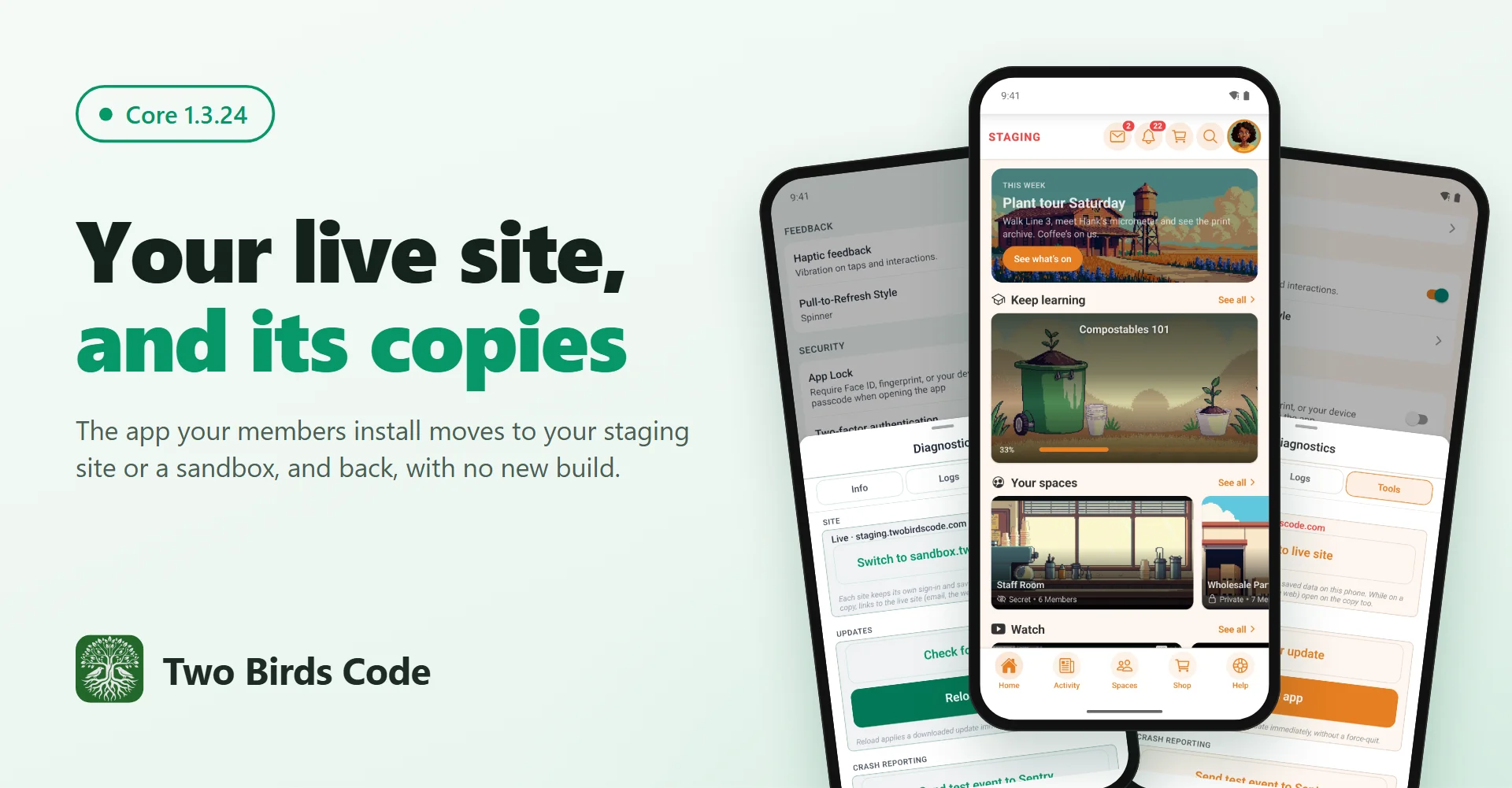
A real app for your Fluent Community, in the App Store and Google Play under your own name. We built it to hand you control, not to rent you a platform.
A real app, not a web page in a wrapper
The feed, spaces, chat, courses and profiles are native React Native screens. Anything custom on your site, like a landing page, a form or a checkout, still opens inside the app with the member signed in. Members install it from the store like any other app, instead of following browser steps to save your site to their home screen.
Not new, and you can have all of it
We've run this app on our own communities for years, and it has shipped white-labeled under other communities' names for a while now. It's about 290,000 lines of code: roughly 110,000 in the app, 100,000 in the WordPress plugin, 50,000 in the build dashboard, and the rest in add-on modules and four languages. With the Dev Bundle, every line of it is yours.
No code needed
You set it up from a panel in WordPress. The one thing it asks of you is patience with Apple's and Google's reviews. If you'd rather not deal with that, we do it for you.
Two ways in, and you can switch
- Managed, $33 a month. We build it, publish it to both stores on your own Apple and Google accounts, and keep it updated. Cancel anytime and your published app keeps working.
- Dev Bundle, $399 once. The full React Native source and a browser dashboard for builds, store submissions and over-the-air updates. It's yours, with no ties to us. Core updates are $50 a year if you want them.
Start on Managed and buy the source later if you want to run it yourself.
Build Fluent Community sites for clients?
With the Dev Bundle you can supply apps to your own clients: one license per site, each white-labeled to the client, all run from one dashboard.
How to start
- Download the free plugin and install it on your site.
- Open your Apple Developer and Google Play accounts. The plugin's setup panel walks you through both, and Apple's approval can take a few days.
- Choose Managed or the Dev Bundle when you're ready to submit.
Want to see it first? Our demo app is in the App Store and on Google Play. It opens our own community. Yours would open your site.
Everything about the app: twobirdscode.com/the-app
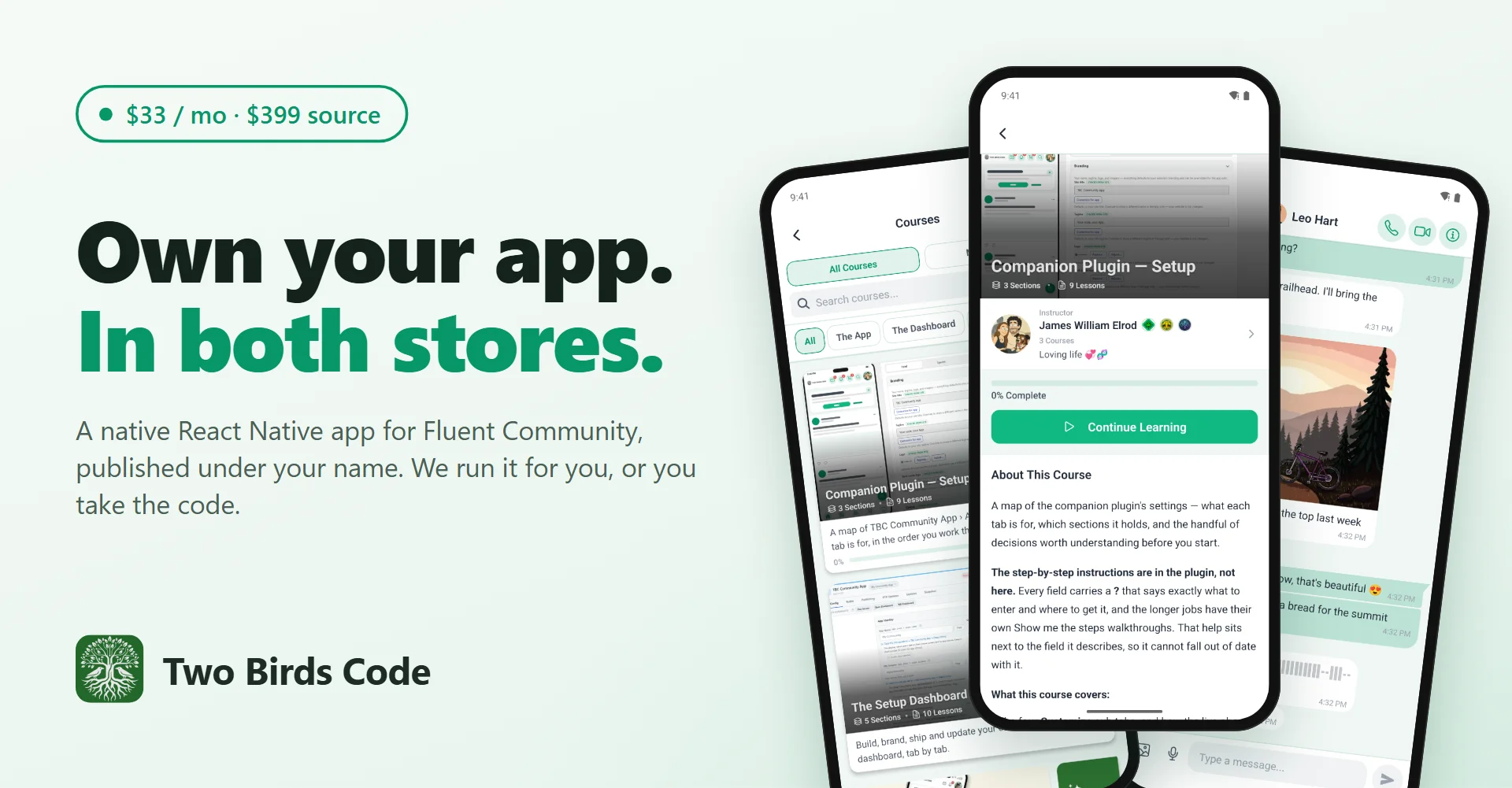
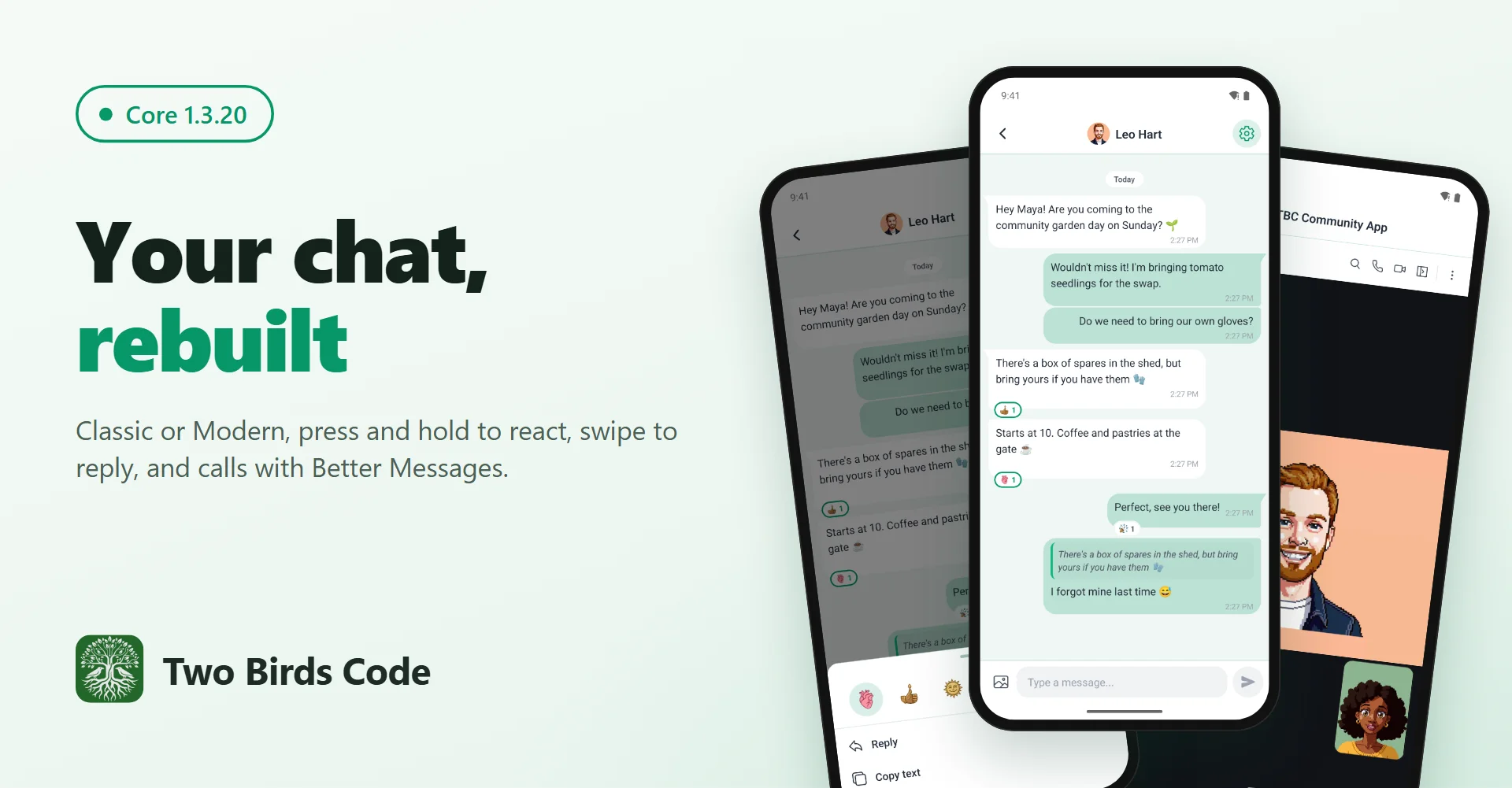
Two chat looks, swipe-to-reply, steadier sign-in and a cart that matches your store.
Your chat, Classic or Modern
Chat now comes in two looks. Classic matches your website. Modern looks like the messaging apps your members already use: your own messages in green with a small tail, the time tucked onto the last line, and reactions as chips on the message. In both, swipe a message to reply, or press and hold it for reactions, Reply, Copy and Delete. Pick the look in Customize › App Screens › Chat, and let members choose their own in Settings.
Better Messages, the same looks
If your site runs Better Messages, its chats follow the same setting. It works with Better Messages 3.0, records voice messages, opens voice and video calls in the app, and a space's chat shows the space's emoji. Thanks to Andrij Tkachenko, who makes Better Messages, for reaching out and giving us a developer licence to build and test this.
Also in this release
- Sign In locks while it works, so a double tap sends one code
- A member who was signed out is told why
- The cart shows what your store's cart page shows: sold-out items, stock limits, a coupon that no longer applies
- A link from outside the app can't open a page inside the app's signed-in browser
- Tapping a search result in Messages opens it the first time
- The companion plugin can't take your website down if a Fluent Community update changes something it relies on
- Fixes in Automations, Better Messages, Cart, GamiPress, Multi-Reactions and Profile Completion
Before you update
- 1.3.20 needs a new app build. Build from the dashboard's Builds tab
- Using Better Messages voice messages or calls? Switch on Microphone (and Camera) in Config › Native Permissions before you build
Full details and screenshots: https://www.twobirdscode.com/blog/core-1-3-20-two-chat-looks-and-better-messages-calls/
Tell us what you are building, and what you'd like us to add next.
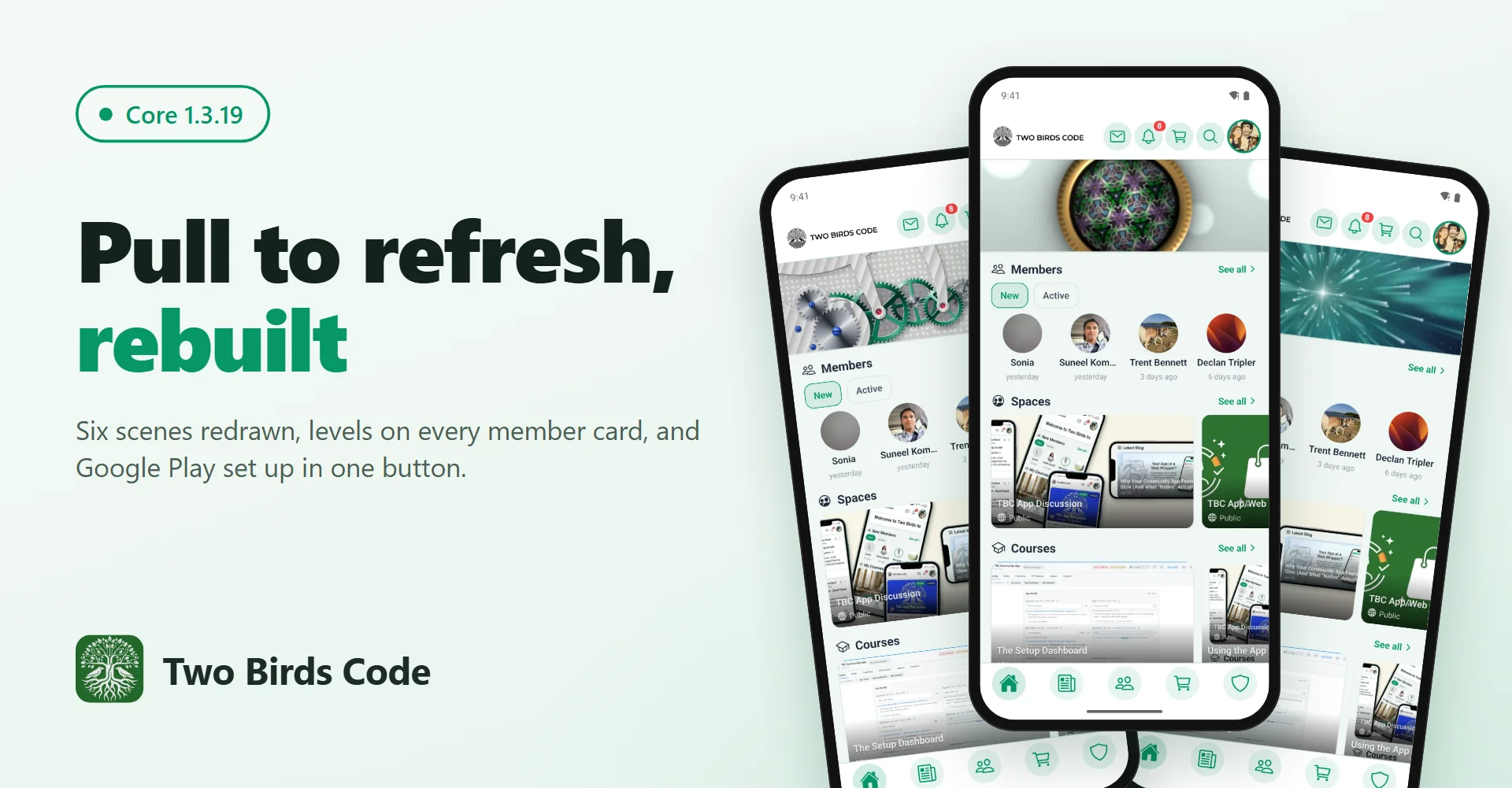
Six new pull-to-refresh animations, each member's level on their picture, and Google Play setup in one button.
Pull to refresh, rebuilt
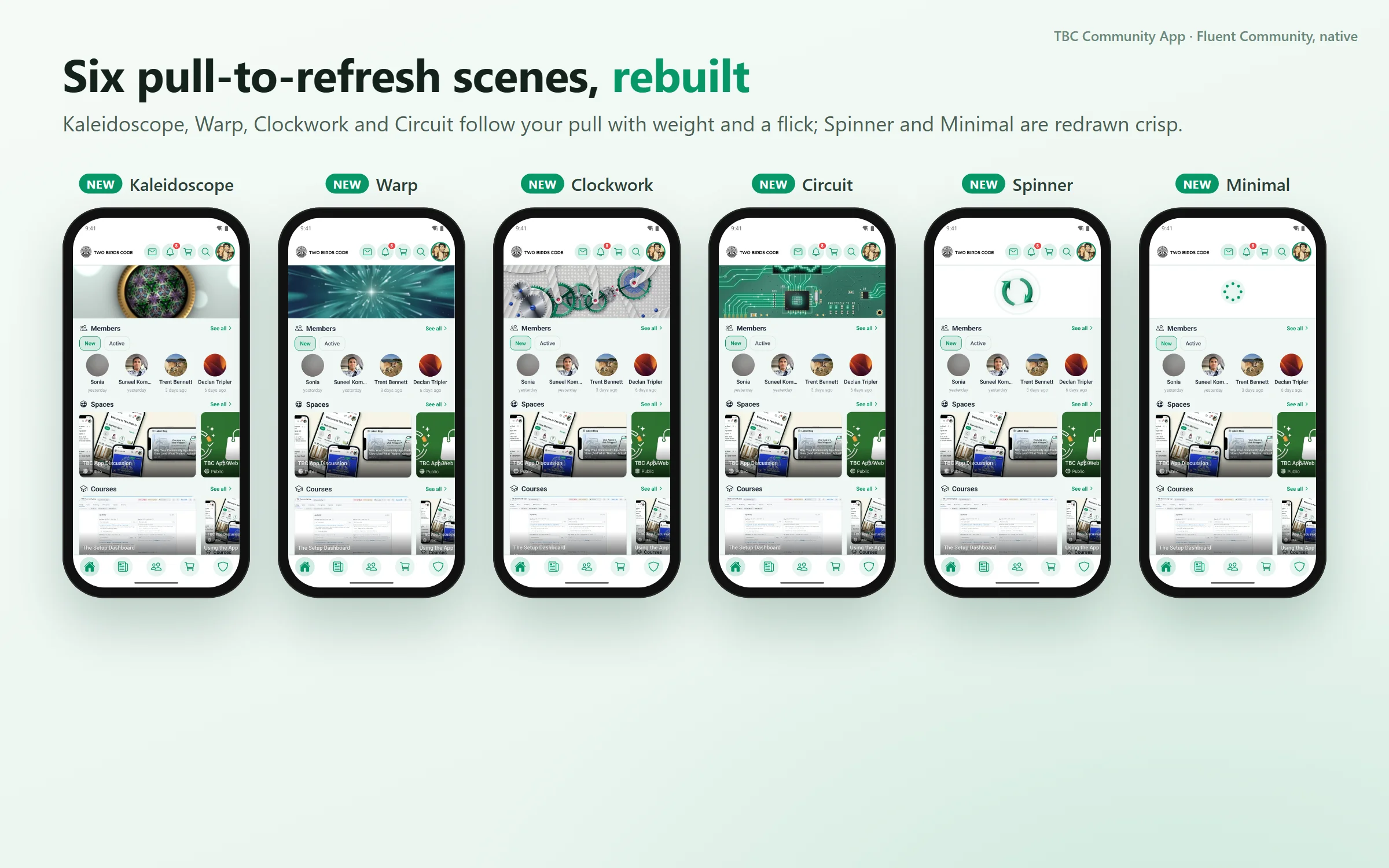
Pull down on a screen and a short animation plays while the app loads. Kaleidoscope, Warp, Clockwork and Circuit are new: they react to how hard you pull, switch to a night-time look in dark mode and pick up your brand colours. Spinner and Minimal are sharper. Members choose one in Settings › Pull-to-Refresh Style.
See who is around
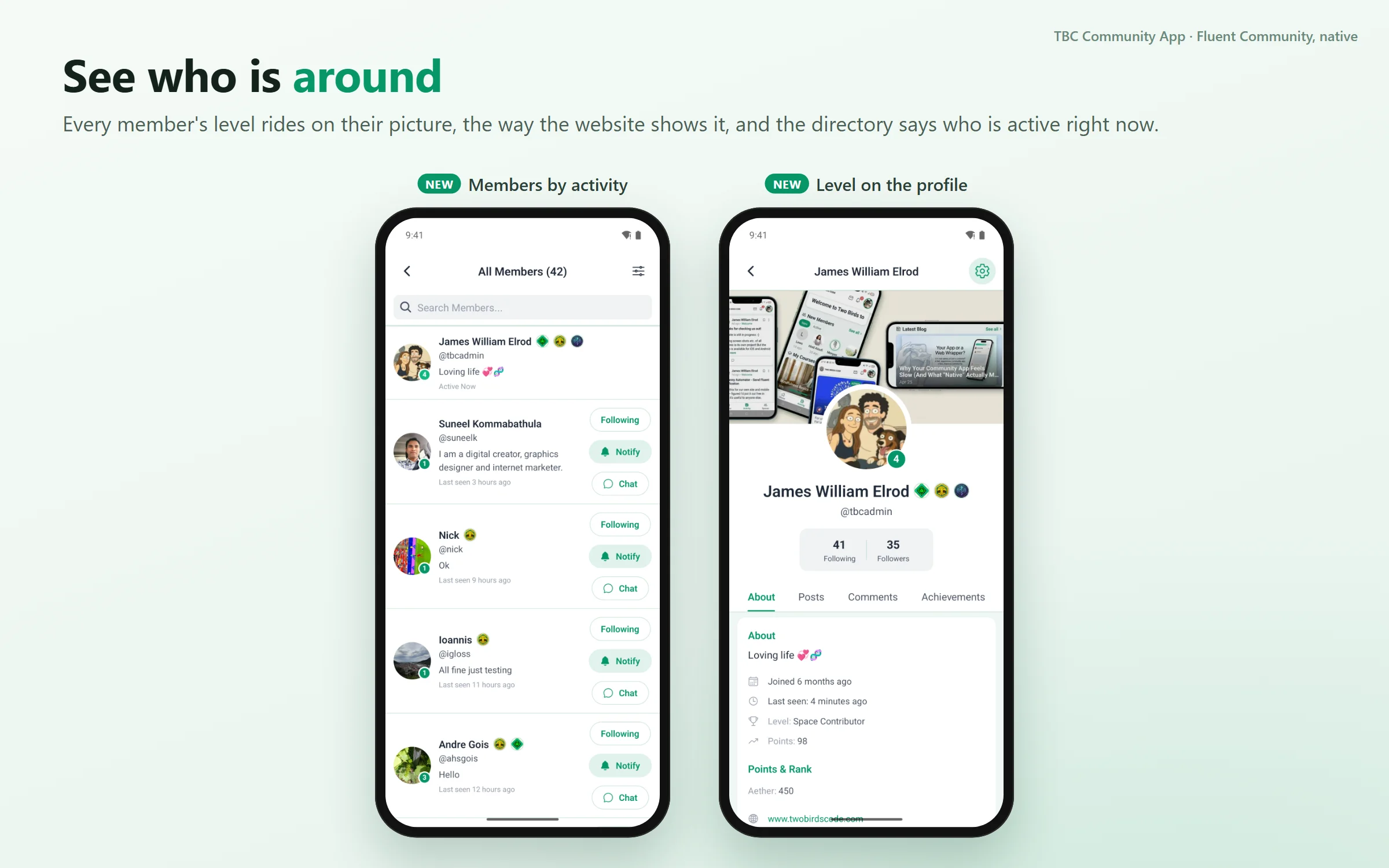
Each member's level now shows on their profile picture, just like on your website: in the member list, in a space's members, in followers and on profiles. Sort the member list by Last Activity and whoever is online comes first.
Google Play in one button
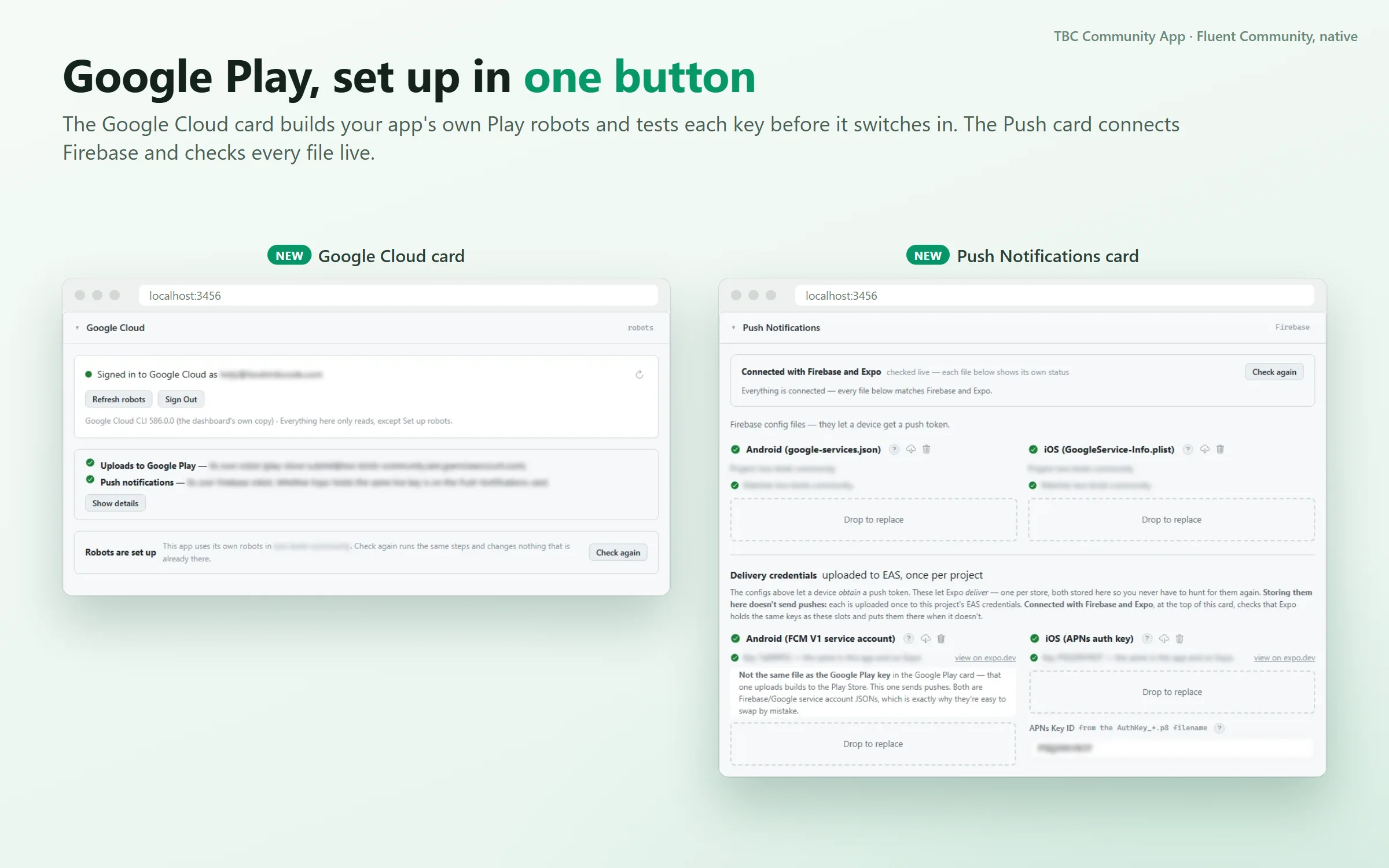
For anyone who publishes their own app with our setup dashboard. Your app needs a few special Google accounts to publish on Google Play, send notifications and check purchases, and until now you made them by hand. Sign in to Google once on the new Google Cloud card, press Set up robots, and the dashboard creates what's missing. Your app keeps its current keys until the new ones are tested and working. Push notifications are faster to set up too: choose your Firebase project and the dashboard downloads the files your app needs.
Also in this release
- A message in a space's chat no longer pings every member, matching the website
- When members come back to the app, the feed stays where they left it
- Times like "5 minutes ago" appear in the member's own language
- Photos and videos can be added without giving the app access to the whole photo library
- Changing a password, or Log Out Everywhere, also signs the app out on other devices
- Sign-in codes and other emails match the rest of your community's emails
- The in-app cart shows prices with tax included when your store does
- Crash reports show which part of the app crashed, once Sentry is connected
- Fixes in Admin Columns, Automations, Banners, Cart, GamiPress, Multi-Reactions, Profile Completion and YouTube
Before you update
- 1.3.19 doesn't need a new build. It can go out as an over-the-air update
- If you build your own app, press Log In to EAS once on each app after you update the dashboard
Full details and screenshots: https://www.twobirdscode.com/blog/core-1-3-19-rebuilt-pull-to-refresh-scenes-and-google-play-in-one-button/
Tell us what you are building, and what you'd like us to add next.
Core 1.3.18 is out, with the companion plugin at the same version. The headline is FluentAuth 3 support: passkeys and two-factor now work inside the app. Alongside it, space admins can run a space from their phone, moderators review what gets flagged where it happens, and quizzes can ask more than "pick one".
FluentAuth 3, and what it brings
- Sign in with a passkey. Your face, a fingerprint or your screen lock — no password to type. It works as the whole sign-in, or as the second step after a password.
- Set up an authenticator app in the app, with recovery codes for the day your phone isn't with you.
- Setting one up is easier here than on the web. On a site, FluentAuth only offers passkey creation to a role that's forced to have one, or to someone who can reach their WordPress profile page. In the app, members set one up during sign-in when the community requires it, or any time from Settings — next to App Lock.
- FluentAuth 3.0 or newer. Version 3 refuses any sign-in it can't show its own form for, so the app asks what the account still owes and answers it. A site on an older FluentAuth is told to sign in on the web rather than meeting something half-working.
For space admins and moderators
- The space menu is the one you set up on the website — its order, labels, icons, and who sees what. Edit it from the app.
- Manage members from your phone: add people, change roles, remove, and approve or decline join requests from a Requests tab that carries the number waiting.
- Space Settings is one screen with tabs — General, Menu, Links, plus pages and the lock screen.
- Pages are managed in the app: reorder, publish, hide, duplicate, delete. Only a page's content opens the block editor.
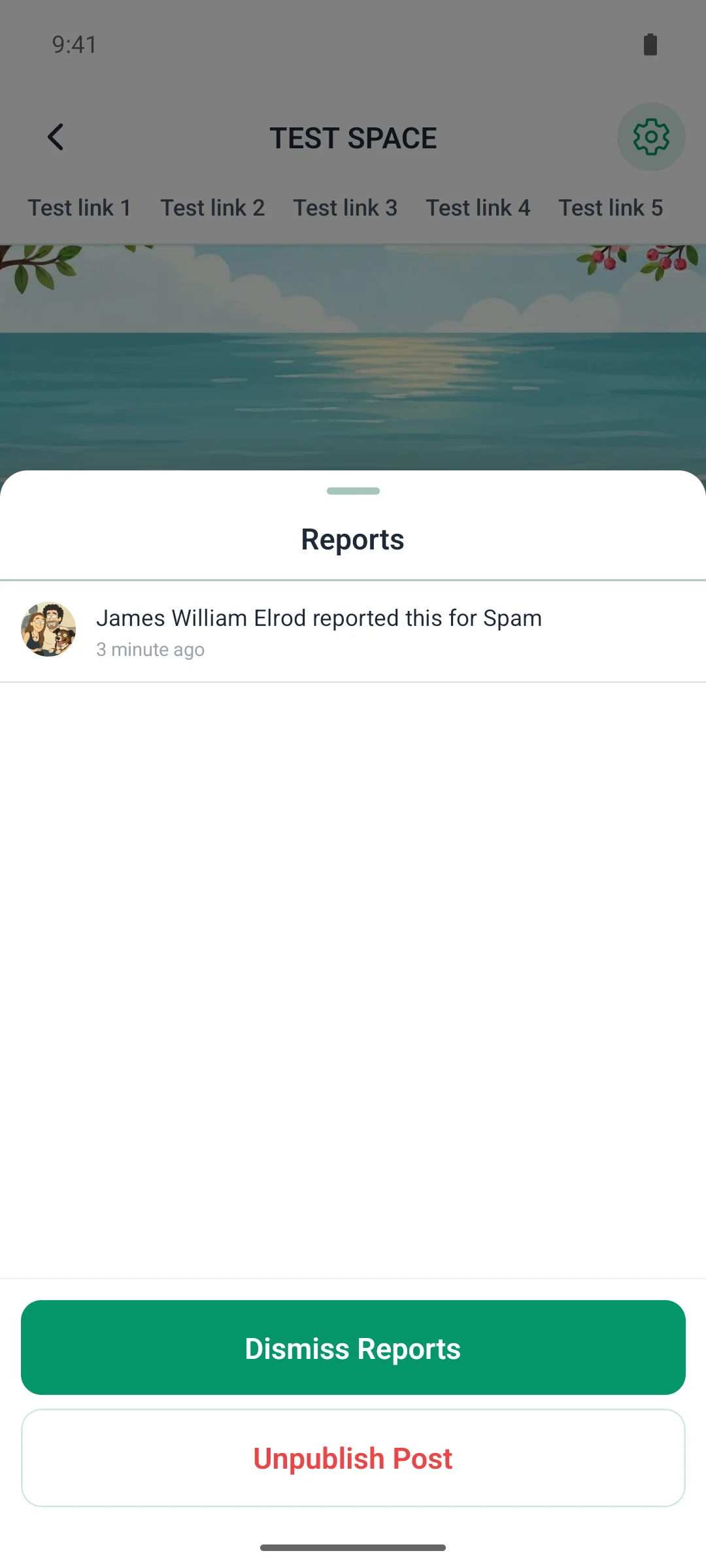
- Flagged content is reviewed where it sits. A reported post carries a banner; open it, read the reports, then Dismiss, Unpublish or Approve. The card updates in place.
For members
- Quizzes ask every kind of question your course sets — true/false, fill in the blank, put things in order, match the pairs, match the pictures — with the answer key and explanation afterwards.
- A new pull-to-refresh scene draws tonight's real Moon and the sign it's passing through.
- The app tells you why when something won't load, and a red button's text is finally readable in dark mode.
If you build your own app
This one needs a new build — react-native-passkey is native, and iOS gains webcredentials. Two things in order: install the plugin on your site before you build (Apple fetches the association file through its own CDN), and sign the build with a certificate whose fingerprint the plugin publishes — the Deep Linking card now takes both your Play key and your EAS upload key.
Also: the plugin now needs PHP 8.1, and a site with a hand-set JWT secret shorter than 32 characters gets it replaced automatically — the new JWT library refuses to sign with one.
Core 1.3.16 is out, with the companion plugin at the same version. It brings the app up to date with Fluent Community 2.10, adds two new pull-to-refresh scenes, and fixes a long list of things so the app says what's really going on.
Fluent Community 2.10 support
- Space Pages open in the app (Fluent Community Pro). Pages a space adds on the website (an about page, guidelines, a resource list) show up in the space's menu and open on their own screen, with comments where the page allows them. FluentPlayer videos on a page play right in the app. Space admins get a Manage Pages link that opens Fluent Community's page editor on the web.
- Tapping a push marks it read, the same way Fluent Community's own web push now does.
- New-lesson pushes use 2.10's new lesson-published event, so enrolled members hear about a lesson the moment it goes live.
- Flagged-content pushes reach moderators. That was the one Fluent Community notification the app never pushed.
- Upgrade Fluent Community and Fluent Community Pro to 2.10.01 together. Both need the other at 2.10.01, there's no database migration, and it closes four security holes in 2.9.1.
For members
- Two new pull-to-refresh scenes. An open ocean and the northern lights over a still lake. Pull gently for a calm sea, pull hard for a storm. Pick one in Settings; Reduce Motion still turns them off.
- The app tells you why. When something won't load, it now says so in your language (offline, timed out) and offers Try again, instead of an empty screen or an English error.
- Notifications go where they should. Tapping a push opens the screen it was sent for. "Mark all read" matches the badge, and the icon badge only ever shows a real count.
- Signing out keeps your settings. App Lock, feed layout, appearance and your refresh scene all stay put.
- Profiles fill in. Bios and websites now show when you view another member.
- Faster lessons. Videos in a lesson or post wait for a tap before loading, so pages with several videos open quickly.
- Plus fixes for the keyboard covering fields, custom link icons being lost on save, and spaces missing from the space picker.
For site owners (WP Admin)
- Sign-in is safer. Two-factor codes can't be guessed offline any more, forgot-password no longer reveals whether an email has an account, and an imported settings backup is checked like a live save.
- Push switches tidied. Group chats get their own switch, and moderator-only switches only show to moderators.
- Lesson and Space Page notifications open the lesson or page, not "Post not found". Course, quiz and invitation pushes open something useful too.
- Signing out stops that phone's pushes.
- Changing plans no longer bounces members out of their spaces, and a member with two purchases keeps what the remaining one pays for.
- Google Play: the Google tab now checks whether Play is really connected and names the fix if it isn't, shows whether the last notification was signed by Google, and accepts notifications from authenticated Pub/Sub subscriptions.
If you build your own app
This release needs a new build: Expo SDK 57 patches (expo 57.0.22), expo-iap 5.6.0 for IAP apps, and Android builds no longer ask Google Play for photo and video access, so no more policy declaration. In the dashboard:
- In-app products on Google Play sell in every country, priced in local currency with your base price kept to match the App Store.
- The in-app purchase card reads Google Play too, including the Payments profile only the account owner can set up.
- The store's What's New box fills itself with this version's notes and clears for the next.
- Publishing names the Play track an upload lands on, with a one-press switch back to production.
- Store screenshot captions survive a replace across languages.
Our own app is live on the App Store and Google Play now. If you build your own, it arrives with your next store update. The companion plugin is ready now on your Plugins screen.

Core 1.3.15 is out, with the companion plugin at the same version. Read the two update-order notes at the end before you start — this release has them.
For members
- The app speaks Dutch. A community translated the whole thing and sent it in, so it ships the way Spanish and Greek do: every screen, every add-on, and the plugin's own strings. It stays current as we add strings rather than drifting back to English. The picker and device detection pick it up.
- The lock, maintenance and update screens now look like your community. They used to be three different shapes wearing colours nobody could reach, and a white logo drawn for a dark bar simply vanished on them. They share one shape now, wear your logo properly fitted, and each takes your own title, message and picture. Leave a box empty and members still read the app's own words in their own language.
- Chats explain themselves. When you can't post, the chat says which reason: you blocked them, they blocked you, an admin quieted you here, you left, their account is gone. Moderators of a space or group chat can quiet a member from the member list and let them back in, and can remove any message. Member lists search and page properly.
- Signing in lands where it should, in one move, and a link set to open in your browser goes straight there instead of stumbling through a blank screen.
For site owners
- One Links widget instead of four. Tiles, List, Buttons and Chips are a single Links widget with a Layout choice, so changing your mind about the shape no longer means deleting the widget and retyping every link. A link can point at a community post now, not just a page.
- A Screens explorer for widget screens. Every screen as a tree down the side, nest one under another to any depth, drag to reorder, rename inline, duplicate, search. Deleting moves a screen to a Trash you can restore from. App Screens gets the same column.
- Move a widget to another screen, or duplicate it, from the widget's own header, carrying everything you set on it.
- A setting sits on the screen it changes. Change Password moved to Password policy, the GIF picker and Scheduled Posts to Feed › Post box, Content Moderation to Profile.
- The admin explains itself on request. The paragraphs beside every control are behind a ? now, across every plugin. Warnings and anything describing what's currently set stay visible.
- Subscribers rows carry their history and say whether a purchase came from Apple or Google.
If you build your own app
This one needs a new build. Every Expo SDK 57 package moves to its current patch, and two icon fonts leave the binary, which is 1.3 MB lighter. IAP apps move to expo-iap 5.5.0; the dashboard re-pins it for you.
- Core updates are fast now. The post-update dependency install ran a registry audit that took minutes and queued behind build uploads. Seconds now, and only when a dependency actually changed.
- The build verdict is honest. A core update that changes a dependency always says "build", naming the packages, never "OTA-safe".
- Builds is one card, newest five with a Show more. Every card is an accordion, one open per tab.
- Fix icons and splash images in the preview — size, drag, Fit to safe zone, Centre — instead of a round trip through Photoshop.
- Your own languages survive core updates, registered in a block the dashboard carries across each one.
- An add-on names the core it needs, and can bring its own npm packages.
Two update orders that matter
Update the companion plugin before, or with, the core. The app now requires a plugin at least as new as itself and shows a "this community needs an update" screen otherwise. It clears itself the moment the plugin lands.
If you use TBC Automations, update it to 1.1.6 first, or in the same pass. Recipe notifications moved out of the app plugin into the add-on where they belong. Updating the app plugin alone leaves the older add-on sending to a row that no longer exists, so recipe pushes stop until it catches up. Settings and member opt-outs carry over either way.
Coming with your next app-store update.
Core 1.3.14 is out, with the companion plugin at the same version. Here's what your members will notice, then what changes for site owners, then a short section for anyone building their own app.
For members
- Audio follows you. Play a recording on the feed, in a lesson or a post, and it keeps going while you browse. A mini player sits above the tab bar (a floating card on screens without one) to pause, stop or jump back in. The app remembers where you were in everything it played, so a short clip never costs you your place in a long one.
- Every audio row is a real player. 15-second skips, playback speed from 0.75× to 2× with voices kept natural, tap-to-seek, and elapsed/total time.
- Chats say why. A closed composer now tells you the reason: you blocked them, they blocked you, an admin quieted you here, you left this chat, their account is gone. Moderators of a space or group chat can quiet a member from the member list and let them back in, and can remove any message. Member lists search and page properly, so a big roster no longer just ends.
- Quick notices instead of pop-ups. Things that simply worked announce themselves briefly and get out of the way. Real questions still ask properly. Screens open on content-shaped placeholders rather than spinners.
- Purchases are never lost. If the store reports an error after you've paid, the app checks with your community over the next few seconds and lets you in as soon as the purchase lands. On Google Play, a plan with a trial or intro price now buys that offer, not the plain plan.
- The sign-in button always answers. Where terms must be agreed before signing in, tapping Log In with the box unticked now says so instead of doing nothing.
- Update screen can offer "Not now". A new setting lets the required-update screen be skipped for everyone or for chosen roles, so a reviewer or your team is never walled off.
For site owners (WP Admin)
- Push broadcasts take a list. Send to several spaces and several members at once. Everyone is counted and pushed exactly once.
- Review accounts arrive dressed. Accounts created by the App Review card and the Video Test Kit come with an avatar, cover and bio, so nothing on camera reads as a dead account.
- A purchase binds to its member even if the phone never confirmed it, so nothing sits in Subscribers as "Not linked yet". A plan change now re-grants what the new plan unlocks, and the daily check acknowledges Google purchases so none run out the clock.
- Hide sensitive now covers the push log, so a screenshot of the Tools tab no longer shows what a push actually said.
- Fluent Community 2.9 and Fluent Messaging 2.9 are fully supported. Upgrade Fluent Community from WP Admin rather than by dropping files; its first request after an upgrade does heavy schema work.
If you build your own app
This release needs a new build: every Expo SDK 57 package moved to its current patch (React Native 0.86.3), and IAP apps move to expo-iap 5.5.0. The dashboard re-pins it for you. What changed in the dashboard itself:
- Core updates are fast now. The post-update dependency install ran a registry audit that took minutes and waited behind build uploads. It now runs in seconds, and only when a dependency actually changed. Fleet updates that took an hour take minutes.
- The build verdict is honest. A core update that changes a dependency always says "build", naming the packages, never "OTA-safe".
- Builds is one card. New build and recent builds together; the newest five with "Show more".
- Every card is an accordion, one open per tab, and Age Rating walks in steps.
- Screenshots have a look. Templates, per-slot position, laurel badge, zoom callout, a frame finish, and the Play feature graphic drawn from the same look.
- Fix icons and splash images in the preview. Size, drag, Fit to safe zone, Centre, Apply. No Photoshop round trip.
- App Review notes answer the background-audio and "widgets" questions before a reviewer asks, and a fifth purchasing posture covers a shop selling things used outside the app.
- Add-ons install on a fresh app again (the minimum-version check compared the wrong number), and activating a module on a fresh install registers it properly.
Coming with your next app-store update.
Sign-ups, links, and firewalls — plus a way to finally see what went wrong.
- Signing up works again on communities that email a verification code
- Links open the mobile version of your site, not the desktop one
- Links you write on the sign-in and sign-up screens are tappable links now, not plain web addresses
- Signing up asks for one agreement, and names both documents it links to
- Plans say exactly what they include, and one-time purchases no longer talk about renewing
- You can sell access to just the spaces, or just the courses, a plan covers
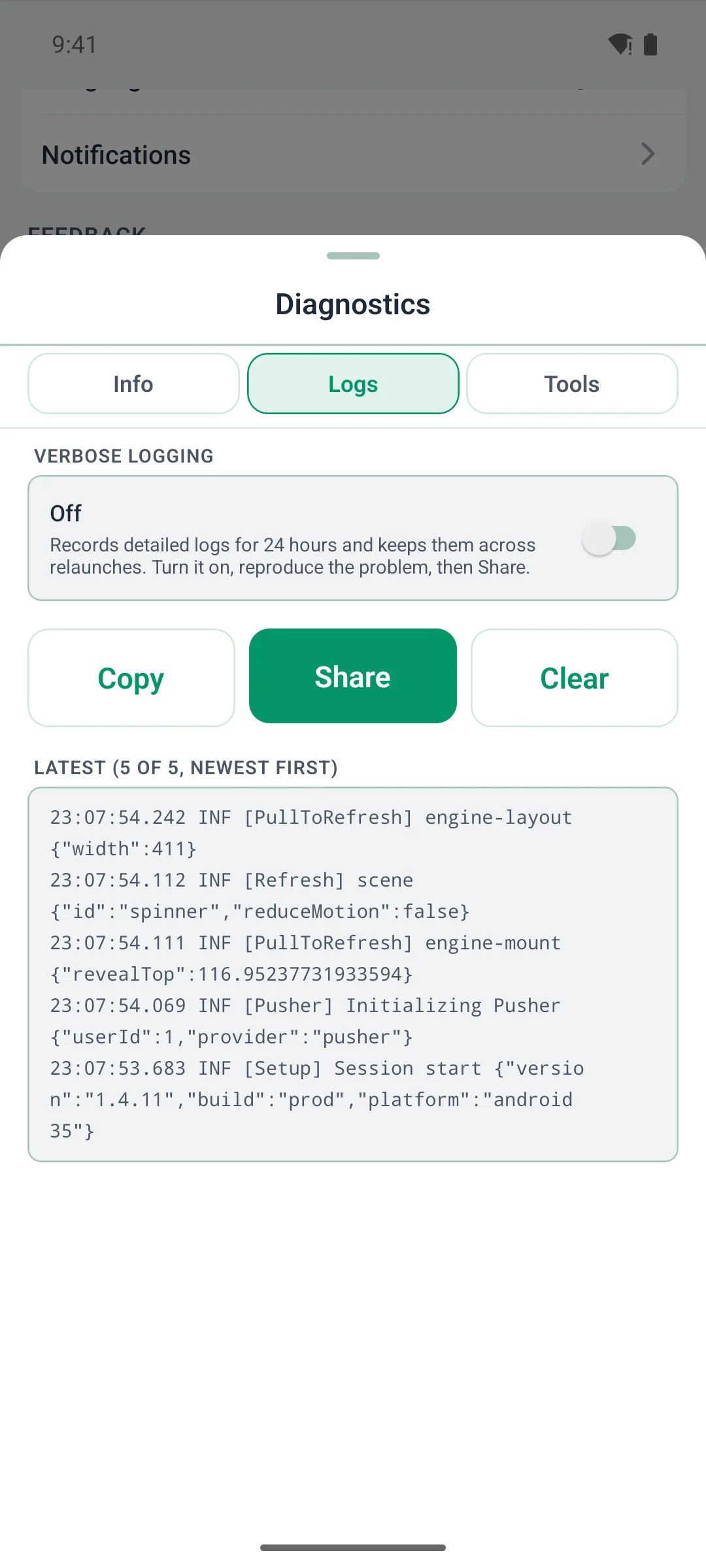
New — Diagnostics. When a member says "it's not working", they can now hand you the whole picture from their own phone. The app keeps a rolling record of what it did; one Share button sends it with the version and session details. Long-press your logo on any screen — including the sign-in screens — or find it under Settings → Diagnostics. A Verbose switch turns on the detailed trail for 24 hours, then turns itself off.
Firewalls. Some hosts were refusing the app outright because it never said who it was. Every request identifies itself now — pages, images, audio, video and downloads, on both platforms — so your host can allow it once and be done.
The app changes need a new build, so they arrive with your next store update. The companion plugin is ready now on your Plugins screen.