

App update — Core 1.3.18: FluentAuth 3 support — passkeys, two-factor in the app, and space admin on your phone
Core 1.3.18 is out, with the companion plugin at the same version. The headline is FluentAuth 3 support: passkeys and two-factor now work inside the app. Alongside it, space admins can run a space from their phone, moderators review what gets flagged where it happens, and quizzes can ask more than "pick one".
FluentAuth 3, and what it brings
- Sign in with a passkey. Your face, a fingerprint or your screen lock — no password to type. It works as the whole sign-in, or as the second step after a password.
- Set up an authenticator app in the app, with recovery codes for the day your phone isn't with you.
- Setting one up is easier here than on the web. On a site, FluentAuth only offers passkey creation to a role that's forced to have one, or to someone who can reach their WordPress profile page. In the app, members set one up during sign-in when the community requires it, or any time from Settings — next to App Lock.
- FluentAuth 3.0 or newer. Version 3 refuses any sign-in it can't show its own form for, so the app asks what the account still owes and answers it. A site on an older FluentAuth is told to sign in on the web rather than meeting something half-working.
For space admins and moderators
- The space menu is the one you set up on the website — its order, labels, icons, and who sees what. Edit it from the app.
- Manage members from your phone: add people, change roles, remove, and approve or decline join requests from a Requests tab that carries the number waiting.
- Space Settings is one screen with tabs — General, Menu, Links, plus pages and the lock screen.
- Pages are managed in the app: reorder, publish, hide, duplicate, delete. Only a page's content opens the block editor.
- Flagged content is reviewed where it sits. A reported post carries a banner; open it, read the reports, then Dismiss, Unpublish or Approve. The card updates in place.
For members
- Quizzes ask every kind of question your course sets — true/false, fill in the blank, put things in order, match the pairs, match the pictures — with the answer key and explanation afterwards.
- A new pull-to-refresh scene draws tonight's real Moon and the sign it's passing through.
- The app tells you why when something won't load, and a red button's text is finally readable in dark mode.
If you build your own app
This one needs a new build — react-native-passkey is native, and iOS gains webcredentials. Two things in order: install the plugin on your site before you build (Apple fetches the association file through its own CDN), and sign the build with a certificate whose fingerprint the plugin publishes — the Deep Linking card now takes both your Play key and your EAS upload key.
Also: the plugin now needs PHP 8.1, and a site with a hand-set JWT secret shorter than 32 characters gets it replaced automatically — the new JWT library refuses to sign with one.
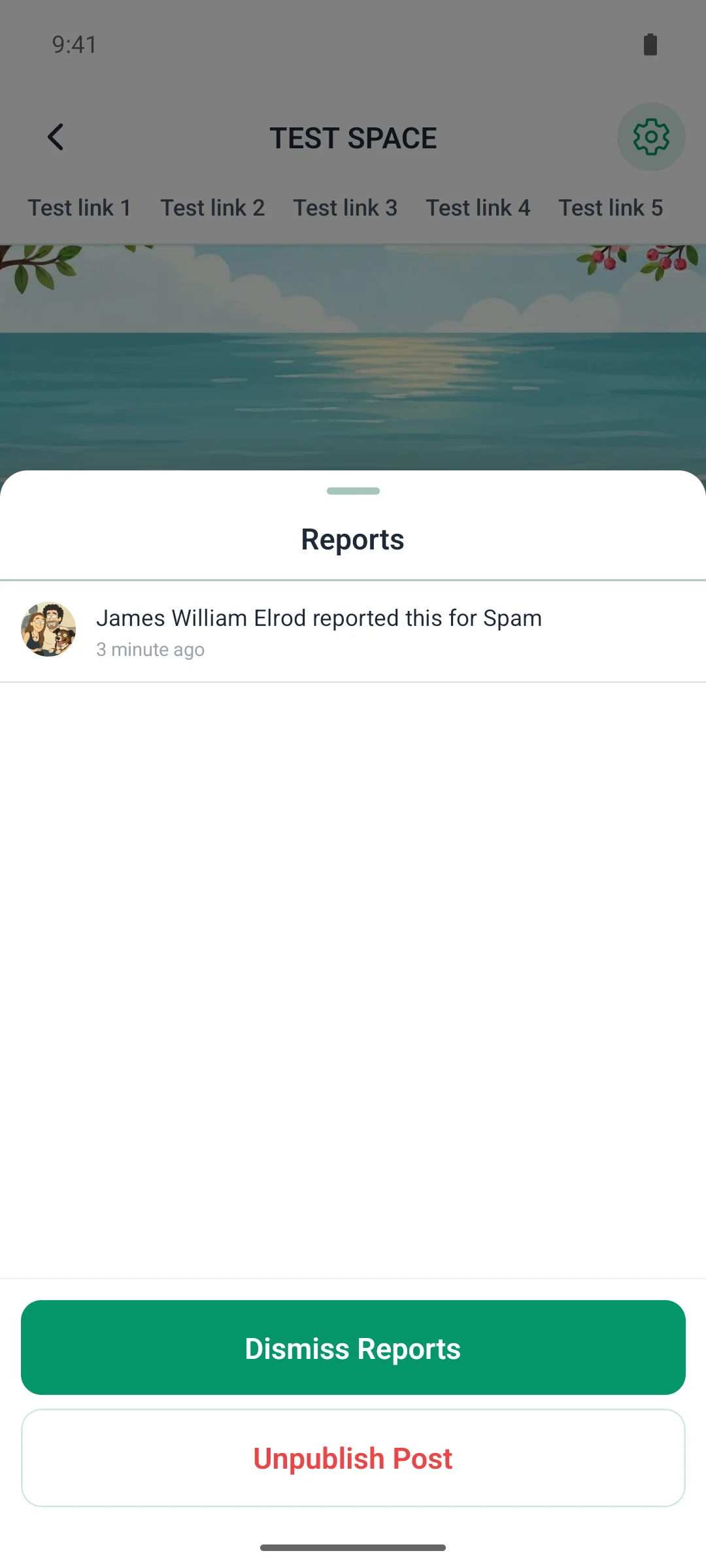

A few more from this release. A flagged post carries its reports for the people who moderate it. Passkeys, the authenticator app and recovery codes live under Settings → Security. And a quiz now follows the lesson's own settings — one question at a time, shuffled, with the answer key at the end.