


I'd like to share a feature suggestion focused on UI consistency and usability.
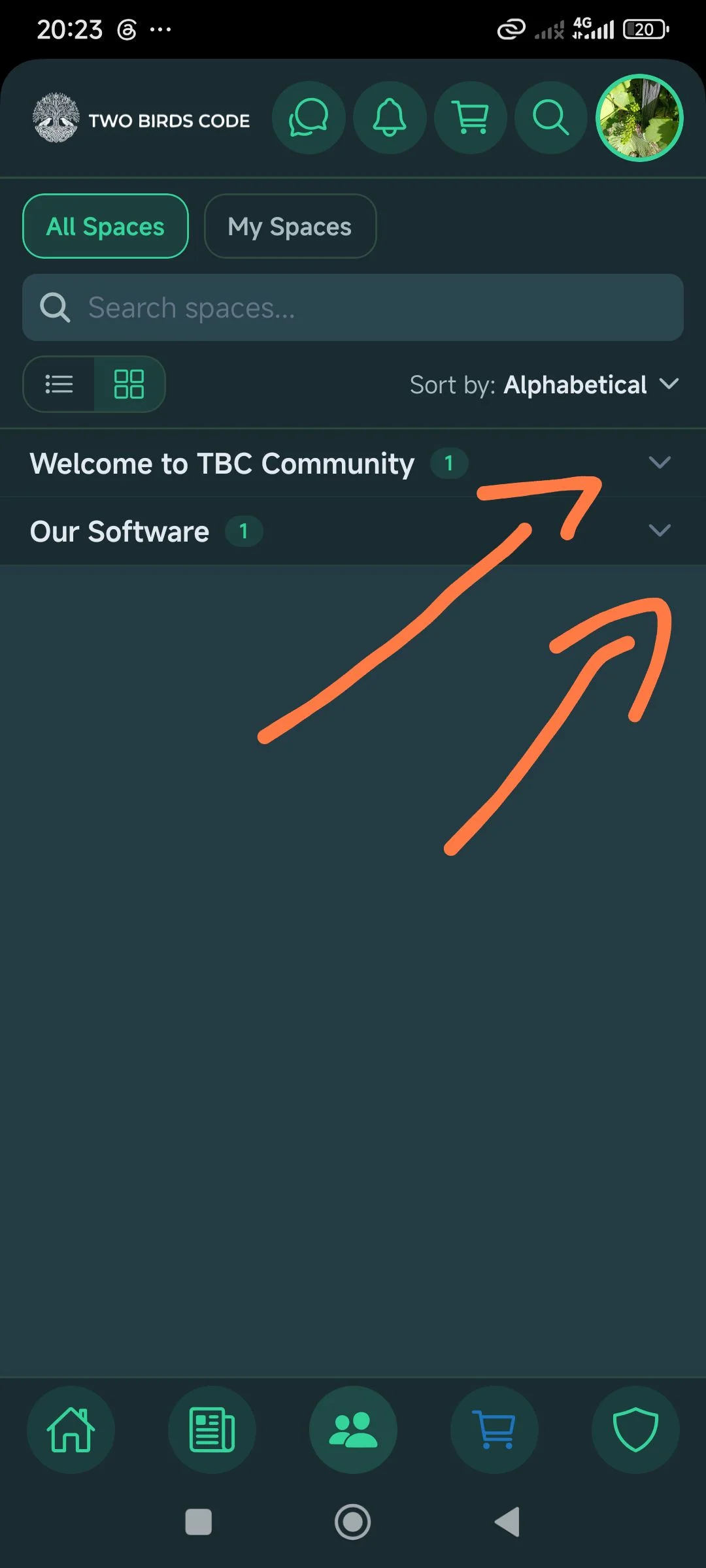
I noticed that on the main Spaces tab, we have the great option to expand and collapse the category groups (using the arrows on the right) to keep our view organized.
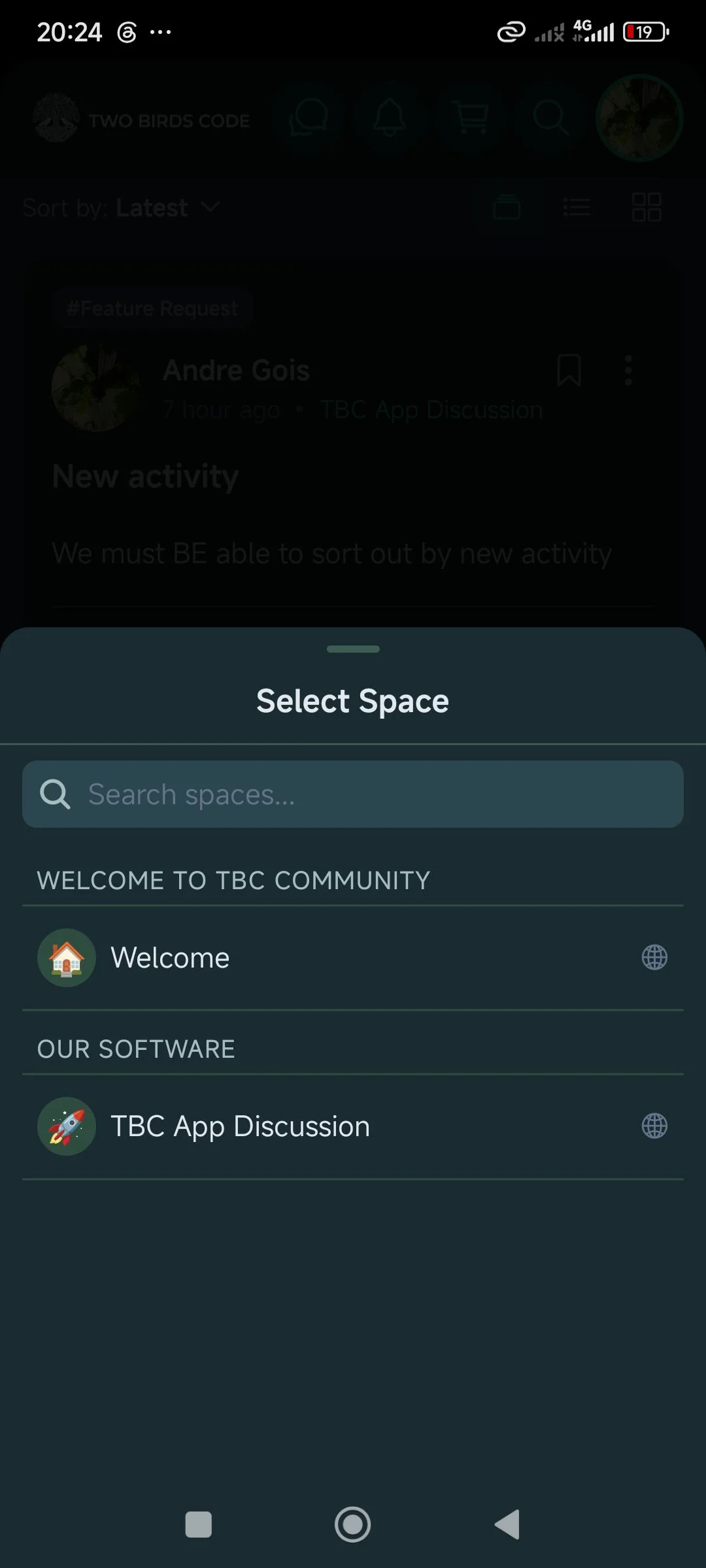
However, when we are writing a new post and the bottom "Select Space" menu opens up to choose where to publish it, those same categories are static and don't allow us to collapse the list.
My suggestion: It would be great if you could replicate that same collapsible behavior inside the "Select Space" modal. As communities grow and more categories are added, being able to minimize these lists would make navigation much cleaner and more intuitive for the user. Thanks for the great work and keep it up!

Hi Andre — happy to say this one's already in the app. You called it exactly right.
The Select Space menu in the composer now has the same collapsible category groups as the main Spaces tab, so you can minimize the groups you don't need and keep the list tidy — which, as you said, matters more and more as a community grows. We also made sure searching overrides the collapse, so if you search for a space it'll surface even if it's inside a group you've closed.
It's in app version 1.4.0 — update from the Play Store (check Settings/About for your current version) and you'll have it.
Thanks for the suggestion — the "match the behaviour that already exists on the Spaces tab" instinct was exactly the right call, and it made this an easy one to build.