

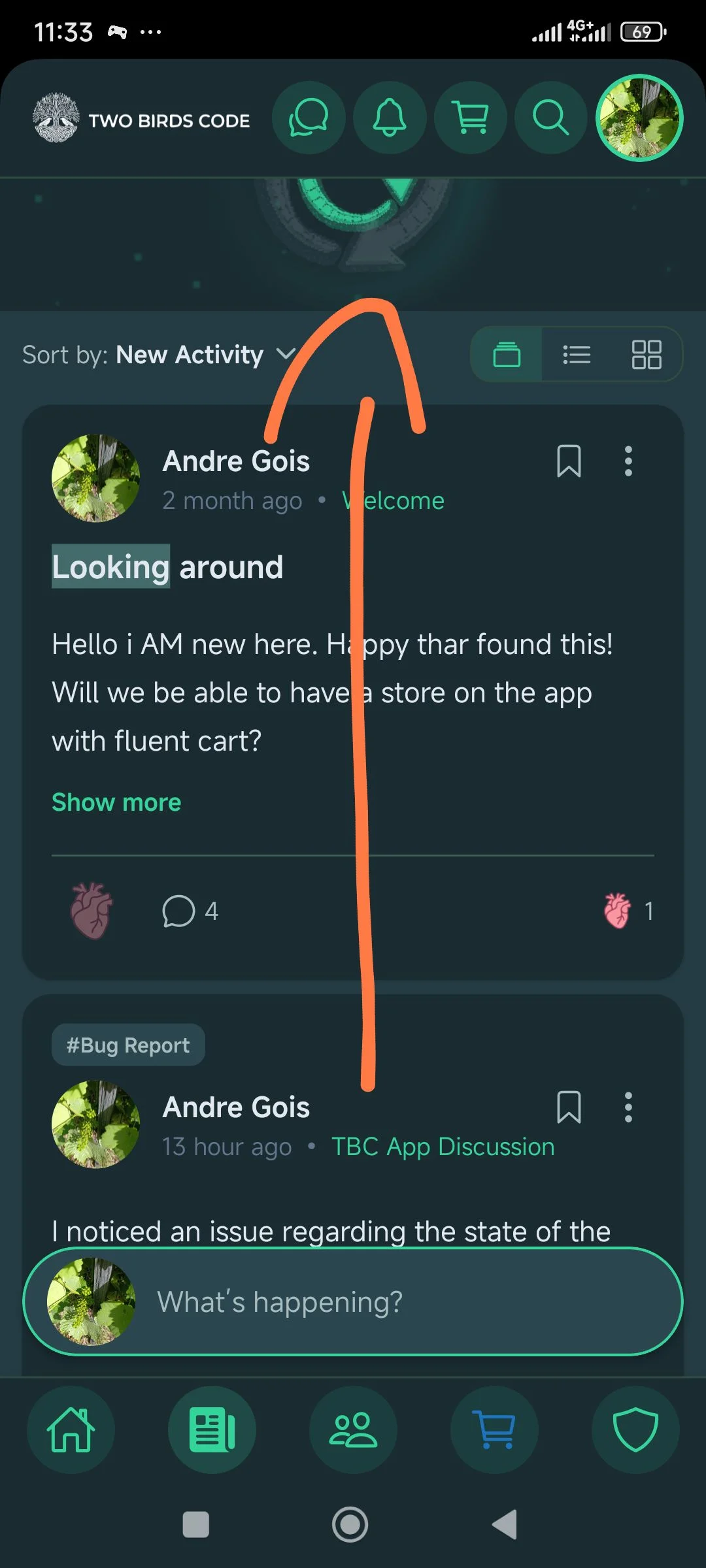
I noticed a visual glitch with the "pull-to-refresh" animation on the feed.
When I pull the screen down to refresh, the circular loading animation that appears at the top is incomplete. As you can see in the attached screenshot, the top part of the icon is cut off or hidden behind the top navigation bar.
It looks like it might just be a minor spacing or layering issue.
Thanks for looking into these details!

Hi Andre — before we dig in, we want to make sure we understand exactly what's happening, because "doesn't work" can mean a few different things here.
One thing worth checking first: pull-to-refresh has a catch point. You have to pull the list down far enough for it to trigger — when you do, it pulls down and then pops back up a little while it loads, same as a classic spinner. If you only pull part-way and let go, it won't "catch" and won't reload. So the first thing to try is a slow, deliberate pull that goes a bit further than feels necessary, and see if it grabs.
If that's not it, some background: that release changed a lot more than the animation under the hood — we redesigned how the app's screens and scrolling work (the older version faked the hide-on-scroll bars by stretching them over the content, which caused exactly these kinds of scroll/refresh quirks, so we rebuilt it properly). We've been steadily fixing the knock-on issues since, and the latest update has several pull-to-refresh fixes in it — including one where a short, half-finished pull could leave a list stuck.
So: make sure you're fully updated (we pushed the latest as an over-the-air update, so closing and reopening the app should pick it up), then try a full pull-down on the feed.
If it's still not refreshing after that, a quick screen recording of you pulling down would tell us everything — along with whether you're on iOS or Android and the app version (Settings/About). With that we can pin down whether it's something we've already fixed or a new one to chase.