TBC App/Web - Profile Completion

SKU: TBC-APP-PROF-MOD

Force new and returning members to complete their profile β€” bio and avatar β€” before they can access your community. Works on both web (Fluent Community portal) and inside the TBC Community App on iOS and Android.

$29.00
Buy Now

v1.7.0
Changelog Β· v1.7.0

1.7.0 β€” 2026-07-06

Closes the door bots were using to get past the gate: a faked phone. Verification is now a durable property of the profile instead of a throwaway session, so a number typed straight into the API can no longer fake a complete profile β€” it must clear a real Twilio code.

πŸ”’ New

  • Phone verification now actually enforces. The "Enable phone OTP" toggle always said "users must verify before their profile is complete" β€” but the code only ever checked the phone field was filled, so a number typed straight into Fluent Community's profile API counted as done and Twilio never ran. Now verification is recorded against the user (the exact number they cleared via Twilio) and the completion check requires it: a filled-but-unverified phone stays incomplete no matter which endpoint wrote it. The toggle finally does what it always described. Change your number later and you're re-asked, as expected. On update, existing members who never verified are gated until they do β€” ready them in one click with the manager (below).
  • Members manager. Because verification now genuinely enforces, a modal on the OTP tab lets you ready and manage members: Verified / Not verified tabs with live counts, searchable and paginated. Mark an individual, a page selection, or everyone verified/unverified; un-verify a suspicious account in one click. Trust your current crowd in one action (β€œMark ALL as verified”) so an update never strands them, or leave suspects to be gated. This is also your day-to-day verification management.
  • Require a headline (FC 2.7.0). A new optional gate field: turn on Require Headline (a checkbox under Website on the settings screen) to make members add Fluent Community 2.7.0's one-line headline/tagline before their profile counts as complete. Off by default and independent of the Bio requirement β€” require either, both, or neither. Enforced identically across the app, the web completion overlay, and the server gate; reads from the same XProfile meta column as Website.

πŸ›  Fixed

  • Completing the gate no longer wipes a member's headline. Fluent Community 2.7.0 added a profile headline, and its updateProfile defaults that field to empty whenever a save omits it β€” so a member who'd written a headline on the web lost it the instant they cleared the completion gate. Both save paths now echo the existing headline back in the profile payload β€” the app's completion save ($existing['headline'] in includes/class-profile-gate.php) and the web completion overlay (assets/js/profile-completion.js), which previously still blanked it.

πŸ“‘ OTA & Internal

  • Durable verification stored in user meta _tbc_pcom_phone_verified (last-10 compare); Otp::mark_phone_verified() / is_phone_verified() / per-user mark_verified_for_user() / unverify_user() in includes/class-otp.php. Enforcement in get_missing_fields() / handle_complete() now runs whenever OTP is required (Otp::required_for_completion()) β€” the fix for the toggle that previously only checked the field was filled (includes/class-profile-gate.php); the old transient consume_verified_session is retired. Manager backend is admin-ajax tbc_pcom_verif_list / _set in includes/class-verif-manager.php (search, pagination, per-user + self-draining "all" batches, cache-correct writes via WP meta API), modal in assets/js/verif-manager.js + styles in assets/css/admin.css, OTP-tab controls in views/admin-fields.php.
  • App: no change required β€” the fix is plugin-side, and the app already routes incomplete users to the completion screen where the verify step runs.

1.6.0 β€” 2026-07-01

Registration stops fighting Fluent Community's native signup, and the gate gains phone verification. New members now sign up with the base fields only (name, email, username, password, terms + FC's own email verification), and the completion gate owns everything else β€” custom fields and phone OTP β€” collected right after signup.

✨ New

  • Phone OTP verification. A new OTP Verification settings tab enables Twilio Verify on the configured phone custom field: the phone number is confirmed with a 6-digit code (with an optional voice-call fallback) as a step in the completion flow, mirroring the existing email 6-digit step. Duplicate-number prevention and a blocked-number list are included.
  • Cleaner signup. Registration is native/base-only, so custom fields and phone entry no longer crowd the FC signup form β€” the gate presents only what's missing, one screen at a time, immediately after the member joins.

πŸ“‘ OTA & Internal

  • Phone OTP flow + tbc-pcom/v1/phone/* routes in includes/class-otp.php, Twilio Verify wrapper in includes/class-twilio.php, admin OTP tab in includes/class-admin.php, gate wiring in includes/class-profile-gate.php + class-overlay.php. Registration API trimmed to base-only. Web overlay (assets/js/profile-completion.js) renders the phone step inline.
  • Sync: Mobile module bumped 1.5.0 β†’ 1.6.0 (modules/profile-completion/module.ts).

1.5.0 β€” 2026-06-21

✨ New

  • Social links requirement. A new Social Links toggle requires members to add at least one social profile (Instagram, Facebook, X, etc.) before their profile counts as complete β€” enforced identically on the mobile app and the web portal. Like every other field, it appears on the completion form only when the admin turns it on and the member hasn't added one yet; off by default.

πŸ›  Fixed

  • The social-links section no longer always appears. Previously it was rendered on the completion form whenever bio or photos were required β€” regardless of any setting β€” which read as an unlabeled, seemingly-required field. It's now gated by the new toggle, so it stays hidden unless actually required.
  • No more stuck "Complete Profile" button. The button used to grey out silently until every requirement was met, with no hint about what was missing β€” a member who skipped, say, the cover photo could be stranded. It now stays pressable and validates on tap with a clear, specific message ("Please add a profile photo and a cover photo," "Please add at least one social link," etc.) β€” like a login form. Applies to both the app and the web portal.

πŸ”§ Changed

  • The requirement is enforced only when Fluent Community exposes social-link providers to fill, so a required-but-unfillable field can never lock a member out of the gate β€” the same safety pattern the custom-fields requirement already uses. The admin Social Links row mirrors it too: it greys out with guidance when no providers are configured. (The redundant "hidden unless on" hint was dropped β€” every field already works that way.)

πŸ“‘ OTA & Internal

  • Server: new require_social_links option + profile_social_links() / has_social_providers() helpers in includes/class-profile-gate.php; advertised in the tbc_ca_registration_config filter. Web overlay (assets/js/profile-completion.js) renders the field inline (no collapse toggle) and validates at least one link; dead toggle CSS removed.
  • Sync: Mobile module bumped 1.4.0 β†’ 1.5.0 (modules/profile-completion/module.ts).

1.4.0 β€” 2026-06-17

Expands the gate beyond bio/avatar to email (with optional verification), last name, website, and Fluent Community custom fields β€” enforced identically on the mobile app and the web portal. Completion is now a live check, so there's no stored flag to drift.

✨ New

  • Email β€” require a valid address. Built for bounce recovery: clear a user's email in Users and they must enter a new one on their next visit. Optional 6-digit verification confirms the address is deliverable β€” reuses Fluent Community's own AuthHelper token contract (in-app code step on mobile; same on the web overlay), so it works on FC-only installs with no dependency on the app plugin.
  • Last name β€” FC already requires a first name; this also requires a last name (full name). Reads FC's derived display_name, so it's correct whether or not user-sync is on.
  • Website β€” require a profile website/link.
  • Custom Profile Fields β€” one toggle enforces any FC custom profile field marked required (phone, state, anything the buyer adds). Defers entirely to FC's own per-field setting β€” no per-field setup here. The admin row greys out when FC's feature is off and lists which fields are currently required.
  • Cover photo β€” exposed as its own requirement toggle.

πŸ”§ Changed

  • Completion is a pure live check now. Removed the stored _tbc_registration_complete flag as the source of truth (and its registration/profile-save/user-update invalidation hooks). The gate re-derives completeness from the live profile on every request, so clearing a required field β€” even directly in the DB β€” re-gates the user immediately. The meta is kept only as a write-through mirror for the companion app plugin's response-header reader.
  • Moderator fields are preserved. A moderator completing the gate (app or web) no longer resets their own verification / status / badges β€” current values are re-sent, matching FC's moderator branch. Non-moderators send nothing extra.
  • Web overlay reaches full parity with the app β€” renders only the missing fields, including dynamic custom fields and the in-app email-code step.

πŸ“‘ OTA & Internal

  • Sync: Mobile module bumped 1.3.4 β†’ 1.4.0 (modules/profile-completion/module.ts).

1.3.4 β€” 2026-06-10

πŸ›  Fixed

  • Fix: users without an xprofile row are evaluated consistently across /status, /complete, and the gate (a null row counts as "all required fields missing" everywhere β€” no more disagreement between endpoints).
  • Fix (licensing): the shared licenser now fails open on a license-server outage β€” only a definitive invalid/expired answer disables features. Ships the updated lib/class-tbc-licenser.php.

πŸ”§ Changed

  • Security: the settings save now verifies manage_options and the Settings API nonce before writing any option β€” admin_init also fires for unauthenticated admin-ajax.php requests, so a bare POST could previously zero out every gate setting (and was CSRF-able against an admin).

πŸ“‘ OTA & Internal

  • Docs: the gate's enforcement model is documented in the ProfileGate class β€” it enforces at the UI/header layer (web overlay + X-TBC-Profile-Incomplete header), with instructions for adding a rest_pre_dispatch hard block if scripting-proof enforcement is ever needed. No behavior change.
  • Sync: Mobile module version bumped 1.3.3 β†’ 1.3.4 (modules/profile-completion/module.ts). The module side now derives "require bio" from the server, so that admin toggle is honored by the app.

1.3.3 β€” 2026-06-02

πŸ›  Fixed

  • Fix (licensing): Plugin now sends its FluentCart product id (item_id) on every license check so the License Server can reject a key bought for a different TBC product (previously any valid TBC key activated any TBC plugin). Ships the updated shared lib/class-tbc-licenser.php. Requires TBC License Server 1.1.3+.

πŸ“‘ OTA & Internal

  • Sync: Mobile module version bumped 1.3.2 β†’ 1.3.3 (modules/profile-completion/module.ts) to mirror the plugin version.

1.3.2 β€” 2026-05-29

πŸ“‘ OTA & Internal

  • Sync: Version bumped 1.3.1 β†’ 1.3.2 to stay matched with the profile-completion module (modules/profile-completion/module.ts), which was rebuilt on the app's responsive layout primitives in core 1.1.7. No plugin code change.

1.3.1 β€” 2026-05-27

πŸ”§ Changed

  • Refactor: "Settings | License" row links on the WP Plugins screen now come from the shared TBC_Licenser::add_plugin_row_links() filter β€” same behavior, single source of truth across all TBC plugins. Removed the local add_action_links() method from includes/class-admin.php and the add_filter('plugin_action_links_...') wiring from tbc-profile-completion.php (both now inherited).

πŸ“‘ OTA & Internal

  • Sync: Mobile module version bumped 1.3.0 β†’ 1.3.1 (modules/profile-completion/module.ts) to mirror the plugin version.

1.3.0 β€” 2026-05-10

✨ New

  • Licensing + auto-updates. New "License" section on the Profile Completion admin page lets buyers enter their license key, see plan + expiry, and auto-receive future plugin updates straight from twobirdscode.com β€” no more manual zip uploads.
  • Feature gate: without a valid license the profile-completion gate hooks do not register β€” the community is not gated. Combined with FluentCart's server-side activation_limit (which prevents one key being activated on many sites), this ensures the plugin only runs for paying buyers. The admin page itself always loads so a buyer can recover by entering or re-entering their key.
  • Site-wide admin nag: a yellow notice appears on every wp-admin page (including the plugin's own settings page) when the license is missing, expired, or invalid β€” directing the buyer to the license screen.
  • Unlicensed-state UX on the settings page: profile-completion + data-management sections are wrapped in a disabled <fieldset> and dimmed (opacity 0.55) when the plugin isn't licensed, with an inline notice explaining "Settings are read-only until you activate your license." Toggling has no effect when unlicensed (the gate hooks aren't registered), and the visual treatment makes that explicit.
  • Grace handling: the feature gate respects three stacked graces so a paying buyer is essentially never disrupted:

- 14-day server-unreachable grace β€” if twobirdscode.com is unreachable, the last successful validation keeps the plugin running for 14 days. - 15-day post-expiry grace β€” FluentCart's built-in grace window during which our license server returns plan: 'grace' and we treat the license as valid. - Plugins screen update injection never blocks on a network call (cold cache schedules a 30-second wp_schedule_single_event warm-up).

  • New shared updater class at lib/class-tbc-licenser.php β€” drops into any TBC companion plugin to enable the same one-key activation + WP-native update flow + feature gate + nag. This is the template; subsequent TBC plugins will ship their own /lib/ copy of the same class.
  • License key persists in its own option (tbc_pcom_license_key) so this plugin remains fully standalone β€” the web portal overlay enforces the gate with no companion app plugin or mobile app required.
  • "Settings" and "License" links added to the plugin row on the WP Plugins screen.

πŸ“‘ OTA & Internal

  • The licenser registers itself BEFORE the existing plugins_loaded Fluent Community check, so updates keep flowing even when Fluent Community is missing.
  • 12-hour transient cache on the /check response. Buyer sees an "Update available" badge within one refresh of the cache expiring.
  • Per-plugin license key (no shared option), matches the way each TBC plugin is sold and licensed independently.
  • Hits the existing /wp-json/tbc-license/v1/check, /activate, and /deactivate endpoints on twobirdscode.com β€” no new server endpoints required.

1.2.0 β€” 2026-05-07

✨ New

  • New require_cover_photo setting under Required Fields β€” gate community access on a cover photo / banner image (default: off)
  • Cover-photo gating flows through the existing pipeline: surfaced in /tbc-pcom/v1/status missing[], advertised in tbc_ca_registration_config for the registration step, gated in the web overlay button-state check, and gated in the mobile LoginGateScreen + ProfileCompletionSteps submit/disabled checks
  • ProfileGate::has_cover_photo() helper β€” reads cover_photo out of the XProfile meta column (with override support for pre-save evaluation)

πŸ“‘ OTA & Internal

  • Cover photo upload UI was already present in both the web overlay and the mobile profile-completion screen since 1.0.0; this release adds the gate that lets buyers mark it required
  • The XProfile saved model event already covers PUT /profile (where FC writes cover_photo to meta), so the registration-complete flag flips automatically when a user uploads a cover

Stop empty profiles. Force members to fill in the profile fields you require β€” bio, avatar, cover photo β€” before they can access your community.

TBC Profile Completion is a gate that blocks both new registrations and returning logins until a member has filled in the profile fields you require. No more faceless accounts, no more “User123” in your feed, no more members slipping through the cracks with a blank bio. A clean, branded overlay walks them through the missing fields β€” then they’re in.

Works identically on the web (as a full-page overlay injected directly onto Fluent Community portal pages) and inside the TBC Community App on iOS and Android (as a native gate screen). One purchase, both surfaces covered.

What It Does

  • Blocks incomplete profiles β€” Users cannot browse, post, comment, or interact until required fields are filled
  • Gates new registrations β€” Triggered immediately after sign-up, before the user ever sees the community
  • Gates returning logins β€” If a legacy user has a missing bio, avatar, or cover photo, they hit the gate next time they log in
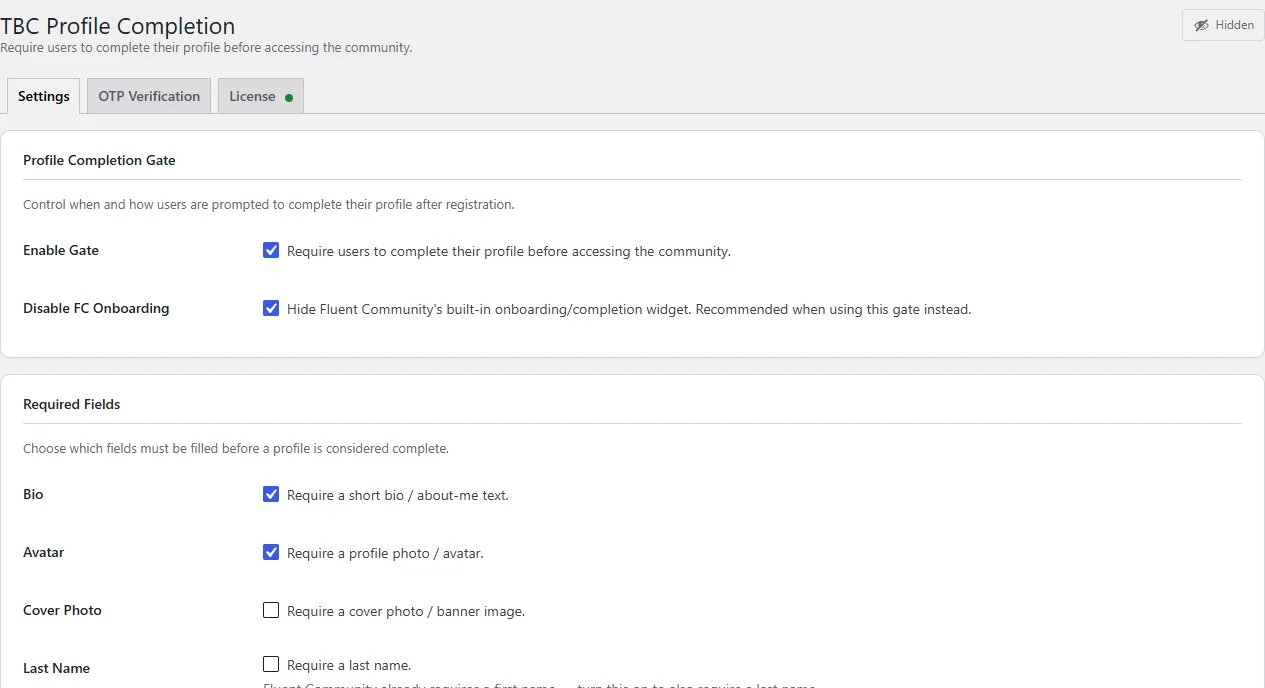
  • Configurable requirements β€” Toggle “require bio”, “require avatar”, and “require cover photo” independently from the admin panel
  • Non-dismissable β€” Android back button is blocked on mobile; the web overlay has no close button. It’s a gate, not a suggestion.

Web Experience (Fluent Community Portal)

  • Full-page overlay injected directly onto FC portal pages β€” no separate page to configure, no redirect loop
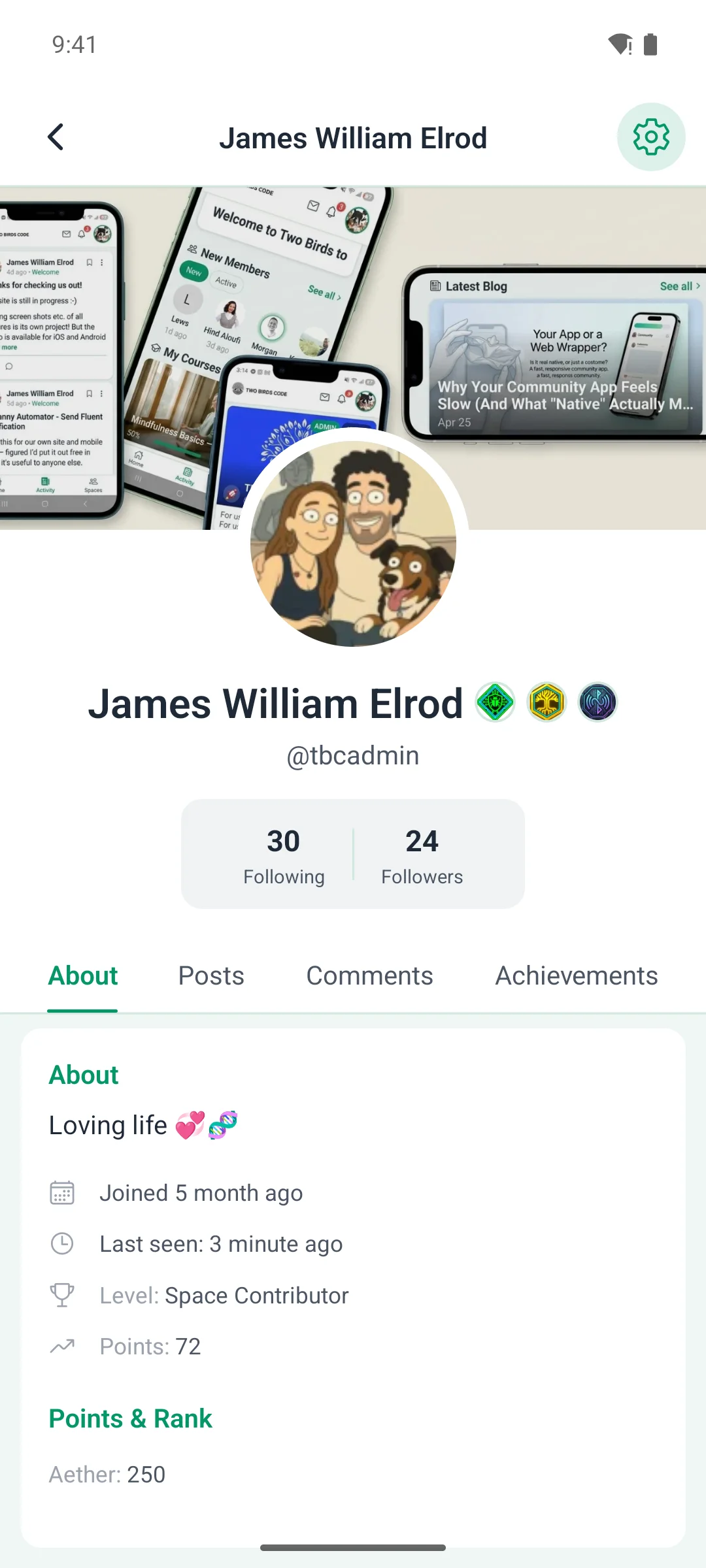
  • Cover photo + avatar layout matching the real FC profile page β€” cover banner with overlapping avatar, both clickable to upload
  • Bio textarea with live character counter
  • Social links section β€” automatically reads Fluent Community’s enabled social providers so members can fill them in at the same time. Inputs render with provider icon chip + domain prefix + compact username input, matching Fluent’s native profile UI (instagram @username, fb_username, etc.)
  • Semi-transparent backdrop with blur β€” the site stays visible behind the card so the experience feels native, not modal-heavy
  • FC native onboarding suppression β€” optional toggle to hide Fluent Community’s built-in “Complete your profile (X%)” widget so only your gate shows

Mobile App Experience (Only with the TBC Community App)

  • Native gate screen β€” full-screen branded lockout inside the TBC Community App, not an in-app browser
  • Same ProfileCompletionSteps component used during registration β€” consistent UX whether the user is new or returning
  • Pre-populated fields β€” any data the user already has is loaded in so they only fill what’s missing
  • Uses FC’s native media upload flow β€” avatars and cover photos are uploaded through Fluent Community’s own media pipeline for full consistency
  • X-TBC-Profile-Incomplete response header β€” every authenticated API request is checked; the moment the server flags the profile as incomplete, the app routes straight to the gate
  • Hardware back button blocked on Android β€” the gate can’t be dismissed until the profile is complete

Theming

  • Inherits Fluent Community’s CSS variables for the web overlay β€” seamless visual match
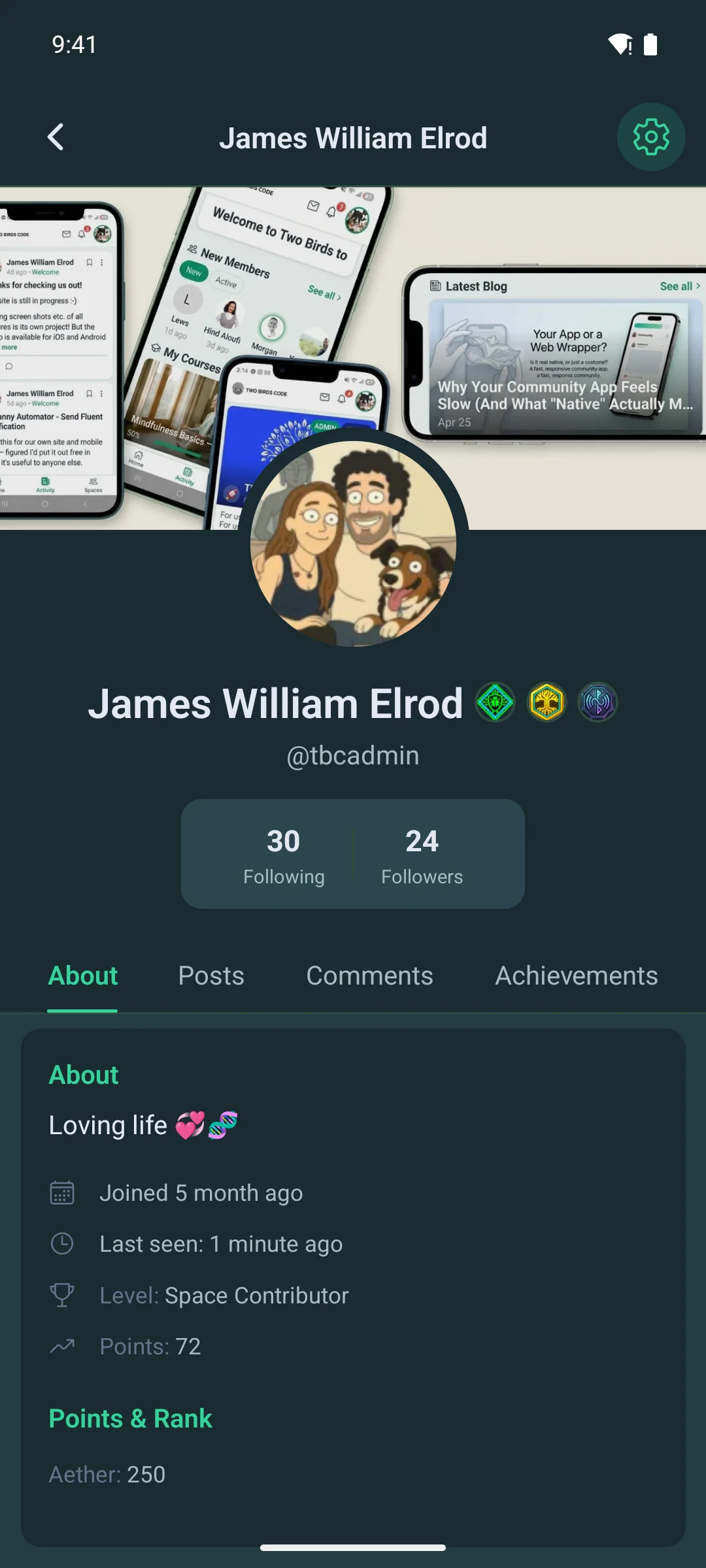
  • Automatic light and dark mode on both web and mobile, following the user’s chosen theme
  • Uses your app’s logo, accent color, and branding automatically β€” no duplicate configuration

Admin & Configuration

  • Settings page nested under the TBC Community App WordPress menu
  • Master enable/disable toggle for the entire gate
  • Require bio toggle
  • Require avatar toggle
  • Require cover photo toggle
  • Disable FC native onboarding toggle
  • License section β€” enter your license key, view your plan, and deactivate from this site if you need to move it elsewhere
  • Data cleanup on uninstall option β€” fully removes settings and user meta when disabled

How It Works Under the Hood

  • Marks new users as incomplete via the tbc_ca_post_register action immediately after registration
  • Re-evaluates completion on the fluent_community/update_profile_data filter and the XProfile model save event β€” once the user meets the requirements, the gate is lifted automatically with no refresh prompt
  • Avatar check delegates to FC’s native XProfile::hasCustomAvatar() β€” same source of truth FC uses for its compilation score, no pattern matching against Gravatar fallback URLs
  • Advertises its capability through the tbc_ca_registration_config filter so the mobile app knows the feature is active on this site
  • Uses template_redirect for web page blocking and the response header approach for SPA portal pages
  • Fully compatible with Fluent Community’s own profile API (bio, social links, avatar, cover photo) β€” no forked data store, no duplicate fields

Clean & Safe

  • Doesn’t modify Fluent Community’s core data β€” all profile fields save through FC’s native endpoints
  • Disabling the gate from the admin page lifts it instantly with zero cleanup needed
  • Optional full uninstall cleanup β€” settings, per-user completion meta, and cached data all removed on deletion if enabled

Requirements

  • WordPress 5.8+
  • PHP 7.4+
  • Fluent Community (free or Pro)
  • Optional: TBC Community App (iOS/Android) for the native mobile gate β€” the web overlay works on its own with no other plugin required

Installation & Updates

Two parts depending on which surfaces you want covered:

  1. WordPress plugin β€” Upload tbc-profile-completion.zip via Plugins β†’ Add New β†’ Upload, activate, then enter your license key under TBC Community App β†’ Profile Completion β†’ License. Once licensed, future updates appear on the WordPress Plugins screen like any wp.org plugin β€” one-click install, no more manual zip uploads.
  2. Mobile module (optional, only if you ship the TBC Community App) β€” Open the setup dashboard (npm run dashboard), go to the Updates tab, click Import Module, and upload the module .zip. The dashboard auto-registers and enables it. Rebuild or push an OTA update to your users.

License

One-time purchase. You own it forever β€” no subscriptions, no renewals. Includes all future updates and support for as long as the plugin is maintained.

One license per site. Your license key activates on a single WordPress install. Need to move it? Deactivate from the License tab on your current site, then activate on the new one β€” no support ticket required.

Server-outage protection. If twobirdscode.com is ever unreachable, the plugin keeps running for 14 days from its last successful license check, so an outage on our end never disrupts your live site.