TBC App - Community App (Dev Bundle)

SKU: TBC-APP-DEV-BUN

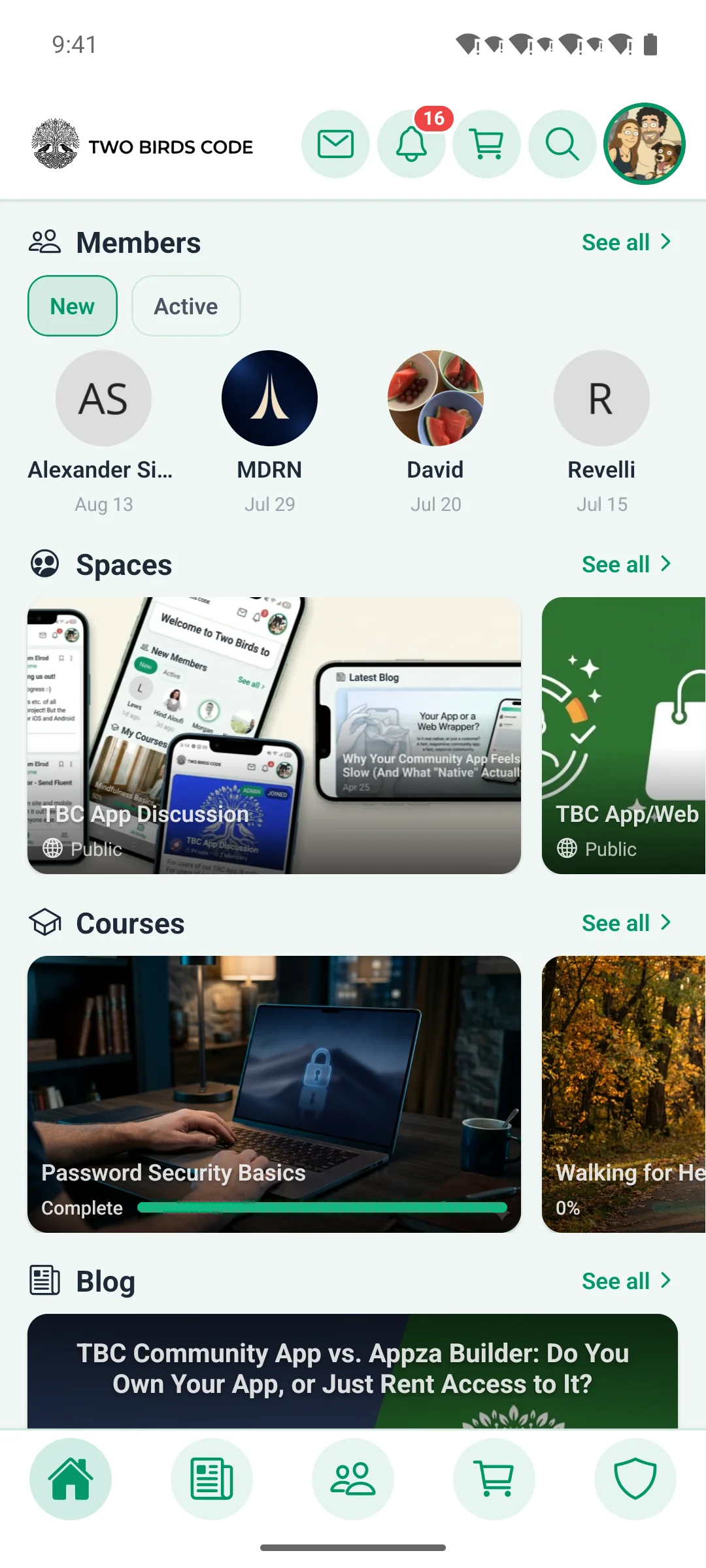
A production-ready React Native community app powered by Fluent Community & WordPress. Includes real-time messaging, courses, spaces, profiles, and more β€” fully white-labeled to your brand. Just configure your site URL, drop in your assets, and ship to both iOS and Android with Expo EAS.

$50.00
$50.00 per year + $399.00 one-time Lifetime license

v1.3.2
Changelog Β· v1.3.2

1.3.2 β€” 2026-07-14

Ship: Needs a new build β€” App Lock adds a native module (expo-local-authentication); build from the dashboard's Build tab. The rest of 1.3.2 is JS-only/OTA-safe.

✨ New

  • App Lock. An optional biometric/passcode gate for the app β€” Face ID / Touch ID or the device passcode locks the app on launch and return-from-background, with a server-driven admin mode so you can require it (or leave it member-optional). Adds a native module, so this release needs a new build.
  • GamiPress in the app. With the new GamiPress for Fluent Community add-on installed, member profiles gain a points/rank block and an Achievements tab (the full trophy case), and badge chips appear next to member names β€” all controlled from the Customizer's Profile section. The app lights up automatically when the add-on is present (it ships separately).
  • App logins fire WordPress login hooks. Signing in, up, or out from the app now fires wp_login / wp_logout exactly as a web session would, so gamification (GamiPress), last-login stamps, audit logs, and CRM enrollment finally see app sessions. Both are filterable (default on).
  • Richer add-on profile controls in the Customizer. Add-ons can now register editable app-side profile controls β€” short text fields (like a custom heading) as well as on/off toggles β€” and have them render grouped right under their profile tab in Customize β†’ Profile. Each add-on tab also gains an in-place rename field, so you can retitle it in the app independently of the website. The web side stays on each add-on's own settings page and the app side is controlled here, so the two never fight.
  • "Shared with web" badges. The Branding and Colors cards in Customize β†’ Theme now carry a "Shared with web" badge, making it clear those few settings also update your community website β€” unlike the app-only controls everywhere else in the Customizer.

πŸ›  Fixed

  • Higher-fidelity in-app web views. App-view pages now do a full theme render (reverting the earlier canvas takeover in favor of layered chrome hiding), so embedded WordPress pages look like the real site instead of a stripped canvas.
  • Fluent Cart 1.5.3 compatibility. Cart resolution and variation labels were realigned to Fluent Cart 1.5.3's structure so carts and product options resolve correctly.
  • Password reset signs out every app device. A forgot-password reset now revokes all of a user's JWT app sessions β€” expected when resetting due to a suspected compromise.
  • Licensing resilience. A rate-limit or brief license-server hiccup (for example right after a cache flush) no longer disables a licensed site; only a definitive invalid/expired answer gates features, and a revoked key can't re-enable in the gap between checks. (Shared across the whole plugin suite.)

πŸ”§ Changed

  • Crash reports carry who + where. Sentry events now include the logged-in user and stamp the site host as the environment, so one shared project cleanly separates issues per site.
  • Profile About tab matches the web. Custom profile fields now appear under their own group headings (e.g. "Additional Information") instead of a flat list, and an add-on's profile block β€” like the GamiPress points & rank group β€” renders inside the About tab in the same order as the web profile (below the bio, above the extra fields), so the app and website read the same.

πŸ“‘ OTA & Internal

  • Tightened spacing under the space topics filter bar.

1.3.1 β€” 2026-07-10

Ship: Needs a new build β€” this release adds opt-in native device permissions and trims accidental Android permissions (native app.json changes); build from the dashboard's Build tab. The rest of 1.3.1 is JS-only/OTA-safe.

✨ New

  • In-app FluentAuth email 2FA. On sites running FluentAuth with email two-factor enabled, logging in from the app now completes 2FA in-app: signing in emails a 6-digit code and drops you on a code-entry step (reusing the existing email-verify screen); entering the code finishes login and issues your session. Previously FluentAuth's browser-only 2FA redirect broke app login entirely.
  • Native Space Links. Admin-curated links now render as a slim link bar riding under the space header (matching the web portal's sub-header nav): internal permalinks deep-link natively, unmapped internal paths open in the in-app webview, and external URLs open the system browser. A new management screen β€” reached from a Space Links entry in the space gear menu β€” handles add / edit / delete, drag-to-reorder, enable and open-in-new-tab toggles, and full visibility parity (including space/course-membership targeting), saved atomically.
  • Space Topics, end to end. Full Fluent Community topics parity: the space feed gains an "All + topics" filter pill bar below the hero that filters posts by topic; the post composer gains a topic picker that honors the space's "require a topic" setting (previously members literally could not post in a topic-required space from the app) and the site's max-topics-per-post limit, with admin-only topics reserved for moderators; post cards show "#Topic" tags (respecting the site's show-on-post-card setting); and space settings can now create topics inline with a "+ New" button (visible even before the first topic exists), matching web β€” including letting per-space admins create topics, which the web form itself fumbles.
  • Space settings parity. The Add/Edit Space form gains a Document Library toggle with access and upload pickers, a disable-post-sort toggle, and β€” for private spaces β€” the lock-screen mode picker (Default / Custom / Redirect with redirect URL) and a Show Paywalls toggle; its sections were reorganized to mirror Fluent Community (Access / Features / Layout / Others). This closes every known space-settings gap vs the web form.
  • Optional native permissions (advanced). A new Native Permissions card in the setup dashboard's Config tab lets you enable the microphone, camera, or location for features that run inside the app's in-app browser β€” e.g. an HTML5 audio recorder on your WordPress site β€” or a custom module you've built. Each is off by default (the stock app declares none), with a required purpose string and a one-tap toggle. The in-app browser now grants these capabilities to your own site's pages, so getUserMedia/geolocation work instead of hanging. Enabling any of them requires a new build.

πŸ›  Fixed

  • Ungraded quiz results no longer show "Failed." A quiz with no passing score is recorded without a pass/fail verdict, but the app rendered that result as a red Failed β€” even on a perfect score. It now shows a neutral Awaiting Grading state with the score and correct-answer count, matching the web portal.
  • App login survives FluentAuth and security-plugin redirects. FluentAuth's 2FA step (and other security plugins) issued a mid-request browser redirect that killed the app's JSON login response, so sign-in failed on those sites. Login now detaches that redirect and interrupts any late redirect hijack, while still honoring genuine blocks (bans, rate limits) β€” and FluentAuth's failed-attempt lockout now returns a proper "too many attempts" (429) instead of a generic invalid-credentials error.
  • Header logo no longer collides with the header icons on narrow phones. Once the search magnifier became a fourth header icon, the fixed-width brand logo could overlap the icon cluster on smaller screens. The logo is now responsive β€” it scales down to fit the room the icons leave, capped at its design width and keeping its aspect ratio β€” and the header spacing was tuned so the brand and the button cluster always keep a clean gap.
  • Admin space edits can't be wiped by a stale cache. The Space Links and Space Settings admin forms now load the space with a fresh fetch instead of a persisted snapshot β€” a stale cache plus a full-replace save could silently destroy changes made from the web portal. The space screen also guards its cache subscription so a background refresh can't bounce an admin to the lock screen.
  • Trimmed unused Android permissions. The stock app no longer declares the microphone (RECORD_AUDIO) or device-audio (READ_MEDIA_AUDIO) permissions β€” both were pulled in unintentionally by plugin defaults and nothing in the app used them. Your next Google Play submission will simply show fewer permissions (a removal is never a review problem). Microphone recording is now strictly opt-in via the new Native Permissions card.

πŸ”§ Changed

  • Quiz "Retake" button now sits with your score. On a finished quiz, Retake appears inside the results card right under your grade (full-width) instead of below the whole per-question review β€” so it's the first action you reach after seeing the result.
  • Top header now follows your Fluent Community header colors. The app's top header (background, border, and brand/site-name text) is themed from Fluent Community's header color group (fcom_top_menu) β€” the same group the bottom tab bar and the FC web portal's header use β€” so the "Header & tab bar background" setting actually controls the top header and app/web/tab-bar stay in sync. Installs that send no header scheme get sensible, readable defaults seeded from FC's own values.

πŸ“‘ OTA & Internal

  • Auth flow threads a device-bound signed challenge through services/auth.ts and contexts/AuthContext.tsx, with a new code-entry step in app/login.tsx (EmailVerifyStep gains optional title/subtitle props); new/updated error-code mappings and en/es strings. JS/TS-only β†’ OTA-safe.
  • App side of the topics feature is JS-only β†’ OTA-safe. The companion plugin gains a topics_config block in /app-config (FC's per-post/per-space limits + post-card tag visibility) β€” without the plugin update the app falls back to FC's shipped defaults, so nothing breaks on older sites.
  • Topics edit-path hardening (pre-ship review): editing a post no longer risks detaching its topics when saved before the space detail finishes loading (the update now omits topic_ids until topics resolve, instead of sending an empty "detach all" set); an existing post's full topic set is preserved on edit regardless of the per-post cap; the per-space cap is floored at 1 so a 0 config can't block all topic assignment; and the space edit form's topic-options cache is keyed per space so a per-space admin never sees another space's topics. Header-chrome theming is JS-only/OTA-safe on the app side (its admin customizer styles ship with the companion plugin).
  • Native permissions are a build-time change (not OTA). app/webview.tsx gains mediaCapturePermissionGrantType="grantIfSameHostElsePrompt" + geolocationEnabled (inert until a permission is declared β€” react-native-webview already ships the iOS/Android capture handlers, these props just drive them). The baseline app.json trims the accidental audio permissions, and the setup dashboard writes the opt-in permission set into app.json on save (setup/lib/native-permissions.js), surviving core updates via the identity round-trip. Because these touch native config, this release must ship as a new build.
  • Refreshed the setup guide and system docs (setup/) to match the current 5-tab admin / 7-page Customize UI and the buyer-accurate add-on story.

1.3.0 β€” 2026-07-09

Ship: Needs a new build β€” this release bumps Expo SDK 57 patch levels (expo 57.0.4, plus expo-router/expo-linking/expo-sharing) whose native fixes only land on a rebuild; build from the dashboard's Build tab. The 1.3.0 app features themselves are JS-only and OTA-safe.

✨ New

  • Global community search. A magnifier in the app header opens a full search screen that mirrors Fluent Community's web search β€” search post title & content and/or comments (multi-select), scoped to the whole community or a single space. Results stream live as you type (debounced) and render as normal feed posts with the full react / comment / bookmark / open-post surface; revisiting a query loads instantly from cache.
  • Space Media Gallery. A new Media screen on each space shows every photo and video posted there in a responsive grid (3/4/6 columns by device), with a Photos/Videos toggle, infinite scroll, pull-to-refresh, and empty states; tapping any tile jumps to its source post. The menu item only appears where the space actually allows it (can_view_media), so it stays hidden on older or free Fluent Community sites.
  • Create & edit spaces from the app. A full native-parity Add/Edit Space form lets admins spin up or reconfigure a space β€” name, description, privacy, and settings β€” without leaving the app, matching what the web portal offers.
  • Space icon picker. Full parity with Fluent Community's icon chooser: pick an Emoji, a built-in Shape with a color swatch, a custom SVG, or a custom image, all from a live-preview bottom sheet. Icons are hardened so a malformed SVG can never crash a list or header.
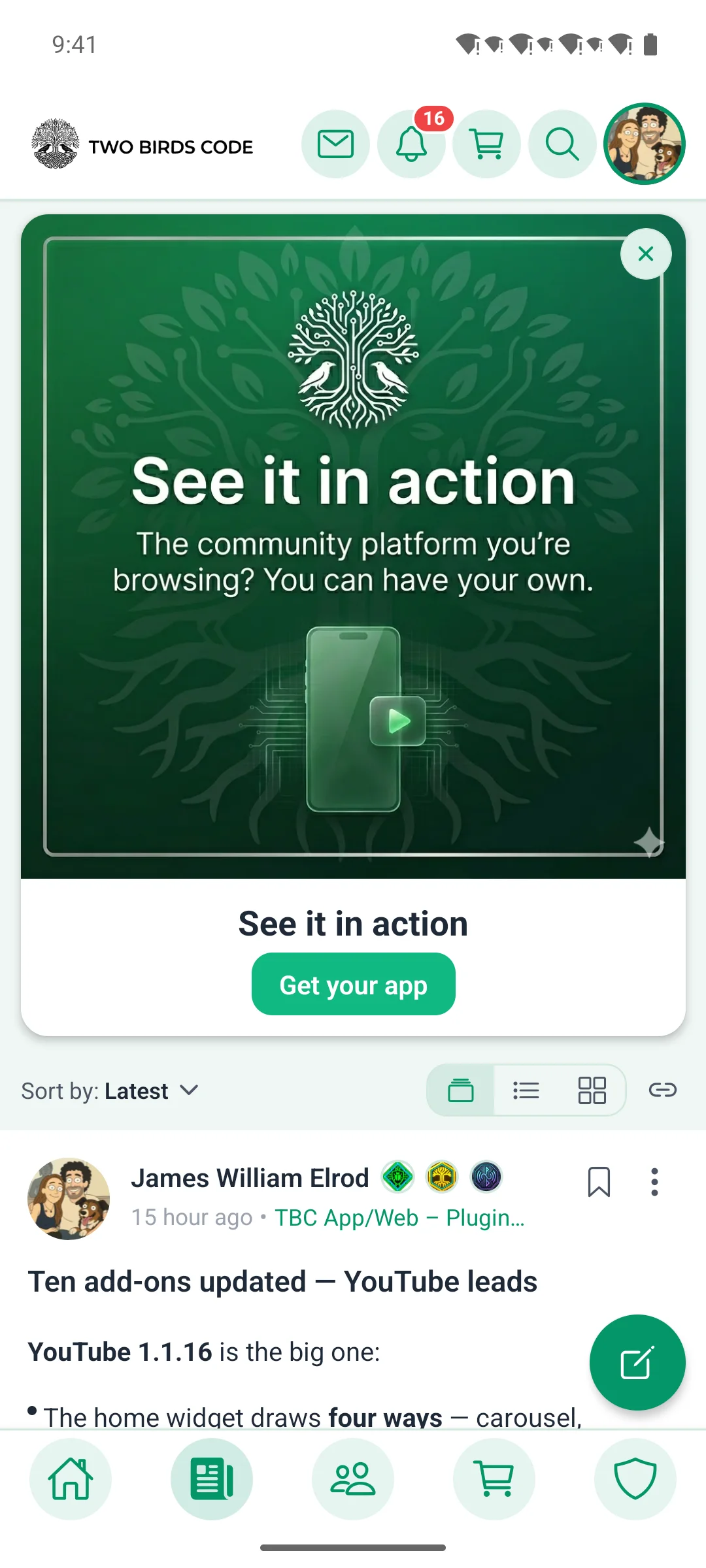
  • Feed layout views. Members can switch the feed between Timeline, List, and Card layouts from an in-feed switcher, with sort controls and a preference that's remembered per surface. Availability is server-driven, so you control whether members can change it.
  • Quiz written-answer questions. Course quizzes now support free-text (written answer) questions in addition to multiple choice, matching Fluent Community 2.7.0.
  • Self-enroll & reset course progress. Learners can self-enroll into courses that allow it, and reset their own progress to start over.
  • Video-gated lessons & scheduled unlocks. Lessons can require the video to be watched before completion, and honor a lesson unlock_date so drip-scheduled content stays locked until its release.
  • Flag a member for moderation. Admins get a "Flag member for moderation" toggle in a member's Admin Actions (gated on the site having content moderation enabled, and never offered for fellow moderators/admins, which the server refuses anyway).
  • Invitation deep-links. Opening a Fluent Community invitation link now drops the invited user straight into native registration with their name pre-filled and the invitation token threaded through β€” and the sign-up form appears even when public registration is turned off, because a valid invite is honored server-side.
  • Inline-image upload progress. The post and comment composers now show a per-image progress bar and percentage over each attachment while it uploads, instead of a bare spinner.
  • Profile headline round-trip & friendlier edges. Member headlines now save and display correctly end-to-end, a follow action surfaces its server message, and visiting a secret space you can't see returns a clean 404 instead of a dead end.

πŸ›  Fixed

  • Real-time messaging is back. Live chat had regressed to poll-only. This restores it across the board: the Pusher client now resolves its constructor correctly under Expo SDK 57's module interop (it was throwing "Object cannot be used as a constructor," which silently disabled all real-time chat and notifications), and the app no longer sends a last_message_id on send β€” that field made the server short-circuit before broadcasting, so recipients only saw messages on the next refresh. Sends also tolerate both of Fluent Messaging's response shapes, so a message no longer errors after a thread is opened.
  • No more stacked header on the space Media screen β€” the screen's own collapsing header is the only one shown.
  • Off-site links open in the system browser. A server-supplied CTA (space lock screen, welcome banner) pointing to another site now hands off to the system browser instead of landing on a dead-end error screen, and the privacy-policy link opens without burning a one-time session token.
  • Correctness fixes from the FC 2.7.0 parity and post-implementation review passes across courses, lessons, member cards, and the composer.

πŸ”§ Changed

  • Minor refinements to messaging, the top header, side panel, and bottom sheet carried in from concurrent work.

πŸ“‘ OTA & Internal

  • Expo SDK 57 patch sync. Bumped expo 57.0.2 β†’ 57.0.4 and expo-router / expo-linking / expo-sharing to their SDK-matched patch levels (via npx expo install --fix) so the next native build carries the latest upstream fixes. Native β€” takes effect on rebuild, not OTA.
  • React Compiler / react-hooks lint sweep. A broad pass migrated Reanimated shared values to .get()/.set(), stopped reading/writing refs during render, removed set-state-in-effect patterns, corrected memo/effect dependencies, and cleared stale eslint-disable directives β€” no behavior change, cleaner and more compiler-friendly code.
  • Removed dead chat scaffolding (the last_message_id send path) left over from earlier work; the separate Pusher-down polling fallback is retained.

1.2.7 β€” 2026-07-03

Ship: Needs a new build β€” Expo SDK 57 / React Native 0.86; build from the dashboard's Build tab.

✨ New

  • App β€” Moderator menu on every feed. Moderators now get a post 3-dots menu on all feeds β€” activity, space, and bookmarks β€” including Disable comments on a post and Remove preview to strip an unfurled link card, matching the web's moderation surface.
  • App β€” Per-widget home-widget settings. Home widgets can now be configured individually β€” each widget carries its own settings, a roles-only audience, and a setting-neutral title β€” so two copies of the same widget can show different content to different members.
  • App β€” Tablet two-pane sign-in. On tablets the sign-in / sign-up screen now lays out as a two-pane auth layout with brand imagery beside the form, and the auth nav chips match the in-app style.

πŸ”§ Changed

  • App β€” Native, faster pagination everywhere. Feeds (activity, space, bookmarks), direct-message threads, and blog comments now page through Fluent Community's own native pagination instead of the old ad-hoc fetch β€” smoother infinite scroll and no more phantom "load more" rows.
  • App β€” Expo SDK 57 / React Native 0.86. The app is upgraded to Expo SDK 57 (RN 0.86) with image pre-warming for snappier first paint; the dependency refresh carries native patch fixes, which is why this release needs a fresh build rather than an OTA push.
  • App β€” Welcome banner matches web dismiss. The home welcome banner now follows Fluent Community's own dismiss behavior β€” dismiss it once and it stays gone β€” instead of the old content-fingerprint check that could resurface it.
  • App β€” Single-source app name. The app name is now read once from app.json rather than duplicated in config, so a rename flows everywhere from one place.

πŸ›  Fixed

  • App β€” Registration terms asterisk. The required-field asterisk no longer orphans onto its own line next to the terms-and-conditions checkbox.
  • App β€” Reliable chat send. Dropped a phantom object_source upload parameter and caught chat send up to the native send path, so messages and attachments post reliably.
  • App β€” Audit hardening (batches 1–2): removed unnecessary config re-renders, tightened logout hygiene and push/pusher cleanup, corrected chrome altitude and modal caps, and closed i18n gaps.

πŸ“‘ OTA & Internal

  • App β€” Internal: Native-pagination refactor across feeds/messages/comments; the New Message modal became a real /messages/new route; a shared Dialog shell now backs the three centered dialogs; comment twin-sheets share extracted chunks; Basic Info in profile edit renders through DynamicFormField; avatar/cover pick+save unified behind one useProfileMedia hook; and the non-native space.icon_html feed enrichment was dropped in favor of the native icon. No behavior change beyond the items above.

1.2.6 β€” 2026-06-30

Ship: OTA-safe β€” JS-only, push from the dashboard's OTA tab.

✨ New

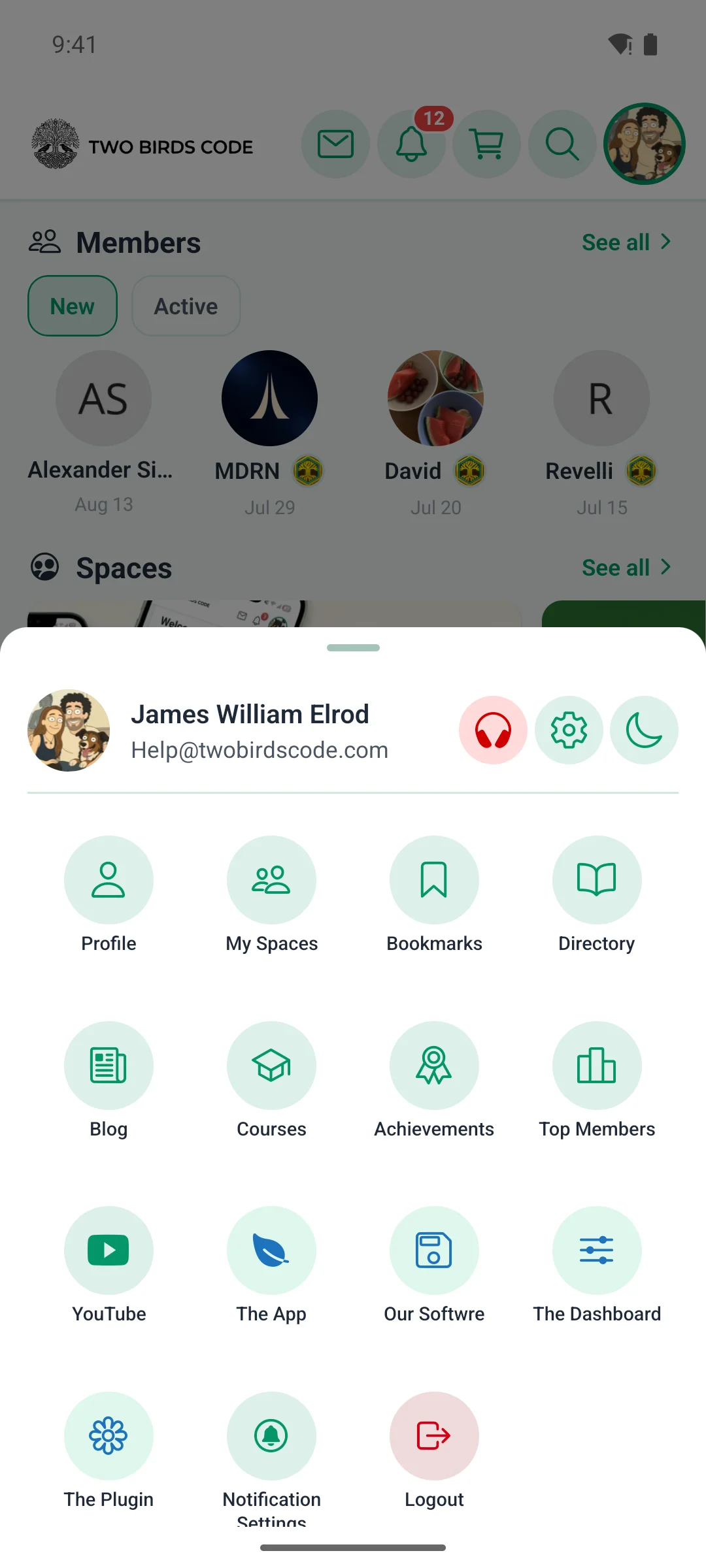
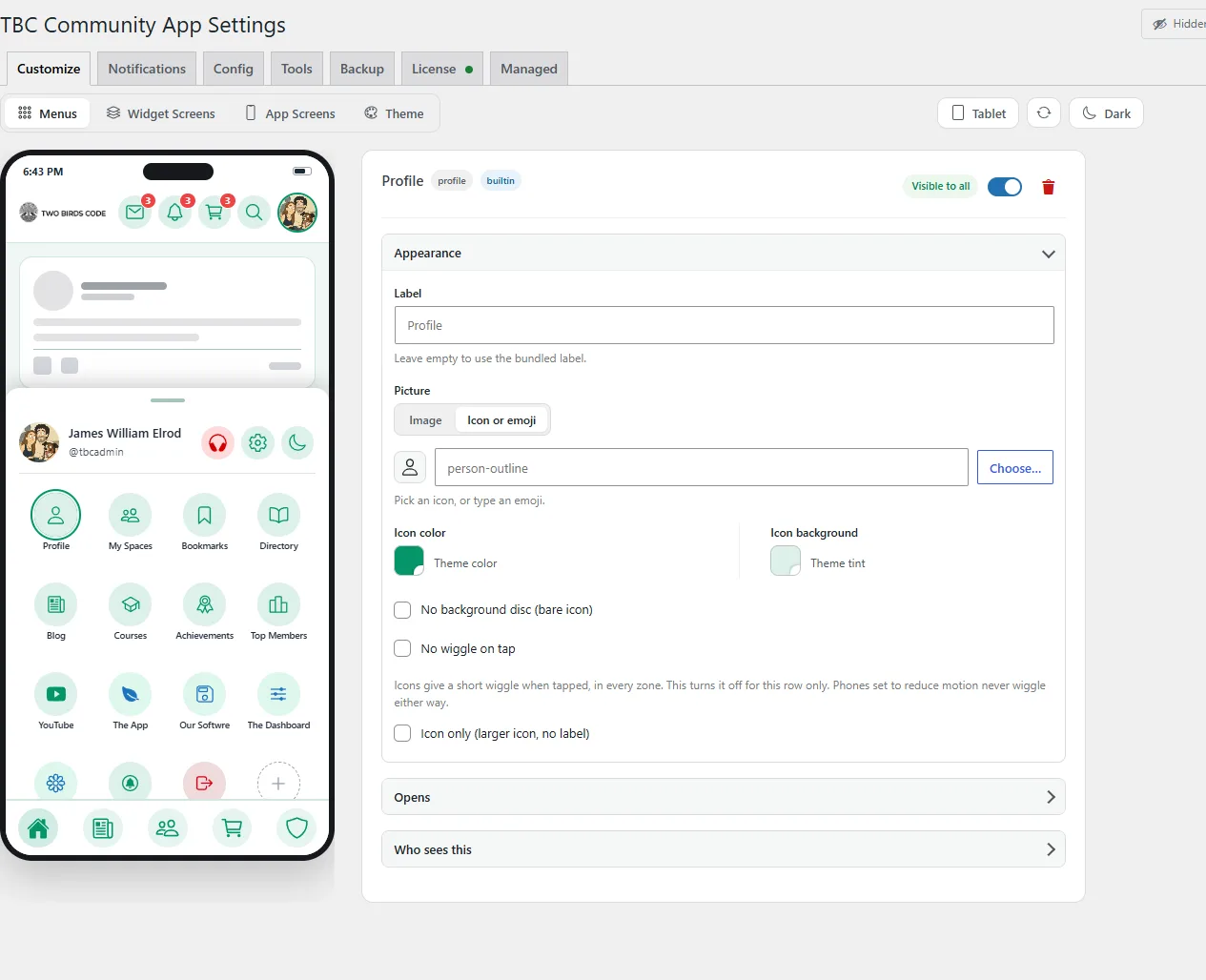
  • App β€” Settings & Notification Settings in your menus. Both screens are now built-in menu items you can place in the launcher, tab bar, or top nav (or hide) from WP Admin β†’ Menus β€” no longer buried behind the profile gear.
  • App β€” Header icons can show labels. Top-header icons now honor per-row "Hide label" and "No background" β€” show a caption under an icon, or render it as a bare glyph, set per icon from the Menus tab.

πŸ›  Fixed

  • App β€” Composer space picker on iPad. The space picker opens as a stacked sheet so it appears correctly on iPad.

πŸ”§ Changed

  • App β€” Menu labels wrap instead of truncating. Launcher tiles, bottom tabs, and header labels now wrap to two lines (e.g. "Donor Dashboard") instead of cutting off with "…", with icons staying aligned across each row.
  • App β€” Consistent icon styling. The launcher, tab bar, header, scroll-to-top button, and welcome banner now share one accent-tint treatment, so menu and action icons read consistently in light and dark.
  • App β€” Tidier composer. Every composer row (space, title, body, previews) lines up on one left edge, and comment mode now gets the same titled header and divider as the post composer.

πŸ“‘ OTA & Internal

  • App β€” Internal: A shared SearchBar was extracted and adopted across the space/user pickers and every hand-rolled search row; the auth token layer was split out to break a require cycle; menu-icon presentation was centralized in one resolver (resolveMenuIconChrome + ICON_DISC_ALPHA) and the 2-line label rule in one token (tokens.navLabelStyle). No behavior change beyond the items above.

1.2.5 β€” 2026-06-29

Ship: Needs a new build β€” native changes (new native rich-text editor + dependency updates); build from the dashboard's Build tab.

✨ New

  • App β€” Reorderable bottom tabs. Long-press and drag to reorder the bottom tab bar; your order is remembered across launches, on one unified reorder-persistence path.

πŸ”§ Changed

  • App β€” Native rich-text composer. Every post and comment is now written in a fully native editor, replacing the old WebView editor β€” snappier typing, reliable native keyboard handling, and correct cursor positioning. The formatting toolbar rides above the keyboard for both the title and the body, with all the same formatting (bold/italic/strikethrough, H2–H4, bullet & numbered lists, blockquote, inline code, links).
  • App β€” Dependency refresh. Expo patch updates (native crash fixes), Sentry, react-native-keyboard-controller, and the new native editor module β€” which is why this release needs a fresh build rather than an OTA push.

πŸ›  Fixed

  • App β€” Post menu no longer hides behind the screen. The post 3-dots menu sheet could get stuck behind other screens; it now opens reliably on top.
  • App β€” Pin-to-top matches the web. Pinning a post now follows Fluent Community's own permissions (native parity).
  • App β€” iPad home header. The top row of home widgets no longer tucks under the floating header on iPad.
  • App β€” Composer keyboard consistency. Focusing the body (not just the title) now lifts the toolbar above the keyboard, and tapping to reposition the cursor works correctly.

πŸ“‘ OTA & Internal

  • App β€” Internal: Keyboard handling unified per surface β€” gorhom for bottom sheets, react-native-keyboard-controller for full-screen forms. The hand-rolled SheetInput was retired for an adaptive SheetTextInput, the HTMLβ†’markdown converter (utils/htmlToMarkdown.ts) was made editor-agnostic, and a new useSheetKeyboardTarget hook lets the native composer editor drive the sheet's keyboard offset the way gorhom's own inputs do. Editor swapped from @10play/tentap-editor (WebView) to react-native-enriched-html (native).

1.2.4 β€” 2026-06-26

Ship: OTA-safe β€” JS-only, push from the dashboard's OTA tab.

✨ New

  • App β€” Card / list view for Spaces. The Spaces tab now has a card/list toggle on the sort row. List view shows compact rows β€” space icon, name, and a lock on private/secret spaces β€” modeled on Fluent's web sidebar, while card view keeps the hero layout; grouping, search, and sort are shared by both, and your choice is remembered between visits.
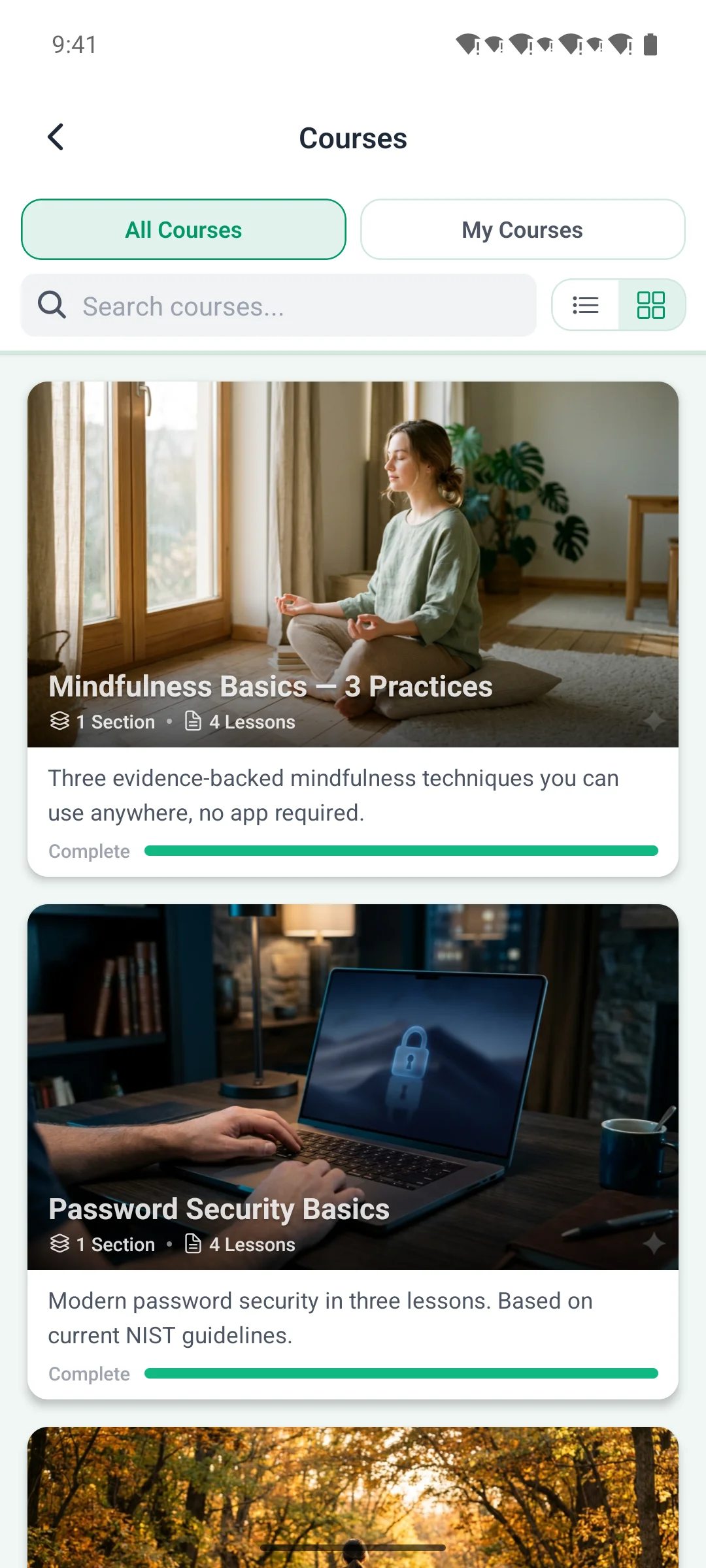
  • App β€” Headers that get out of the way. Nearly every list and detail screen β€” Spaces, Blog, Courses, the member directory, feeds, profiles, settings, and messages β€” now collapses its header as you scroll down and slides it back as you scroll up, putting more content on screen while you read.
  • App β€” "Unread only" notifications filter, matched to the web. The notifications screen now carries full-width All / Unread / Mentions / Following tabs with an Unread only switch and a one-tap Mark all read in a toolbar beneath them. The status and type filters work independently, so "unread mentions" is reachable β€” the Mentions and Unread tabs light up together, just like the web.

πŸ›  Fixed

  • App β€” Login screens line up. The logo is now pinned to the top and sized identically across login, register, and forgot-password (one shared logo component), so the three screens match instead of each placing it differently.
  • App β€” Comment highlight wraps cleanly. The "new comment" glow now wraps the whole comment row with the right padding instead of clipping at its edges.

πŸ”§ Changed

  • App β€” Spaces and member lists reopen the way you left them. Your Spaces sort order now persists alongside the new card/list view choice, and the members directory remembers its sort too β€” no resetting to the default on each visit.
  • App β€” Tinted header buttons + tidier New Members row. Header action icons (gear, share, add, cart, bell) now sit in a subtle accent-tinted circle so they read as buttons, with a little more breathing room between them; navigation arrows stay plain. The home New Members widget swapped its horizontal scroll strip for an evenly-spaced fixed row of four.

πŸ“‘ OTA & Internal

  • App β€” Internal: Shared-primitive consolidation β€” new IconToggle (segmented icon control), CollapsibleSectionHeader (section header with a count pill), and the CollapsingPageHeader / HeaderRow navigation primitives now back the screens above; the old ThreadSection was retired and persisted UI choices build on one usePersistedState (MMKV) hook (useSpacesViewPreference β†’ useSpacesPreferences). TabBar gained isActive (multi-active highlight) + showBorder props. No behavior change beyond the items above.

1.2.3 β€” 2026-06-25

Ship: OTA-safe β€” JS-only, push from the dashboard's OTA tab.

✨ New

  • App β€” Settings screen. A single Settings screen now lives behind the profile gear: a master Haptic feedback toggle, an Appearance picker (System / Light / Dark β€” System follows the device theme live), a Language picker, plus quick links to Notifications, Change password, and Logout, and an About section (Privacy Policy, Rate, Share, app version). The scattered profile-menu items are consolidated here.
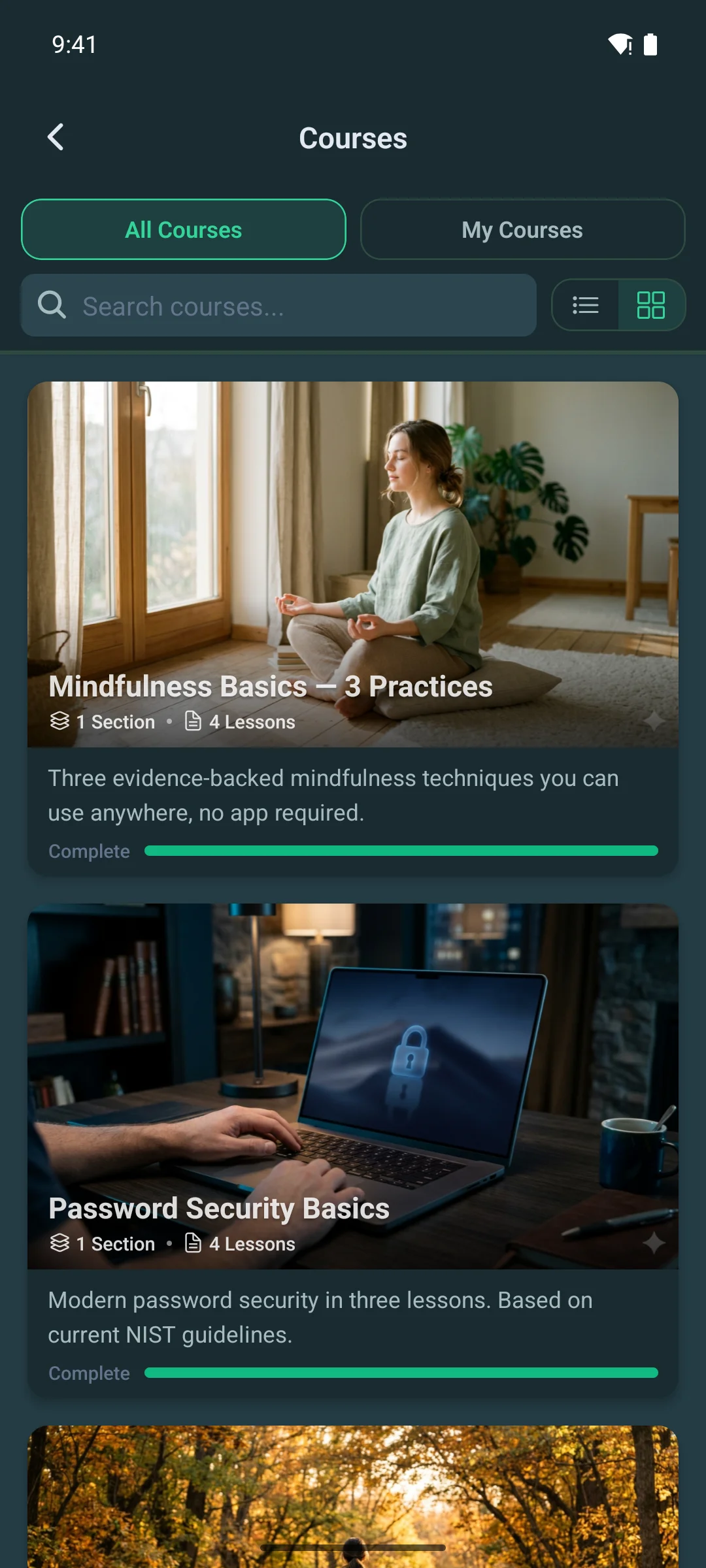
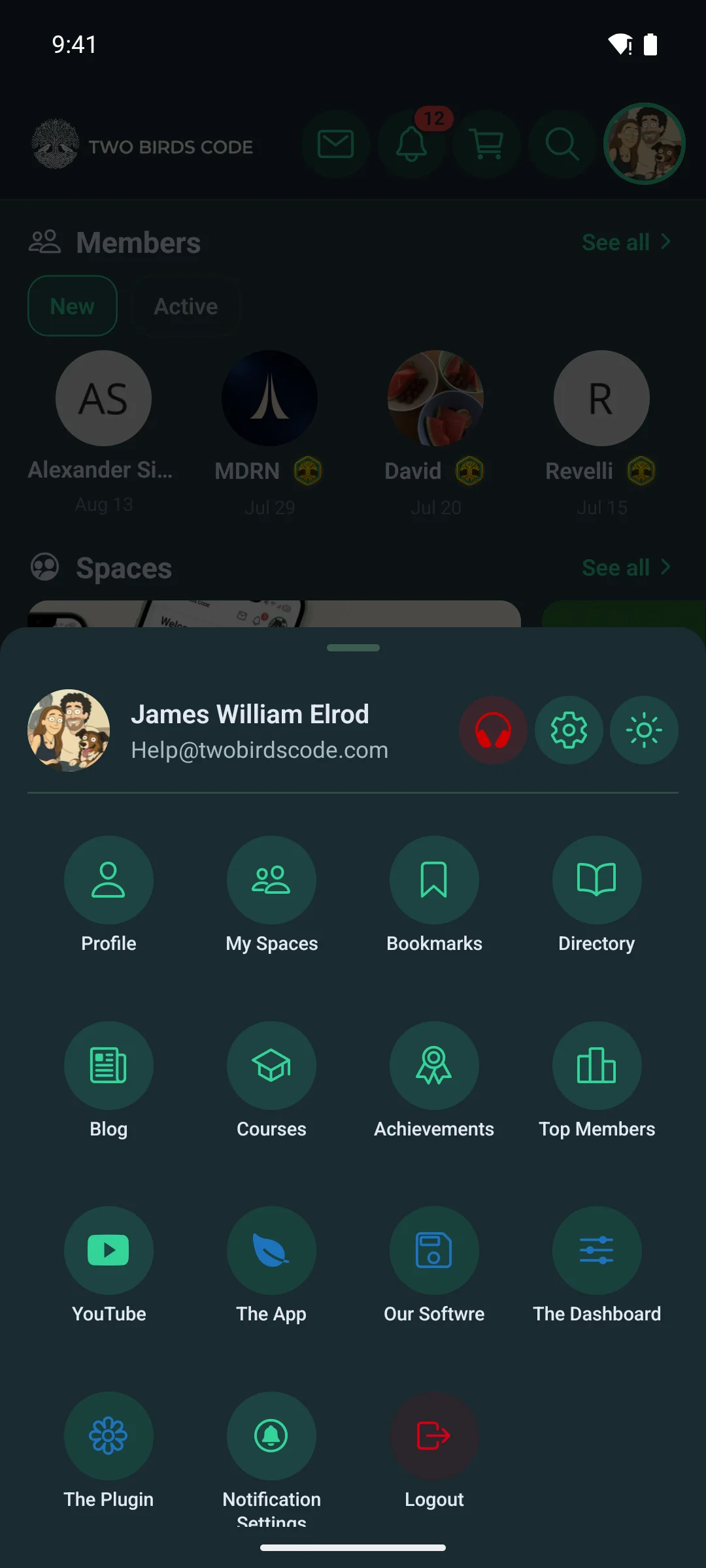
  • App β€” System theme. Choosing "System" appearance makes the app follow the OS light/dark setting in real time, switching as the device does.

πŸ›  Fixed

  • App β€” Opens on your real first tab. The app now lands on the first visible tab in your server-ordered menu instead of always forcing Home β€” so a community that hides Home or leads with another tab opens where it should. Tapping Home still goes straight to Home.
  • App β€” Tappable links in chat. Bare http(s) URLs typed into a chat message now render as tappable links, matching the web (feed and blog were already linkified).
  • App β€” Your draft survives a failed send. If a chat message fails to send, the text and any attachments you typed are restored to the composer instead of being lost.
  • App β€” Save-to-gallery works again. Saving an image from the fullscreen viewer was failing right after the permission prompt; it now uses the current media-library API and keeps the image's real filename and extension.

πŸ”§ Changed

  • App β€” Server-driven Privacy Policy. The Privacy Policy link (Settings, login, and registration) now comes from WordPress's own Settings β†’ Privacy page instead of a hardcoded URL, and the standalone Privacy launcher tile is retired in favor of the Settings entry.
  • Plugin β€” Password Policy setting. A new admin setting lets you require a minimum password length (off by default, to match Fluent Community's website signup; 6–20 when on), enforced in the app's registration and password-reset flows and server-side.
  • Plugin β€” Managed onboarding simplified. The Managed App wizard merges App Identity and Site URLs into one "App & Site" card β€” the buyer enters only the app name (slug, scheme, version, and user-agent are derived server-side), Privacy Policy reads from WP Settings β†’ Privacy, and a new "Expo / EAS" invite card has the buyer stand up a free Expo org and invite us, so managed builds run on their free tier.
  • Dashboard β€” EAS org membership recognized. When app.json's owner is an org you're an Admin member of (not your personal account), the Build Service panel now shows a green "you're a member" note instead of a bogus "builds will fail" mismatch warning, and it suggests a copyable com.<name>.community bundle ID.

πŸ“‘ OTA & Internal

  • Plugin β€” Licenser hardening: the "update available" badge now clears the moment a licensed plugin finishes updating, and every plugin's License tab renders the same status dot + "activate to unlock" chrome. Full detail in the plugin changelog.

1.2.2 β€” 2026-06-17

Ship: OTA-safe β€” JS-only, push from the dashboard's OTA tab.

✨ New

  • App β€” Admin profile editing, native parity. Moderators and admins can now edit any member from the app β€” toggle verification, set badges, and change access status (active / pending / blocked) through an Admin Actions panel on the profile editor; admins also drive the community username-change flow. Capabilities (is_moderator / is_admin / can_deactivate_account) come from /app-config, so the UI only shows what the signed-in user is actually allowed to do.
  • App β€” Account deactivation. A member can deactivate their own account when the site allows it (gated purely on the site's privacy setting, matching the web portal); the server enforces it too (refuses when off).
  • App β€” Native text selection. Post, comment, and content text is now selectable and copyable.
  • App β€” Consistency sweep + shared primitives. New Toggle, ChoiceChips, and SectionCard components unify the look: the notifications gear became a menu (settings + mark-all-read), course tabs became choice chips, and poll/notification switches share one toggle.
  • Plugin β€” Managed Grant Access wizard rebuilt. Each system is its own card with a self-contained, accurate step-by-step walkthrough and an inline "Open" deep link; WordPress access can detect/create the [email protected] admin in one click with live status (no checkbox to drift), and the Apple / Google / Firebase steps were rewritten for accuracy.
  • Plugin β€” Admin profile capabilities + deactivation endpoint. /app-config now reports is_moderator / is_admin / can_deactivate_account and a normalized status enum; the account-deactivation endpoint enforces the site's privacy setting.

πŸ›  Fixed

  • App β€” Fixed a stale profile snapshot showing right after a save.

πŸ”§ Changed

  • App β€” Spaces screen redesigned to match the web. All / My Spaces split, an admin-only New Space action, search and sort-by, and collapsible group sections that replace the easy-to-miss horizontal group tabs; the discover list now pages in. Space cards are hero-only (the below-hero description is gone), and the space icon sits on a glass disc over media.
  • App β€” Login & header polish. The login screen unifies its text colors (tagline uses your Text Color, auth links use your Off Text Color), sizes the logo adaptively, and pins the header to the top; the status-bar strip is now painted with the header's surface color so it never clashes.
  • App β€” Menu rows are feature-aware. A built-in menu item (Courses, Messages, cart) only appears when the site feature it depends on is actually active β€” no more dead rows pointing at features the site doesn't run.
  • Plugin β€” Server-side menu feature-gating. get_menu_for_user() hides menu rows whose site feature is inactive; the Fluent Cart cart icon is promoted from a plugin-registered module row to a core built-in (keeps its live badge and bottom-sheet, sheds the misleading PLUGIN badge). The admin Menus tab flags feature-off rows with a "won't appear" badge, and an idempotent migration upgrades legacy cart rows (DB 1.0.7 β†’ 1.0.8).
  • Dashboard β€” iOS simulator builds are now labeled .tar.gz and never offered for App Store submit (they can't be).

πŸ“‘ OTA & Internal

  • App β€” Internal: Fluent Cart's built-in cart is now plain core code (components/commerce/) rather than a hidden _core module shim β€” no behavior change.
  • Plugin β€” Full detail in the plugin changelog.

1.2.1 β€” 2026-06-12

Ship: OTA-safe β€” JS-only, push from the dashboard's OTA tab.

✨ New

  • App β€” Native Fluent Cart cart, built in. Fluent Cart is Fluent-family, so its cart support is a core feature (like Messaging and Courses, not an add-on): a cart icon with a live badge plus a native bottom-sheet cart, zero setup. Activates automatically when the WP site runs Fluent Cart and plugin 1.2.1; stays dormant otherwise.
  • App β€” Polls show per-option vote counts next to the percentage, matching the web (100% (2)).
  • Plugin β€” Native Fluent Cart cart. New cart REST endpoints (read cart, update/remove items, apply/remove coupons), a live cart-count header on every authenticated response, an automatic cart menu row, and a webview bridge that points the web cart at the app user's cart β€” so checkout in the webview sees the same items as the app. Auto-detects Fluent Cart; dormant without it, and stands down when the WooCommerce Cart add-on is active so only one cart provider runs.

πŸ›  Fixed

  • App β€” Image & document uploads fixed. Uploads were broken app-wide since the SDK 56 build (1.2.0); both work again, and multiple attachments upload in parallel.
  • App β€” Custom course lock screens render correctly β€” the lock screen now reads Fluent's real structured-fields payload.
  • Dashboard β€” App switcher is reliable. Switching apps no longer intermittently reloads the browser into the old app, and the restart completes in about a second instead of six.

πŸ”§ Changed

  • App β€” One composer everywhere. Posts and comments now share a single bottom-sheet composer β€” swipe to dismiss, drafts survive closing it, and the GIF/video/poll pickers stack on top of it instead of replacing it. A floating avatar pill docked over the feed opens it (it hides as you scroll, in sync with the tab bar); non-members of a space see a Join pill there instead.
  • App β€” Composer matches Fluent's rules. Images/GIF/video are mutually exclusive (last pick wins), polls coexist with media, documents stay exclusive; editing a poll keeps existing option slugs so votes carry over β€” editing a poll created on the web no longer fails β€” options are uncapped, and editing locks existing options and the choice type.
  • App β€” Comments restyled flat to mirror the feed card: name with the timestamp stacked under it, full-width text, hairline dividers β€” the same row chrome on feed and blog comments.
  • App β€” Fluent Community 2.6.0 parity. Course welcome banners render above the course hero and on private-course lock screens (dismissible, with a 7-day quiet period); held posts/comments show a pending-moderation chip and surface the server's message on create; video embeds use FC's server-generated posters with tap-to-play (the player spins up only when tapped); and newly created posts/comments pulse with the same glow-and-scroll-into-view as the web portal.
  • App β€” Community welcome banner moved into the feed β€” it renders at the top of the feed instead of occupying a home-screen widget.

πŸ“‘ OTA & Internal

  • Plugin β€” Full detail in the plugin changelog.
  • Dashboard β€” Buyer docs refreshed across the board (composer, FC 2.6.0 features, cart modules, components); internal planning pages removed from the docs index.

TBC Community App β€” Dev Bundle (Full Source)

The complete source code to a production-ready native community app for Fluent Community + WordPress. Real React Native (Expo), not a webview wrapper β€” fully white-labeled to your brand and shipped to both the App Store and Google Play under your own name and accounts. Your code, your app.

What you get

  • Full source code β€” the entire React Native codebase, yours to read, modify, and extend.
  • Lifetime license β€” buy once, own it forever. No per-member fees, no SaaS lock-in, nobody able to switch your app off.
  • iOS + Android from one codebase β€” build and push to your own stores with Expo EAS.
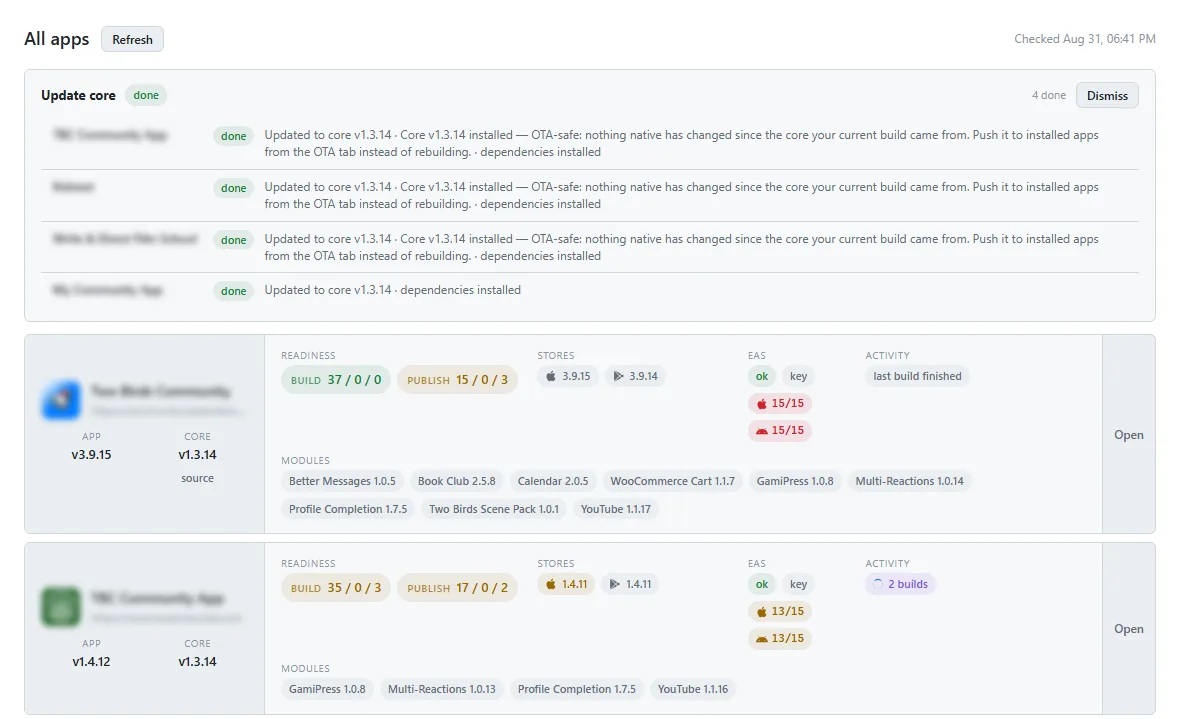
  • White-label setup β€” configure your site URL, drop in your logo/colors/assets, and ship. A browser-based setup dashboard handles builds, store submits, OTA updates, and version bumps.
  • Run it for clients β€” agencies can build and manage apps for their own customers.

Built in, out of the box

  • Activity feeds, spaces & my-spaces, member directory, and profiles
  • Real-time messaging / chat
  • Courses (Fluent Community)
  • Blog, bookmarks, and push notifications
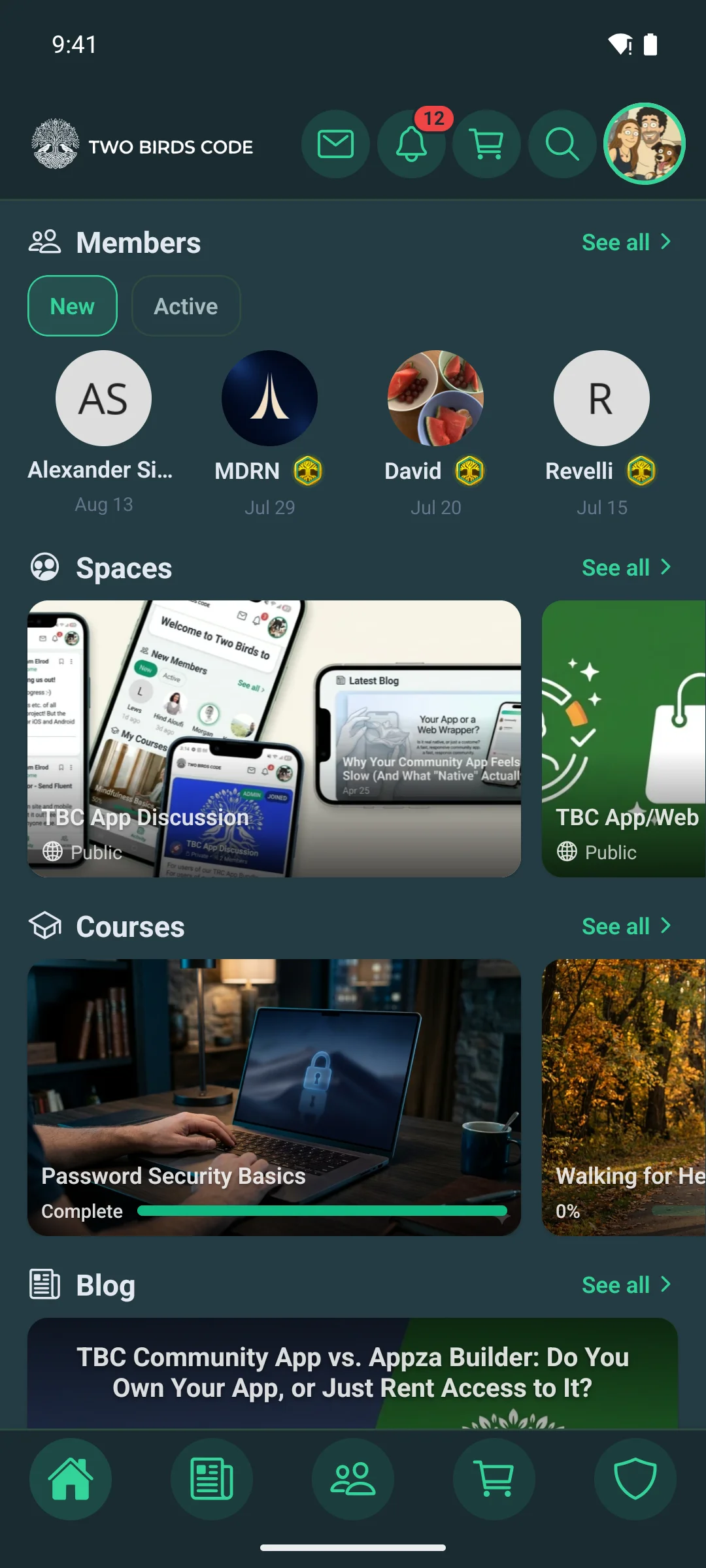
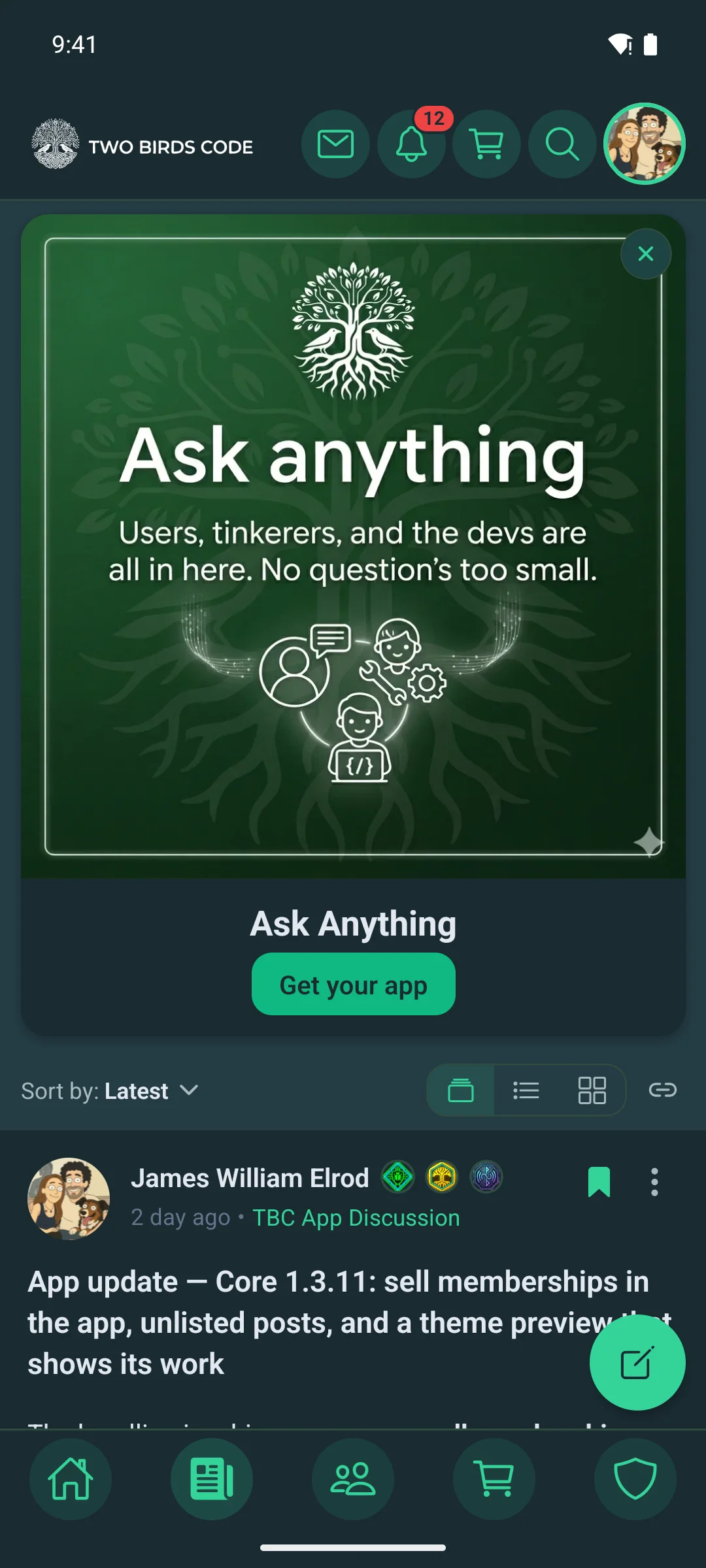
  • Light/dark theme that syncs to your Fluent Community colors
  • Multi-language support (English + Spanish included, add your own)
  • Responsive layouts for phone, tablet, and desktop

Extend it with modules

A clean module system lets you bolt on features without touching the core β€” so updates never overwrite your custom work. A growing library of modules is available, and you can even build your own and share them with the community.

Pricing & updates

$449 at checkout β€” that’s the $399 lifetime license (full source code, yours forever) plus your first year of core updates ($50). One payment, you’re good to go.

The lifetime license is exactly that: the complete dev bundle and setup dashboard, fully independent of us. Nothing phones home, nothing requires our servers β€” once you have it, it’s yours to build and ship with forever.

The $50/year keeps you on our core update track β€” new features, Fluent Community compatibility, Expo & React Native upgrades, and OS & store-requirement changes. We ship updates often, so most people stay on. But it’s entirely optional: cancel anytime and the renewal just doesn’t happen. Canceling never disables anything β€” your license, your code, and everything you’ve built or shipped keep working exactly as they are.

Want it done for you instead? Check out our Managed plan β€” we handle the builds, submissions, and ongoing updates while the app still lives on your accounts.