TBC App - Community App (Managed)

Availability: In Stock

Your own branded community app on iOS and Android — built, published and kept up to date by us, under your accounts. You bring the content and branding; we handle every build and update.

$33.00
14 days free then $33.00 per month + $100.00 one-time One time setup

v1.3.14
Changelog · v1.3.14

1.3.14 — 2026-09-03

✨ New

  • The required-update gate can step aside. A new Maintenance setting — off, everyone, or chosen roles — lets the app's version gate show a "Not now" instead of a wall. It exists for app-store review (a reviewer always runs a build older than the minimum you raised on release day) and for your own team; administrators qualify implicitly, and the role list survives switching modes for a review week and back.
  • Push broadcasts speak the Customizer's language and reach real roles. The manual push tool moved onto the Customize screen's own field components, and its role targeting now offers the site's actual roles — an audience choice that names someone instead of a free-typed guess.
  • The review kit answers Guideline 2.5.4 out of the box. A bundled 74-second audio track and a ready page let an Apple reviewer verify background audio in one tap, instead of you assembling proof per submission.
  • Push broadcasts take a list. The composer now sends to several spaces and several members at once instead of one of each. Everyone is counted and pushed to exactly once, so a member who belongs to three of the spaces you picked gets a single notification rather than three.
  • The review accounts arrive dressed. Every account the App Review Account card and the Video Test Kit create used to start with no avatar, no cover and no bio, falling back to a Gravatar that reads as a dead account on camera — in a recording whose whole point is to show a finished product, with those accounts on screen throughout. They now come with artwork bundled in the plugin, pointed at in place: nothing is uploaded, no media library rows are made, and removing the plugin takes the art with it. The dressing survives a later profile re-sync rather than being wiped by it, and on a site running a profile-completion gate it happens to satisfy that too, since "has an avatar" is the same question either way.
  • A purchase binds to its member even when the phone never says so. The app now attaches the member's app account token to every purchase, and Apple and Google echo it back on the transaction and on every server notification. So a purchase the device failed to verify — a store error after the payment sheet, an app closed mid-purchase, StoreKit refusing the device its own transaction — lands on the right member the moment the store's notification arrives, instead of sitting in Subscribers as "Not linked yet" until someone links it by hand. Every path that writes the ledger binds this way, the daily reconciliation included. A row an admin unlinked on purpose is never handed back, and an owned row is never rebound. The order's history trail records when a purchase was bound by token, and notes a verify whose token names a different member than the one signed in.

🛠 Fixed

  • A plan change re-grants what the new plan unlocks. A member who moved between plans kept the old plan's access: the record moved to the new product, but nothing treated that as a change of access, so the new plan's spaces, tags and roles waited for an admin's Re-apply. The ledger now treats a product change on a live subscription as a grant event — the old plan's grants are withdrawn and the new plan's applied — on every path: the app's own verify, the store's notification and the daily check. Apple's plan-change notification is read too, so an upgrade made from iOS Settings counts, not only one made in the app. A downgrade still waits for the renewal, as Apple's does.
  • The daily check acknowledges Google purchases. Google refunds anything left unacknowledged for three days. The verify and notification paths already acknowledged as they wrote; the daily reconciliation now does too, so a purchase that reached the ledger only through it can no longer run out the clock.
  • The Subscribers table showed a "Stranded" badge on every row, including ones bound to nobody. The badge's own styling was overriding the attribute that hides it.
  • Hide sensitive now covers the push log. The Push Notification Log printed each notification's title and preview text in the clear — a member's name, the opening of a direct message, once a download link carrying its own access token — while the toggle blurred everything around it. Those two cells are marked sensitive now, so a screenshot of the Tools tab no longer shows what a push actually said; the counts, status, source and date beside them stay readable.
  • A post the site refuses no longer takes the review kit down with it. Fluent Community throws, rather than answering, when a post is empty, over the site's length limit or missing a title the community requires. The review kit's chat, audio post and notes abandoned the request mid-way and reported nothing; every post it writes now goes through one guarded call that treats a refusal as a failed post.
  • A push for a post without a title shows the post's words, not its markup. The lock-screen copy ran raw markdown through a word trimmer, so a notification could read Big news! with a link in it. It now uses Fluent Community's own excerpt, and falls back to "your post" only when there is genuinely no body to show.

🔧 Changed

  • The maintenance page's locked-role handling is shared by both gates — the maintenance bypass and the new update skip use one component and one sanitizer.
  • The iap block on /app-config carries the member's account_token — minted once per member on first read, random rather than derived from anything. Documented in the plugin reference alongside the block's other keys.
  • The plugin reference gains Fluent Community 2.9 upgrade notes: nothing in 2.9.0 needs a plugin change, but its schema check now runs on every first request after the files land, which can be a phone that times out at 20 seconds — so upgrade Fluent Community from WP Admin rather than by dropping files.

1.3.13 — 2026-08-29

✨ New

  • A single photo in a post can be sized the way you want it — cropped as the website crops it, contained whole, or full width. One setting, applied everywhere the app shows a lone image.
  • The Video Test Kit's filming account can be created as an app sign-up, so the account you record the demo video with meets the paywall the reviewer will meet.
  • The review account can be given the password the stores already hold, instead of minting a new one nobody has written down yet.

🔧 Changed

  • The Config tab's URL is now ?tab=config instead of ?tab=iap. The label said Config and the slug said something else, which needed a comment in the nav to explain itself. An old ?tab=iap link still lands on the right tab. The iap settings key is unchanged — that one really is in-app purchases, and the app reads it.

🛠 Fixed

  • The in-app browser sends the same identifying token as every other request from the app, and the plugin accepts the one token — so a firewall stops treating the in-app browser as a stranger.

1.3.12 — 2026-08-25

✨ New

  • A plan says what it opens in spaces and in courses separately. One choice per product could only ever be everything, these spaces, or these courses — so the two commonest shapes a real site wants had no way to be written at all: a membership that opens the whole community while courses are sold one by one, and a course bundle that opens every course including next month's without touching the community. A product now answers each question on its own — none, all, or a picked list — and every combination is an ordinary answer. Picking spaces and courses on the same plan works too; it used to need two products, which meant charging twice for one thing.
  • ***All* keeps meaning all.** A plan set to all spaces covers spaces created tomorrow, and the members already holding it are joined to each new one as it appears — the same for courses, and each only from its own side, so a community plan never quietly acquires your courses.
  • A plan can also grant a WordPress role. Optional, and it stacks rather than replacing what the plan opens, so a purchase can unlock the community and mark the member with a role the rest of your site can see — a theme, a members-only page, a discount rule, a filter in Users. It is added on purchase and taken back when the plan lapses, but only ever a role the plugin itself added, never one you assigned by hand, and never someone's last role. Roles that can administer the site are not offered, and are refused even if something writes one directly. Don't use Subscriber: WordPress already gives it to everyone, so granting it does nothing.
  • Each plan says how it grants: this plugin, or a FluentCRM tag. Fluent Community Pro's Access Management turns a tag into space access, and it is a two-way street with no way to make it one-way: give the tag and it opens the spaces, join a space and it gives the tag. On a site using it, anything that adds a member to a mapped space — us, Fluent Cart, or you doing it by hand — gets that member tagged, and the tag then opens every other space it covers. Someone pays for one space and receives forty, written by a plugin that will never take them back. Nothing in Fluent Community can switch that off. So a Granted by switch now sits beside the selling mode: this plugin joins the spaces and courses you pick, or FluentCRM tag — where it touches no space at all, applies the tag each plan names, and the setup you already built does the rest. One choice for the site, because a single plan still opening a space is all it takes to set the cascade off; the tag itself is per plan.
  • A tag a member already had is never taken away. The tag that opens a community is a shared one — on a site that also sells on the web, most members already hold it. Applying it again does nothing, but treating it as ours would mean an app subscription lapsing strips a membership somebody still pays for elsewhere. So a tag already on the contact is left alone, exactly as a space someone joined themselves is left alone.
  • The tag route says what it needs, before the first sale rather than after. The Config tab reads your actual tag map and tells you what is missing: nothing turning a tag into access, or — the quiet one — a map that grants access and never takes it back, which sells memberships that never end. Applying tags works on free FluentCRM; the Tag Applied and Tag Removed automations most sites lean on are a FluentCRM Pro feature, and the map itself is a Fluent Community Pro feature. Two different Pro plugins, and each warning names which one it is about.
  • A one-click review screenshot, because Apple asks for a picture you cannot take. Apple will not show a plan to the app until that product carries a review screenshot of the purchase screen — and the purchase screen stays empty until the plans come back, which they will not do without the screenshot. A closed loop, and the failure it produces is silent: no products, no error, and it reads exactly like the app being broken. Download review screenshot sits under the subscribe-screen preview and saves that preview as a picture, in your own language, colours, plans and prices. It captures the real preview rather than redrawing it, so what Apple sees is what the app shows — and it writes the file at one of Apple's own iPhone screenshot sizes, because Apple does not accept "large enough" here, it accepts a device size, and refuses anything else with a message that names neither the file nor the dimension. Which size depends on what you sell, and that is Apple's doing, not ours. App Store Connect keeps the review screenshot on a different record for a subscription than for a one-time purchase, and the two disagree: the same file was accepted on three subscriptions and refused on a one-time product minutes later, with the identical wording. So the button reads your plans — 1320×2868 for subscriptions, 640×920 for one-time purchases, and both files if you sell both, each named after its own dimensions so the right one is obvious at the upload box.
  • Re-apply access — the repair button for everything a purchase can't see coming. A purchase grants access once, from the plan as it read that day, and nothing re-reads it afterwards. So widening a plan reached new buyers and nobody who had already paid, narrowing one left the old access in place until the order lapsed, and a member who lost a space some other way — an admin removed them, a bulk action ran, they left — never got it back. Tools now carries Re-apply access: one field for a single member, one button for everyone who has ever bought. It brings each member in line with what your plans unlock today, and removes access a narrowed plan no longer covers. Safe to run as often as you like, and it only ever touches memberships the plugin granted — a space someone joined themselves is never disturbed. On a large site the first batch reports back immediately and the rest finishes in the background.
  • A purchase can be given back — Unlink, Reassign, Delete. A ledger row records who owns a store purchase, and nothing but a store notification could change it. refuse_if_owned() refuses any receipt bound to a different member and never asks whether that member still exists — so an order pointing at a deleted account could be neither restored onto a new one nor bought again, because the store still considers it bought. There was no way out of it from the admin at all. Unlink releases a purchase to nobody, and the next Restore Purchases claims it; rows bound to a deleted member are badged Stranded. Reassign moves one onto an account you name by username, email or user ID — the sanctioned exception to never rebind, recorded with both member IDs and the admin who made it, so it stays a deliberate act by manage_options rather than a rule the verify endpoint can be talked into. Delete erases the record on sandbox rows only, with a footer button to clear them all; deleting never un-buys anything.
  • The Widget Screens builder previews real rows instead of grey boxes. Every widget's phone preview drew a skeleton, so a buyer arranging their home screen was arranging placeholders and only saw the result after saving and reopening the app. Widgets now name a preview_entity, and a registry resolves it to the site's actual content — real titles, real thumbnails — cached, because the builder re-renders on every keystroke and none of it is worth a query per character. Add-ons contribute their own sources through the same filter rather than each inventing a preview path. header_fields() becomes public as part of it, so an add-on wanting the header toggle every core widget offers reads it from the class that owns the wording instead of keeping a copy that drifts.

🛠 Fixed

  • The ping endpoint answers the question a blocked site actually asks. \/diagnostics\/ping now echoes back the User-Agent it received and the plugin's own version, so the app can show a member the agent it sent beside the agent the server saw. That difference is the whole diagnosis when a host's firewall is rewriting or refusing requests — and if the reply is not this plugin's, the app can say so rather than guessing.
  • Both REST gates defer only to a real error. They were treating any non-null answer from rest_request_before_callbacks as a refusal, which is not what that filter means — a plugin returning something harmless there could stand in for a permission decision. They now defer only to a WP_Error, so an unrelated filter cannot decide who reaches the endpoint.
  • The widget preview asks only for what it can answer. The planner and the renderer had each worked out for themselves which sources have real rows to draw, and disagreed — so the preview fetched sets it could not use. They share one classifier now, and the preview fetches only what it will actually render.
  • App Review notes describe the product the way the store does. App Review reads the notes against the listing, so a non-consumable described as "a subscription" is the kind of inaccuracy that gets read as a misdescribed product — and the app's own purchase screen already words itself correctly from the catalog's billing_type, so notes that disagreed with it disagreed with the app sitting in front of the reviewer. The notes now take their vocabulary from the same catalog the purchase screen does, and the admin screen states the product type where it is being entered rather than leaving it to be remembered.
  • Login and sign-up descriptions ship rendered, not raw. Fluent Community stores those fields as markdown and renders them for its own login page. The plugin sent the raw value, so a buyer who wrote a link got the brackets and the URL on screen in the app. The rendered half now ships beside the raw one, so the app can draw it properly while a site on an older plugin still gets the plain text it always did.
  • The website's sign-up checkbox points at the Terms of Use page. Fluent Community's checkbox is hardcoded and its label links get_privacy_policy_url(), so the sentence said "terms and conditions" while the link went to the privacy policy. filter_fc_terms_url() hooks fluent_community/terms_policy_url — Fluent Community's only lever here — so the website form names the right document. With no page selected, Fluent Community's own URL passes through unchanged.
  • Sign-up was impossible on any site with email verification switched on. The app sent the code, the member typed it in straight away, and the app answered "verification code is invalid or expired" — every time, on every site, whatever they typed. The cause was a change inside Fluent Community: the app generated the verification challenge itself but handed it to Fluent Community's own function to check, and 2.8.0 rewrote how that function works. It used to read the challenge out of the token; it now looks the challenge up in storage the app had never written to. So the check failed before it ever looked at the code, and said so in the one wording that sends you hunting for a mistyped digit. The app now checks its own codes. The design is the one Fluent Community moved to — the code's hash stays on the server, the token is a meaningless id, and a challenge is burned after ten wrong guesses — but it is the app's own from end to end, so a future change inside another plugin cannot silently close registration again. The refusals also say different things now, because they mean different things: a session that has gone, a code that has run out of time, a code that is wrong, and too many wrong guesses each send you somewhere different. (Sites with verification switched off were never affected, which is why this went unseen: nothing in that path runs.)
  • The paywall promised a renewal on plans that never renew. Both stores want the billing terms stated on any screen that sells, and the app stated one set of terms for every site: a subscription renews automatically unless you turn renewal off at least 24 hours before the period ends. On a site selling a single lifetime unlock that is untrue in every clause — nothing renews, and there is nothing to cancel — and it is untrue to the reviewer as much as to the member, on the one screen Apple reads most carefully. The line now follows your plans: the renewal wording for subscriptions, "this is a one-time purchase — it does not renew, and there is nothing to cancel" for one-time products, and both sentences on a site selling both. The preview says the same thing as the app, so the review screenshot you export from it is accurate too.
  • Universal Links could not be switched on without opening the Managed tab. The Deep Linking card asks for four identifiers and the AASA file is built from five — the Apple Team ID lived only on the Managed wizard's Apple Developer step. A site that never opened that tab could fill in every field on the card and still serve Apple {"error":"Apple Team ID or Bundle Identifier not configured"}, with nothing on screen naming the field that was missing and no way to reach it. The Team ID sits on the card now, beside the Bundle Identifier it pairs with — the two halves of the TEAMID.bundleid string the file publishes. Both places write the same value, so a managed site sees no change. Its help also says the thing nothing else will: change it after an app transfer. The file keeps claiming the old team, iOS finds a mismatch against the team that signed the installed build, and every link quietly opens in the browser instead.
  • A Team ID that hadn't taken still said "Deep linking saved." It was stored exactly as typed, so a stray space or a missing character produced a file that reads correctly and works nowhere — the failure is silent by nature, because a link that opens the browser looks like a link that simply isn't handled. It is checked for shape now, ten characters and upper-cased, and refused with a notice that says what was wrong while the rest of the card still saves.

🔧 Changed

  • The app can take sign-ups even when your website does not. Sign-up in the app gains a third choice: On — the app takes sign-ups even if my website doesn’t. It exists for the commonest membership setup there is. A site selling through WooCommerce Subscriptions or Fluent Cart gets its accounts created at checkout, so public registration is correctly switched off — there is no sign-up form on the website and none is needed. In-app purchase has no equivalent side door: on a membership site the subscribe step comes straight after registration, so following the website’s setting there means nobody can ever become a member in the app, and the paywall sells to nobody. The new setting opens that door in the app alone — your website keeps behaving exactly as it does now.
  • No example plans are shipped any more, and that is a safety change. A fresh install used to arrive with three example plans already in the list. They looked complete enough to edit — the name and price are editable — so the natural move was to rename them and set prices. But an example carried no billing period and kept the product id it was seeded with, so a plan labelled “3 months” sat on allaccess_monthly with no renewal period, and the store sync could only answer Needs details. Worse, a store product id is permanent and cannot be reused after deletion, so syncing the examples as-shipped would create three products in your App Store Connect account forever when you may only have wanted one. The list now starts empty: the only way to make a plan is the picker, which pins the id, the billing type and the period together, so there is no half-configured plan to reach.
  • Selling mode moved to where it is decided, not where it is plumbed. Membership site versus free membership, paid areas decides what a member meets the moment they arrive — a subscribe screen right after sign-up, or a lock screen on the space they wanted. That is a question about screens, so it now sits at the top of Customize → App Screens → Subscriptions → Subscribe screen, above the heading and layout it governs, with the closed-sign-ups warning beside it. The Config tab still shows which mode is set, because selling cannot be switched on without one — it just points you at where to choose it. Config keeps the keys, the credentials and the notification URLs, which is what a config tab should hold.
  • The Android fingerprint field points at the right corner of the Play Console. It sent you to App signing key certificate, which sits directly above Upload key certificate — and that lower section prints all three of its fingerprints as plain visible text while the signing key hides behind a copy button. The wrong one is the one your eye lands on, and pasting it fails the same silent way: App Links stop verifying, links open in the browser, nothing reports it. The field now points at the Digital Asset Links JSON snippet at the foot of that page, which Google builds from the signing key itself, and says plainly why the fingerprints printed above it are the wrong ones.
  • Hide sensitive — the settings screen can be shown to a camera now. WP Admin has no way to cover a value, so a screen share, a support screenshot or a page of documentation published the reviewer demo login, the contact block, the two Apple identifiers and every member in the tester picker, by their address. A Hide sensitive button now sits beside the page heading and covers all of them at once. Values stay in place and stay editable — only the pixels change. There is deliberately no hover-to-peek, because that leaks on camera too. The choice is remembered.
  • The button appears on its own, on any screen that has something marked to hide, so the whole suite shares one copy of the control rather than each plugin growing its own.
  • The shared admin library is newest-wins. Every plugin carries a byte-identical copy registered under one handle, and WordPress kept the FIRST registration — in practice the alphabetically earliest plugin, not the most recently updated. Any plugin shipping an updated library therefore ran against a neighbour’s older copy until the whole suite caught up. Each copy versions itself by file date now, and the newest replaces an older registration instead of deferring to it. Left as it was, the toggle above would have installed correctly and never appeared.
  • And on the two Apple key identifiers in the Managed wizard. The Key ID and the Issuer ID sat in the clear while the Team ID and the APNs key ID directly around them were covered — they are drawn by a shared helper that was written without the marking, so the button hid the fields either side of them and left these two readable. The documentation-capture guard is what found it: it refused to photograph that screen while an issuer UUID was still legible on it, which is exactly the job it was given.
  • Marked on the Tools tab too. The first pass covered the settings fields and missed the tables: Active Sessions lists every logged-in member by username, display name, device name and IP address, and the App Review Account card prints the reviewer’s username, email and password as plain text. Both are covered now. What made them easy to miss is worth writing down — they hold no key and no address in a field, so a search for credentials walks straight past them.
  • It hides credentials, not people. The line is what could compromise the site or an account if it were read off a screen: the reviewer’s login, the store key identifiers, the member picker’s addresses. Not a first name, not an avatar, not a device called “Jay’s iPhone”. An early pass covered the whole Active Sessions row and made a screen nobody could then document; a username and a display name are back in the clear, and the IP column stays hidden.

1.3.11 — 2026-08-18

✨ New

  • A paywall studio — Customize owns everything members see. Customize → Subscriptions grew from a product list into the screen itself: the heading and intro members read, the icons and titles, the wording when a membership lapses, and the order the plans appear in. It is split along the line that actually matters — what is live right now versus what is waiting on a store sync — so you always know which half of a change members already have. Leave a field blank and the app uses its own translated wording.
  • App Banner, Maintenance and Subscriptions moved into the App Screens picker, so every screen members can land on is chosen from one place rather than three tabs that happened to exist.
  • The In-App Purchases tab became Config — one card of settings that are actually settings, with the selling mode stated as a choice rather than inferred, and the delivery tester moved to Tools where the other diagnostics live.
  • Menu buttons take your own images. Every row in every zone offers a picture or an icon, one value with the other cleared, and a tab can carry a second image for its selected state. The storefront picks products the same way.
  • The theme presets are six now, and each one dresses the whole app. Every built-in preset carries its own top bar, tab bar, accent and button on top of the Fluent skin, so they read as six distinct themes rather than one accent swapped six ways — and they double as a worked example of what the app-only fields are for. Emerald Canopy joins them, built on Fluent Community's own Emerald Essence content colours, so a site already using that skin sees nothing change below the chrome. It registers through the same filter as the rest, so it is selectable on the website too.
  • The Theme preview shows real screens, and a colour lights up everywhere it is used. The abstract collage of shapes is gone: the phone now shows Feed, Spaces, Profile or Edit profile — the actual screens, drawn with the same colours the app paints them with, switched from a strip at the top. Hover or focus any colour field and the preview repaints that colour in a shade no theme ships — paler wherever another colour follows it — so you can see at a glance everything it paints, nav bars included; if the screen on show does not use it, the phone switches to one that does. Every field also carries a one-line note in the app's own words, covering the places a preview cannot show you — the quote bar in messages, the space editor. The built-in presets now use those app-only surfaces too — Royal Violet and Slate Mono carry a dark top bar, Crimson Ember a charcoal top bar over a white tab bar, Rose Blush a blush tab bar, Golden Harvest icons a shade deeper than its links — so each reads as its own theme rather than one accent swapped, and shows what the extra fields are for. A sixth joins them: Emerald Canopy — Fluent Community’s own Emerald Essence colours wearing a deep forest top bar with mint icons over a light tab bar, the same greens your website already uses, in a shape a synced theme has no way to ask for.
  • The maintenance screen takes an icon or emoji, not just an image. It was the last screen still on an image-only field. It uses the same picture chooser as everywhere else now — upload a picture, or pick an icon or emoji to sit above the message — and choosing one clears the other.
  • One banner for iPhone and Android. Apple's own iOS banner only ever existed in Safari, and it silently collapsed whenever the App Store could not resolve the app — every single load for a hidden, employees-only listing. The plugin no longer uses it: iPhones get the same prompt Android does, its button opening your App Store link, which works for hidden apps too. The bottom card also floats above Fluent Community's mobile navigation rather than sitting on top of it.
  • Customize fields pair up when the panel is wide enough, so a desktop screen stops running one control per line down a column of empty space.
  • Backup & Restore is its own tab, split into Back up and Restore, with Include secrets on by default — a backup that leaves out the credentials is not a backup you can restore from. Private add-ons declare their own tables now, so a snapshot covers their data too rather than stopping at the core ones.
  • Build your subscription products visually. A Subscriptions builder in the Customizer defines the products and what each unlocks, held on your site as the single copy — then pushes them out to App Store Connect and Play Console rather than you retyping them into two consoles. An imported snapshot can seed the catalogue on a new site.
  • The smart banner, rebuilt. The prompt that invites web visitors into the app is drawn in a shadow DOM, so no theme can bleed into it and it cannot bleed out; you choose where it sits, and its links open the app natively.
  • The suite shares one accordion. Every plugin's admin cards fold the same way, on the browser's own disclosure element, and Apple and Google verification move behind sub-tabs so the tab opens on what you came for.
  • An In-App Purchases tab — selling memberships through Apple and Google. A purchase made on a phone becomes an entitlement held here, so it survives a reinstall, a new device and the same member signing in on the web. Receipts are verified against Apple and Google directly, and both stores push their own notifications, so a renewal, a cancellation, a refund or a failed payment reaches the site with nobody opening the app.
  • You decide what each product unlocks. An access map turns a product into a role, particular spaces or courses, or everything — with a wildcard for the simple case. Members who already pay on the web are protected from being downgraded by the same map.
  • The tab diagnoses itself. A guided delivery test walks a real purchase end to end and says which step failed, and an arrivals ledger shows what the stores have actually sent — the two things you otherwise find out by waiting for a member to complain. Existing products import from Play and from Fluent Cart rather than being retyped.
  • A crop tool for tile and banner images, so a picture can be framed where you want it without leaving WP Admin.

🛠 Fixed

  • Saving the settings page shows one notice, not three. WordPress does not clear a notice after printing it, and three tab panels each asked for them — and because the tabs are switched with CSS rather than separate page loads, every panel is present on every load. So every message came out once per panel. It prints once now, above the tabs, where WordPress puts notices anyway.
  • The Notifications tab's checkboxes sit under their labels rather than pushed to the left edge of their columns.
  • A post kept unlisted stays quiet. Every new post triggered a push regardless of whether it was actually published, so an unlisted one still announced itself to everyone — and relisting it later said nothing, because the announcement had already been spent. A mention could also arrive before the post was visible, giving the member a link that opened nothing.
  • Member ordering is Fluent Community's own again. A sort override written for older versions is gone; 2.8.0 honours sort direction natively, and an older site shows its native order until it updates.
  • A manual push aimed at a space reached nobody. The space picker on the manual notification screen let you choose an audience the send then failed to resolve, so the notification went out to an empty list — with nothing on screen to say it had. Anyone who used it to announce something to one space was talking to a room that was never opened.
  • Follower and level-up notifications arrive. Both read fields the payload doesn't carry, so neither ever fired. A new follower and a member reaching a new level are the two moments most worth a nudge, and both were silent.
  • Two-factor sign-in can't be stepped around. A gap in how default roles were resolved let a request past the second factor in a case that should have required it. Closed, along with a request that presented an empty credential where the check expected either a real one or none at all, and a batch route that accepted namespaces it was never meant to serve.
  • Uninstall forgets the secrets too. Removing the plugin left credentials behind in the options table. Everything it stored is now cleared with it.
  • GamiPress ranks render, and the leaderboard stops leaking an ordering field. Rank templates drew empty because the parent lookup they depend on was resolving wrongly, and the leaderboard was carrying an internal ordering value out to the app where it had no business being.

🔧 Changed

  • Each menu row can be told to hold still. Rows animate on tap now, and a per-row switch turns that off for any you would rather stayed put. A member whose phone is set to reduce motion is obeyed regardless.
  • The menu panel stops repeating itself. It listed every full zone under the item head — one "free a slot first" line each — which said nothing the preview does not already say when you try it. Gone. The icon field also drops its keyboard-shortcut aside and simply says what it wants: pick an icon, or type an emoji.
  • The Notifications tab folds into sections you can skim. Each category was a flat bordered box, so the page was a long run of tables with nothing to scan. They are accordions now — the first open, the rest folded — and a folded header answers the question a skim is actually asking, telling you how many of its notifications are on.
  • A rollback snapshot is written outside the webroot and kept for 48 hours. It used to sit where a URL could reach it and stay there indefinitely. It also gains a download button, so retrieving one no longer means going to the filesystem.
  • The emailed managed bundle no longer carries the app's signing secret. The dashboard never read it from the bundle, so nothing depended on it being there — and a secret that rides on email is a secret with an extra copy. The bundle's manifest records the omission so its absence reads as deliberate.
  • The registration email can be translated. It was the one member-facing message still pinned to English.
  • The Managed wizard, the settings screen and the widget registry were split into their call-graph shape — 3,628 lines down to 1,692 in the settings file alone, as verbatim moves. Nothing changed about what any of them do; they are simply findable now.

📡 Internal

  • One shared tab-switch library replaces seven hand-rolled copies, each of which had to solve the same first-wins race — one of them had already lost it. Theme-palette migration, dead settings, dead routes and 411 lines of dead CSS removed. The Customize page stops parsing itself on every front-end view. Spanish and Greek catalogs verified complete at 2,187 strings.

1.3.10 — 2026-08-13

✨ New

  • A Publishing tab on the Managed page — the listing, collected both directions. Everything the App Store and Google Play ask for, gathered in one screen: names, descriptions, keywords, categories, support and marketing URLs, age rating, screenshots and release notes. It reads what's already live so you're editing the real listing rather than guessing, and writes your changes back.
  • An App Review account, found or created, and filled in where Apple needs it. A reviewer can't assess a community app without signing in, and a missing or broken test account is one of the most common reasons a submission comes back. This finds a suitable account or makes one, then puts the credentials into the review form.
  • Closing sign-ups can hide the door instead of explaining it. A new per-site choice: Hide removes the Sign up link from the app's login screen entirely, and Message keeps the "Registration Closed" card for a pause you intend to lift. Hide is the new default; a site that already wrote a closed message keeps showing it. An app older than this ignores the setting and behaves exactly as before, so the plugin is safe to update first.
  • A Terms of Use generator, twinned with the privacy one. Same shape, same details dialog, and one source of truth for whether the page is actually published — so the Managed card, Customize → Login & Sign-up → Legal and the app can't disagree about it. The app links only a live page, and the builder previews exactly what members will see. Setting both pages up is what turns on the agreement tick at sign-in.
  • An add-on's widget can draw real content in the builder instead of a grey box. Whether a widget previewed with real data was decided by a list of three widget ids baked into a bundle no plugin could reach — so an add-on could register a widget with core's own Courses schema and watch it skeleton forever. A widget declares what it draws now, and the builder believes the declaration.
  • A plugin can add its own kind of thing to link to. "Something on your site" offered five kinds from a fixed list, so an add-on could contribute a menu item, a widget, a profile tab and a profile control — but never something to point at. It's the fifth registration rail now, built like the other four. Fluent Cart products are the first through it, so a site selling through Fluent Cart can finally put a product on a tile.
  • A Video Test Kit, so the demo video never touches a real member. Apple asks new apps for a screen recording showing posting, reporting, blocking and deleting an account. Filmed with your permanent reviewer account in the live feed, that means real posts in front of real members — and a demo login that stops existing the moment you film the deletion step. Tools now builds a throwaway set instead: two dummy members, a space only they can see, and three dull seeded posts to report and block. One button puts it up, one takes it all down. Two accounts because you can't block yourself, and reporting your own post on camera looks absurd.

🔧 Changed

  • Customize → App Screens → Courses sets the starting view. Cards or list, plus whether members may change it — the same pair of controls the Spaces screen already had. Nothing is written until you save the tab, so an untouched site keeps behaving exactly as before.
  • Tile images say which edge to keep when they're cropped. Filling a tile always discards something, and centring discards the top and bottom equally, which is the wrong answer for most photographs. The setting only appears on the fit that actually crops.
  • The App Review notes claim the right exemptions. The purchasing paragraph now states an exemption rather than confessing to something that needs one, the notes answer the 2.1 letter before it's sent, and the account handed to the reviewer carries the role it needs to see what it's asked to review.
  • Licensing is enforced where your members are, not where you are. The plugin is meant to be installed and explored freely — work through the whole Managed setup, look at every screen — so the boundary moved from "can you open this page" to "does the backend answer an app". A site that has never held a license doesn't serve one. Deliberately, that runtime check is not the same test that gates the admin screens: that one turns false the moment a subscription lapses, and using it here would take a paying community's app down over a billing date. A lapse gives you a grace period with a warning, and only a definitive no ends it. A site that can't reach the license server at all keeps running on its last good answer — and a missing record is treated as "we haven't managed to ask", not "never licensed", so a database restore or a migration that drops options can't black out a live community.
  • Play's closed-testing rule, told correctly. The managed-build wizard warned every client with a new Play account that they needed 20 testers for 14 consecutive days. Both halves were wrong: Google cut it to 12 in 2025, and it has only ever applied to personal accounts created after 13 November 2023 — organization accounts publish straight to production. Half the clients reading it were being sent into a two-week gate they never had to enter. The account-type step above it now leads with the consequence rather than presenting the two as equal preferences: Organization first for anyone with a registered business, with Personal flagged for the tester requirement it triggers.

🛠 Fixed

  • Settings saved anywhere but the Notifications tab actually save. The Notifications form's sanitiser was registered as the sanitize callback for the whole settings option, and WordPress runs that on every write to it from anywhere in wp-admin — not just from the one form it was written for. It keeps only the notification block from what it's handed and re-reads everything else from the database, so any other admin-side save was quietly swapped back to the values already stored; WordPress then saw nothing had changed and wrote nothing at all. The Tools tab's push master switch, Sentry settings and App View CSS could not be turned on or off, the License tab's delete-on-uninstall checkbox never stuck, the App Review account was forgotten the instant it was granted, and a Backup & Restore import reported rows as applied while writing none of them. Customize was never affected — it saves over REST, where that callback is never attached — which is exactly why this read as "some settings are broken" rather than "saving is broken". Present since the General tab was retired and its settings moved out in July.
  • The App Review login survives a restore onto a new site. review_account was exported but never restored — it wasn't registered among the setting defaults the importer treats as its allowlist, so it exported fine and was dropped on the way back in. A same-site restore hid it perfectly, because the value being re-grafted was the one already sitting there; it only surfaced when the target was a fresh site, which is exactly the case that matters, and it silently lost the login the store submission depends on.
  • The Members, Leaderboard and Community Menu previews draw real content. All three sat as grey skeletons in the widget builder on every site, with a healthy route and a correct payload waiting behind them — the row the builder renders never carried the flag the preview fetches on, so the request was simply never made.
  • The Tools tab no longer prints a wall of PHP warnings above Backup & Restore. The export list handed its secret-detection helper whole rows instead of row ids, so every row cast an array to a string — on a site that displays PHP notices, that's one "Array to string conversion" warning per row, printed straight into the admin page. It also meant no row was recognised as a secret, so license keys, the app sign-in secret and the Apple / Google credential rows rendered as ordinary rows instead of taking the secrets styling behind the "Include secrets" toggle. The downloaded snapshot was never wrong — secrets have always been gated server-side at export time — it was the screen that misread its own list.

1.3.9 — 2026-08-09

✨ New

  • A widget builder, in Customize → Widget Screens. Compose named screens — a sidebar, a staff dashboard, a getting-started page — each with its own widgets, order and audience rule. Add the same widget more than once and each copy keeps its own title and settings, so one screen can carry a Courses widget for a topic and a second showing what the member is enrolled in. Every screen becomes a tab or a launcher tile by pointing a menu row at it.
  • Six content blocks to write a screen with. A heading, text with a proper rich-text editor (bold, italic, links, lists, tables, code), an image or full-width banner with an overlay title, a video or audio embed, an image gallery, and a spacer. Text is sanitised server-side against a documented allowlist matched to what the app can actually render — so what you write is what members see, and nothing unsafe survives the save.
  • Pick your content instead of typing its address. A searchable picker over your pages, posts, courses and spaces backs menu rows, tiles and widget links. It only offers targets the app can genuinely open — a candidate is re-checked through the same resolver the device uses, so the picker can't hand you a link that would silently vanish on a phone. Empty search shows your twenty most recent; private items are tagged as such.
  • Previews show your real content, and react as you type. The builder's phone preview draws recent courses, posts and spaces in their true layouts with real images, and your own tiles, headings, text, images and galleries as you author them. Where a preview can't honestly show real data it still answers to every setting — sort highlights move, badges and date lines appear, row counts really count — so you can see a change land instead of guessing. Live feeds are never faked.
  • Every menu zone on one screen, with drag between them. The Menus page shows the top icons, the tab bar, the quick strip and the launcher together, the launcher permanently open inside the phone frame. Drag a row from any zone into any other. Dropping onto an item in a full zone trades places with it rather than refusing, so a full tab bar is still rearrangeable — the iPhone-launcher feel. A move that genuinely can't work says why.
  • Every capped zone shows its free seats. The top icons, the tab bar and the quick strip draw a dashed placeholder for each slot still open, so capacity reads at a glance. The launcher has no cap and keeps its single add tile.
  • Both catalogue pickers filter as you type. Search narrows the tiles — including the four you author yourself — so a long list of built-ins, add-on tiles and widget screens stops being a scroll.
  • Every nav element is a row now, across four zones. The top icons became a real zone with add and remove, and the launcher's header strip became the quick actions zone — three icon-only slots that ship empty, where the fixed gear and dark-mode switch used to be. Drag Settings and Appearance back for the old look, or put anything else there. The avatar that opens the launcher, and a new dark-mode toggle, are placeable rows like any other. The tab bar and top icons hold five each.
  • Sign out is a row too, and the last fixed thing in the launcher is gone. The Logout tile pinned under the grid couldn't be moved, renamed or removed; it's an ordinary built-in now, seeded where the tile sat so nothing changes until you move it. Put it in the tab bar or the top icons, restyle it, restrict it by role — or take it out entirely, which the builder warns about once and then honours.

🛠 Fixed

  • The app's password section follows Fluent Community 2.7.7's Password Change setting. 2.7.5 shipped the endpoint with no setting behind it, so the only way to detect it was to look for the method. 2.7.7 added a real privacy setting and made the endpoint hard-reject when it's off — so a site with it turned off showed members a password form whose Save could never succeed. The feature flag tests both gates now. Older Fluent Community has no such setting and behaves exactly as before, and your own toggle still sits in front of both.

🔧 Changed

  • Built-in rows can be removed, and a removal sticks. Removing Courses or the directory keeps your label, icon, colours and role rule so re-adding restores it exactly, and a plugin update can no longer resurrect a row you deliberately took out.
  • Courses, Blog and Spaces are one widget each, replacing three narrower ones. Course Catalog, Latest Blog Posts and My Courses are retired; the replacements combine any source (everything, a topic, the member's own enrolments, or a hand-picked set) with any layout (hero, carousel, list, tiles). Existing placements of the old three need adding back once from the "+"; nothing else is touched.
  • A newly activated add-on's widget waits in the picker rather than appearing on every screen you've built. A fresh install still gets the full set out of the box.

📡 Internal

  • Database 1.0.16 backfills the new top-row placements. A built-in's default placement is tombstoned when a save omits it, so reseeding can never bring back a row the site owner moved or removed.
  • TBC_CA_App_Menu owns one destination grammar — one sanitiser, one resolver, one route-pattern constant — with resolve_entities(), sanitize_entity_ref() and entity_key() public for widget-side reuse. Entity resolution batches per request rather than per page, and widget-screen visibility is enforced identically on menu rows and tiles.
  • New GET customize/entities route backs the picker: per-type search, feature-detected type list, recent-20 on an empty query.

1.3.8 — 2026-08-04

✨ New

  • Login & Sign-up is three tabs, one per screen. Sign-in, sign-up and password recovery each get their own branding — logo, site name, tagline — and their own copy, so a logo carrying your name doesn't have to repeat it and password recovery can finally have a heading. Picking a tab switches the preview and its settings together, instead of the preview switching while the settings stayed behind a toggle. Defaults match what each screen already drew, and everything travels in your config snapshot. Blog moved onto the same tabbed layout.

🛠 Fixed

  • A CLI cron run no longer warns once a minute about a missing REQUEST_METHOD. Sites that disable WP-Cron and drive it from a system crontab — a common host setup — run WordPress with no HTTP request at all, and an unguarded read logged an undefined-key warning on every single run, in a log the site owner actually reads. Nothing about HTTP behaviour changes: the unset key already failed the comparison it fed, so no preflight request that was answered before stops being answered. Reported by a buyer, who supplied the fix.
  • Your site now advertises the deep-link paths Fluent Community actually uses. The apple-app-site-association file this plugin serves claimed the plural URLs — /spaces/, /courses/, /leaderboard — and Fluent Community has never served those; its links are singular (/space/{slug}/home, /course/{slug}/lessons, /post/{id}). So iOS Universal Links to a space, a course or a shared post never fired at all. Updating this plugin fixes iOS on its own — Apple re-reads the file from your site, so no app release is needed. Android is compiled into the app and picks it up on the next build.
  • Saving the Managed tab could do nothing at all, with no error. The privacy-policy dialog's fields were marked required and sit inside the tab's single form, so a closed dialog's empty field failed validation on every save — and because a browser can't scroll to a control inside a closed dialog, it cancelled the submit silently, leaving only a console line nobody sees. Save appeared to be broken. It locked out anyone who hadn't filled in the policy details, including buyers who already have their own policy and will never open the generator. The generator validates its own fields before writing anything, so nothing is less safe.

🔧 Changed

  • The Menus admin says what "Website page (in-app browser)" does with another site's URL. It keeps the page inside the app, signed out — a session is only ever minted for your own site, never a third party's. That was always the behaviour worth having; it just wasn't written anywhere, so the only way to learn it was to try one and wonder.
  • If you already have a privacy policy, that card now says so first. It used to lead with how to create a second page, which read like an instruction. The stores only require a published policy the public can open, and yours qualifies — so it says that, then points you at Settings → Privacy → Policy Guide for the app-specific sections to copy into your existing page. Those stay in step as you switch features on and off. Creating a fresh one is still there, framed as the alternative it is.

1.3.7 — 2026-08-01

✨ New

  • Site snapshot — one zip for everything you configured. Tools gains a Backup & Restore card that exports the whole suite's admin-authored setup in a single file: your Customize settings, menus, home screen, profile tabs and controls, plus the add-ons that opt in — banner rows, custom reaction icons, badge chip artwork. Importing shows you a diff first, so you approve what changes rather than discovering it afterwards. The Managed tab's Download and Submit now produce this same unified zip, and an older dashboard identity zip still imports on its own, which is what you want after a site rollback.
  • A restore that can't half-happen. The importer stages everything before it writes, verifies it can roll back before touching anything, and refuses outright rather than writing a partial state — a section it can't sanitise is left exactly as it was rather than reset to defaults. Hostile zips are handled as hostile.
  • Vendor identity — run managed service under your own name. A dev-bundle buyer operating managed service for their own clients can now point every support destination at themselves, from the client site's wp-config.php: business name, support email, website, Play service account and Sentry DSN. That address is the one that receives the managed snapshot with the signing credentials attached, the one invited through every Apple, Play, Firebase and Expo walkthrough, the one on the WordPress administrator the Grant Access card creates, and the one on every plugin's License tab. Because wp-config.php sits outside the plugin folder, a plugin update can't touch it — set it once per client site and never revisit it. Licensing deliberately doesn't move: a reseller buys licenses from us and their client sites stay on our update stream. Undefined constants fall back to Two Birds Code, so an ordinary install behaves exactly as before.
  • Generate your privacy policy from the Managed tab. Both stores refuse to publish without a public privacy policy, and it's the step buyers stall on longest. A dialog collects the handful of things only you know — legal name, postal address, public contact, minimum age, whether the app reaches the US or EU, whether your profile fields ask for a phone or an address — and reads the rest off your site. Direct messages, courses, selling and crash reporting each add their section only when that feature is actually on, so the document describes the app you really have rather than a generic one. Sections adapt to jurisdiction: US state rights (know, correct, delete, opt out, appeal, Global Privacy Control), UK and EU rights with legal bases and transfers, cookies, links, marketing, governing law taken from your address, and a child-safety section structured the way Google Play asks for it.
  • It won't write a document with gaps. A missing legal name, address, city, country or a valid contact email stops generation and names what's missing. Regenerating replaces only the marked block, so anything you wrote around it survives — and a page we didn't create is never edited, a new one is made instead. An input hash drives an "out of date" flag, so turning a feature on gets noticed rather than remembered.
  • The same text feeds WordPress's own Settings → Privacy generator, so the policy is there wherever WordPress offers one.
  • Greek — Ελληνικά. REST errors, push notification bodies and the Customize island render in Greek alongside English and Spanish. A Greek community publishes a Greek privacy policy.

🔧 Changed

  • One constant name for the crash-reporting override, not two. The vendor work added TBC_CA_VENDOR_SENTRY_DSN alongside the older TBC_CA_DEFAULT_SENTRY_DSN and kept a fallback so both worked. Nobody was on the old name, and the compatibility path had already caused a bug of its own: the "your overrides are incomplete" check didn't know the legacy spelling, so a site using it was warned its DSN still pointed at us while crash reports were in fact going exactly where they should. The old name is gone rather than patched, so the check is uniform across all five vendor constants again and the resolution chain is one leg shorter.

> If you set TBC_CA_DEFAULT_SENTRY_DSN in wp-config.php, rename it to TBC_CA_VENDOR_SENTRY_DSN. It was a documented override in shipped releases, and it is now inert — a site still using it falls back to the shipped project silently, with no warning and no error. Nothing else about your setup changes.

  • Course home widgets gained layouts, and a Course Catalog widget joined them. My Courses can be a rail, a compact list or a hero card in the Home Screen builder, and the new catalog widget offers topic tiles, a cover grid, a showcase carousel or a featured course — each filterable to particular topics through a new course-topics options source. The catalog widget is gated on courses and stays hidden until the site has topics to show.
  • The managed walkthroughs are no longer the short version. They had been an abbreviated copy of procedures the developer guide documents in full — and clients read the abbreviated one. The APNs steps left out that Configure is mandatory and that Environment defaults to Sandbox; a Sandbox-only key can never deliver push to a production build, and Apple won't let it be changed afterwards. A client hit exactly that. Also added: the Generate click on the App Store Connect API key, the Account-permissions tab trap on the Play service account, turning Analytics off when creating the Firebase project, and the enrollment-type choice on Apple.
  • Spanish and Greek are complete again — 1,470 strings, none untranslated. The template had been generated before the privacy policy and the walkthrough rewrites landed, so the catalogs were built against stale source and silently missed every string added that day: right file dates, right size, nothing to see without diffing the template against the source. Rebuilt twice as this release grew, with every existing entry left untouched each time. The policy text uses formal register and standard GDPR terminology since your members read it; the admin walkthroughs keep the informal voice. Console labels you click in an English UI stay in English.

🛠 Fixed

  • A REST lockdown can no longer lock your members out of the app. A site running Force Login — or anything else that rejects unauthenticated REST requests wholesale — was also rejecting the app's only tokenless calls: login, sign-up, password reset, and the refresh that renews an expiring session. That gate runs before routing, so a route's own permission rules never got a say. Signed-in members looked fine, because their token satisfied the gate, which made the symptom a slow rolling lockout: sessions died one at a time as three-day tokens expired, and nobody could get back in. Those four routes now win on their own routes only — they're rate-limited and don't disclose whether an account exists. The route is read from WordPress's resolved query var rather than the URL, so a request can't name someone else's route and be waved through, and nothing is cleared on a request carrying a login cookie, which keeps core's CSRF defence intact for the web portal. A site that wants its lockdown absolute can opt out with the tbc_ca_rescue_public_route filter.
  • Topic tiles warns when there's nothing to draw. The Course Catalog widget's other layouts surface an empty topic list through the Topic select's "Nothing to choose from yet" hint — but Topic tiles hides that select, since the tiles are the topic list. On a site with no course topics you could pick the layout, save, and the widget would simply never appear in the app with nothing to say why. The Home Screen builder now warns under the Layout control.
  • Every License tab in the suite speaks your language. The shared licenser renders its own panel — activation, status, expiry, support contact, the Data Management toggle — under its own tbc-licenser text domain, and no plugin has ever shipped a catalog for it. So on a Spanish or Greek site those ~20 strings sat in English while the admin around them was translated, on all eleven plugins. They're extracted into this plugin's catalog now and the domain is pointed at it. The mapping keys on the domain, not the class, which is what makes it safe: eleven plugins ship a byte-identical licenser and whichever loads first wins the race, but every copy asks for the same domain, so the lookup resolves wherever it's running. Admin-only on purpose — aliasing holds a second copy of the catalog in memory, and none of those strings render outside wp-admin, so the app's REST traffic never pays for it.
  • The Data Management toggle's description is translated, by dropping the custom English one for the licenser's own default. A custom string can't be localized there: registration runs at file load, before WordPress has the catalog, so translating it would return English anyway and trip WP 6.7's just-in-time textdomain notice. The default says the same thing without enumerating it — the right trade for a line that would otherwise be English for every Spanish and Greek buyer.
  • Uninstall removes the profile tabs and controls options it had been leaving behind, and clears JWT app sessions from the right user-meta key — it had been looking for one that never existed, so sessions survived an uninstall.

1.3.6 — 2026-07-28

✨ New

  • Upload your credentials instead of emailing them. The Managed tab collects the full Apple set in one sitting — the App Store Connect key trio and its .p8, the APNs key and its Key ID, and Team ID and Type. The Apple section doesn't report complete until all of it is in, because every piece comes from the same person and the alternative is discovering the gap after import and going back to the Account Holder a second time.
  • A dark splash image on the managed tier. There was no kind, no tile and no place in the snapshot for it, so a managed client silently got the light image on both modes with no way to fix a dark logo sitting on a dark background.
  • The Apple card collects your App Store Connect API key. The old card promised we'd generate the signing key on your account with nothing to download or upload. That isn't possible: a Team key needs the App Store Connect Integrations tab, which only the Account Holder can open — an invited Admin gets a 403 and the page won't even render. An Admin can create an Individual key, but those carry no Issuer ID and EAS requires one, so it's a dead end. The card now walks the Account Holder through requesting access and generating an Admin-level Team key, then takes the Key ID, Issuer ID and the .p8 file. Admin specifically, because lower roles can upload a finished build but can't create signing certificates, and a key's access level can't be changed afterwards.
  • Minimum app version, per platform. The Maintenance tab's version gate applied one minimum to both platforms, so raising it the day Google approved a release locked every iOS member behind a build Apple hadn't published yet. iOS and Android now take optional overrides on top of the shared value — set one, both, or neither.
  • An over-the-air restart gate. A separate opt-in that shows members a one-tap restart screen once an update has finished downloading, rather than making them wait for a cold start. Independent of the store gate, so arming one doesn't arm the other.

🛠 Fixed

  • A pasted URL in the Key ID or Issuer ID field is rejected instead of quietly mangled. Both were stripped to whatever characters survived, so pasting a console URL turned into HTTPSAPPSTORECONNECT…, marked the section complete, and only surfaced weeks later as an opaque submit failure. Both are shape-checked now — a 10-character Key ID and a real UUID for the Issuer — and the Apple step isn't complete until the invite, both IDs and the .p8 are all in place.
  • Downloading your snapshot can't produce a corrupt zip. The snapshot reads its options raw with no defaults merge, so an install predating the new credential fields emitted PHP warnings into the middle of the streamed download.
  • The Apple Team ID is shape-checked like its siblings. It feeds two things that both fail silently on a mangled paste — this site's app-association file, and the build environment.
  • An APNs Key ID that's really the App Store Connect Key ID is rejected on save. Apple issues two different keys whose IDs are indistinguishable — both exactly ten uppercase alphanumerics, both arriving in byte-identical .p8 files — so pasting one into the other's field passed every check and produced no symptom until iOS pushes silently never arrived. The two being equal is proof of the mistake, so the save is refused and the bad value cleared, matching how the other Key ID fields already behave.
  • Asset status icons are visible. They used color variables this plugin never defines, so they rendered in inherited ink, and the "Not set" note had no styling of its own and would have overflowed the thumbnail box.
  • The splash spec said 600×600 where the dashboard says 1024×1024, and the notification help pointed at a Branding Colors card that no longer exists.

🔧 Changed

  • The Managed tab now mirrors the dashboard. The two had drifted into different shapes for the same job. Branding colors moved onto the asset cards they affect and the standalone Branding Colors card is gone, the asset grid is three columns, and an unset optional asset reads as a hollow marker with its documented fallback rather than a red missing state.
  • One numbered walkthrough per onboarding card instead of two overlapping lists, with the console link injected into whichever step needs it.
  • The snapshot's README no longer claims no credentials are bundled, since the .p8 now travels with it. The credential path is only claimed when the file is genuinely in the zip.

📡 Internal

  • /app-config now reports every platform's minimum version rather than resolving one server-side, and the app picks its own. The endpoint is public, so a page cache could otherwise hand one platform's answer to the other. X-TBC-Min-App-Version carries the highest configured value as a wake-up signal, deduped per value so the un-gated platform doesn't refetch config on every response.

1.3.5 — 2026-07-27

✨ New

  • The color editor now works on the app's own colors. 21 tokens, grouped by the surface they paint: Content, Accent, Top navigation and Bottom navigation. The practical win is that the top bar and the bottom tab bar can now be different colors — Fluent Community's header is a single surface on the web, so they previously had to match. A field you haven't set shows the color it inherits, and setting one back to its parent's value clears it, so "follows Top nav" keeps following.
  • Synced sites are unaffected until they choose otherwise. Fluent Community's one header color now fills both the top nav and the tab bar, so a synced install renders exactly as before. Switching to custom mode is what lets the two bars come apart.
  • A settings gear in the launcher sheet. An on/off (default on) adding a settings shortcut to the launcher's profile row, next to the dark/light toggle. Independent of the Settings launcher tile — both go to the same screen, and turning one off leaves the other alone. In Customize the gear is selectable in the Menus preview with its own panel, like the dark toggle.
  • Scheduled posts are exposed to the app — the pending count and API timestamps the app needs to list and manage posts waiting to publish.

🔧 Changed

  • The phone preview now matches the real screens. Widgets are borderless as the app draws them, "See all" is back, the profile shows at true proportions with its action row, Comments renders as a timeline, Spaces as hero cards, the launcher as a modal with its Logout tile, and sign-up as the real multi-step form. Proportions hold as the preview is resized.
  • Three unused color tokens were removed (deep background, highlight background, and the tab bar's inactive color) — nothing in the app rendered them.
  • theme-schema.json is the single source of truth for the app's color tokens, shared by the PHP engine (TBC_CA_Theme_Schema), the Customize island, and a seller-side checker. Token ids are the app's own color paths, so there's no name-mapping layer to keep in step.
  • The app receives both the app-native palette (version-stamped, so an older build ignores a shape it doesn't understand) and the Fluent-shaped block rebuilt from it — theming survives the app and plugin being updated out of step in either direction.
  • /auth/login returns whether a member has a custom avatar, so the header and launcher can fall back to initials like the profile screen.

📡 Internal

  • Stored palettes and saved presets migrate at DB 1.0.13. The migration detects shape rather than tracking a flag, so it's safe to run twice, and also runs on activation.

Managed · we build it, you own it

Your community. Your brand. A real native app — without becoming an app developer.

A polished iOS and Android app for your WordPress + Fluent Community site, with the entire technical side run for you. Configure it from a panel inside WordPress, grant us access to your store accounts, and click Submit. No source to manage. No Expo, no Xcode, no build pipeline.

Yourspublished under your own Apple and Google accounts — you own the listing
2stores, built and submitted by us, every release
$0build tooling to learn. The technical side is not yours to run
Cancelanytime — your published app keeps working, because it is yours

Three parts · one service

What members get, what you control, what we do.

Click a tab. Every capture opens full size. Deeper pages: The App, The Plugin.

Managed › How it works
Choose a view

A complete community experience

Not a wrapper around your website

Feeds and threaded comments, spaces, courses with progress, real-time messaging, member profiles and native push — in light and dark, on phone and tablet. Every screen below is a real capture.
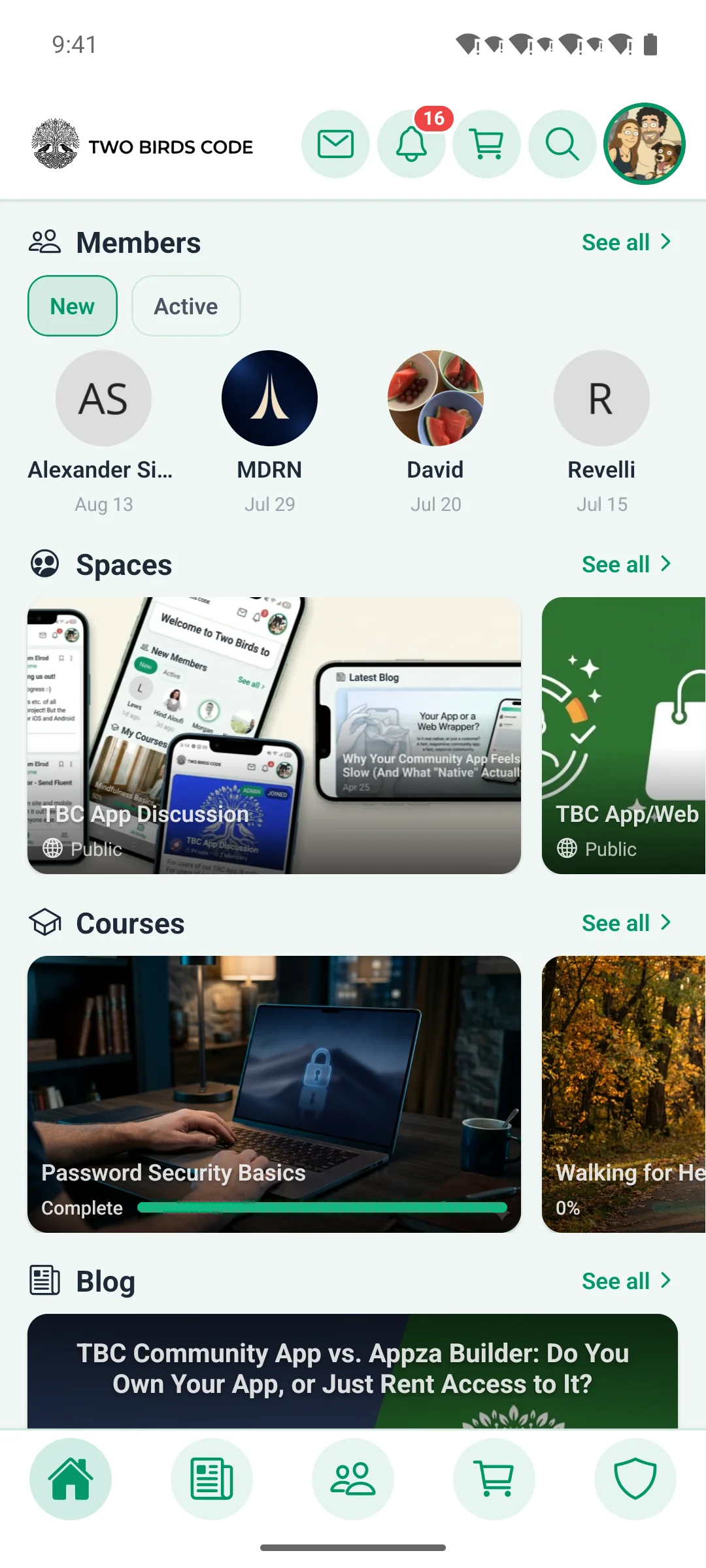
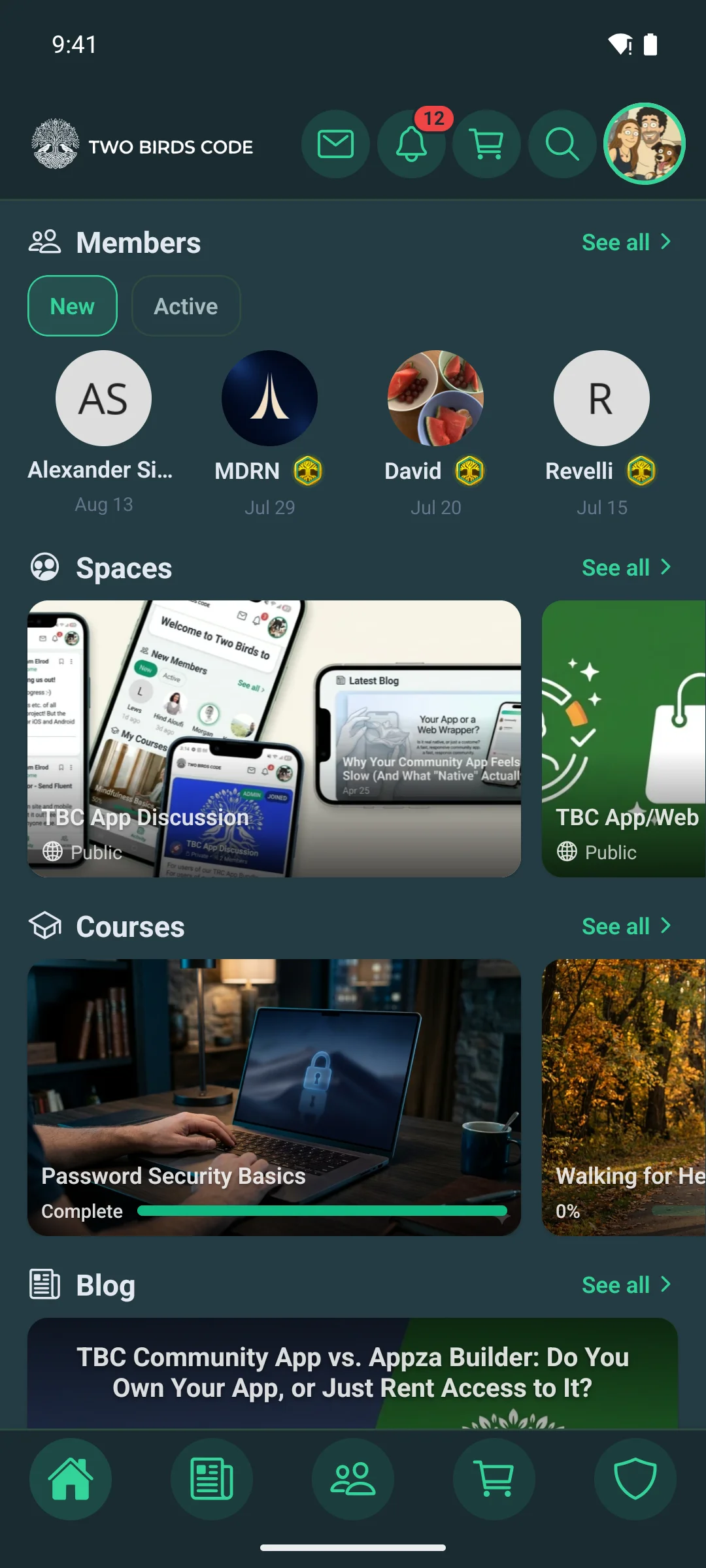
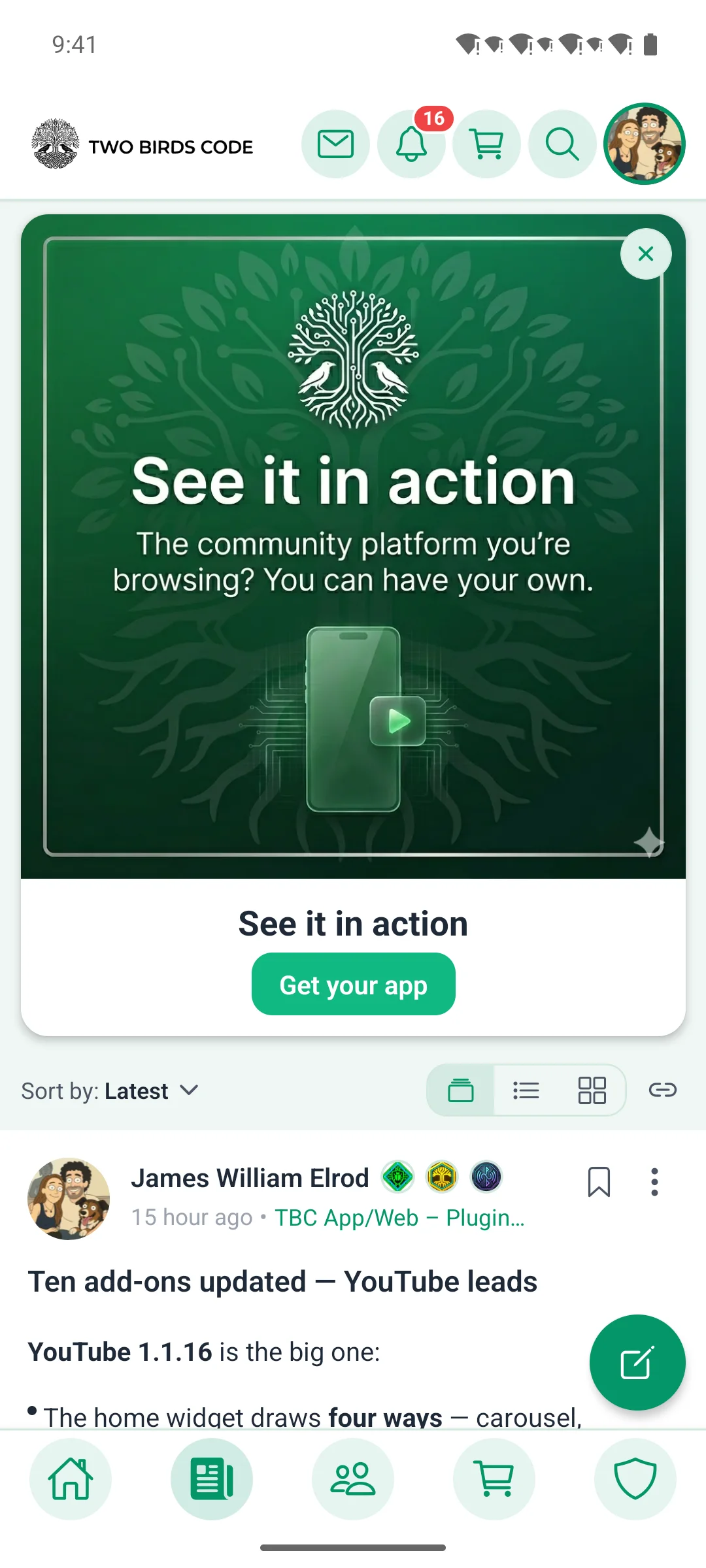
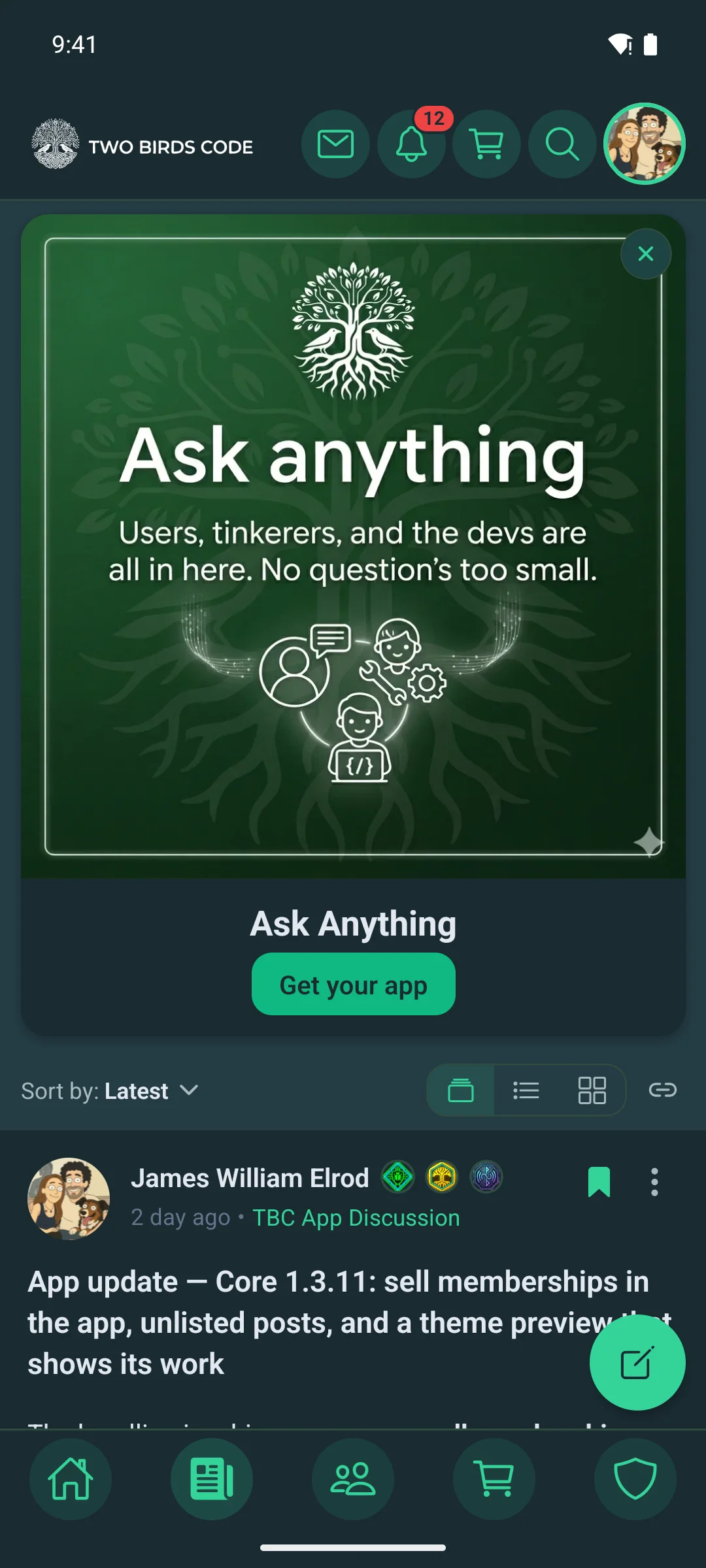
The app home screenThe app home screen
Home, arranged from WordPress.
The activity feed on a phoneThe activity feed on a phone
Posts, comments and reactions.
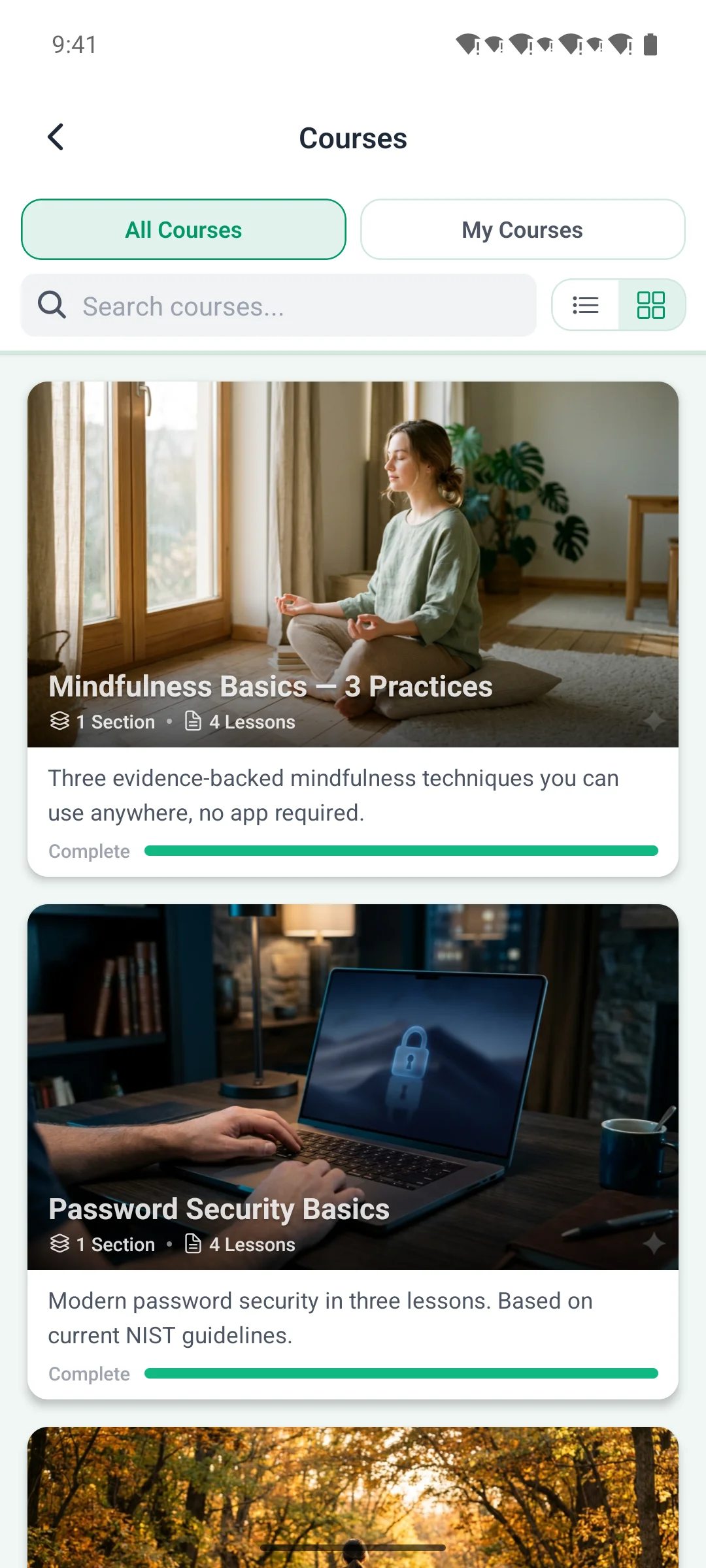
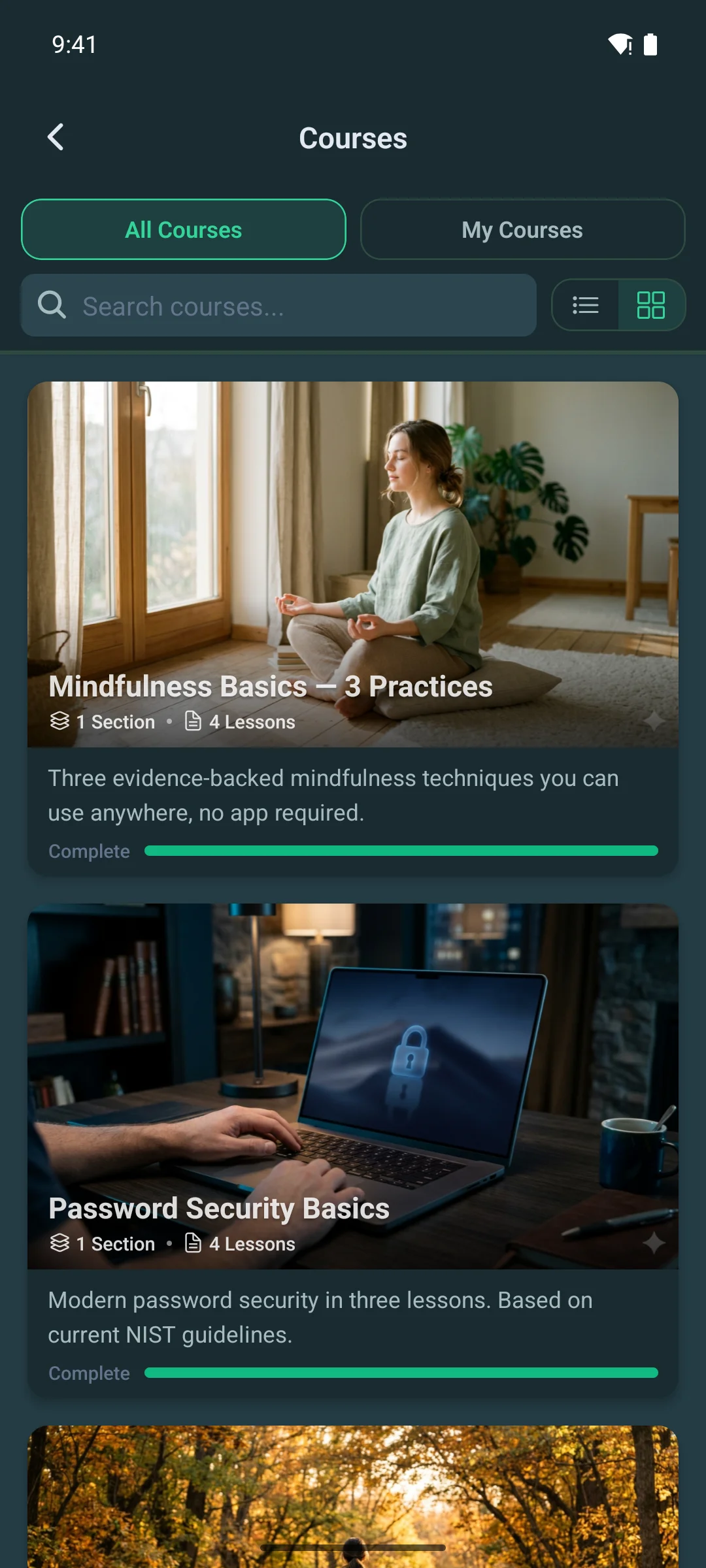
The course list on a phoneThe course list on a phone
Courses, lessons and progress.
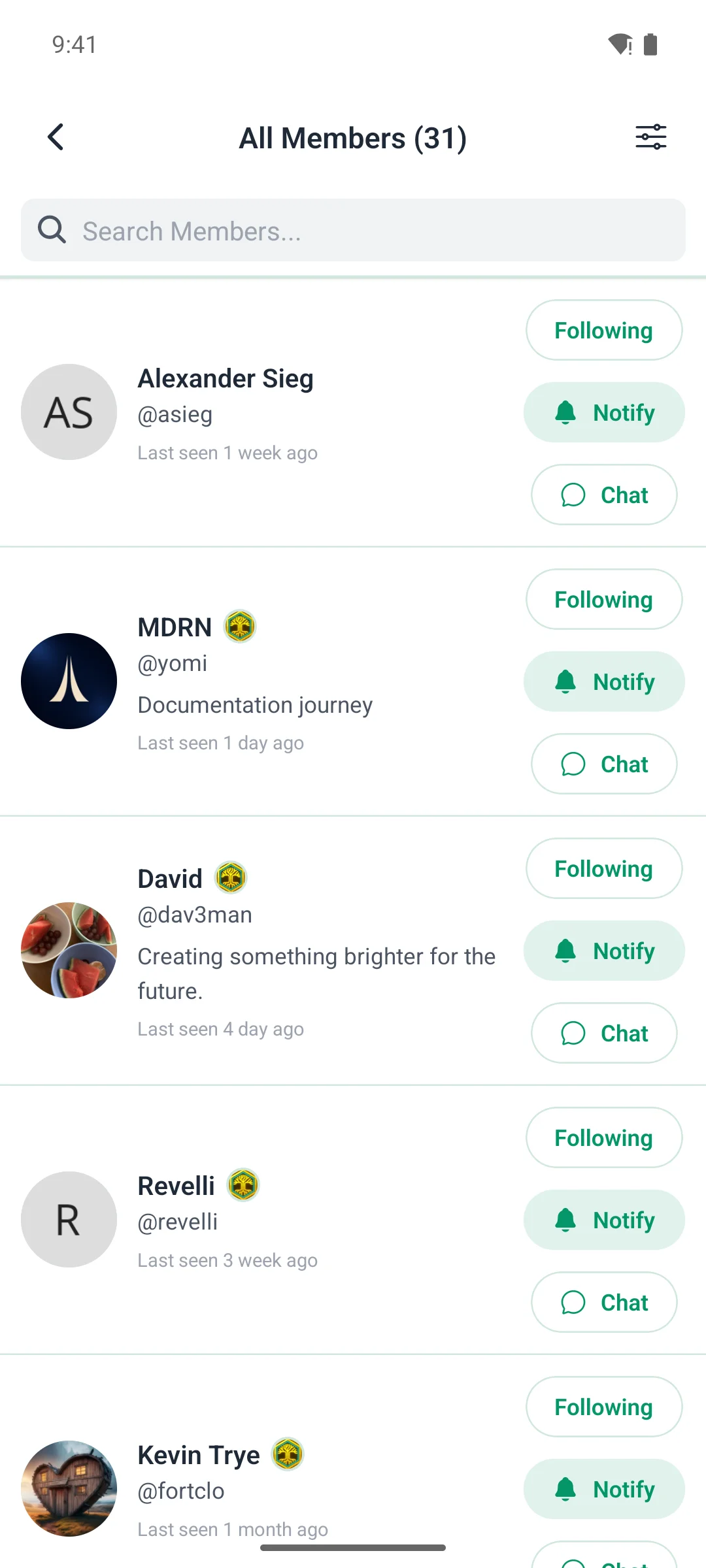
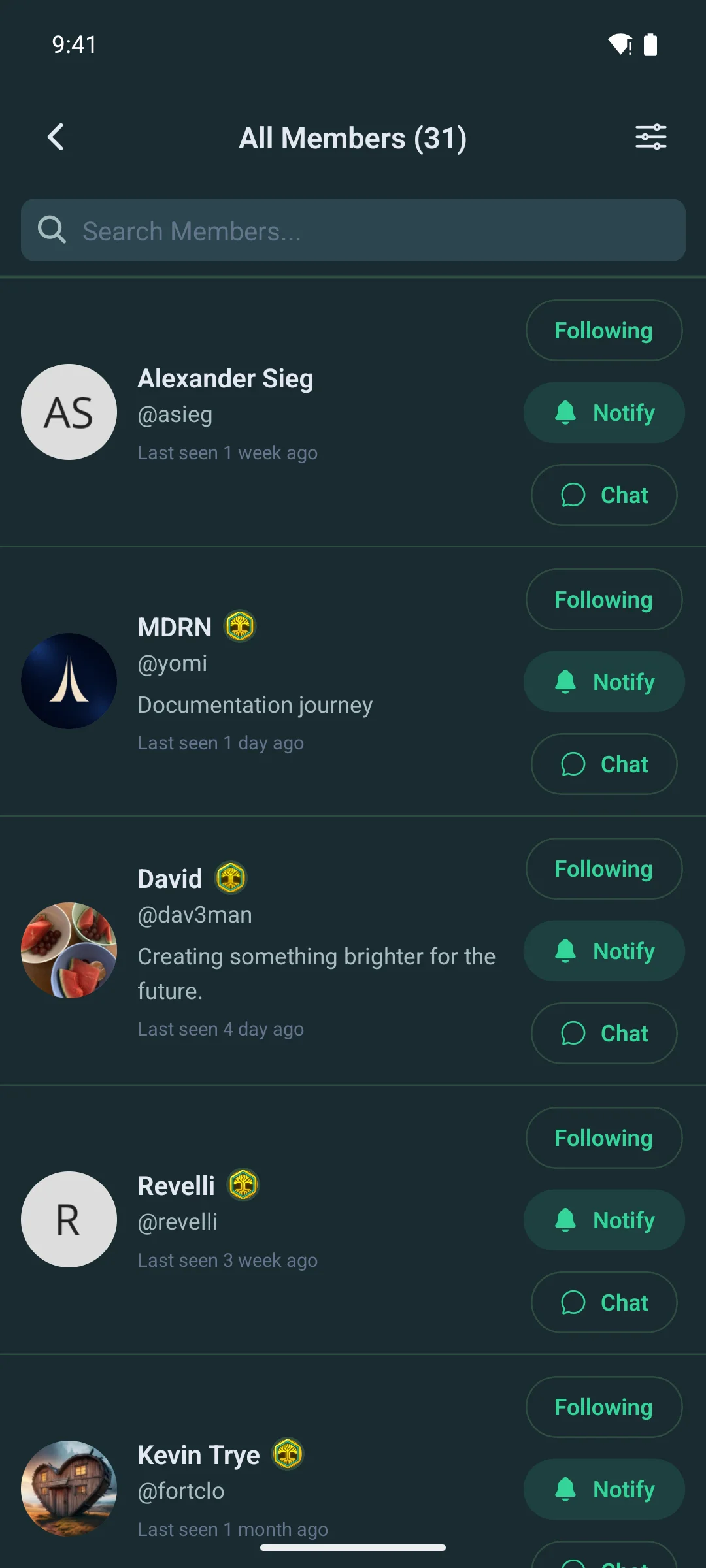
The member directory on a phoneThe member directory on a phone
Members, profiles and connections.

Your command centre

You run it from WordPress — no code, no rebuild

The companion plugin is where the app is shaped. Server-side changes reach members the next time they open it, with no new build and no store review.

  • Menus & navigation — add, rename, reorder and hide tab-bar, launcher and header items, with role-based visibility
  • Push notifications — enable types, set defaults, broadcast announcements, send test pushes and review a full log
  • Version gating — require a minimum app version, with a built-in update screen
  • Maintenance mode — a blocking screen with your message, and a role bypass
  • Feature toggles — show or hide profile tabs, home widgets and more
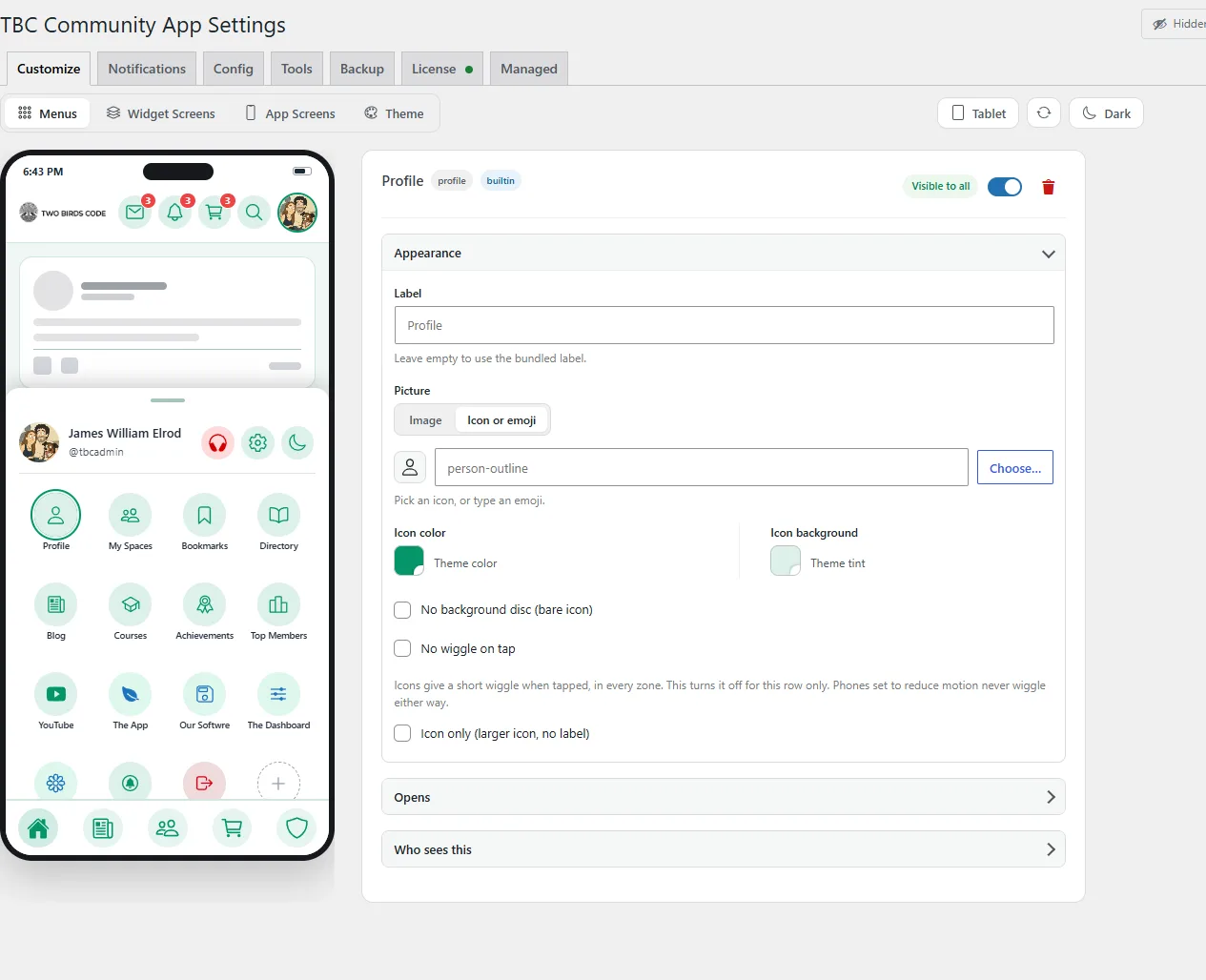
The Customizer editing a launcher item beside a live phone preview
Editing a launcher item, previewed on a real phone frame.

Configure once, then click Submit

The technical side is ours, the app is yours

Everything we need lives in one Managed App Setup panel inside your WordPress admin. After that:

  • We build it. Native iOS and Android binaries, done by us, every release
  • We publish it — on your accounts. Your app lives under your Apple Developer and Google Play accounts, so you own the listing
  • We keep it current. New features and fixes land in your app as we ship them
  • You stay in control day to day through the companion plugin
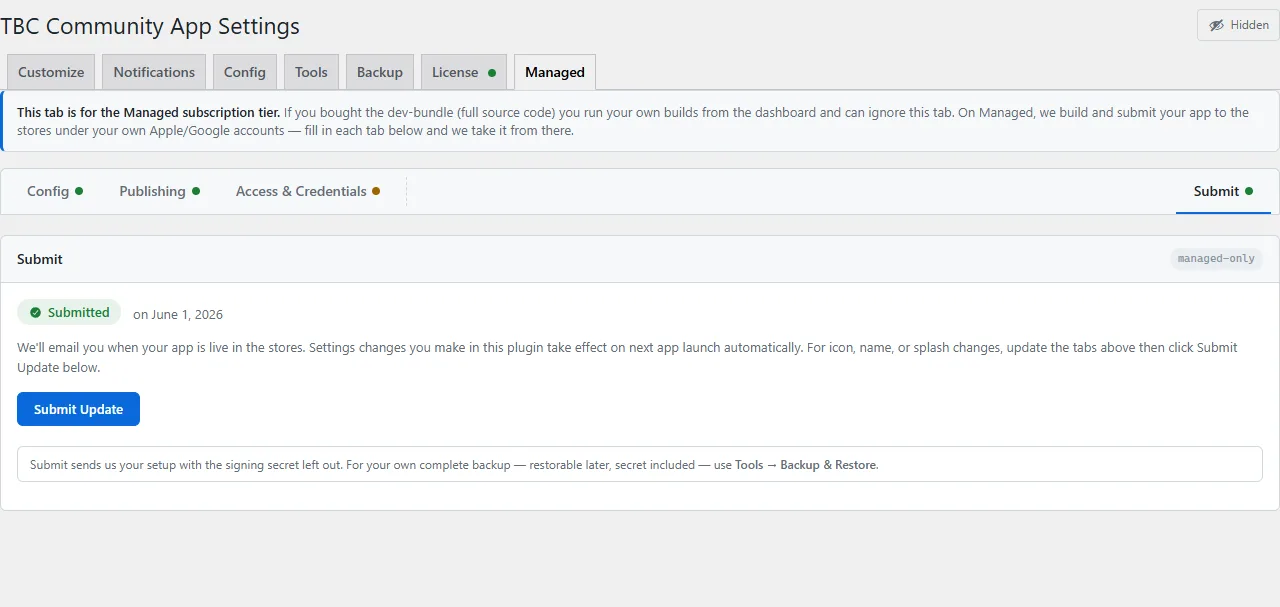
The Managed App Setup panel in WordPress, ready to submit
One panel, then Submit. We take it from there.

The honest comparison

A slot in someone else’s app, or an app that is yours.

If you have shopped for a Fluent Community app you have probably found LazyCoders’ “Fluent Community Mobile”. It is really the only other option, so here is the difference.

LazyCoders — a shared app

Every community’s members download the same app, published by LazyCoders, and scan a QR code to sync into your space. Quick and cheap — but the app on the phone is theirs, not yours.

TBC Managed — your own app

Published to the App Store and Google Play under your own accounts. Both run on Fluent Community + WordPress; the difference is ownership.

Everything members get

  • Real-time feed — posts, threaded comments, multi-reactions, polls, mentions, bookmarks
  • Spaces and groups — public, private and secret, each with its own feed and members
  • Direct and group messaging — real-time chat, reactions, images, typing indicators, unread badges
  • Courses and lessons — progress tracking, quizzes, drip content, completion celebrations
  • Member profiles — follow and unfollow, custom fields, badges, connections
  • Native push — granular, per-category, deep-linked straight to the content

And across the app

  • Search and directory — find posts, spaces, courses and members
  • Light and dark mode — colours sync automatically from your Fluent Community theme
  • Tablet and phone ready — one app that adapts from phone to tablet to foldable
  • English and Spanish built in, with more languages addable

Pricing

A setup fee, then a monthly.

Cancel anytime. Your published app keeps working — it is yours. You simply stop receiving new updates, new builds and new submissions.

Store fees are paid to Apple and Google, not to us: Apple Developer Program $99/year, Google Play Console $25 one-time. Nonprofit, school or church? Apple and Google waive their store fees for eligible organisations. You will also need a WordPress site running Fluent Community (Pro recommended).

One-time setupfirst build, first submission, onboarding$100
Managed monthlyboth apps, all updates and republishes$33 / mo
To start$133
Apple Developerpaid to Apple · waived for eligible orgs$99 / yr
Google Play Consolepaid once to Google · waived for eligible orgs$25