


TBC - Web - Automations
Eighteen Uncanny Automator triggers and actions for Fluent Community — DMs, notifications, follows, points, spaces, posts.
v1.1.5
Automations · WordPress plugin · Uncanny Automator
The Fluent Community blocks Automator is missing.
“When a member gets their tenth reaction, award a badge.” “When someone joins, send a welcome DM.” Eighteen triggers and actions built on Fluent Community’s own models and hooks — so the results are identical to doing it by hand. No code, no glue plugins.
Three groups · eighteen blocks
Messaging, gamification, and the rest.
Click a tab. The capture opens full size.
Reach a member directly
DMs, notifications and follows
- Send a direct message through FluentChat
- Send an in-app notification — with mobile push and an optional tap-to-open destination: a space, post, profile, course or lesson
- Triggers on messages — a user sends one, or receives one
- Follow and unfollow a user as an action
- A user gains a follower — with a running follower-count token, so “reach 100 followers” is one recipe
Built for GamiPress and points engines
Reward what people actually do
Several of these carry a running total as a token, which is what turns a trigger into a milestone.
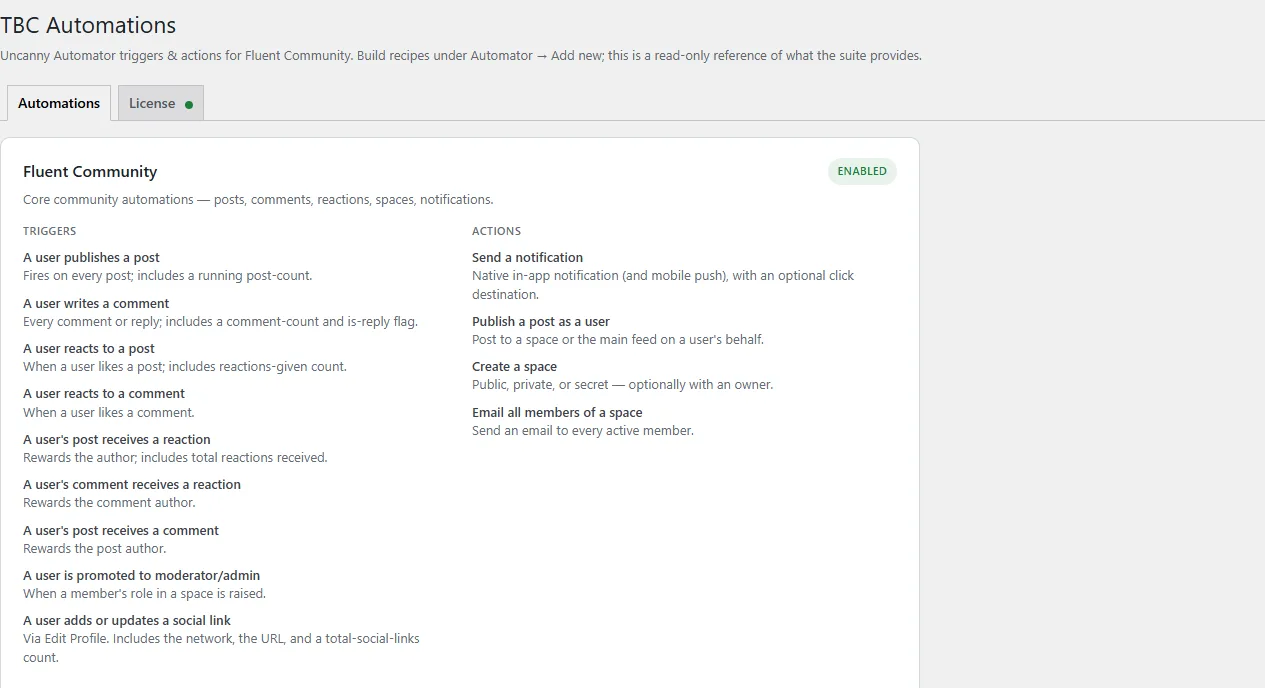
- A user’s post receives a reaction — with a total-reactions token, so “get 10 reactions → badge” works
- A user’s comment receives a reaction
- A user’s post receives a comment
- A user publishes their first post, or writes their first comment
- A user is promoted to moderator or admin
Profiles, spaces and content
Act on the community itself
- A user updates a custom profile field to a specific value — as a trigger
- Set a user’s custom profile field — as an action
- Create a space, public, private or secret
- Publish a post as a user, to a space or the main feed
- Email all members of a space
Smart by design
- Loads only what you have — each automation activates when its dependency is present, so nothing errors on a feature you have not installed
- No loops, no hacks — real Fluent Community hooks rather than polling
- Where Fluent Community has no hook for something, such as follow requests, it is left out rather than faked
- Auto-updating — activate your key and updates arrive through your dashboard
What you need
- Uncanny Automator (free or Pro)
- Fluent Community — Pro for follows, the gains-a-follower trigger and custom-profile-field automations
- FluentChat for the direct-message action and the send/receive triggers
Pricing
Free.
Automations is one of our free tools. Activate a licence key so updates arrive automatically, and build whatever recipes you like.