

Community events in your app, up to date with Fluent Community 2.14 (Core 1.4.7)



 ·
29 min read
Core 1.4.7 · Community events
Community events in your app, up to date with Fluent Community 2.14.
Your members can now find your community’s events in the app, say they’re going and put them in their own calendar. This post covers everything since our last one (Core 1.4.1): versions 1.4.2 to 1.4.7.
Events show up wherever your members look
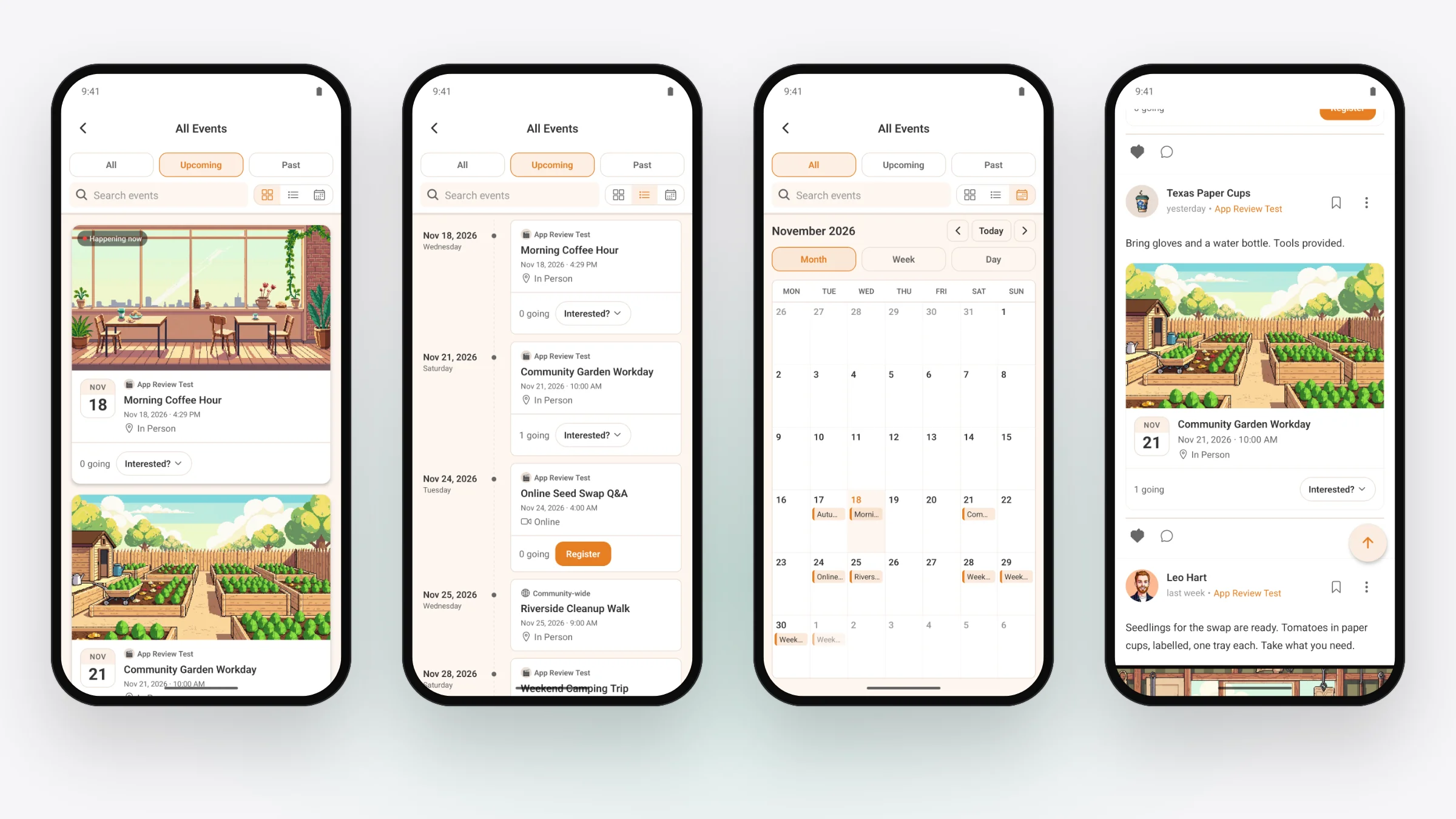
If your site runs FluentEvent, the free events plugin from the makers of Fluent Community, your app has events too. Switch FluentEvent on in Fluent Community 2.14 and keep the TBC Community App plugin at 1.4.6 or later. You don’t set anything up in the app, and a site without FluentEvent sees no change.
- Scroll the feed and an event post shows its date and time, where it is (or “Online”) and how many people are going.
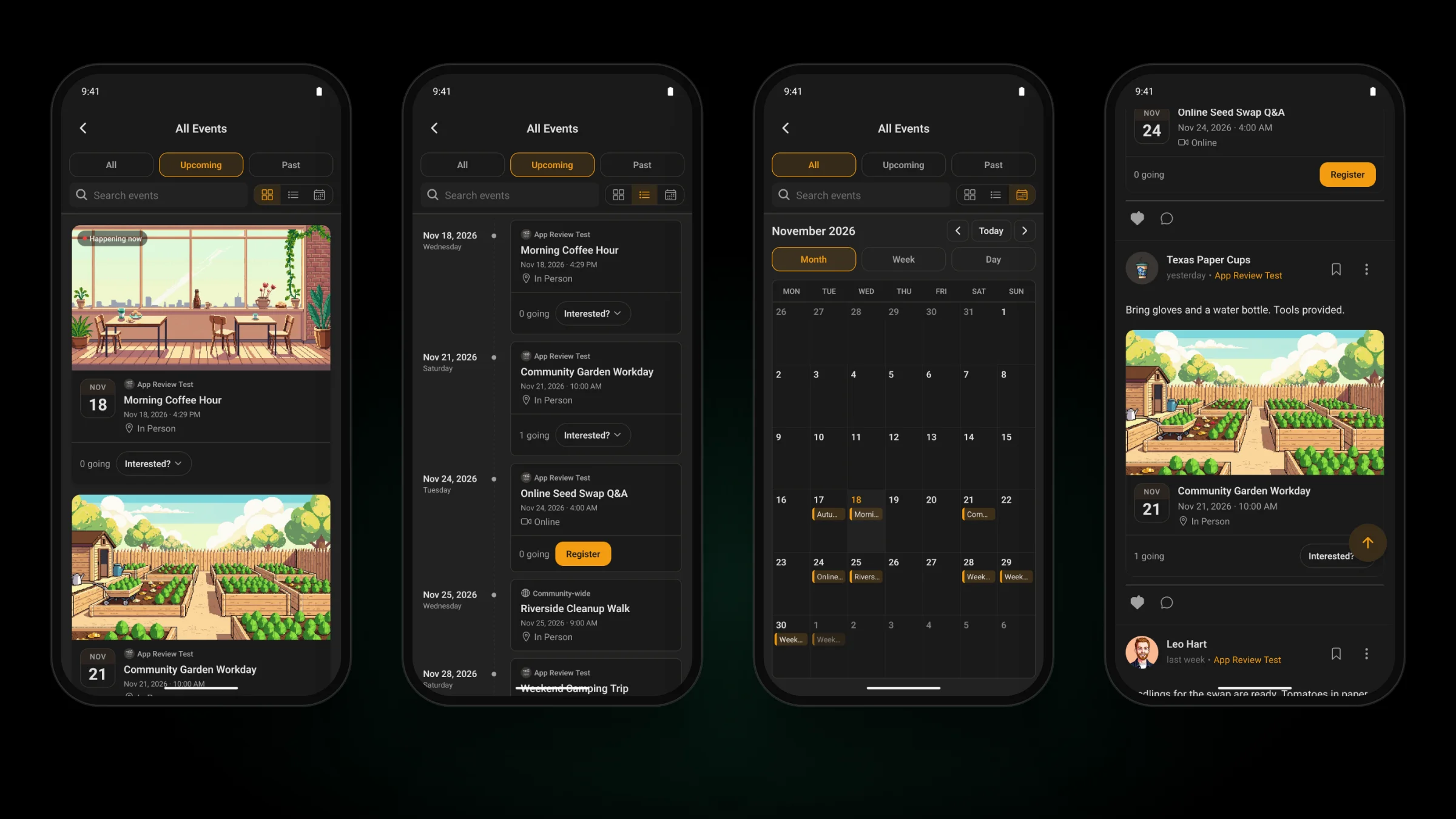
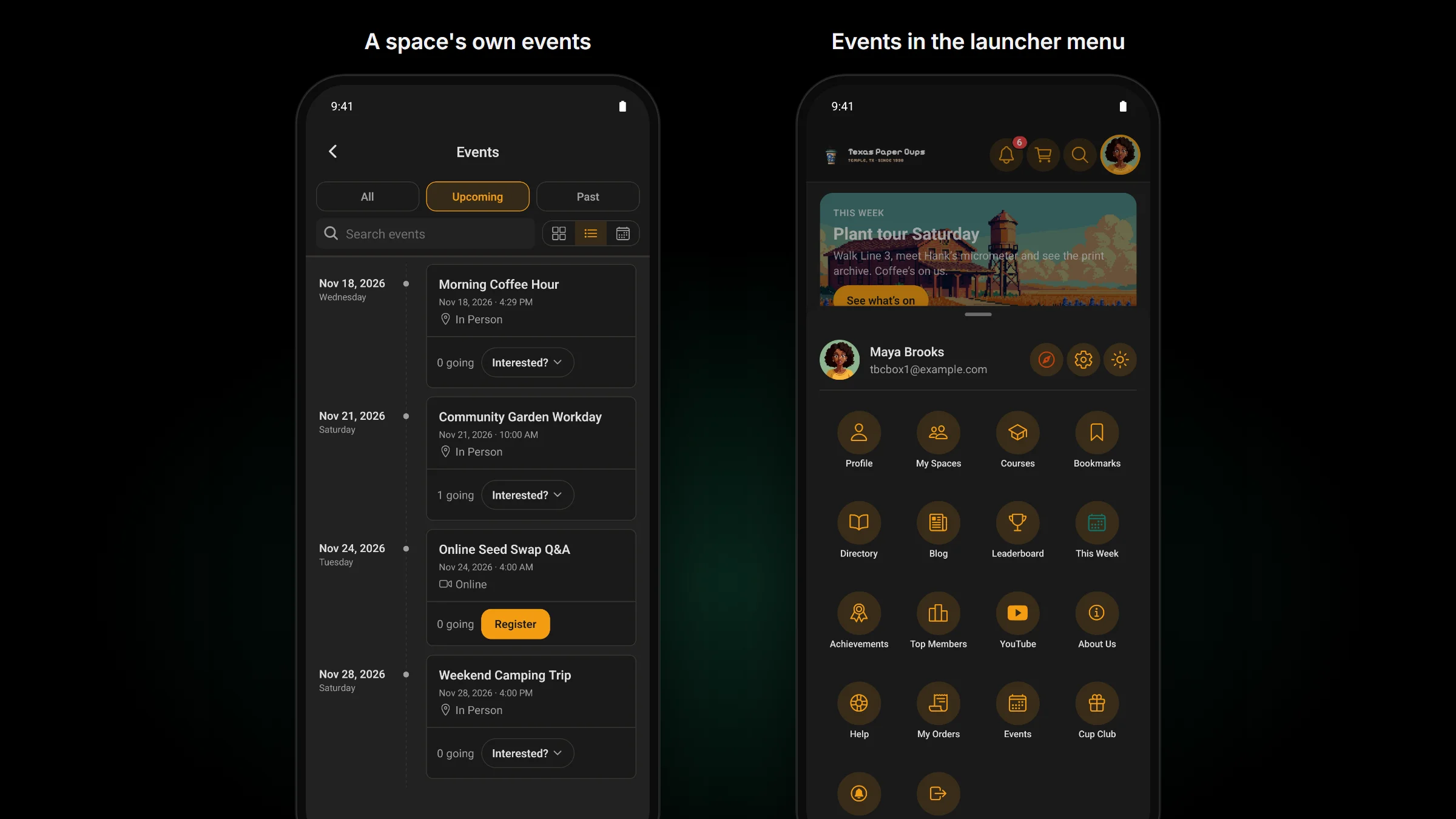
- Open All Events to see what’s Upcoming, what’s Past, or All of it. Show it as cards, as a timeline, or as a calendar by month, week or day, and search by name.
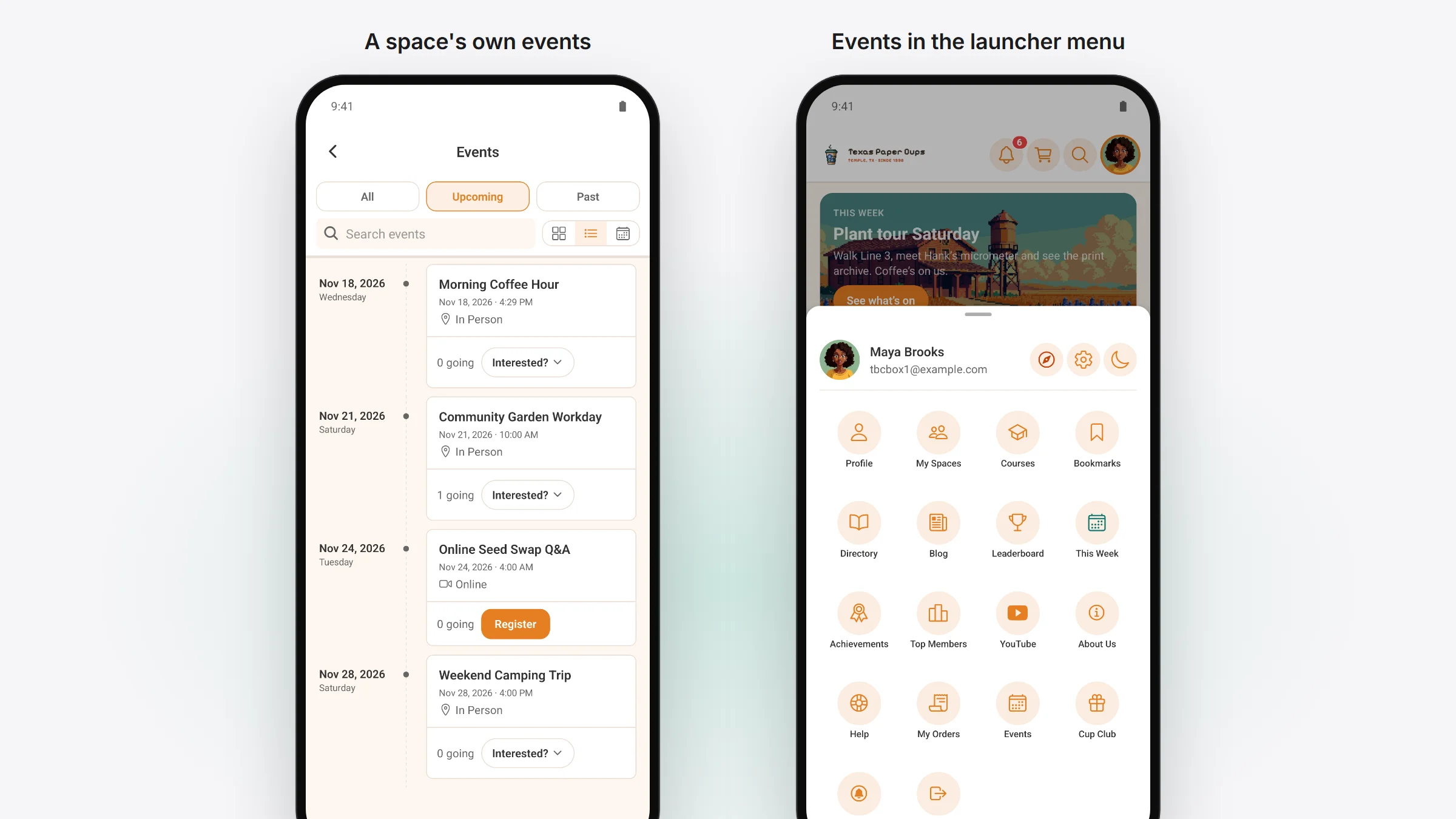
- In a space where your site turns events on, the space’s own events sit in their own Events list. You can also put Events in the tab bar or in the launcher menu.
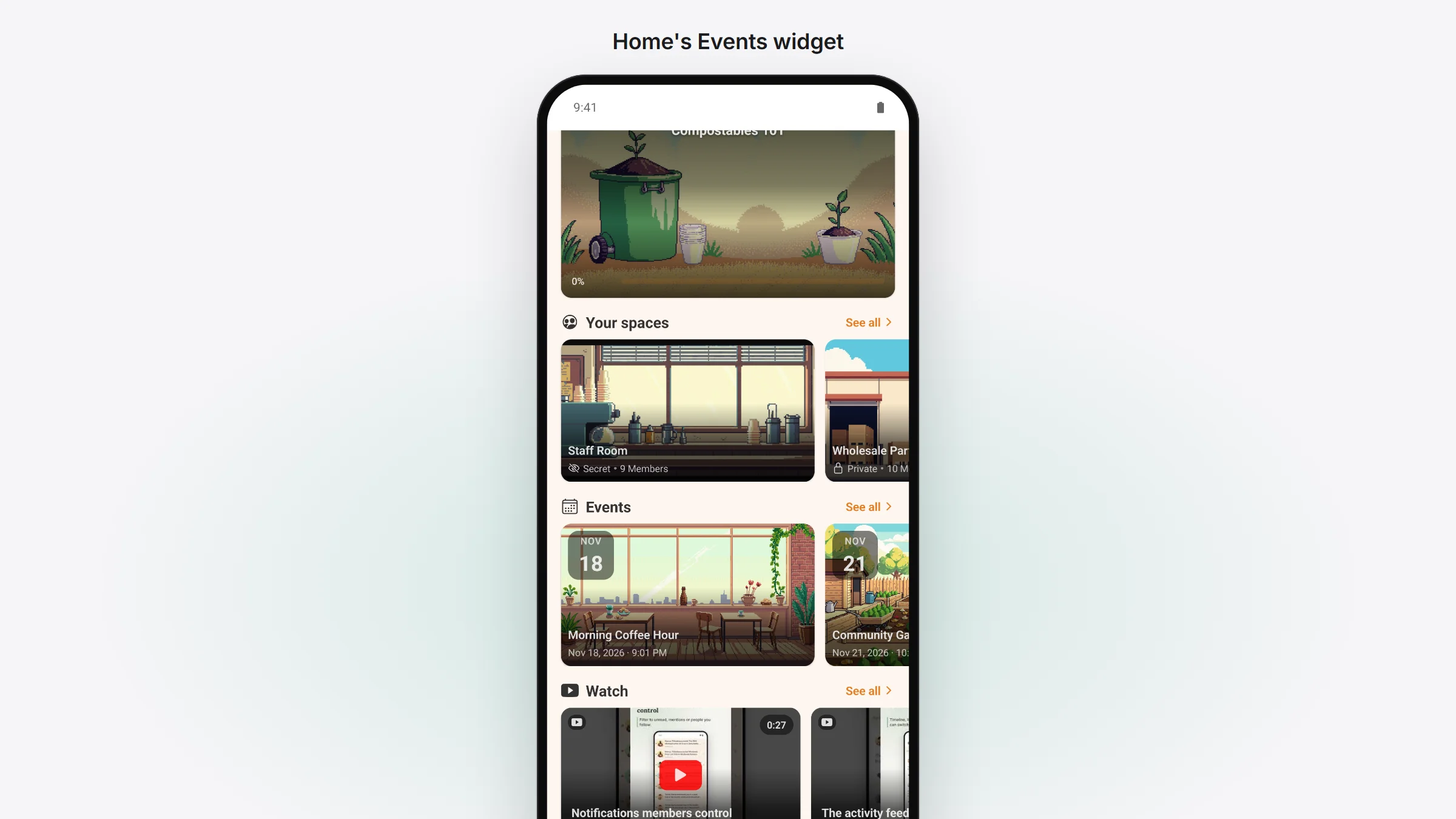
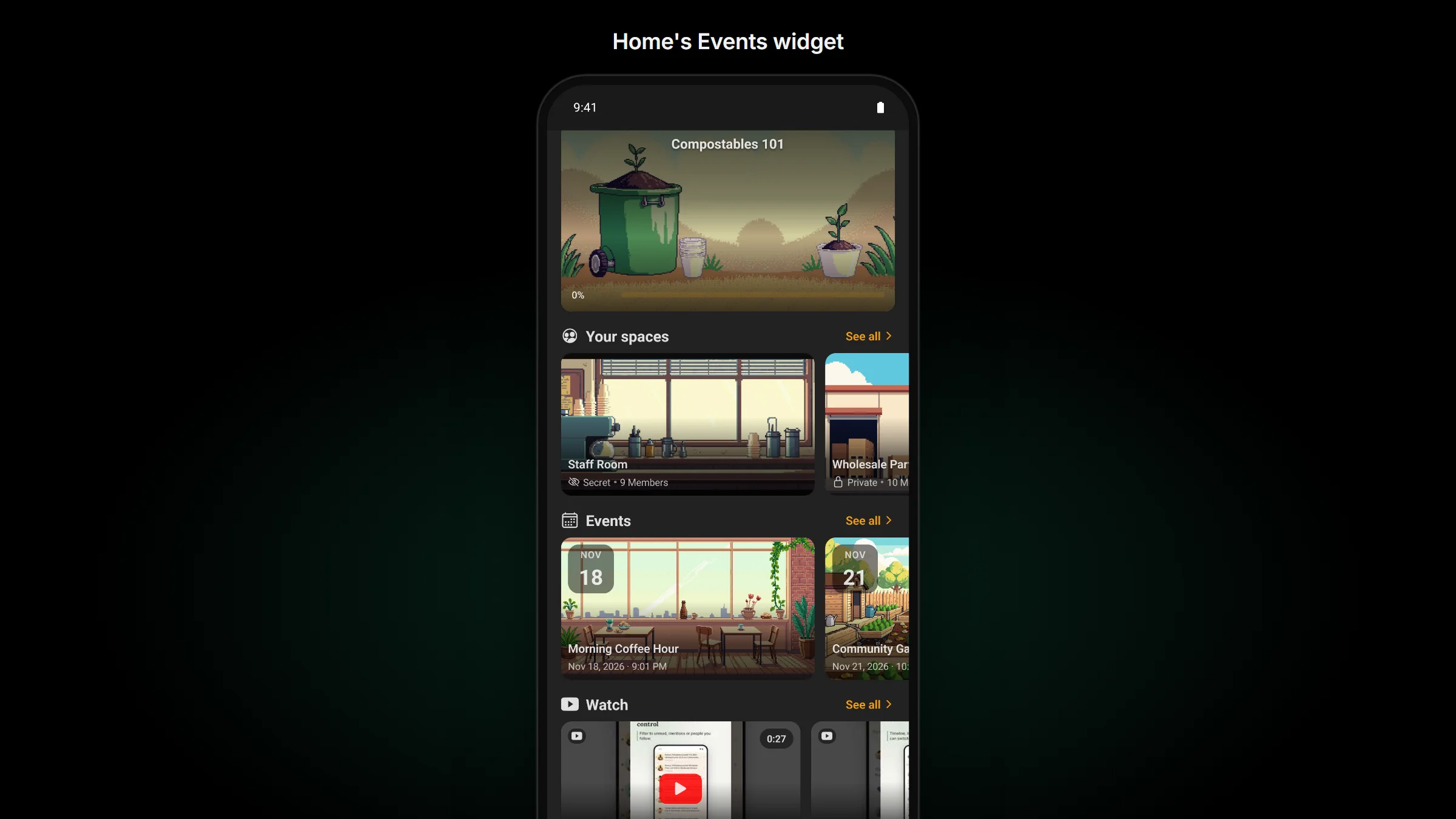
Home has an Events widget beside Courses and Spaces. It comes in the same four layouts as the others: a row of cards, compact rows, tiles or one large card. Choose whether it shows upcoming, past or all events, from the whole community or from one space. You place it in WP Admin › TBC Community App › Customize.
Going, registered, and in their calendar
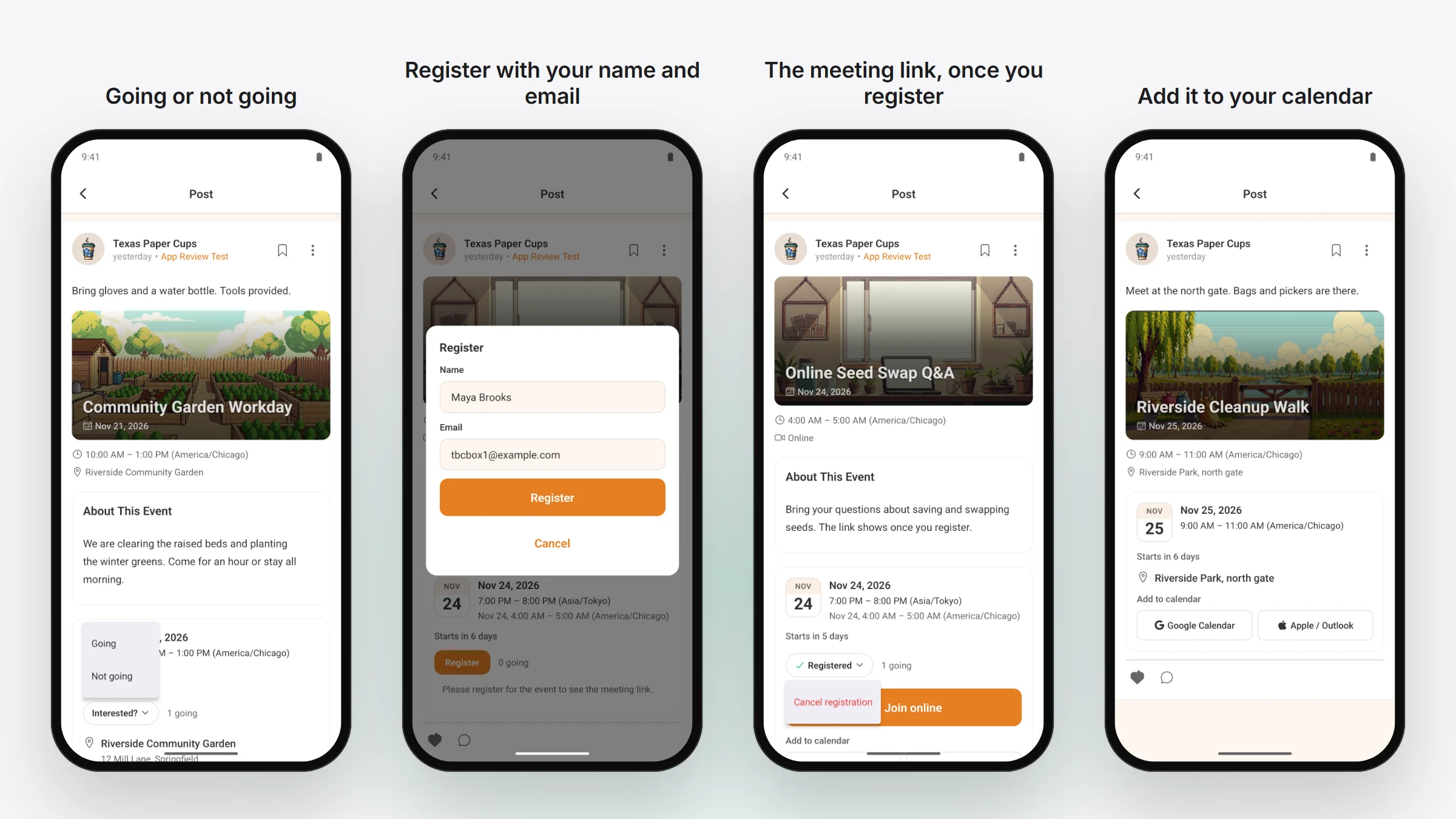
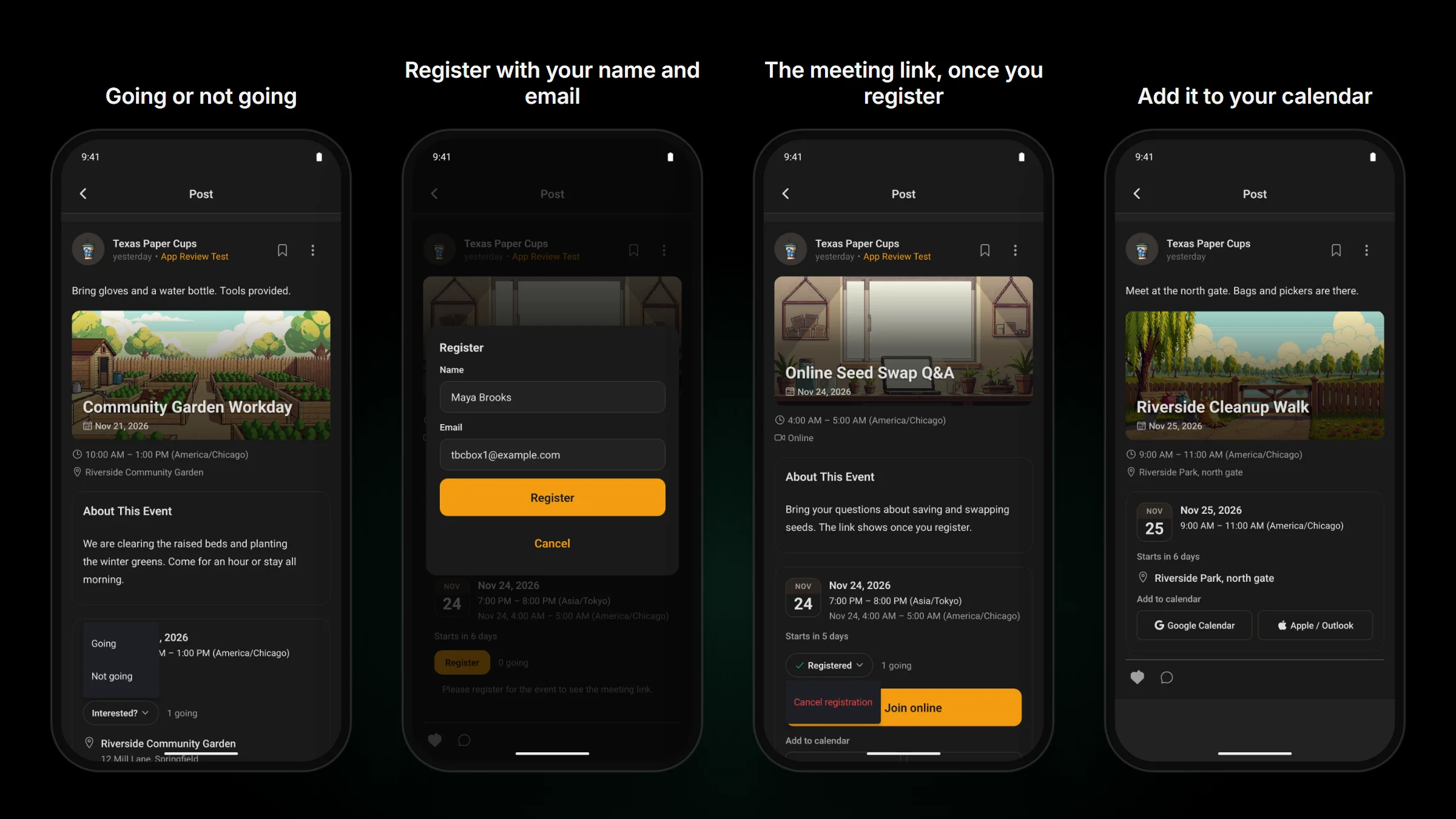
- Tap the answer under an event and pick Going or Not going.
- When an event has open registration, tap Register, check your name and email, and you’re in. You can cancel later from the same place.
- For an online event, the meeting link shows once you’ve registered.
- Tap Google Calendar to add the event there, or Apple / Outlook to save a calendar file your phone’s calendar opens.
- The event’s page has its About This Event text and the time in the event’s own time zone. When that isn’t your site’s time zone, your site’s time shows beside it.
- On Android, a link to an event opens it in the app (for FluentEvent’s default events address).
Post an event from your phone
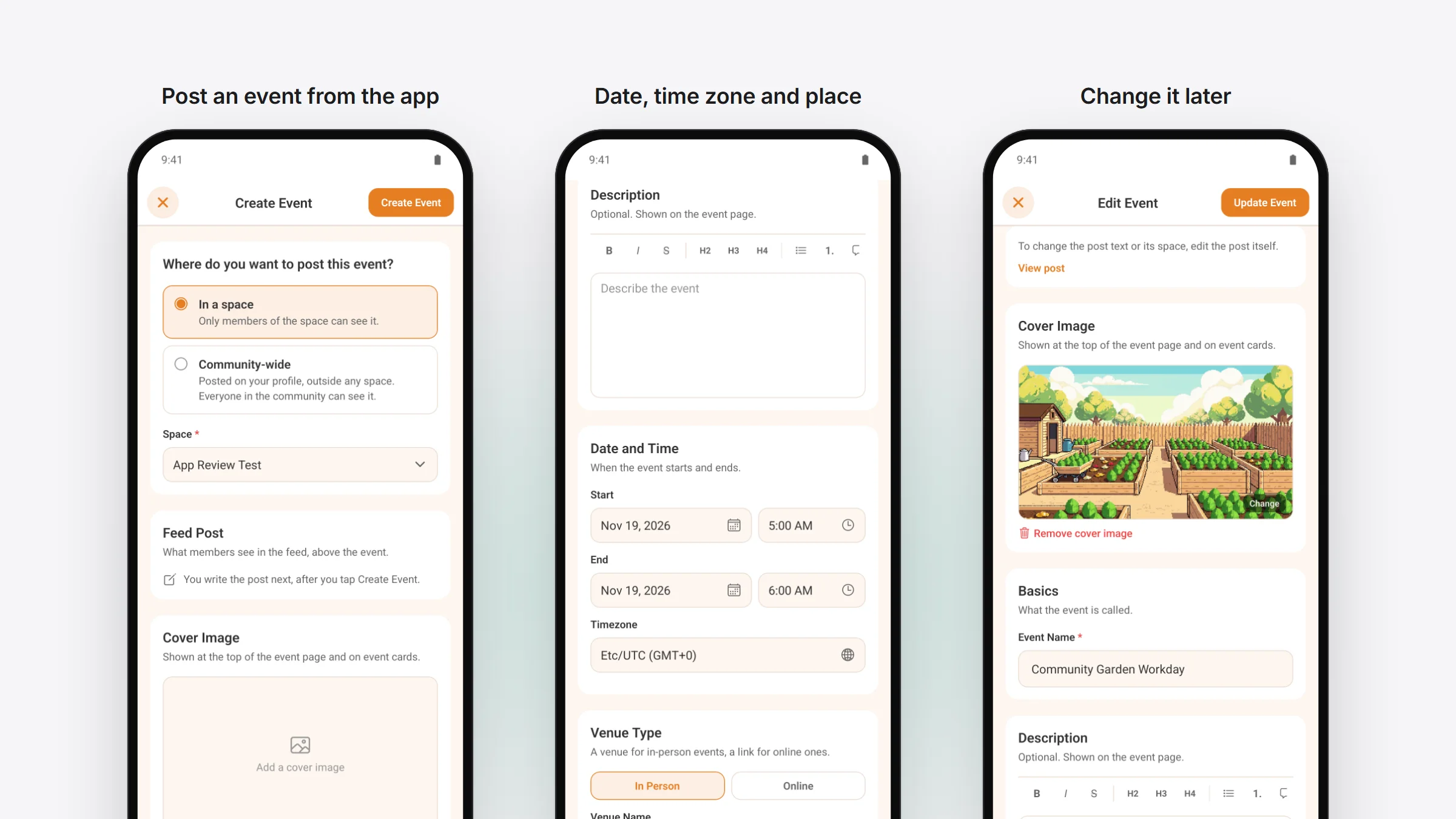
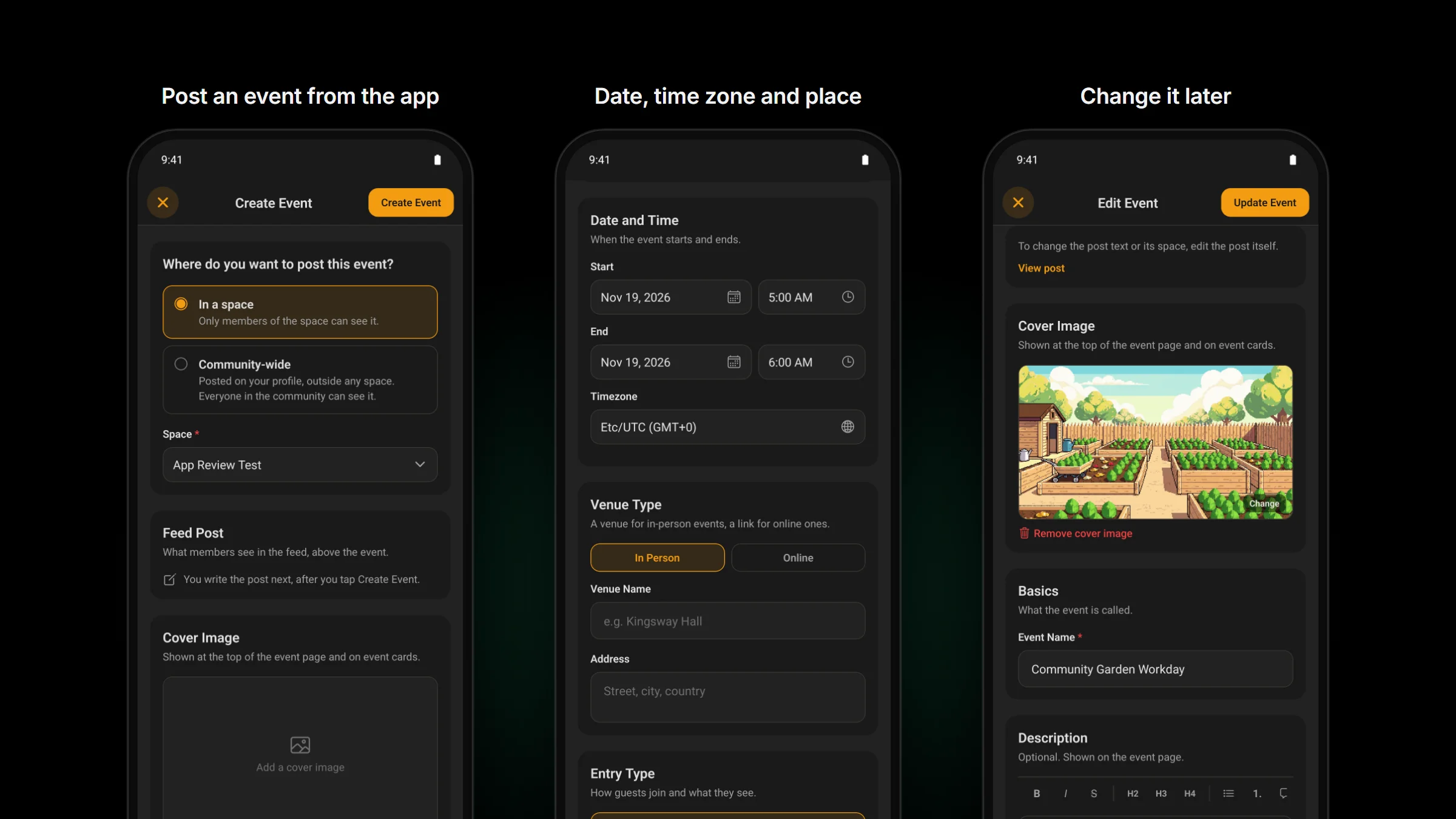
Admins can post an event from the app. Start a new event, choose a space or the whole community, then add the cover picture, description, date, time and time zone. Say whether it’s in person or online, and whether people RSVP, register or neither. Need to change something later? Open the event and edit it.
For people who build modules: core’s event list row, its month, week and day calendar and its view switch take events from any source, so your module can show its own events the same way.
Caught up with Fluent Community 2.14 and FluentCart 2.3.1
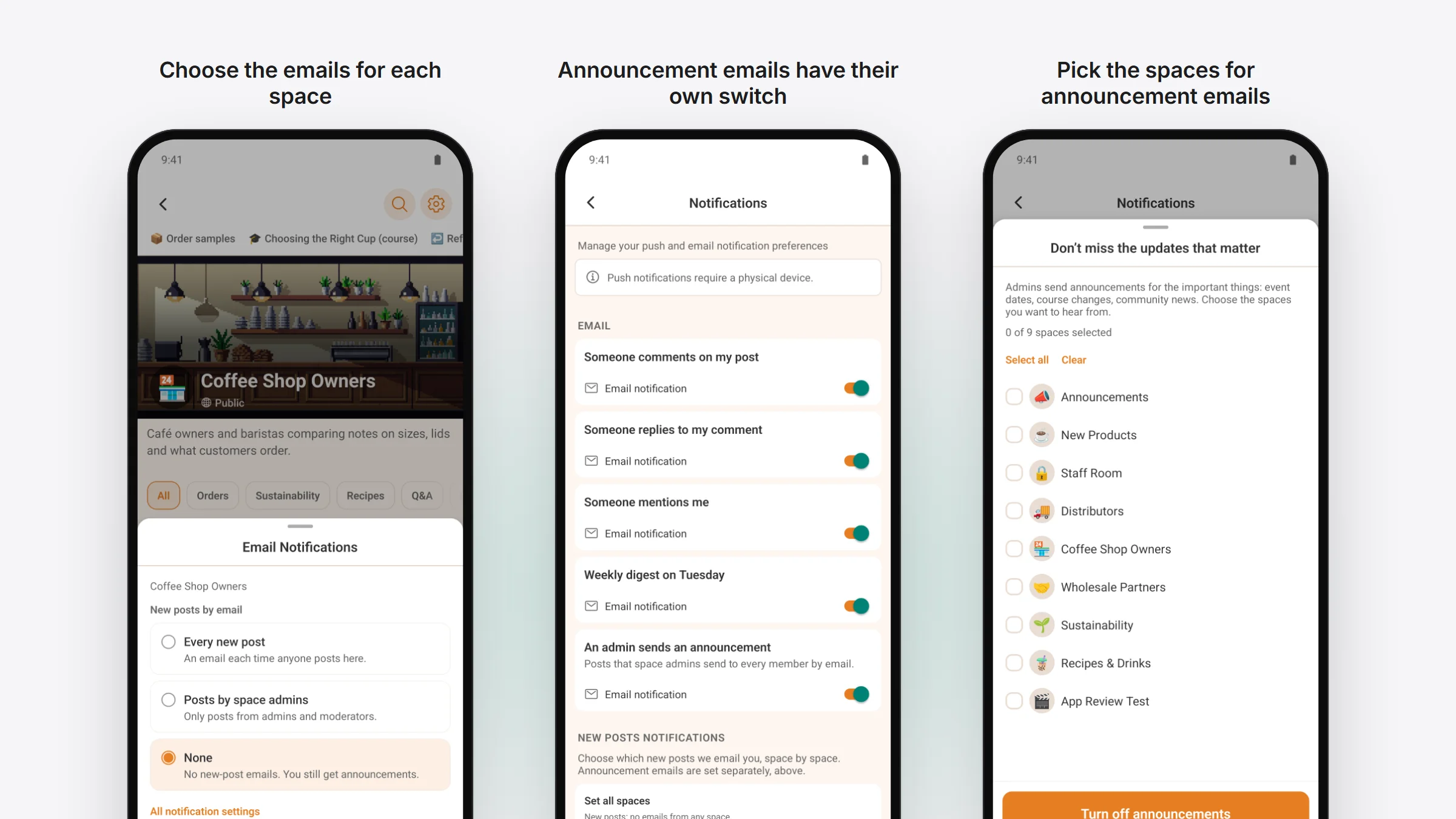
On a site running Fluent Community 2.14, the app has what the web portal gained.
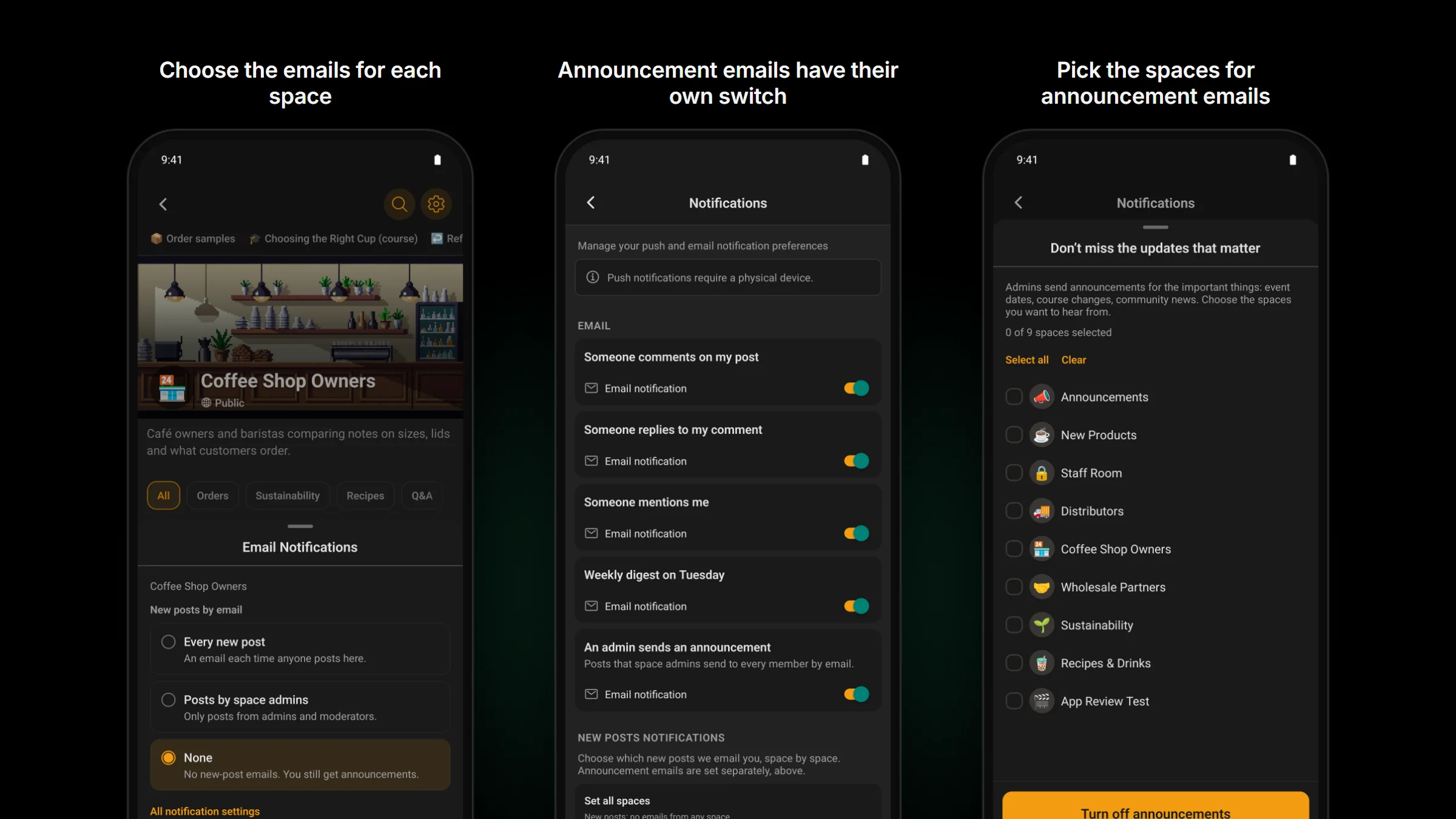
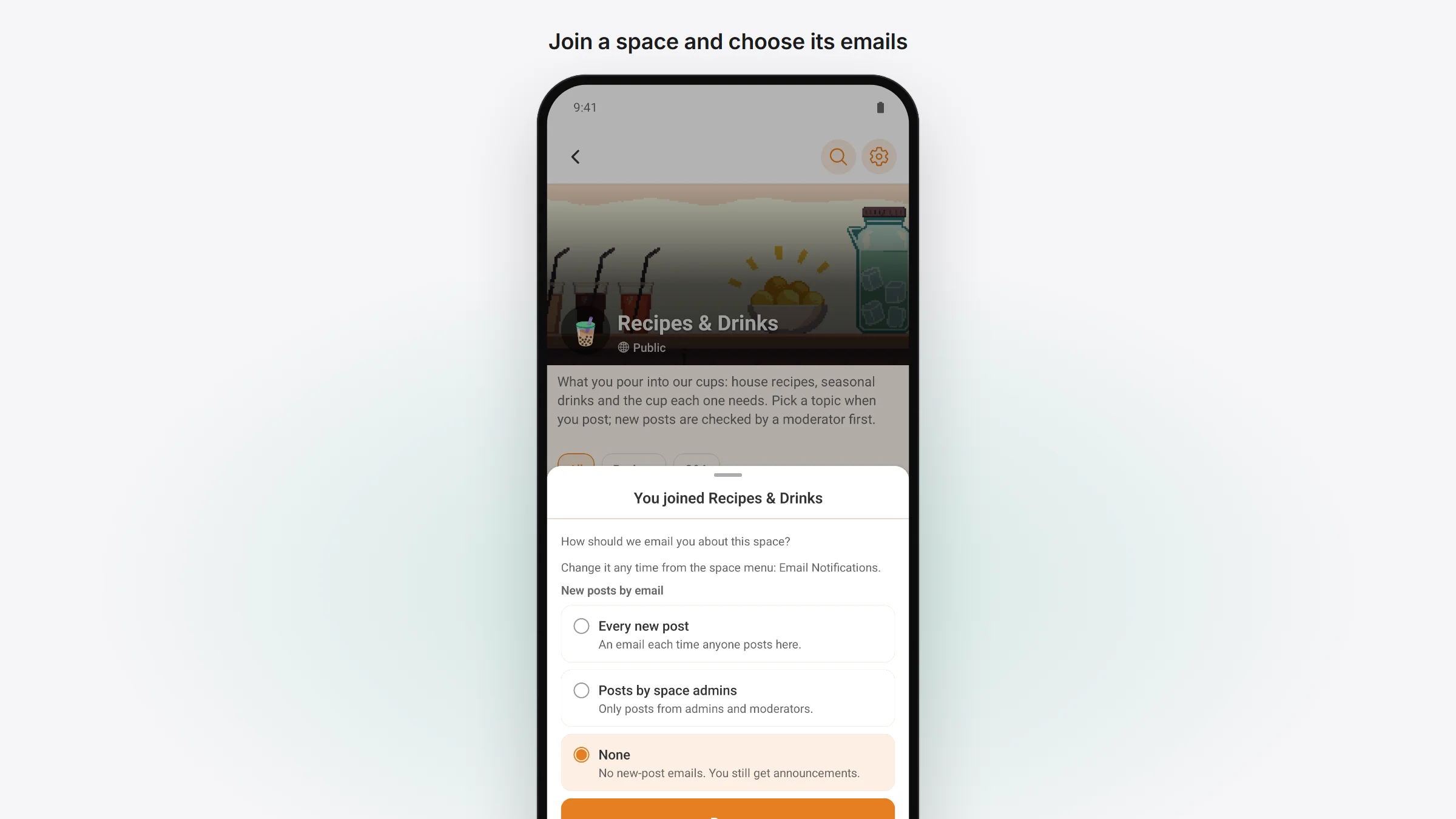
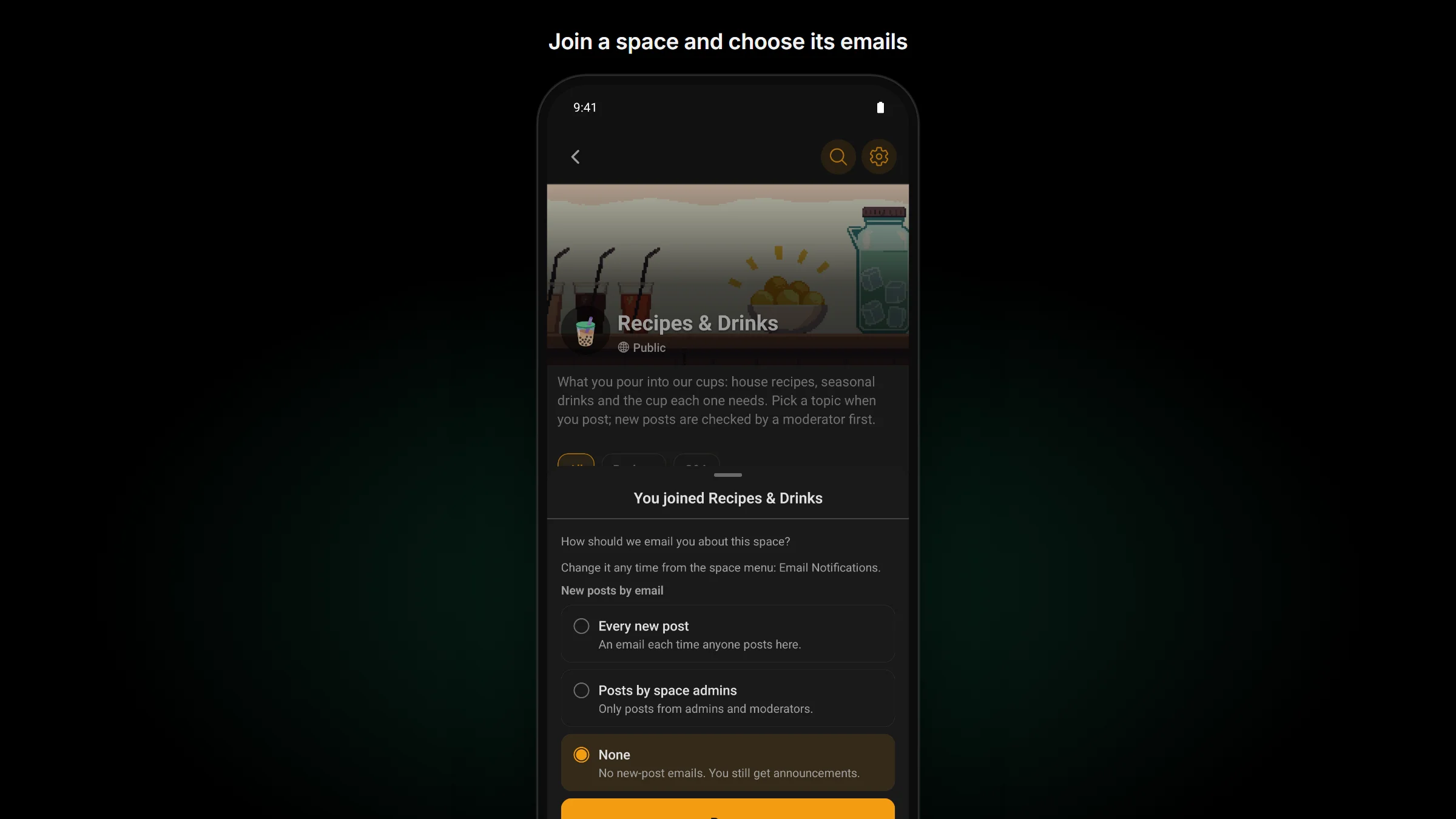
- In a space, open the space’s menu and tap Email Notifications to choose which of its posts reach you by email. When you join a space, the app asks you once.
- In Notification settings, announcement emails have their own switch. Turn it off and a sheet lets you pick the spaces you still want them from, or Set all spaces at once. The screen matches the portal row by row, and the “manage notifications” link in Fluent Community’s emails opens it in the app.
- A course that hasn’t opened for you yet says “Opens” with its date: on its card, on its page, on each section and in the Home widget. Tap a locked lesson and the app tells you why it’s locked.
- Custom profile fields show their help text while you fill them in, and a profile’s Spaces and Courses tabs have a sort menu.
- When you write a post, a character counter appears once you reach 90% of your site’s limit. Moderators see “This post is unpublished” on a post they’ve taken down.
On Fluent Community 2.13 the app looks as it did.
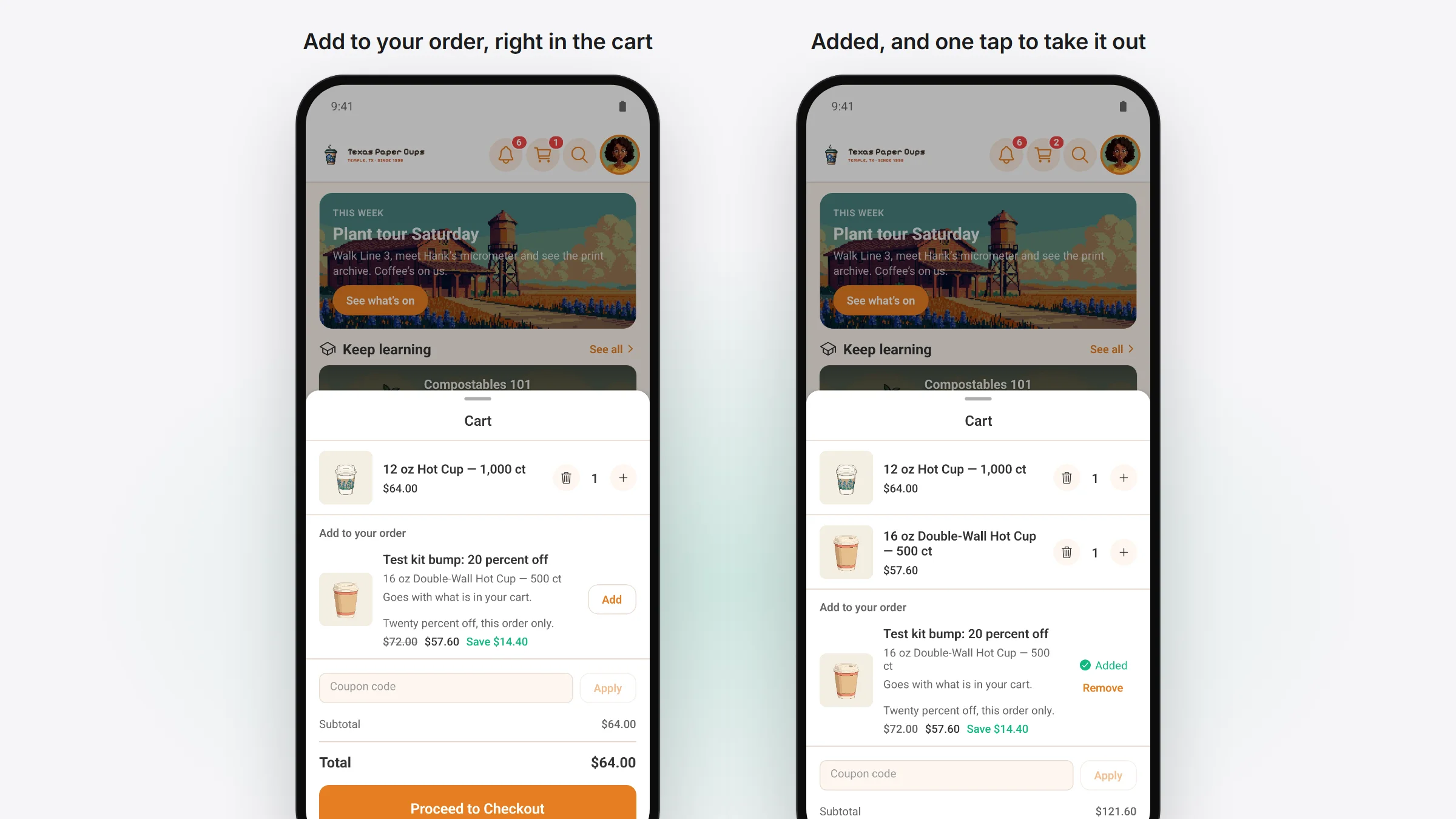
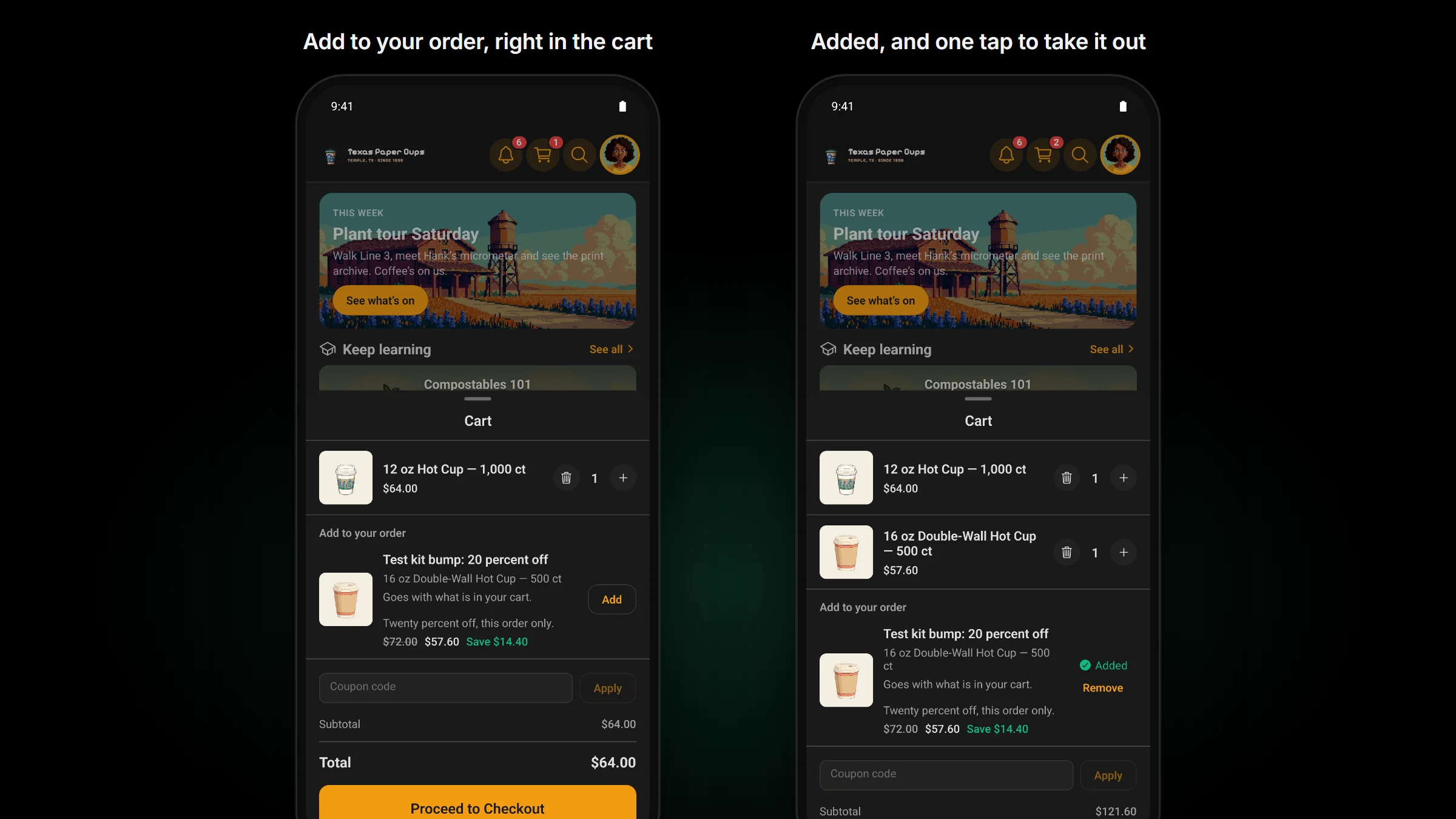
Order bumps work in the app too. With FluentCart Pro 2.3.1 or newer and a bump set to show in the cart, open the app’s cart and the bump sits under your items as “Add to your order”, with its picture, price and saving. One tap adds it, and Remove takes it out again.
Chat and lists keep up
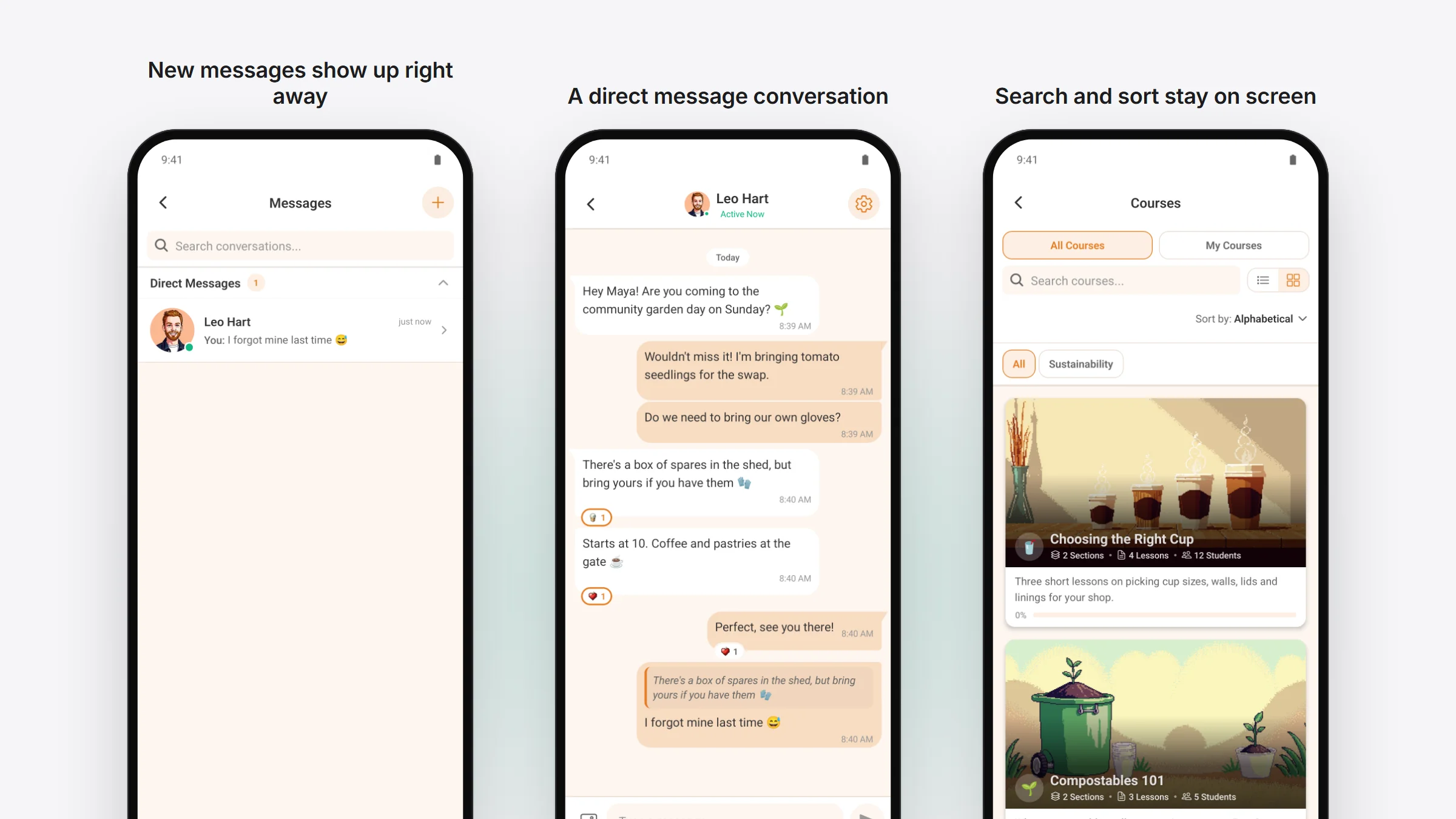
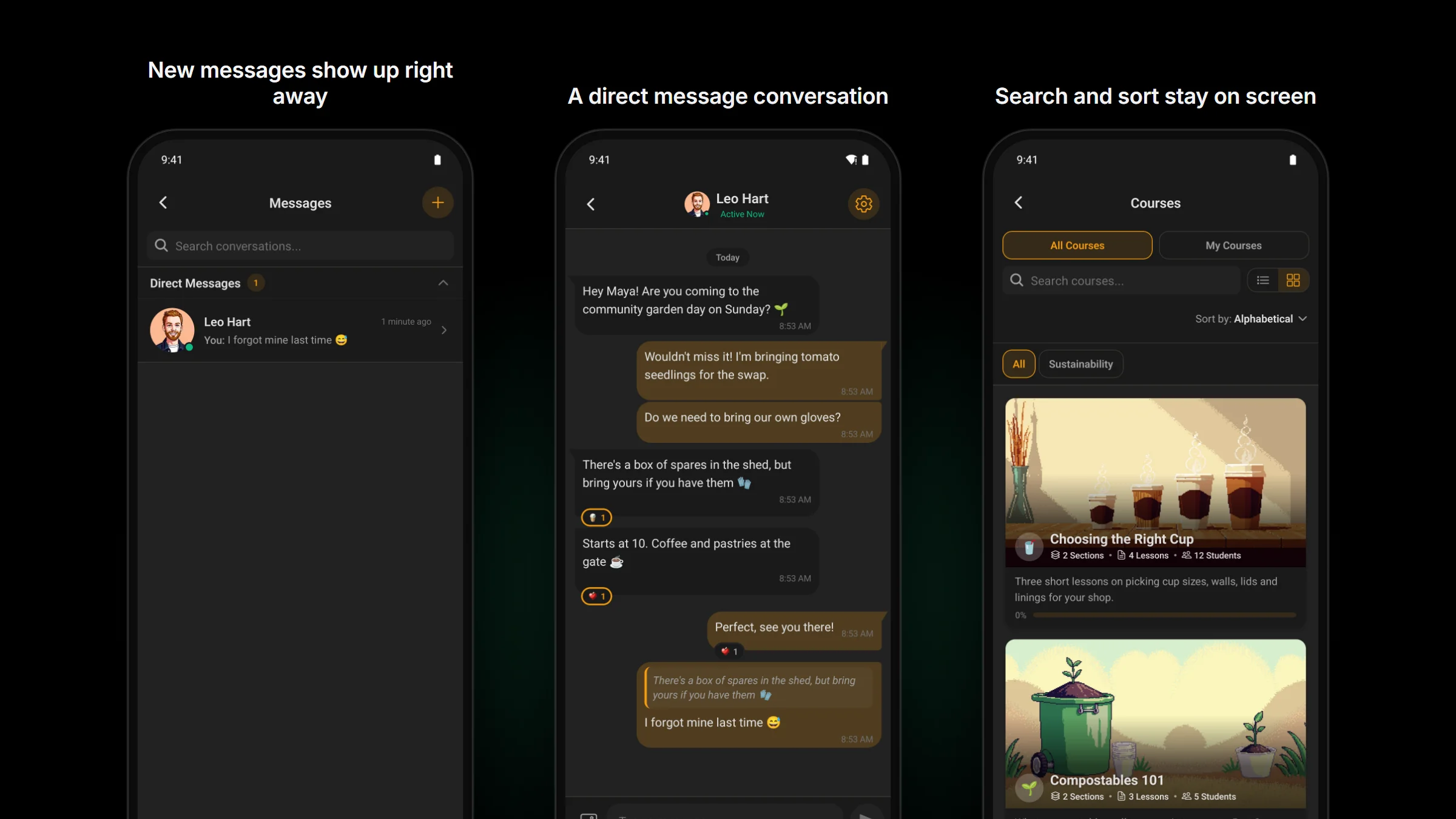
- With the app open, a direct message shows up the moment it’s sent.
- When a conversation jumps to the top of your inbox, it stays in view.
- Change the sort, tab or search on Courses, Spaces or the blog, and the list starts again from the top.
- Search, sort and filters stay on screen while a list loads, and when it can’t load.
- Bookmark a post and the bookmark shows on every copy of it. An asterisk you type stays an asterisk. The comment, reply and mention email switches are always there.
Space, course, blog post and event pages now open with the same header, and cards and rows look the same across the app.
When a phone can’t buy, the app says why
Some phones can’t buy anything in apps: a child’s iPhone with Screen Time limits, or an Android phone whose Google Play account has no way to pay.
- When a member on one of those phones taps Buy on a paid space or course, the app now says purchases are off on this phone and where to turn them on. Before, it said to try again in a moment, which never helped.
- A purchase your site turns down for good is finished, so the app stops checking it every time it starts.
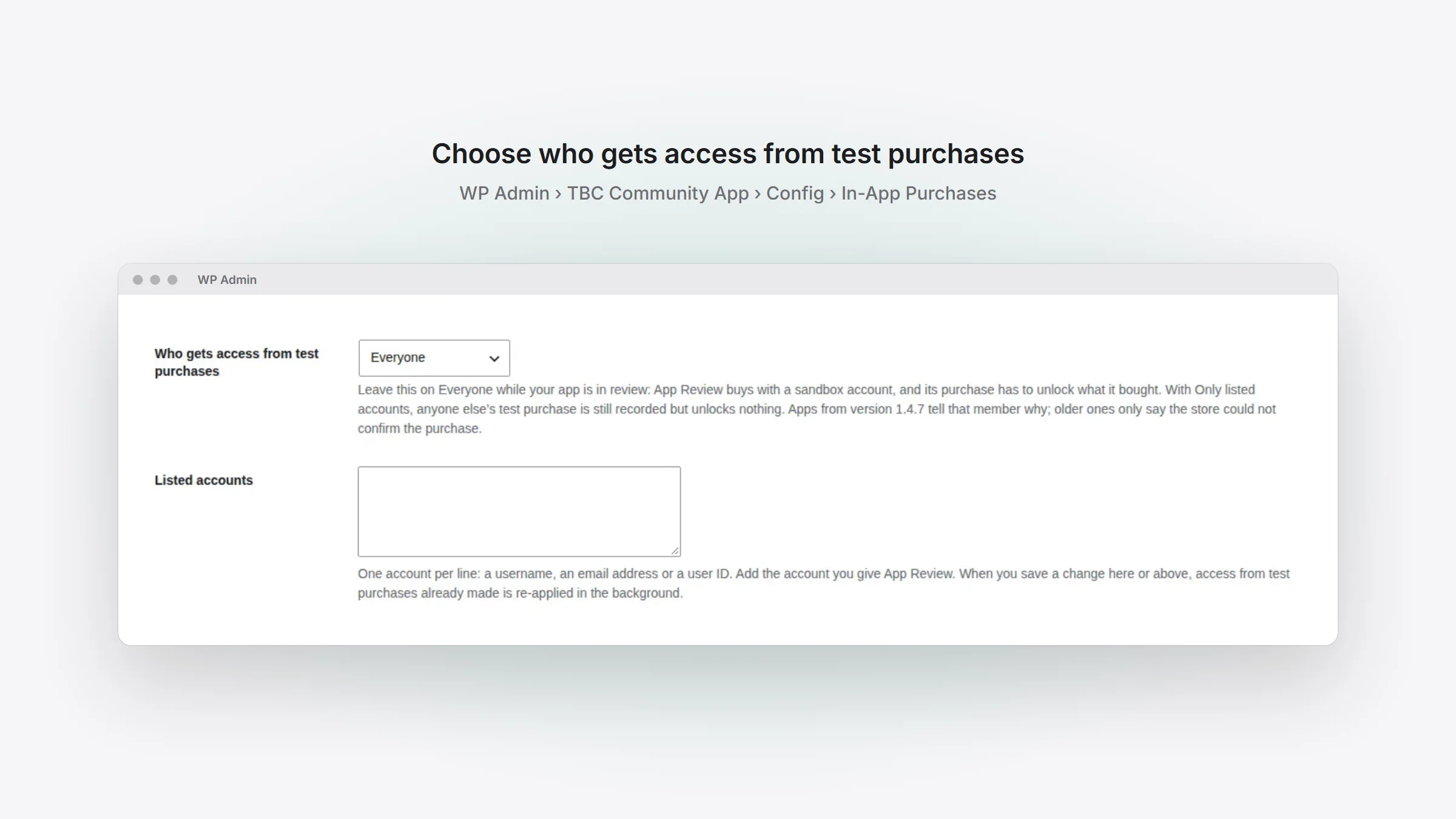
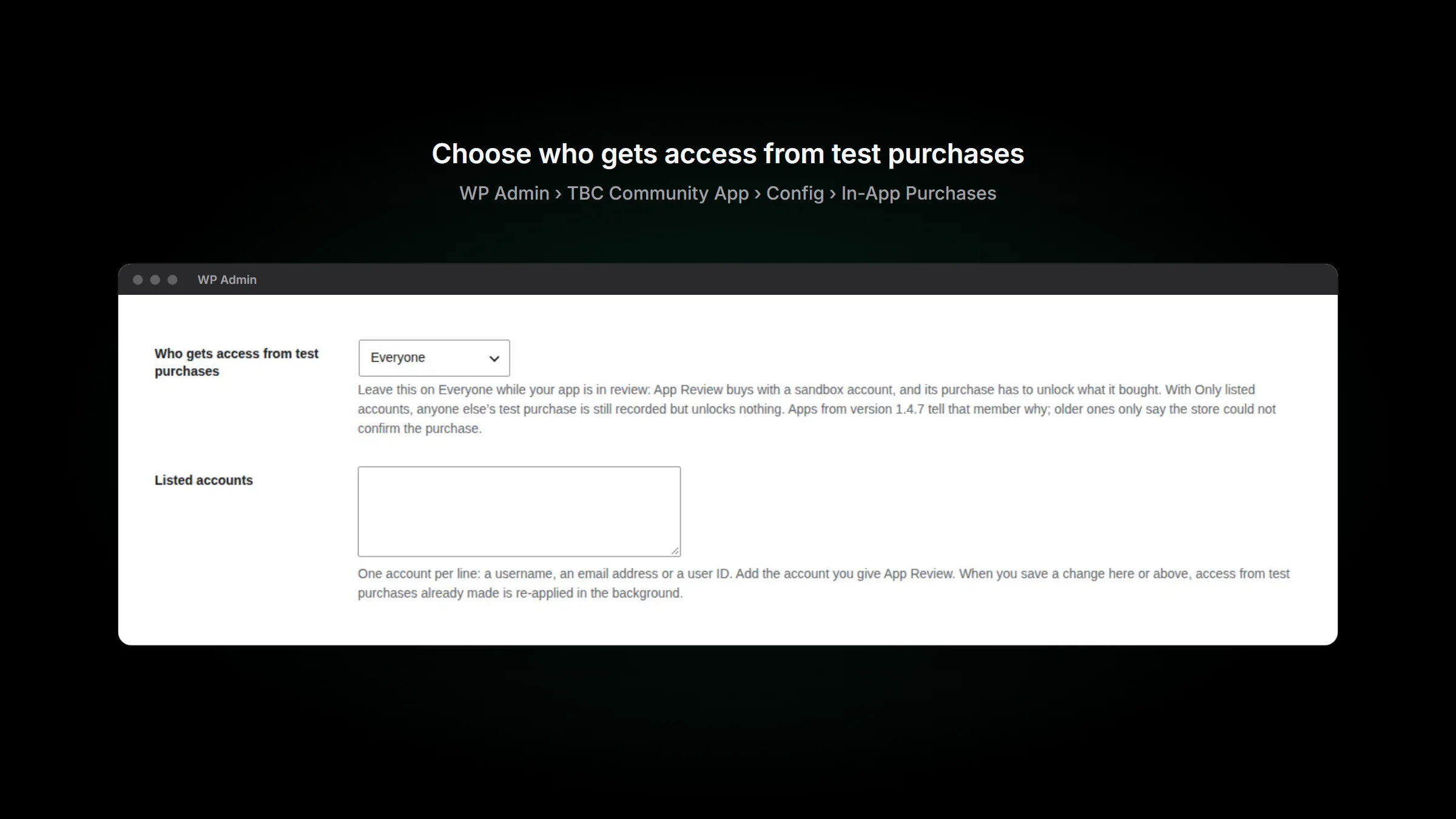
- You decide who gets access from test purchases: everyone, or only the accounts you list, in WP Admin › TBC Community App › Config › In-App Purchases. Leave it on Everyone while your app is in review, because App Review buys with a sandbox account. A tester whose test purchase unlocks nothing sees a line in the app that says so.
Easier with a screen reader
- Each push and email switch is read out with its card, such as “Email notification: Weekly digest”, in all four of the app’s languages.
- The unread counts on Home’s community menu are read out.
Refresh scenes are free add-ons, and the Add-ons page is a store
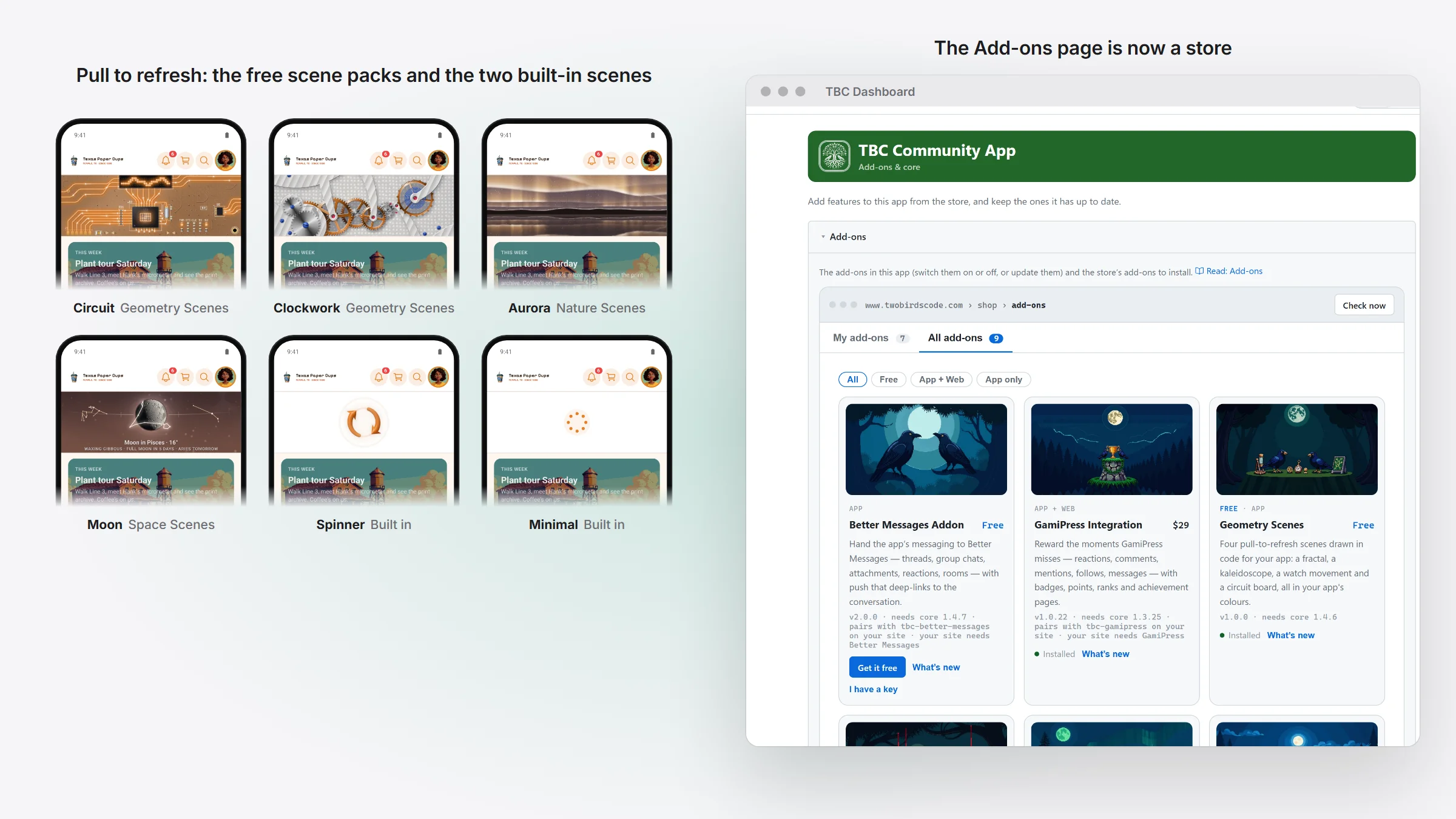
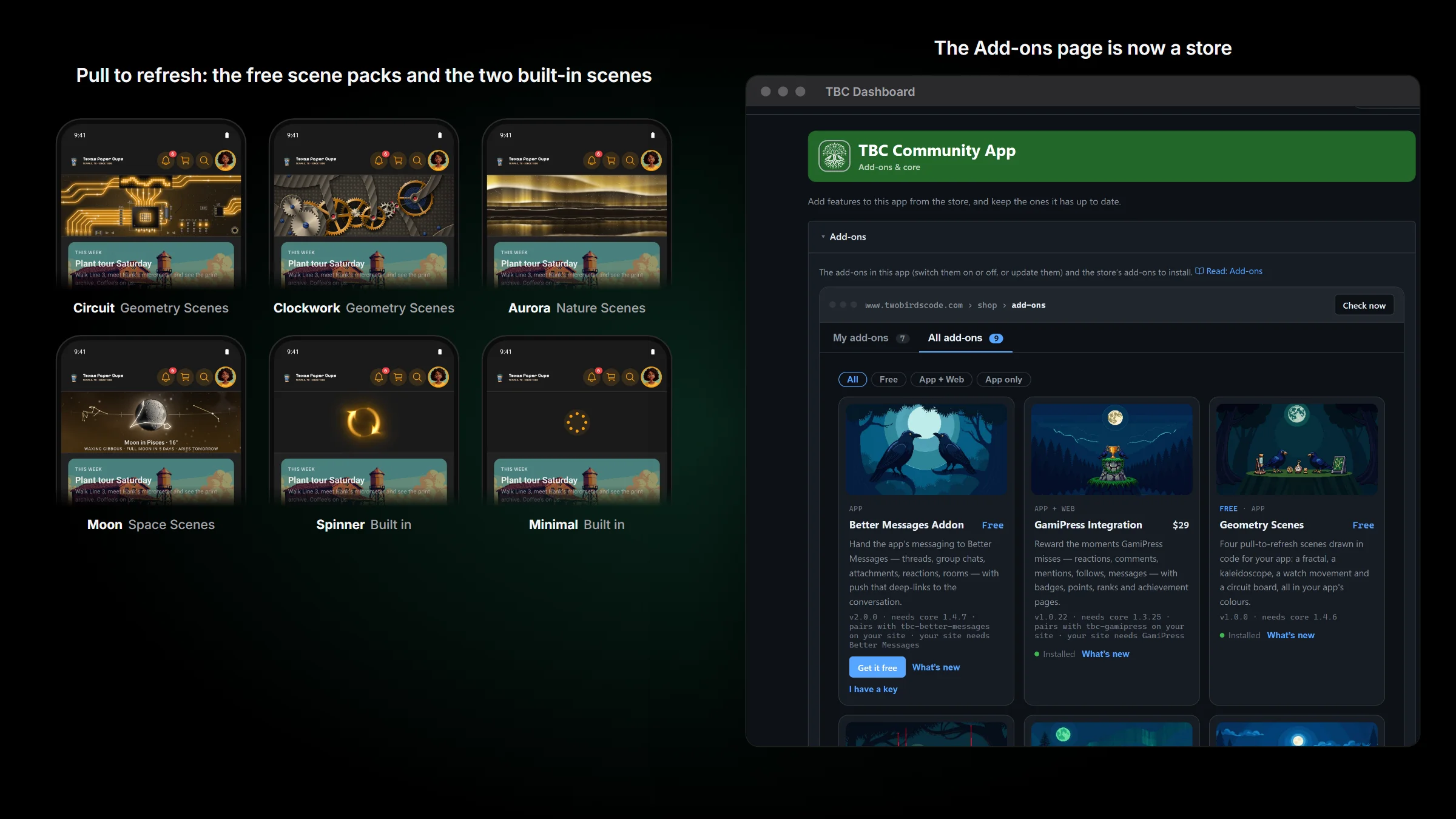
Pull down on Home and the app plays a refresh scene. Spinner and Minimal are built in. The other eight are now three free packs: Nature Scenes (Ocean, Aurora), Space Scenes (Moon, Warp) and Geometry Scenes (Fractal, Kaleidoscope, Clockwork, Circuit). Each is free with your licence and installs in one press from the dashboard’s Add-ons page. A member who had picked one of the eight sees the Spinner until its pack is in the app, then gets their scene back.
Open the Add-ons page and it has two tabs, My add-ons and All add-ons. Every add-on has a card with its price or Free. A free one installs on your core licence key; for a paid one, paste its key once. The Better Messages add-on is out of beta and in the store too.
If you build your own app
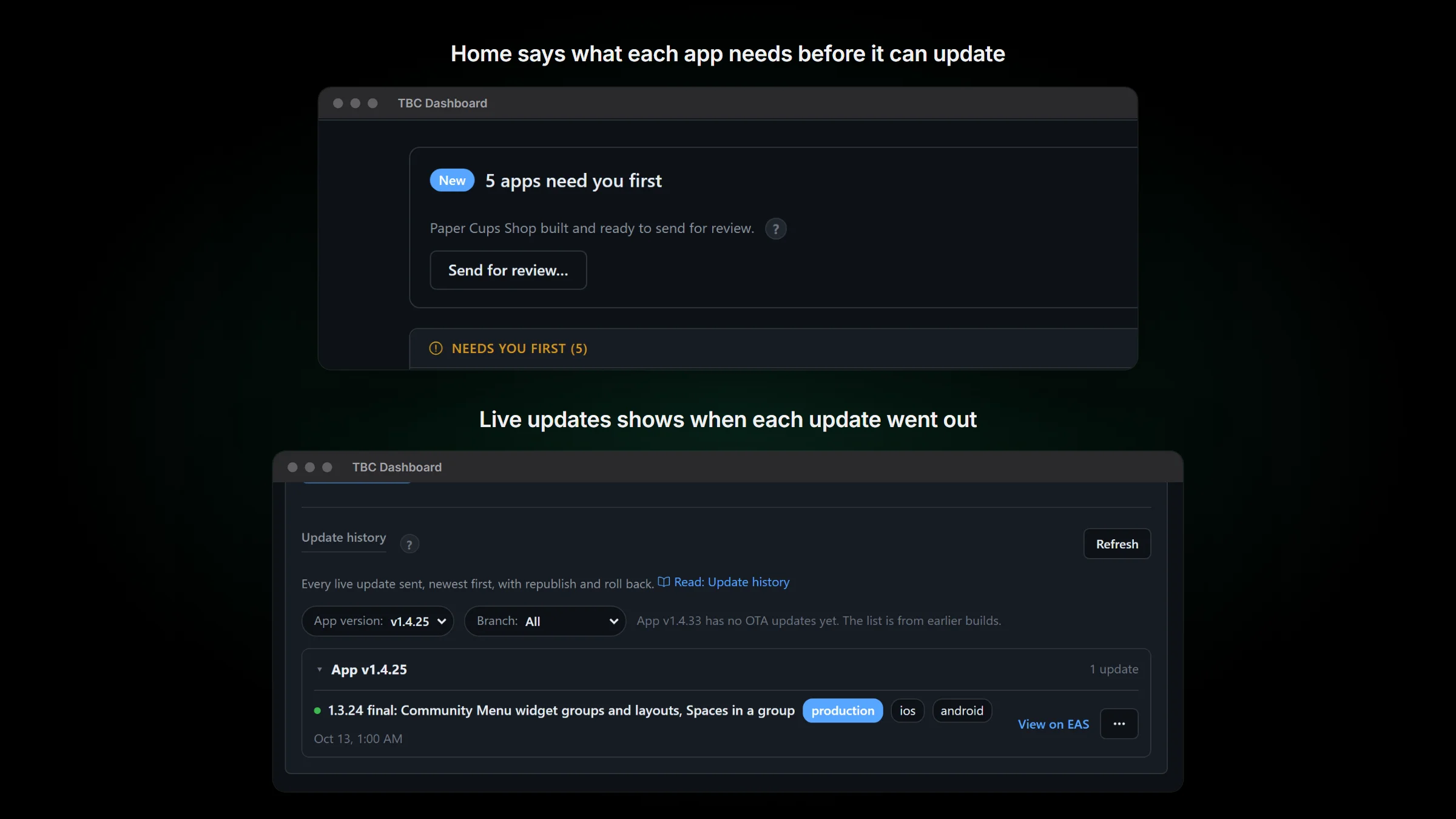
- TBC Dashboard updates itself. It looks for a new version when it starts, every 6 hours and before a core update, checks each download against our signature, and never restarts in the middle of a job.
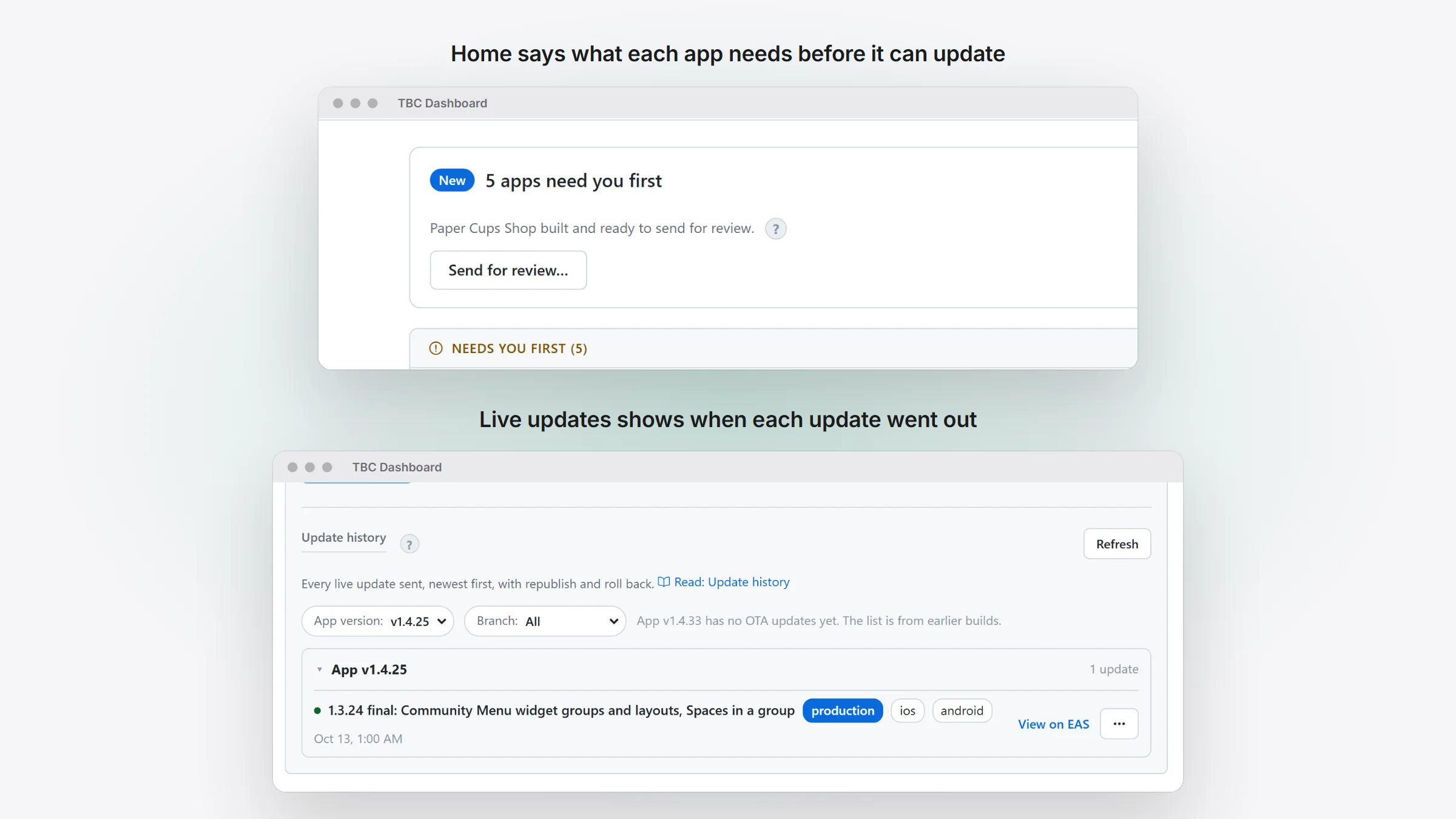
- One press on Home updates every app, each the way it needs: straight to phones, to store review, or with nothing members would see. Before anything runs, the confirm box says what will happen and what can be undone.
- Live updates shows when each update went out and to which platforms. A push to phones counts as sent only once your live app has it.
- The Windows installer is signed by Two Birds Code LLC. Windows may still say “Windows protected your PC” for a while: click More info, check the publisher, then Run anyway.
- The core comes with a starter module to copy, and with its unit tests.
- A module’s web page can stay signed in between openings.
Before you update
- From 1.4.6, it doesn’t need a new build. It can go out as an over-the-air update.
- From 1.4.4 or older, it needs a new build and a store update, because 1.4.6 did. The dashboard’s update card works this out for each app.
- Events need FluentEvent, switched on in Fluent Community 2.14.
- Fluent Community 2.14 gives announcement emails their own switch and doesn’t carry the old choice over. A member who had turned off mention emails gets announcement emails until they turn the new switch off.
- A member who used one of the eight moved scenes sees the Spinner until you install its free pack.
- If one of your own modules has a route named
events, rename it: core’s events pages use that name now.