

Core 1.3.20: two chat looks and Better Messages calls



 ·
25 min read
·
25 min read
Core 1.3.20 · what’s new
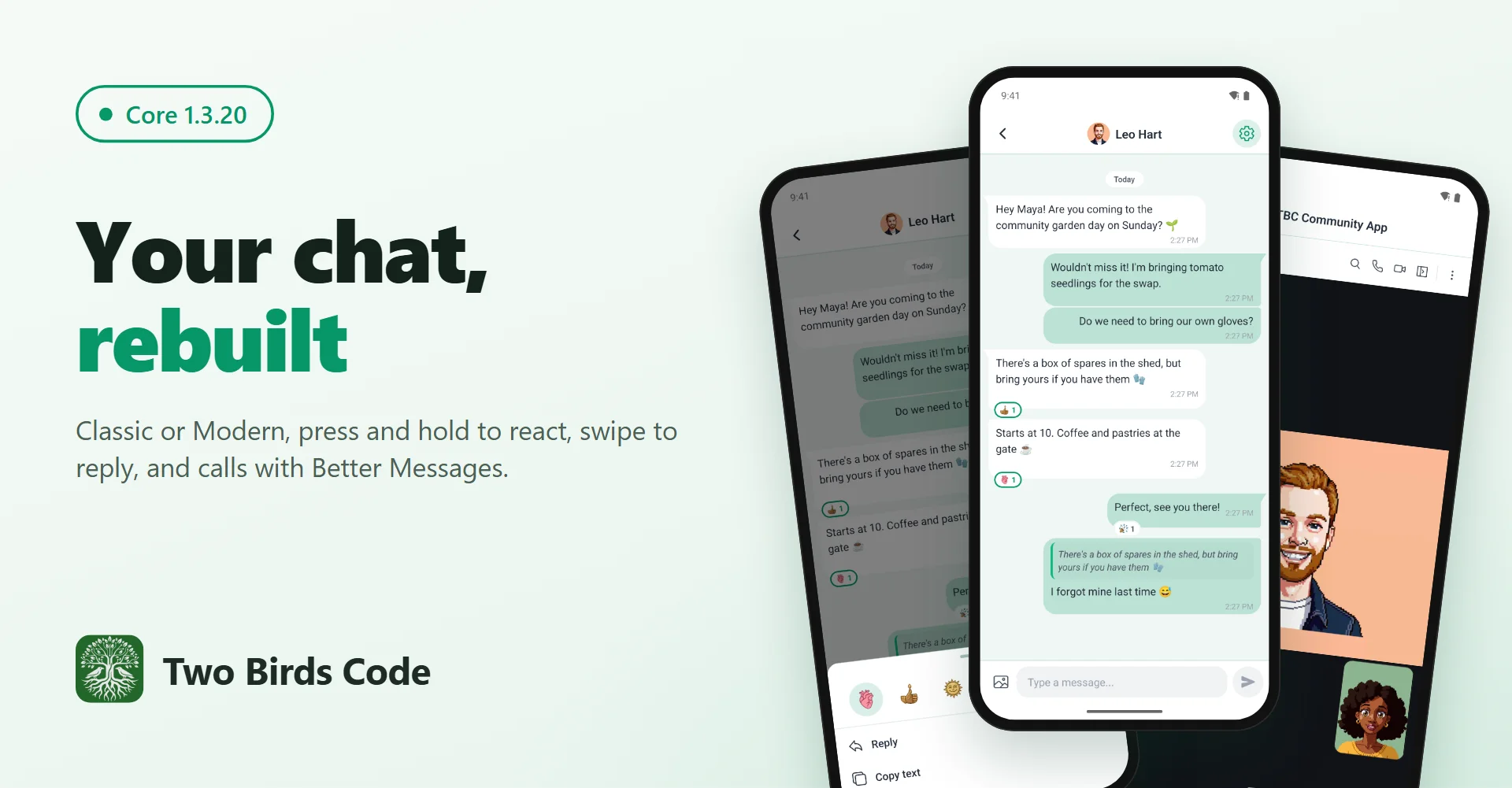
Your chat, rebuilt.
Chat gets a second look and two gestures members already know from their phones, sign-in is steadier, and the in-app cart says what your store’s cart page says. Better Messages chats get all of it, plus voice and video calls.
Chat · two looks
Classic is your website. Modern is a messaging app.
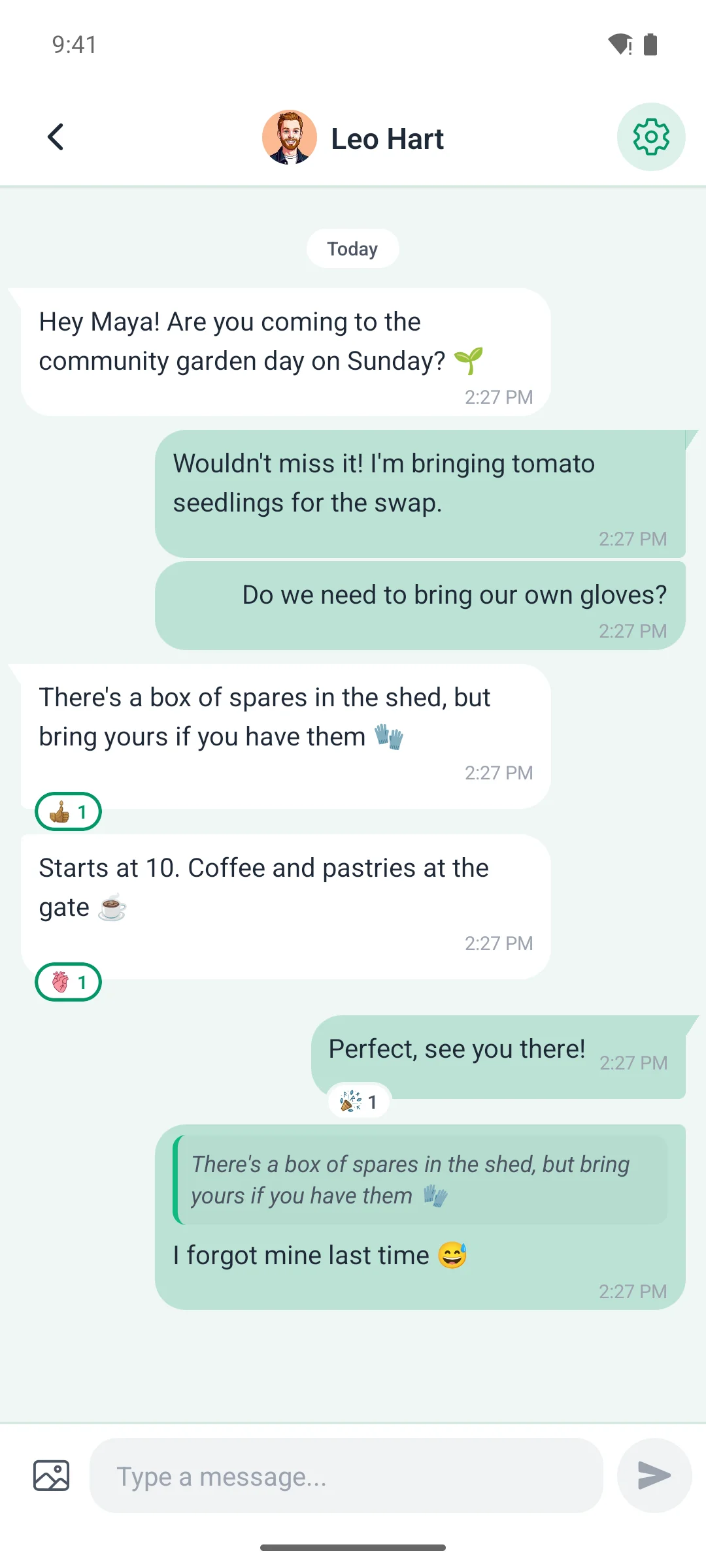
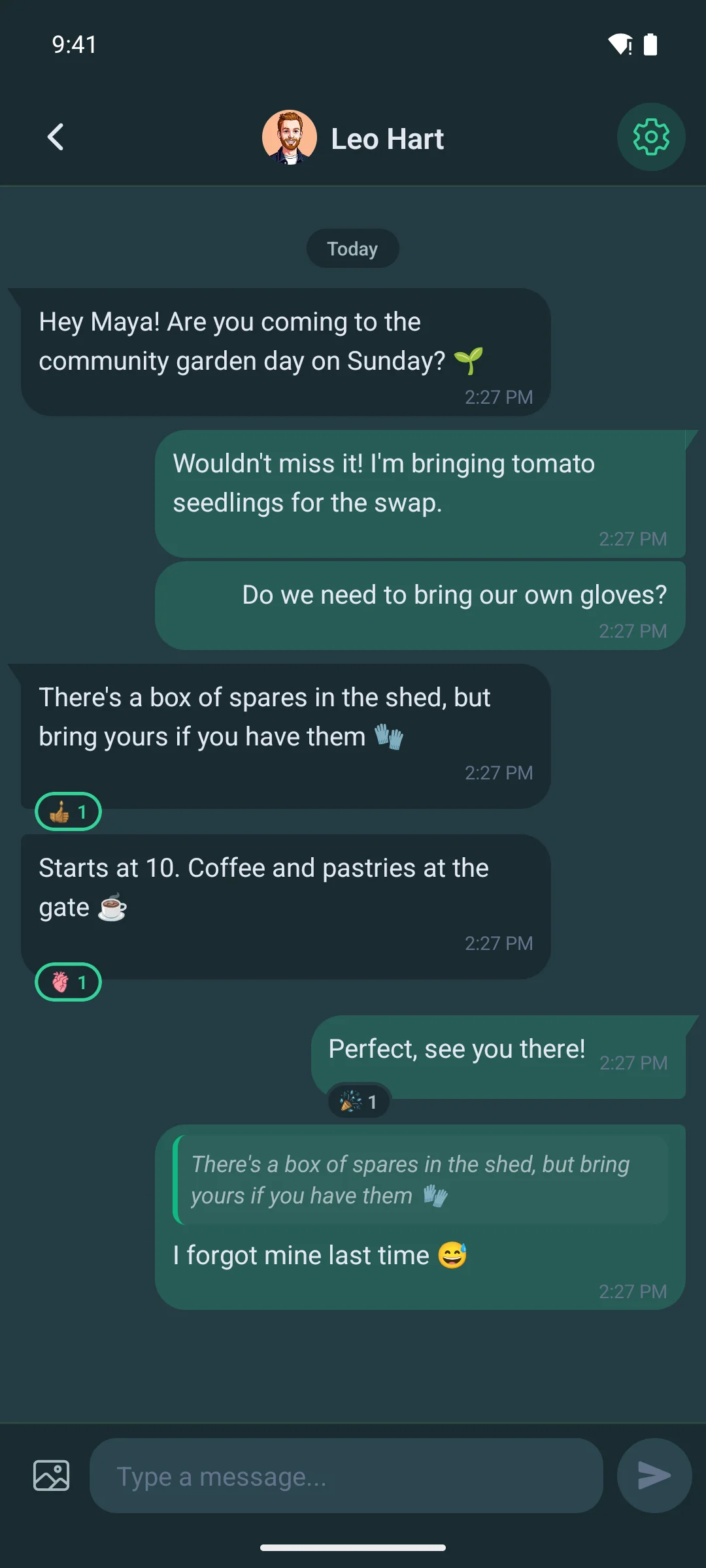
Chat now comes in two looks. Classic draws the conversation the way Fluent Community draws it on your website, so members moving between the two see the same thing. Modern is new: it looks and feels like the messaging apps your members use every day.
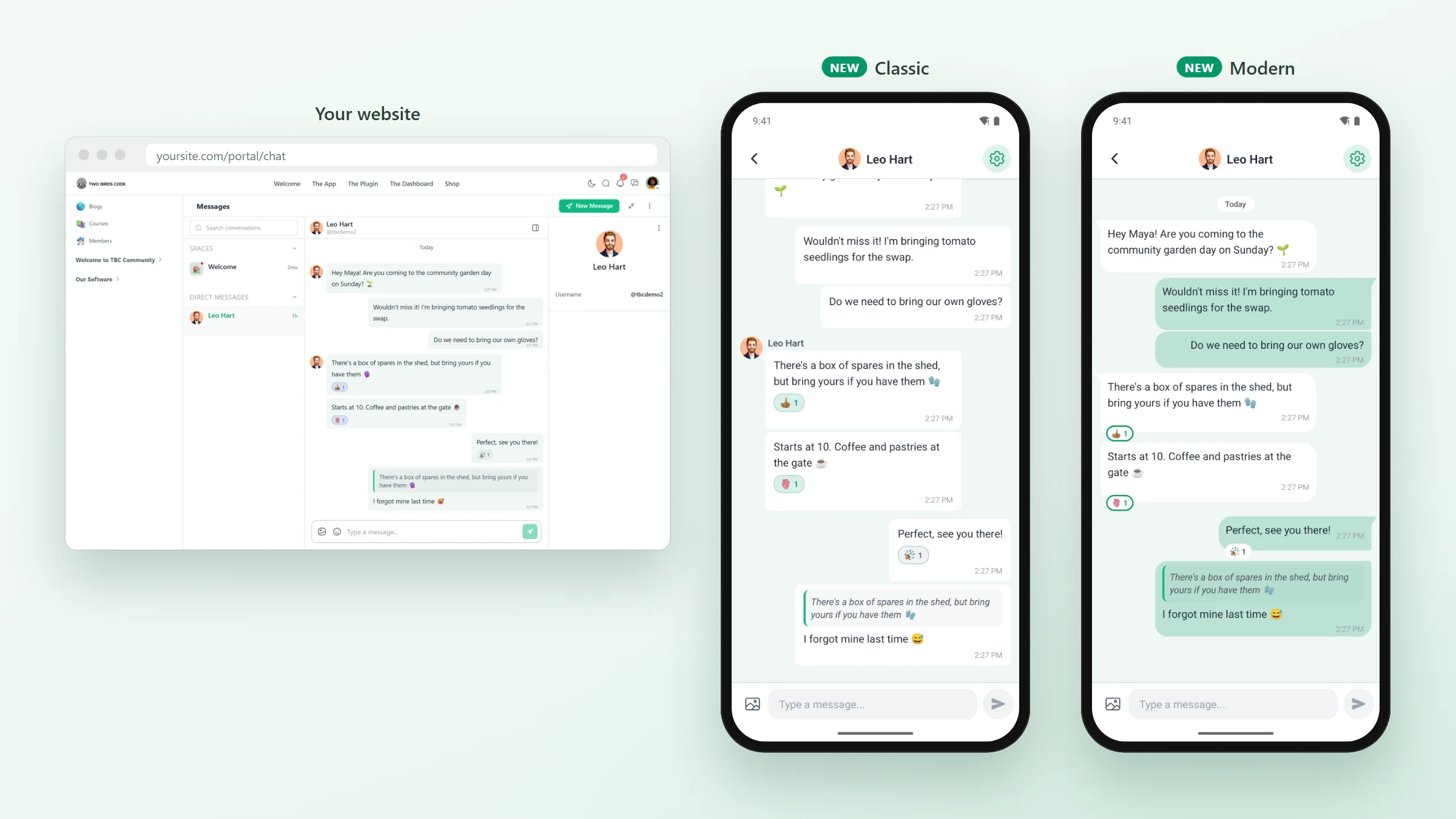
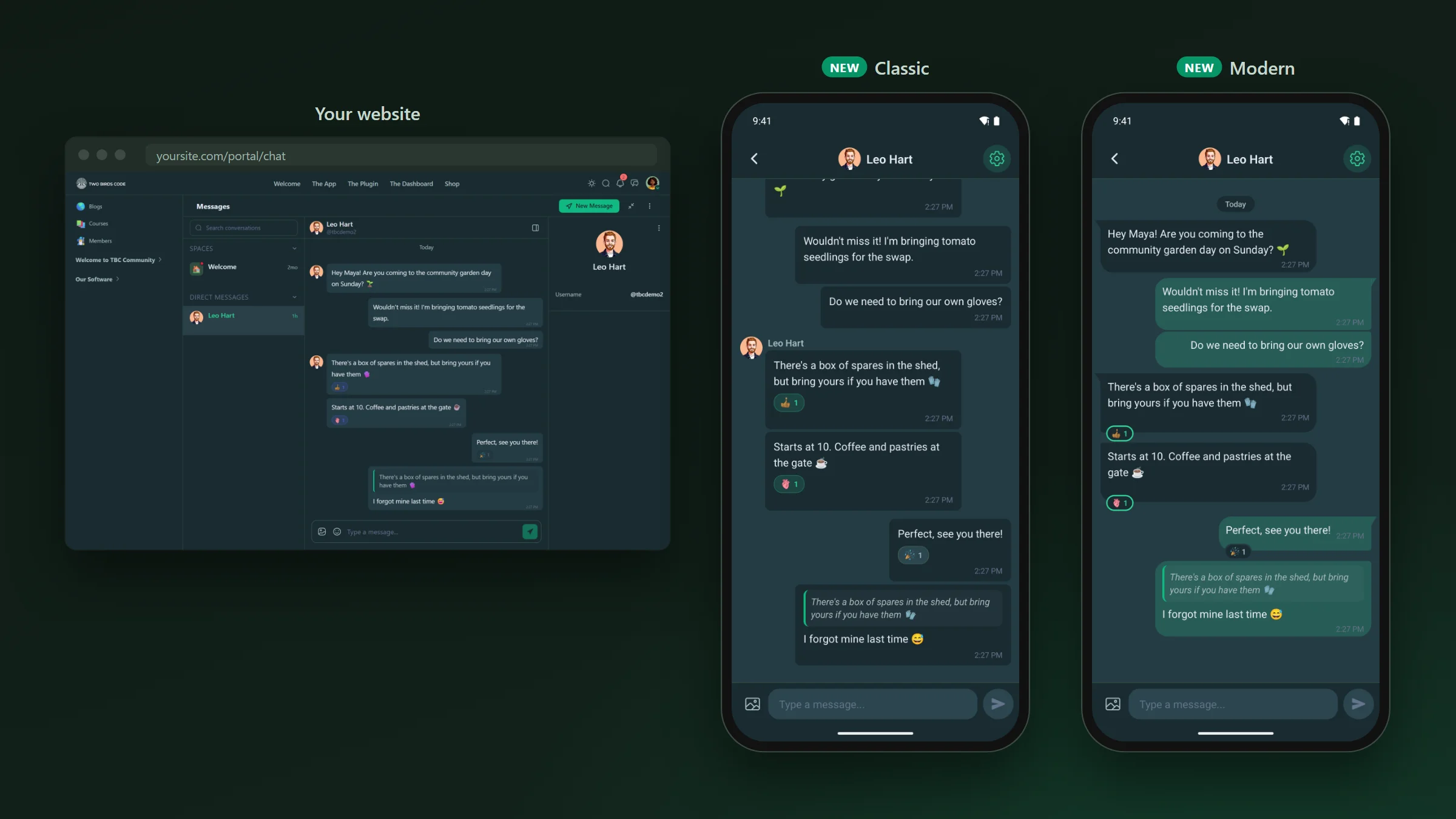
Classic
- The same bubbles, colours and corners as the chat on your website.
- The sender’s name and picture beside each run of their messages.
- Reactions inside the message, and the time on its own line under it.
Modern
- Your own messages on the right in your brand colour, everyone else’s on the left, each run starting with a small tail.
- The time tucked onto the last line of a short message, so more of the conversation fits on the screen.
- Messages from one person in a row join into one block, and a one-to-one chat drops the pictures, since the header already says who it is.
- Reactions as small chips on the edge of the message.
In both looks photos show at their own shape instead of a cropped square, and message text sits closer together than before.
WP Admin · one setting
Choose the look once. Let members choose their own.
The look is a setting on your site, so every member’s app follows it without an update.
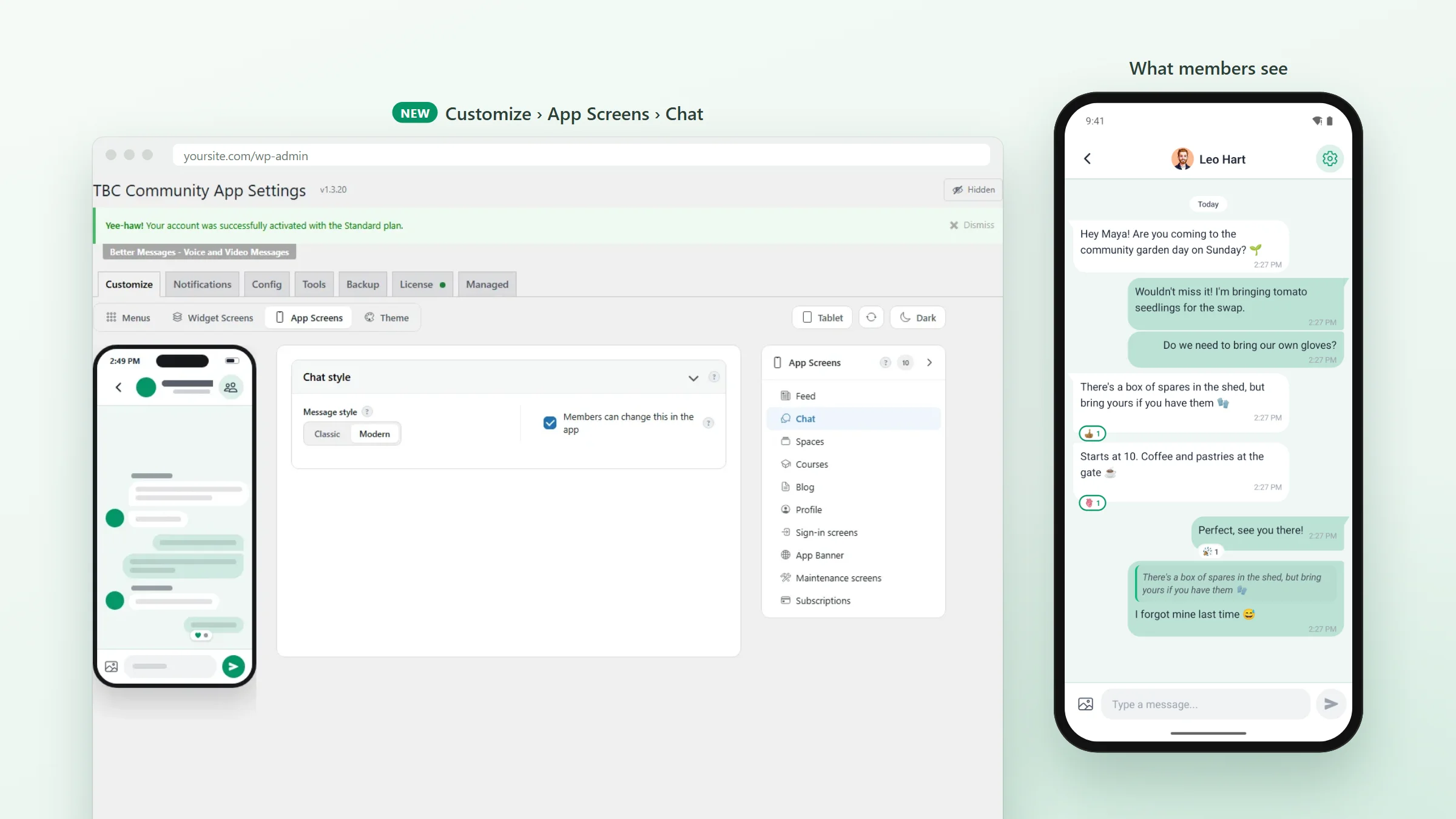
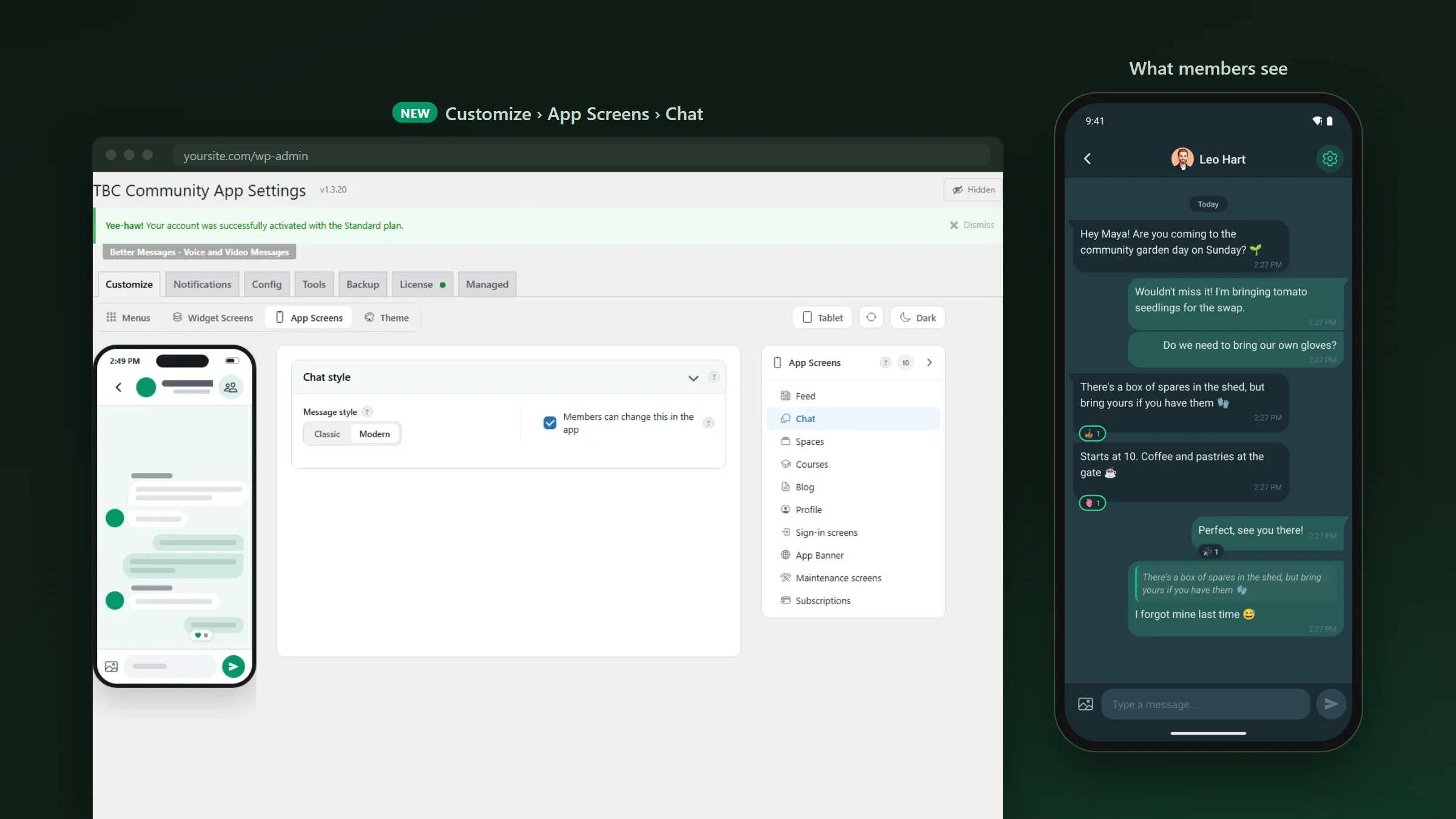
Go to TBC Community App › Customize › App Screens › Chat and pick Classic or Modern. Leave “Members can change this in the app” ticked and each member can pick their own in the app’s Settings. Untick it and everyone sees yours.
Chat · hold and swipe
Press and hold to react. Swipe to reply.
Two gestures members already know from their phones now work in every chat, in both looks.
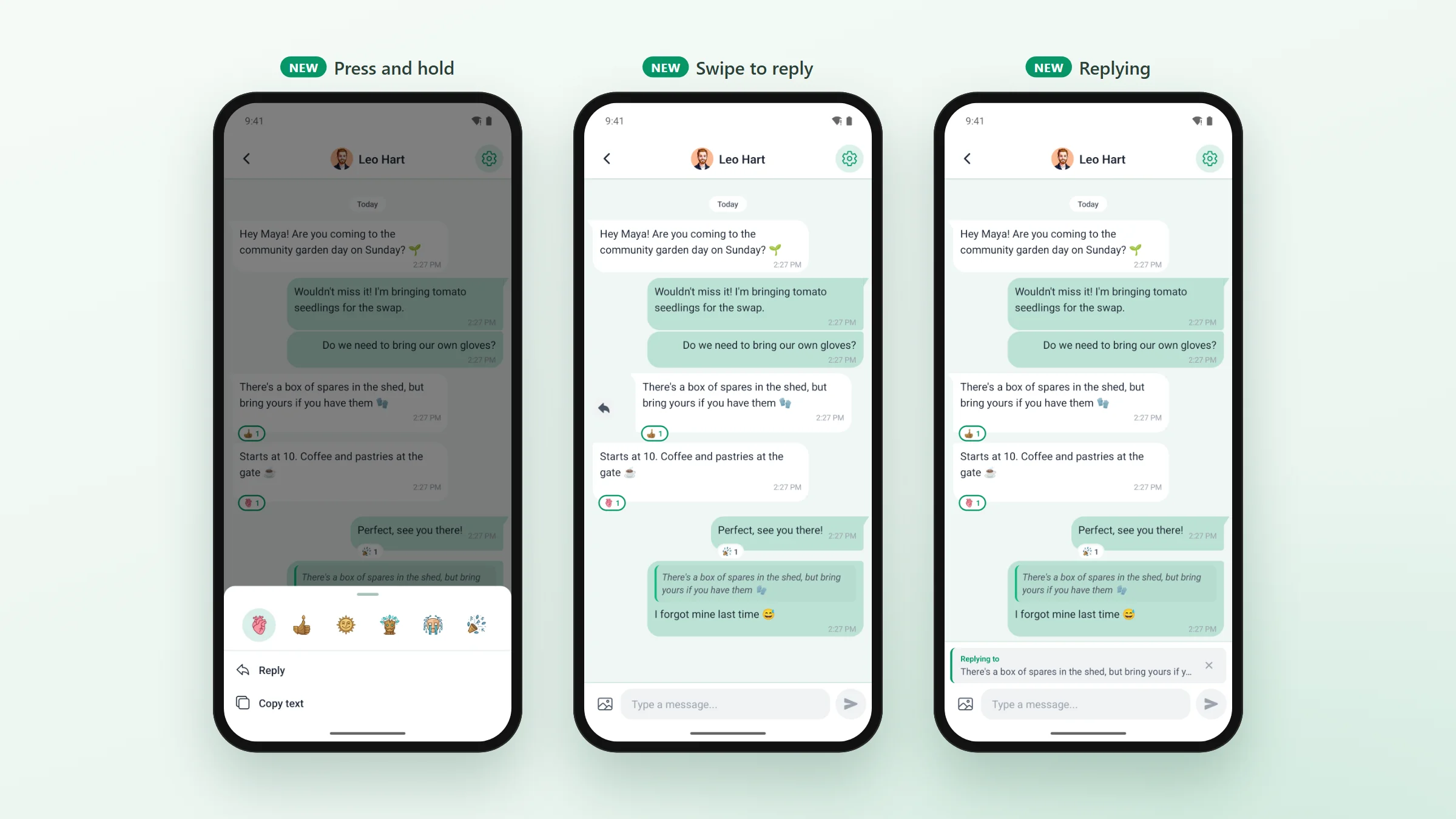
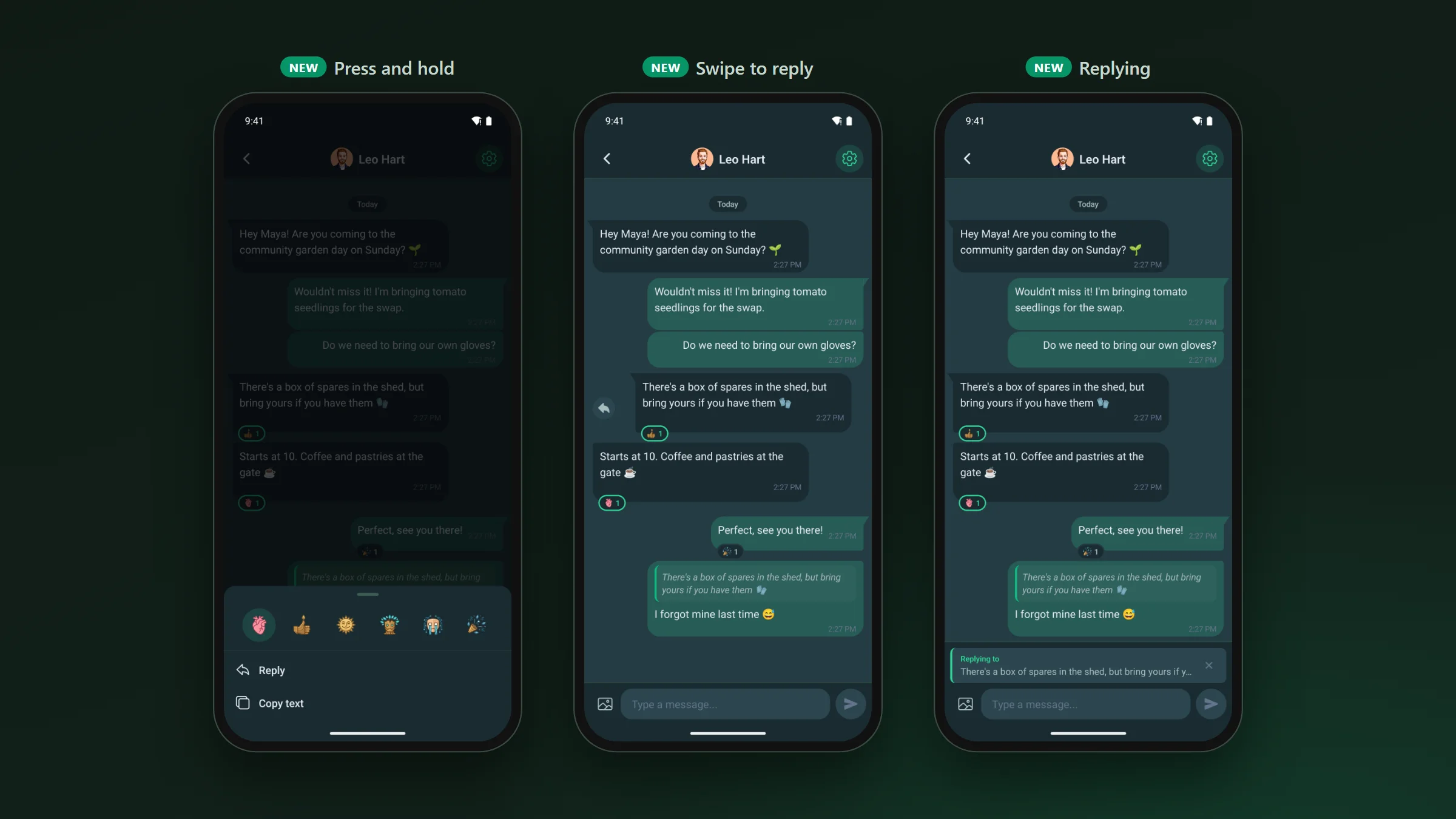
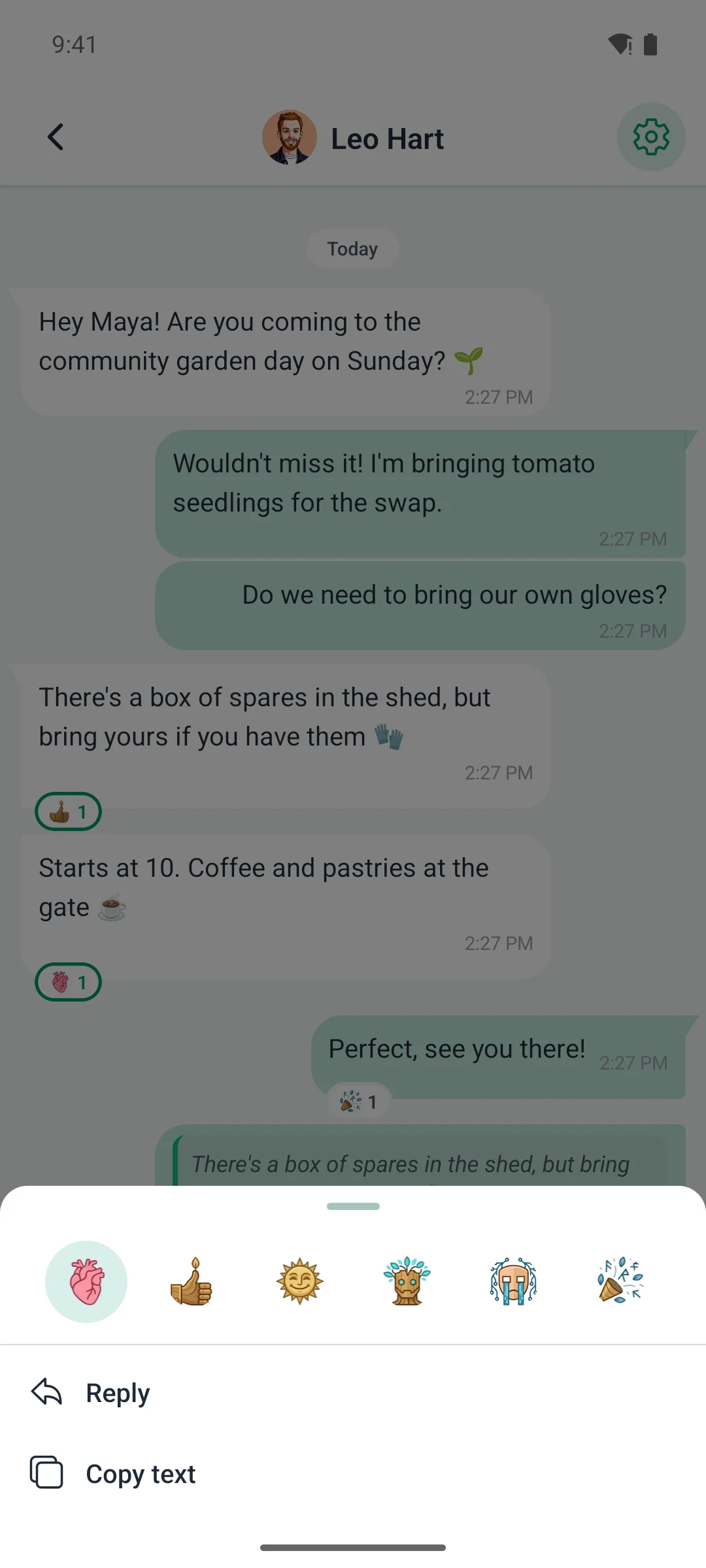
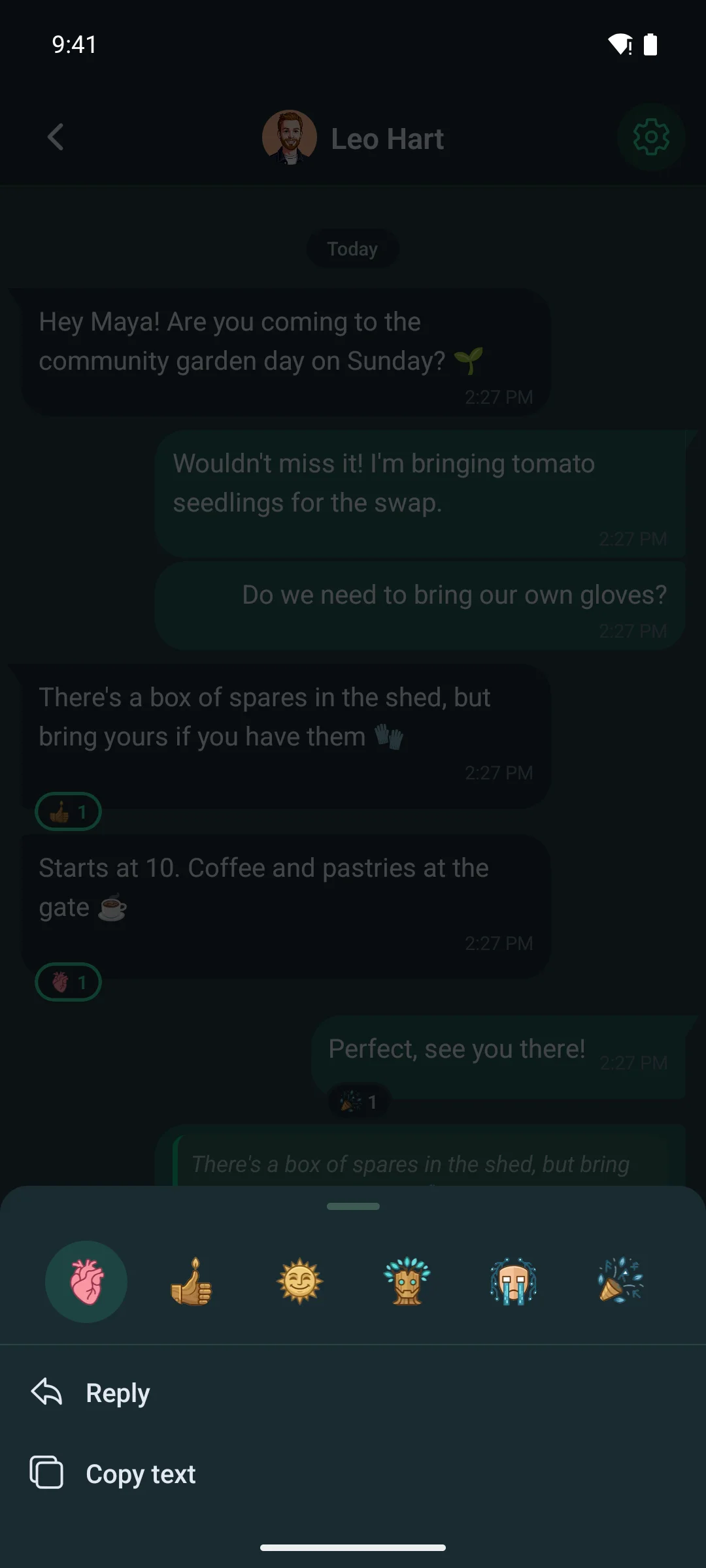
- Press and hold a message and a sheet slides up: your community’s reactions along the top, then Reply and Copy, and Delete on your own messages.
- The reactions are your site’s own set, so custom reaction icons from the Multi-Reactions add-on show here too.
- Swipe a message to the right to reply to it. The message you are answering shows above the message box, and your reply carries it as a quote.
- Tap a reaction under a message to add yours or take it back.
Better Messages · the same looks, and calls
Running Better Messages? It gets all of it.
If your site uses Better Messages instead of Fluent Community’s chat, the Better Messages add-on wears the same two looks, follows the same setting and uses the same gestures.
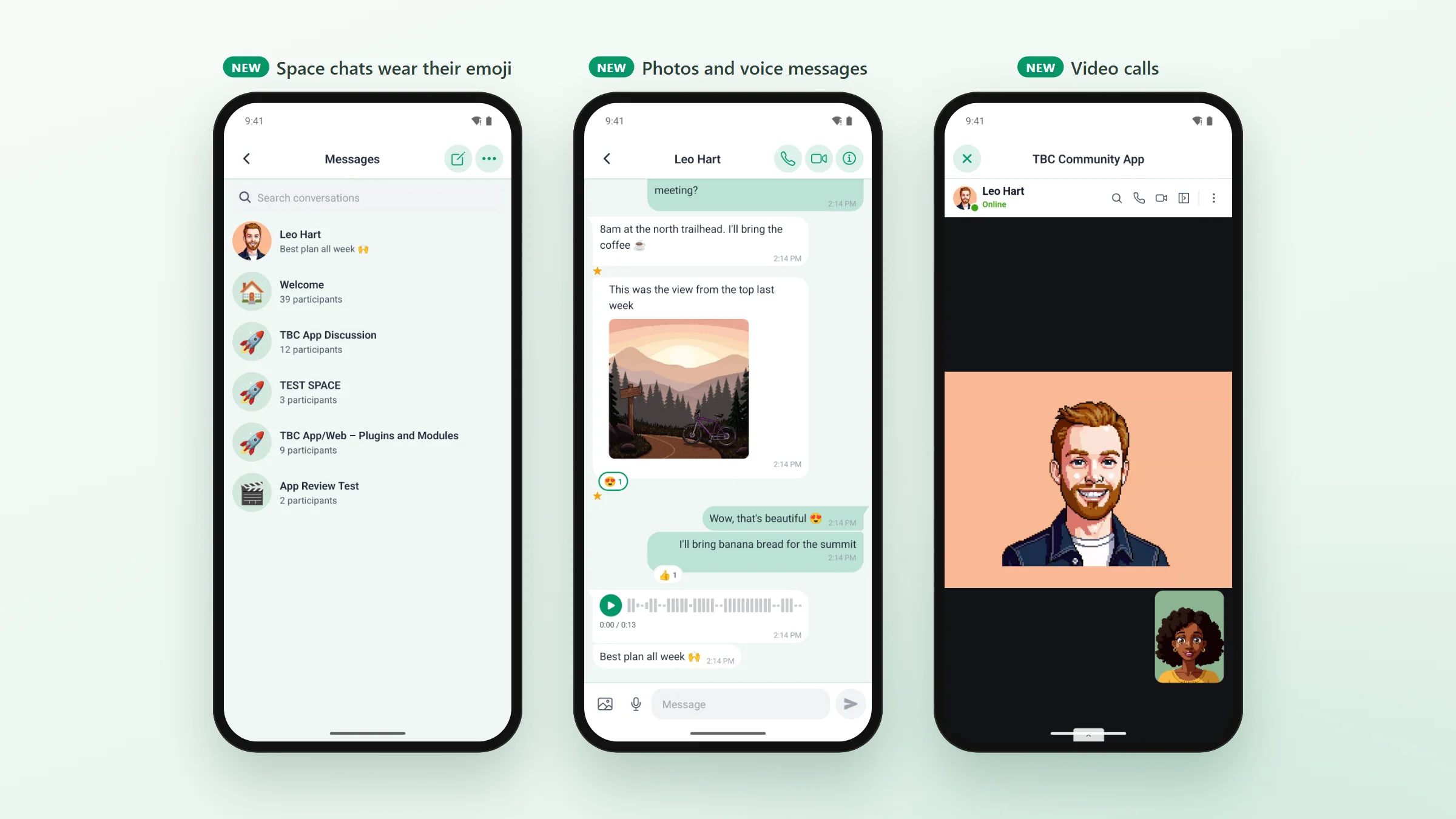
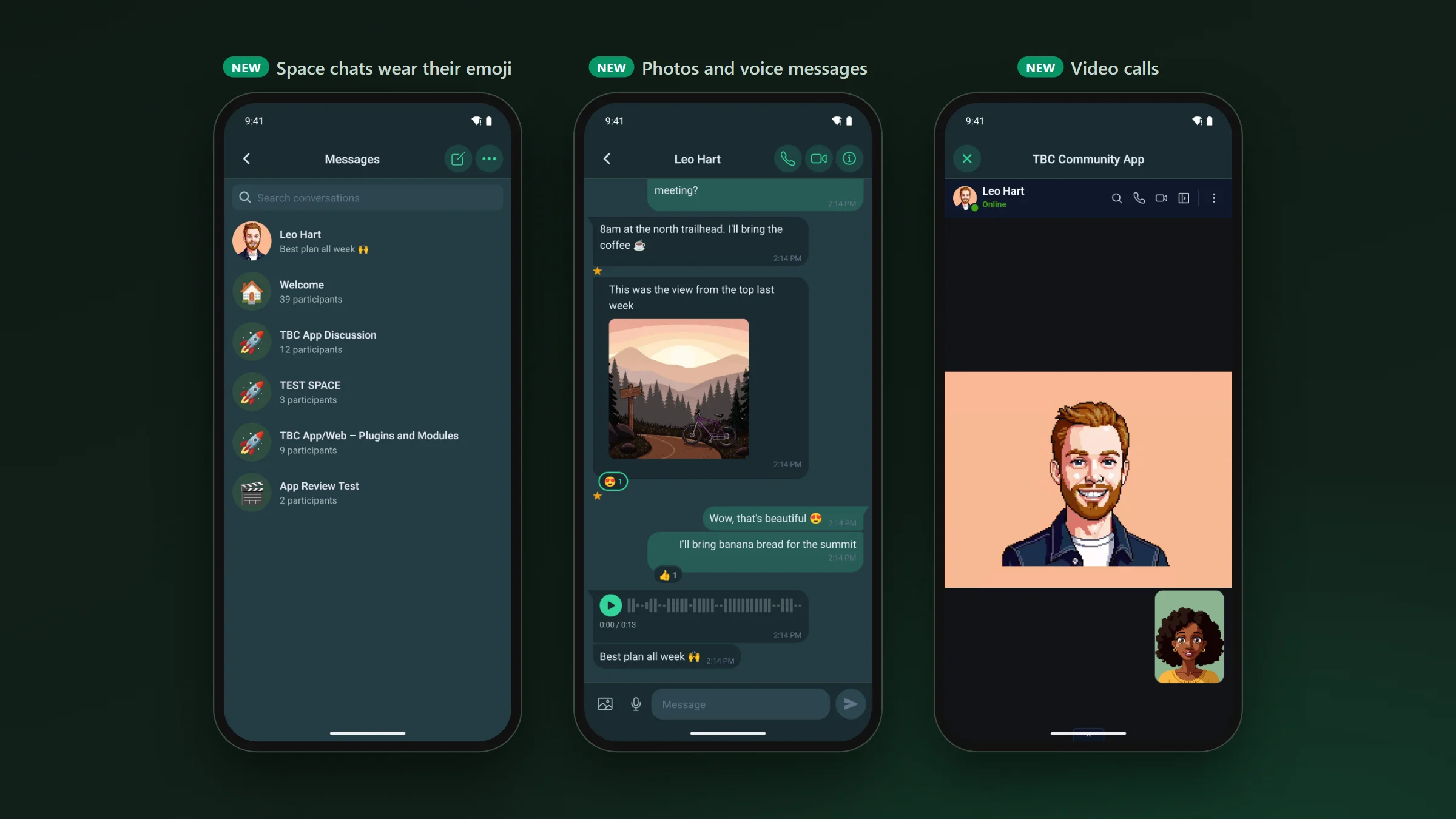
- Works with Better Messages 3.0: formatted messages, mentions, GIFs, stickers and voice notes.
- Record voice messages in the app, on a site with Better Messages’ Voice Messages add-on.
- Voice and video calls open in the app, signed in, and tapping an incoming-call notification answers it.
- A space’s chat shows the space’s emoji, like on your website.
- Encrypted chats offer “Open on web”, since the app can’t read them.
Also in 1.3.20 · improvements and fixes
Steadier sign-in, and a cart that tells the truth.
- Sign In locks while it works, so a double tap sends one code, and Resend waits 60 seconds.
- A member who was signed out is told why on the sign-in screen.
- A failed passkey no longer says “code incorrect”, and a refusal from FluentAuth or Fluent Community shows their own words.
- Removing your last sign-in method on a community that requires one warns first, and new recovery codes stay on screen until you tap “I’ve saved these”.
- Log Out ends the session on your site too, and Sign up opens your own sign-up page when Fluent Community has one.
- The cart shows what your store’s cart page shows: an item that sold out, not enough stock, a coupon that no longer applies. Quantities follow your store’s limits and prices use your store’s number format.
Fixes
- A link from outside the app can’t open a page inside the app’s signed-in browser.
- A post with only a photo, GIF, video, poll or document says “Write something before posting” in the member’s language, instead of an error code.
- Tapping a search result in Messages opens it the first time, instead of only closing the keyboard.
- The same message twice in a row shows one notice, not two stacked copies.
- On your site, the companion plugin can no longer take the website down if a Fluent Community update changes something it relies on. It also writes less to your database on every app request.
- The Video Test Kit’s two members now have names and portraits, so a review video looks like a real community.
- Add-ons with fixes in this release: Automations, Better Messages, Cart, GamiPress, Multi-Reactions and Profile Completion. The details are in each one’s changelog.
If you publish your own app
- Crash reports point at your app’s own code: every build and every over-the-air update uploads what Sentry needs to read them.
- The Google Play and Apple App Store cards show your app’s signing, read live from Expo, and warn 30 days before an iOS certificate expires.
- The dashboard remembers which tab you were on when you switch apps or refresh.
Core 1.3.20 · before you update
If you read one part, read this.
- 1.3.20 needs a new app build. Build from the dashboard’s Builds tab.
- Using Better Messages voice messages or calls? Switch on Microphone (and Camera, for video calls) in the dashboard’s Config › Native Permissions before you build.