

Core 1.3.24: switch the app between your live site and its copies



 ·
26 min read
·
26 min read
Core 1.3.24 · the site switch
One app, your live site and its copies.
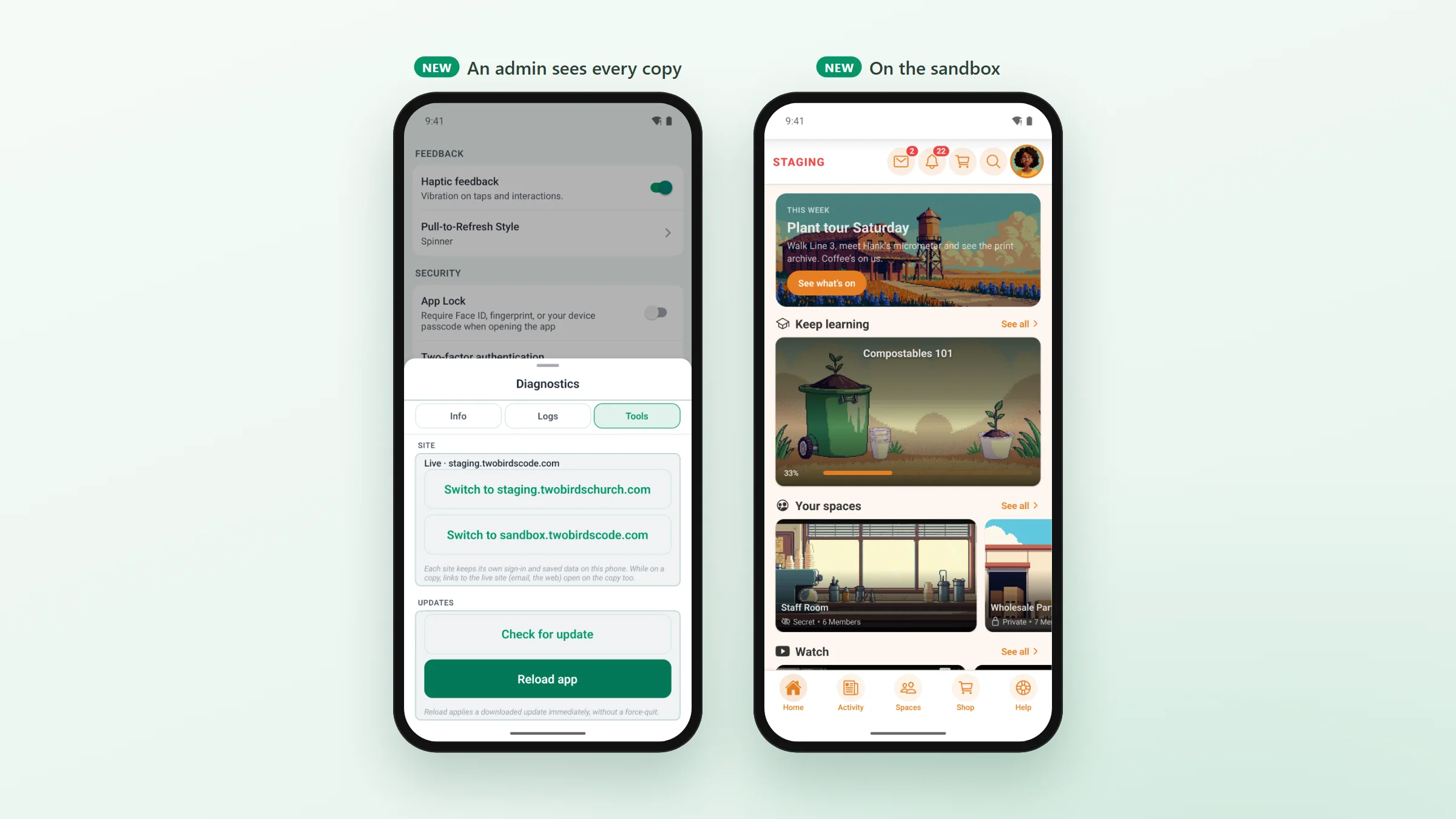
The app your members install can now move to your staging site, or to a sandbox you set up for one person, and back again. Try a plugin, a setting or a client’s whole setup on a copy, from the same app, with no second build.
WP Admin · Config › Staging Site
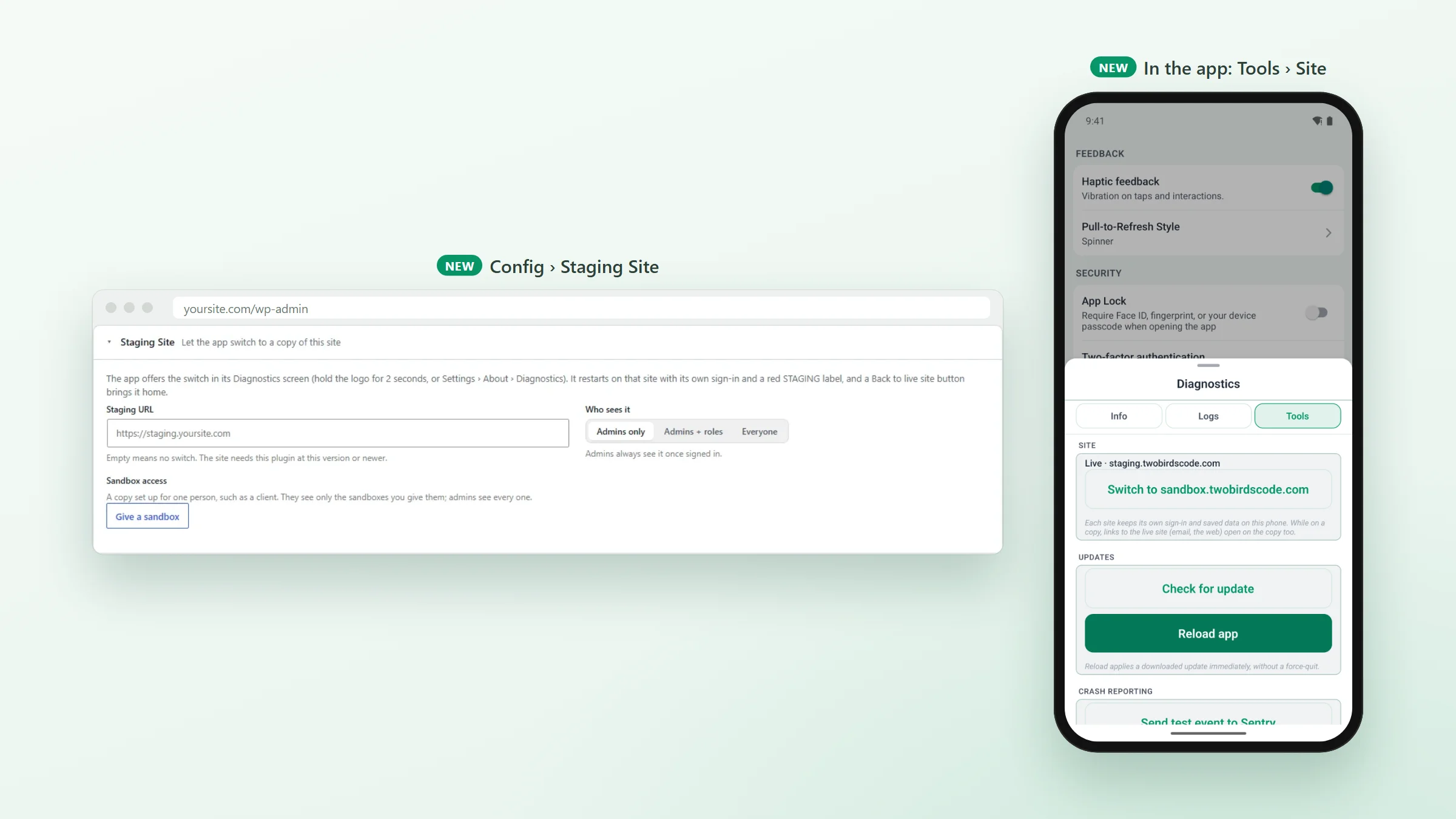
Set your copies once, on your own site.
Until now, testing on your staging site meant a separate app build pointed at it. The copies now live on your WordPress site: enter the staging site’s address and choose who sees it. Admins only suits day-to-day testing. Admins + roles brings in your moderators or a tester role. Everyone turns a demo app into a place where anyone can try your setup.
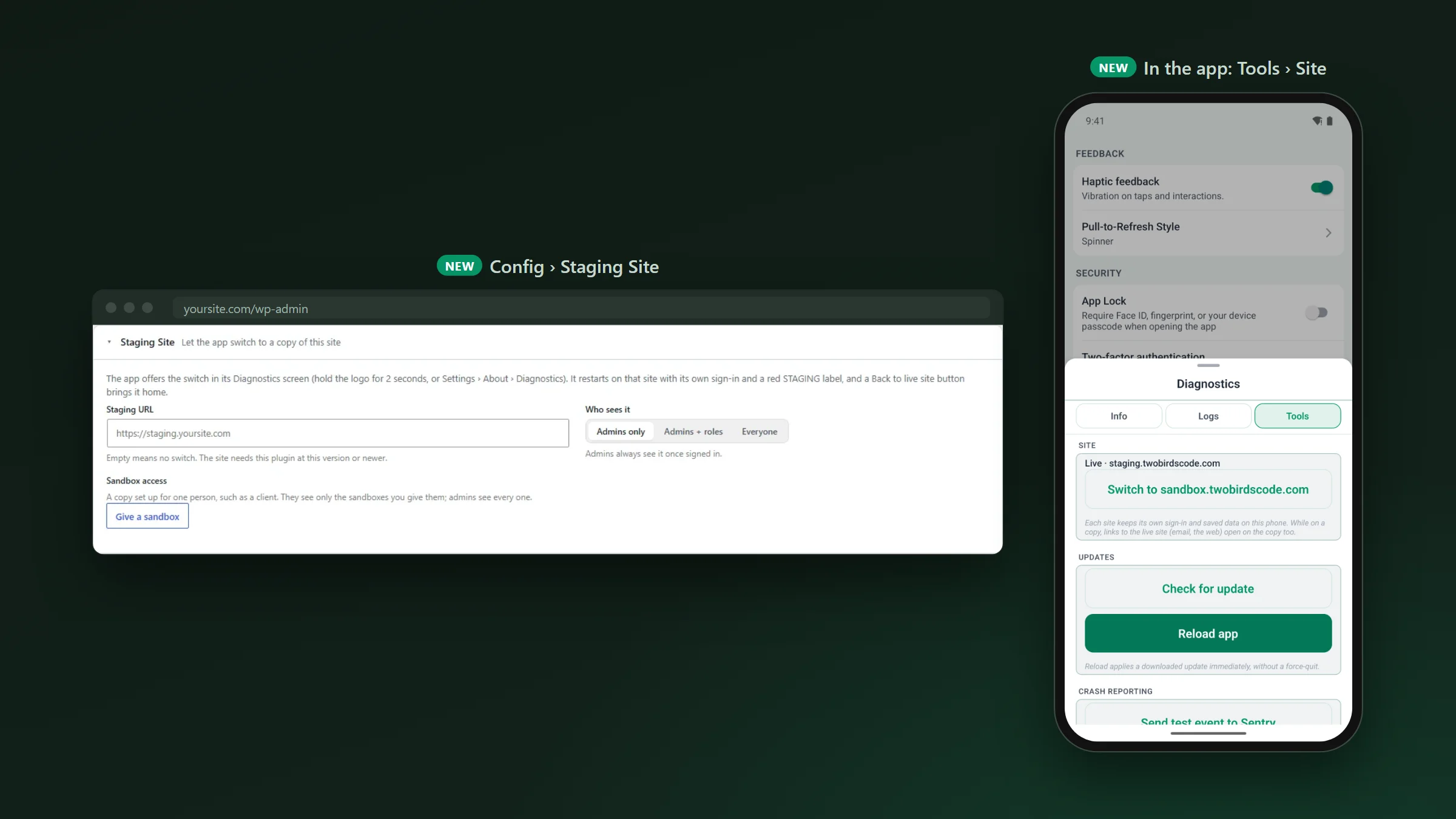
- Change, re-point or remove the staging site at any time, with no new build.
- Every address must be a full https address, and a site snapshot carries none of it, since it names this site’s own copies.
Sandbox access · one person, one copy
Give a client a sandbox of their own.
Sandbox access gives one person a copy of their own, such as a client trying their setup before it goes live. Pick the member and enter the sandbox’s address (ones you have given before are suggested). A person can have more than one, to compare setups. They see only the sites you give them; admins see the staging site and every sandbox.
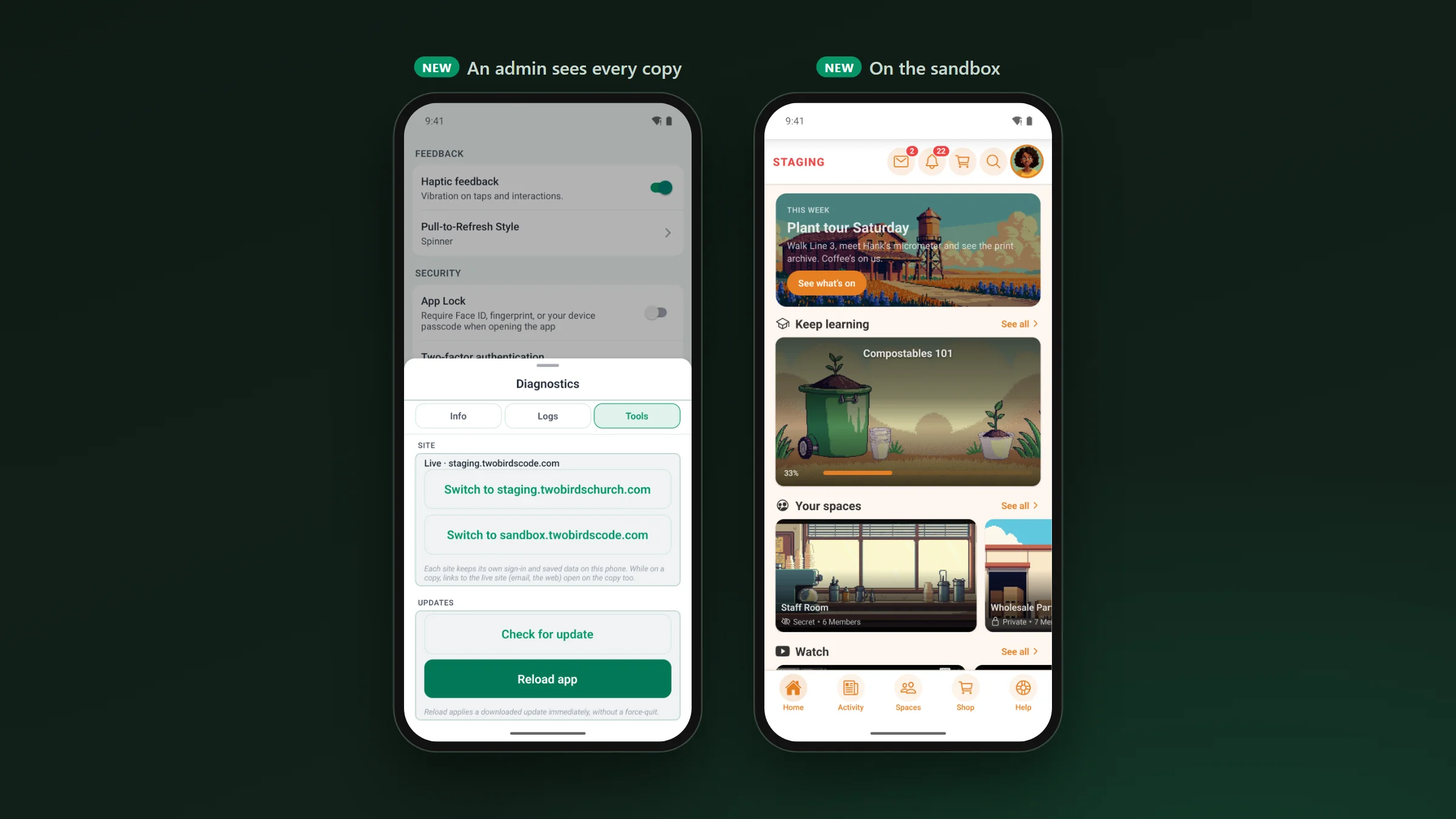
In the app · Diagnostics › Tools › Site
Switch, look around, come back.
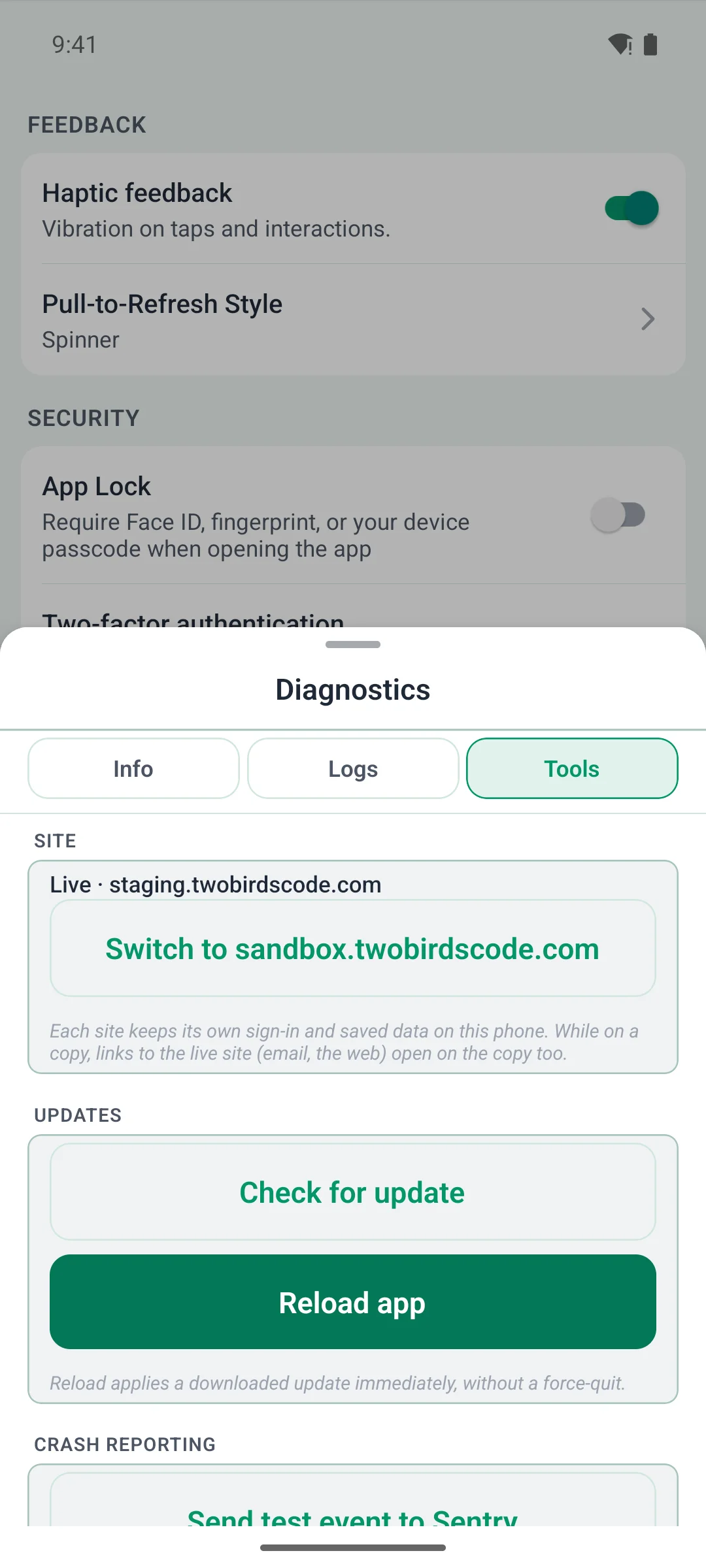
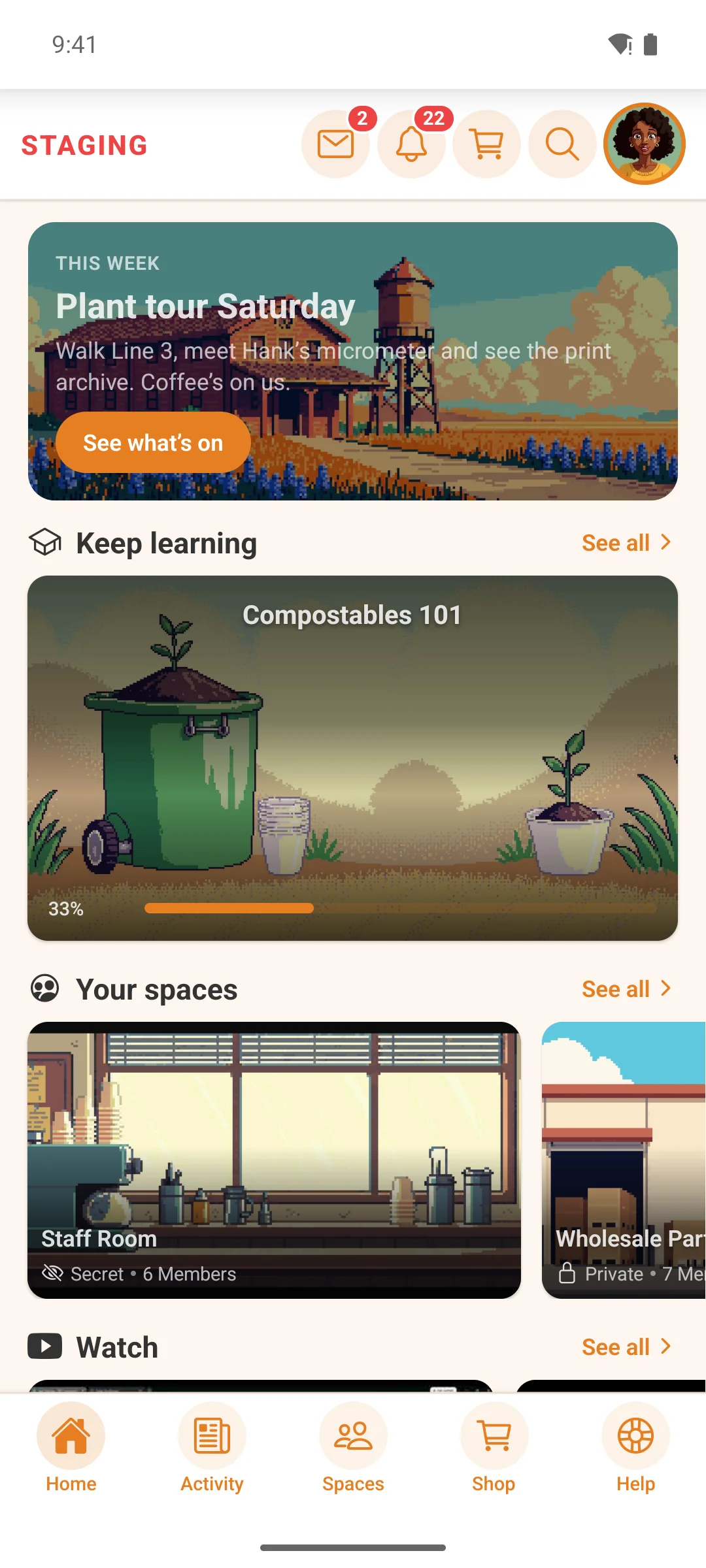
Hold the logo for 2 seconds (or open Settings › About › Diagnostics), open Tools › Site and tap Switch to. The app checks that the copy runs the companion plugin at this version or newer, then restarts there with a red STAGING badge in the header. From one copy you can go straight to another.
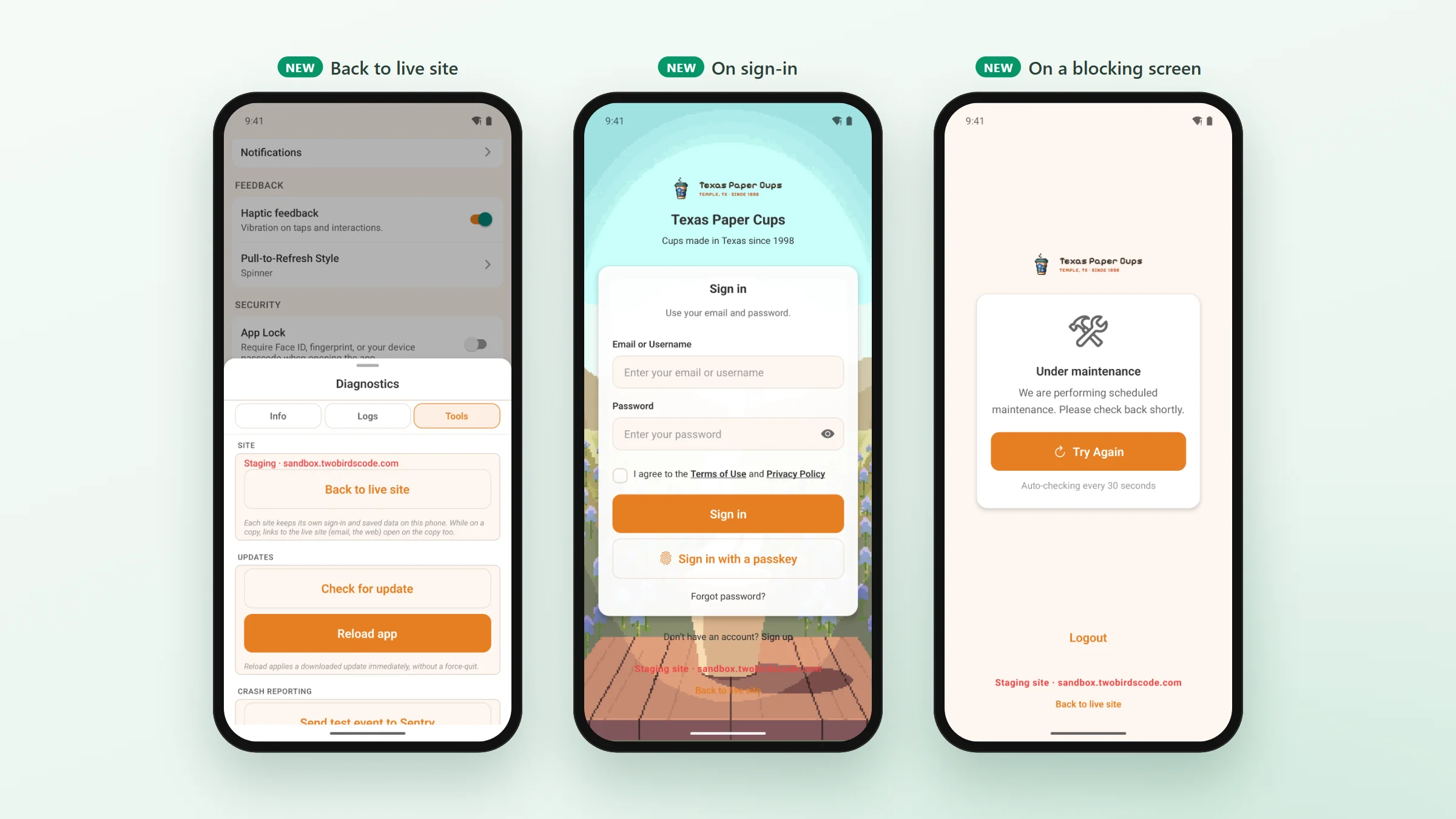
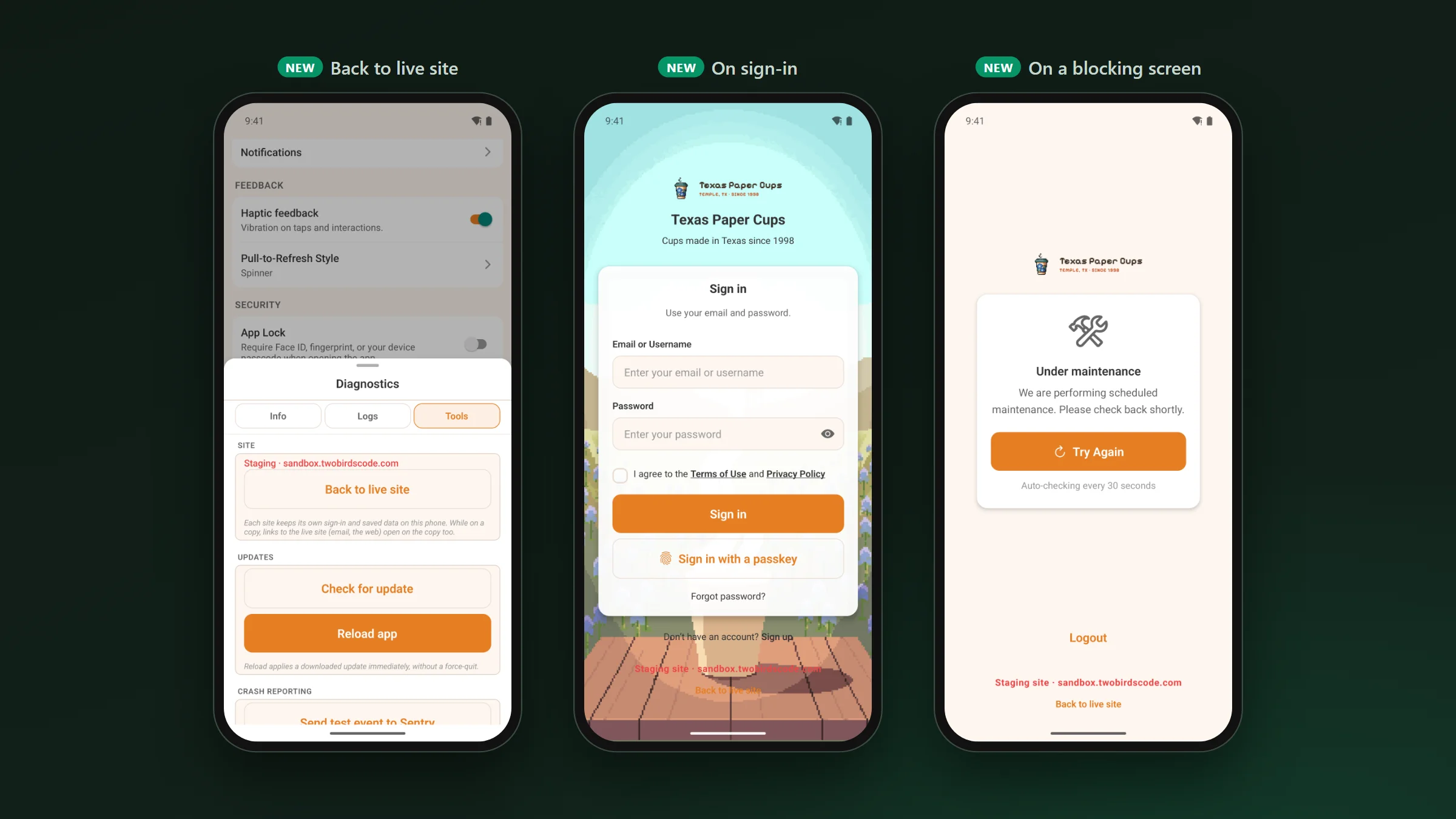
- Each site keeps its own sign-in and saved data, so coming back to the live site finds you still signed in there.
- The sign-in screens and every blocking screen (offline, maintenance, an outdated site) carry a Back to live site button, so a copy that is down never leaves anyone stuck.
- Diagnostics opens for anyone who has a switch, even when you have it turned off for members.
- While the app is on a copy, a link to your live site opens on that copy, whether it comes from an email or a web page, and so does a tapped notification from the live site.
- The phone keeps getting the live site’s notifications while it is on a copy, and a copy it was opened on can still send it notifications.
Also in 1.3.24 · improvements and fixes
The smaller things.
- The Community Menu widget shows the groups you pick from your Fluent Community sidebar (all of them, only some, or all but some) as menu rows, a carousel, browse tiles, a hero card, buttons or chips. Set it on the widget in Customize. A Community Menu saved before this update looks the same.
- The Spaces widget’s “Spaces in a group” shows only that group’s spaces. For its courses and links as well, use the Community Menu with that group ticked.
- On Android, tapping a notification opens the right post, chat or screen, even after the phone closed the app in the background.
- Editing a post keeps its voice notes. As on the website, a post holds one kind of media, so adding photos, a GIF or a video replaces its voice notes.
- Tapping a blog author or a commenter opens the right profile.
- Pages stay clear of the clock when the header hides as you scroll, a post’s header stays readable with large text, and short chat messages on Android keep their last word.
- Startup crashes on Android 12 and newer reach your Sentry, from the phone’s own crash record.
- Pushes leave right away again after a plugin is switched off (sites on 1.3.21 to 1.3.23 waited for the queue: late, never lost).
- The Managed tab walks each client through their part with a short “Your steps” list, Submit works as soon as the licence is active, and every add-on’s save bar says Saved only when the save went through.
Since our last post · 1.3.21 to 1.3.23
What came out in between.
Our last post was about 1.3.20. Three updates went out after it without a write-up, so here they are in short.
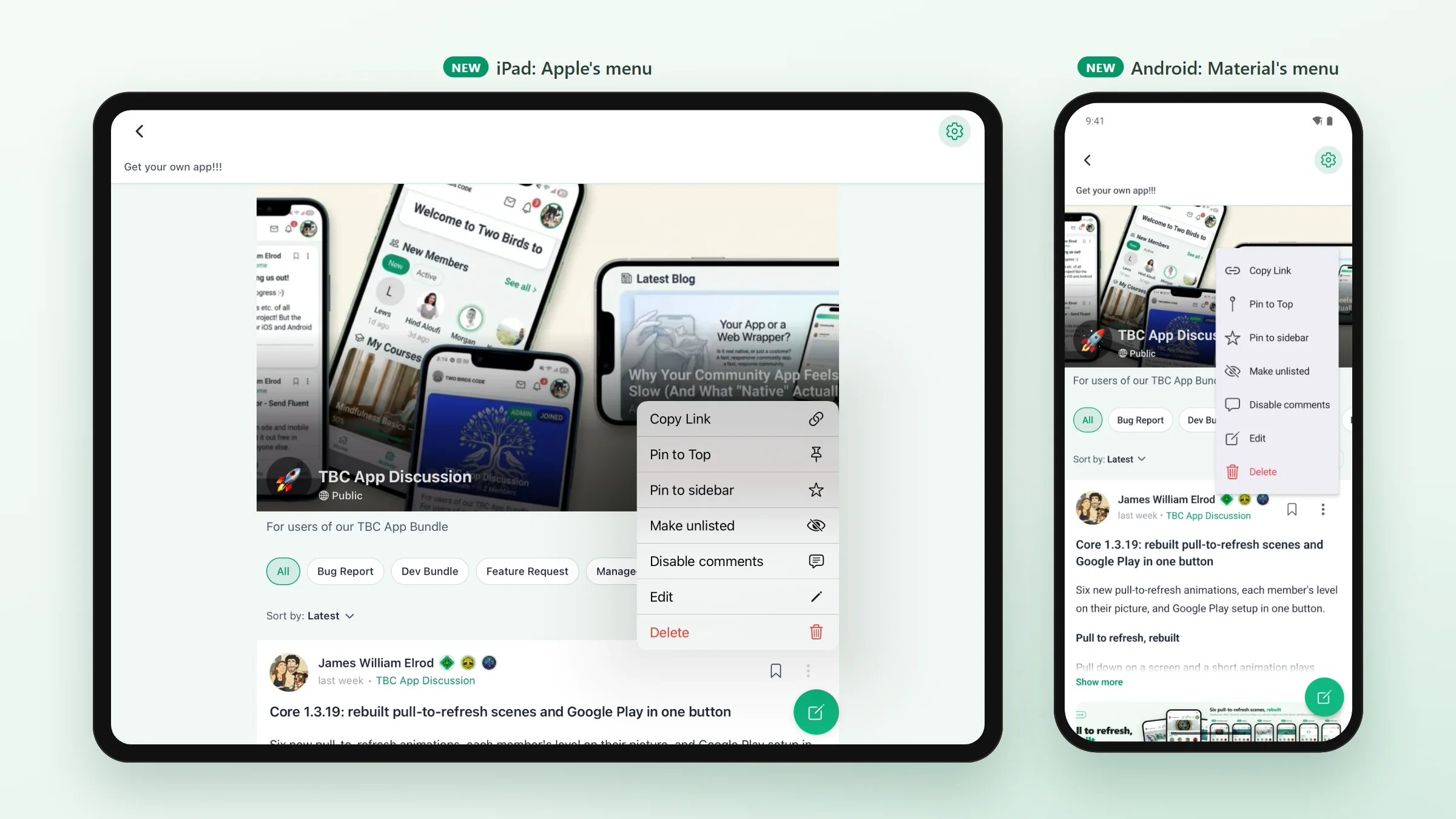
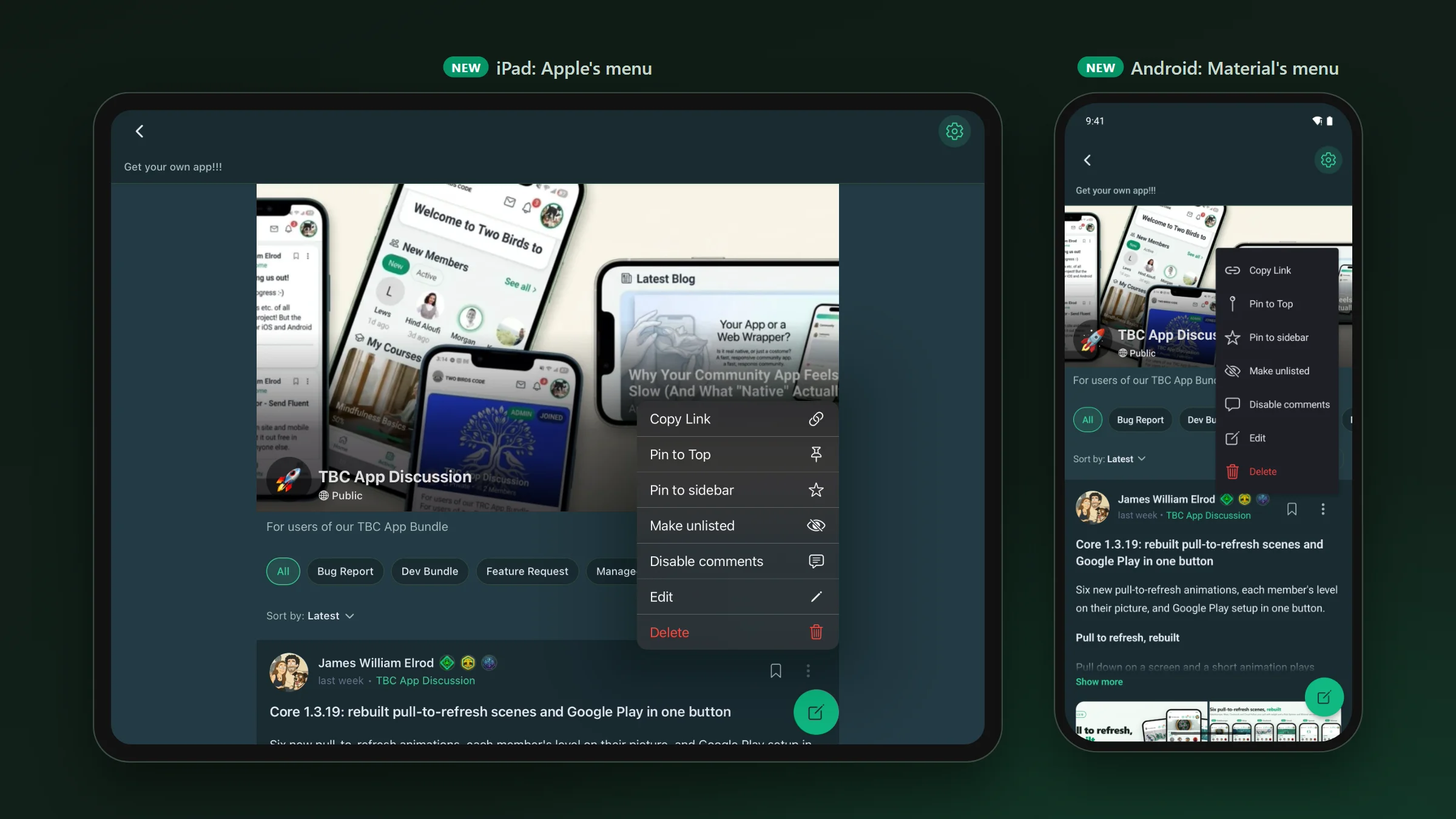
- Menus, sheets and pickers are now drawn by iOS and Android (1.3.22). A post’s “…” opens the system menu, a sheet slides up on a phone and opens as a centred card on an iPad, and screen readers read them like any other screen.
- Holding a chat message opens one pop-up, with the reactions above the message and Reply, Copy and Delete under it. With Multi Reactions on, holding a post’s react button opens the same pop-up.
- A new Comment box setting in Customize › App Screens › Feed picks how members start a comment: a floating bar, a round button or a box above the comments. You can let each member pick their own.
- Tapping a link to a post opens that post instead of its space, from a message, an email or the website (1.3.23).
- A post with a document attached in the app goes up, and the file keeps the name it had on the phone. Fluent Community Pro used to turn those posts down.
- Notifications for comments, replies, mentions and messages leave your site within seconds instead of waiting for its job queue (1.3.21). New chat messages also show up while a chat is open, verification codes fill six boxes, buttons use your site’s button colour, and YouTube videos play again.
Core 1.3.24 · before you update
Five things.
- Needs a new app build and a store update (the Android notification fix is native).
- Update the companion plugin to 1.3.24 on your site and on any copy you want to switch to.
- Managed clients: if your reviewer account was made on the Managed tab before this update, open Tools › App Review Account once, leave the password box empty and press Set Up Review Account (or Top Up Access). It keeps the password the stores have.
- Wrote your own module? Check it before you update. 1.3.22 removed the old sheet components (
BottomSheet,Sheet,SidePanel,SheetMenuand a few more), and a module that imports one of them stops building. The Module System doc shows what replaces each. - Build your own app? The Staging URL field and
npm run dev:stagingare gone. The staging site is now set on your WordPress site. If you had a Staging URL set, your Dev builds still start on staging until you change one line ineas.json(the Dashboard & builds notes show it).
James William Elrod
2 Comments
Leave a Comment
You must be logged in to post a comment.
Right on. Thanks James.
Anytime, Kyler. Glad it’s useful.