

Core 1.4.0: search everything and earn course certificates in the app



 ·
26 min read
Core 1.4.0 · for your Fluent Community app
Search everything and earn course certificates in the app.
Fluent Community 2.13 brought a new search, course certificates and a lot of quiz work to the website. Version 1.4.0 brings all of it into the app, so your members get the same things on their phones. For owners who build their own app, the setup dashboard is now a desktop app with a step-by-step setup.
Search the whole community from one box
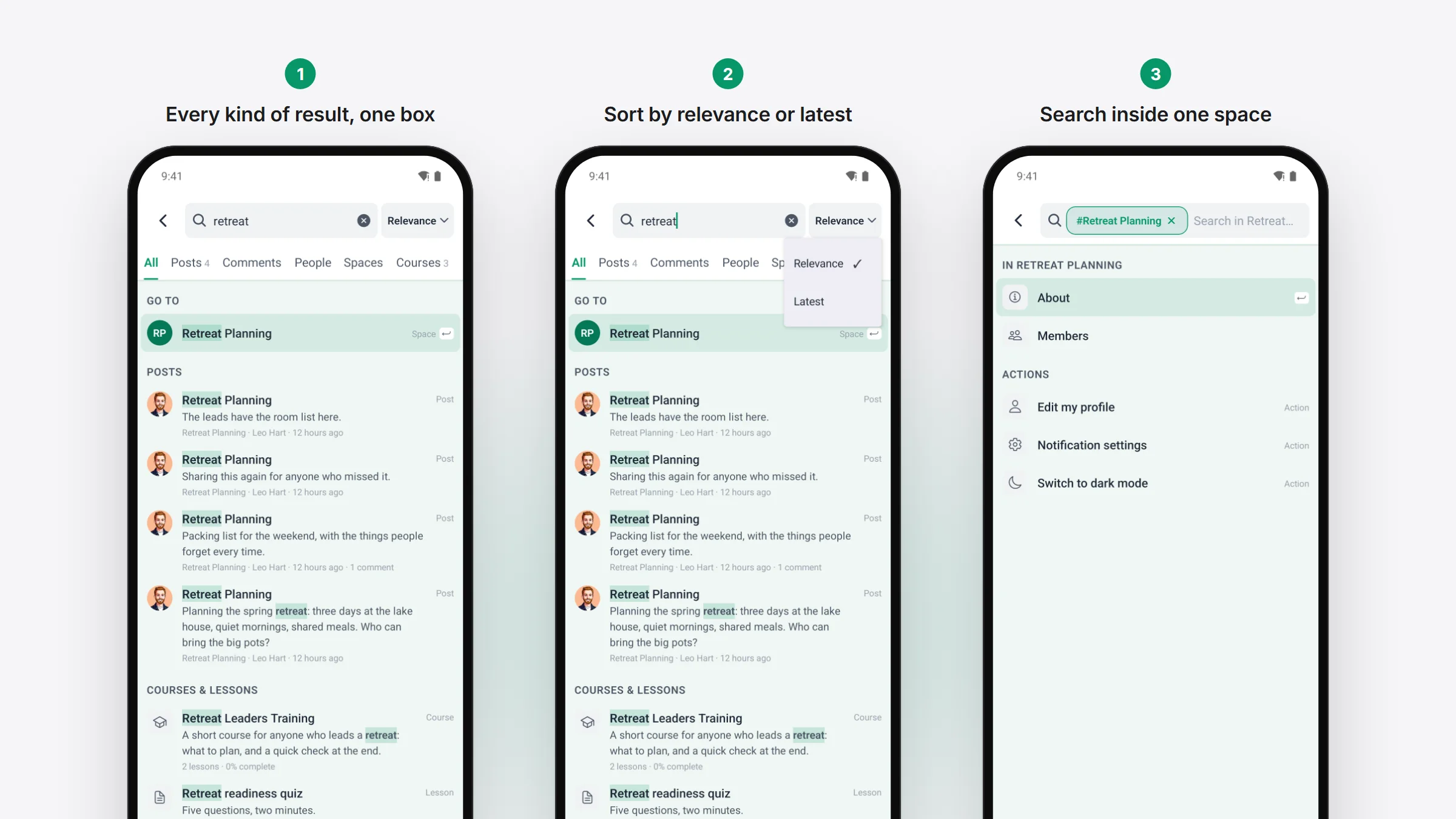
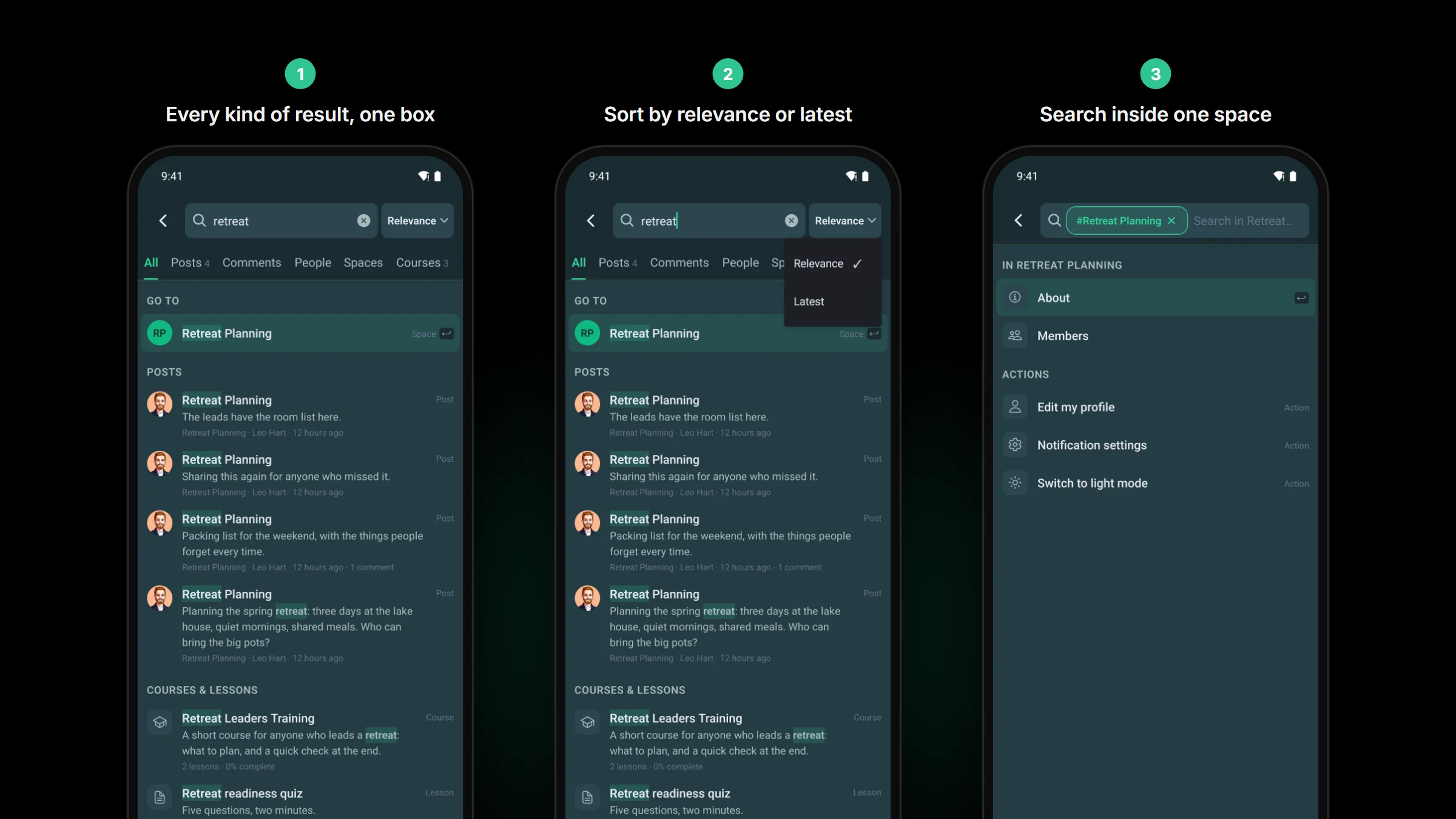
Search used to look through posts only. Now one search box covers posts, comments, people, spaces and courses, with a tab for each and an All tab that shows a few of every kind.
- Type # to pick a space, or @ to find a person.
- The words you searched for are highlighted in the results.
- Tap a comment in the results and the post opens at that comment.
- Limit a search to one space, change the sort, and pick up a recent search again.
People only shows up for members who are allowed to see your members page, so your privacy settings still hold. Your site needs Fluent Community 2.13 for this; on an older version the app keeps the post search it has today.
A certificate for every finished course
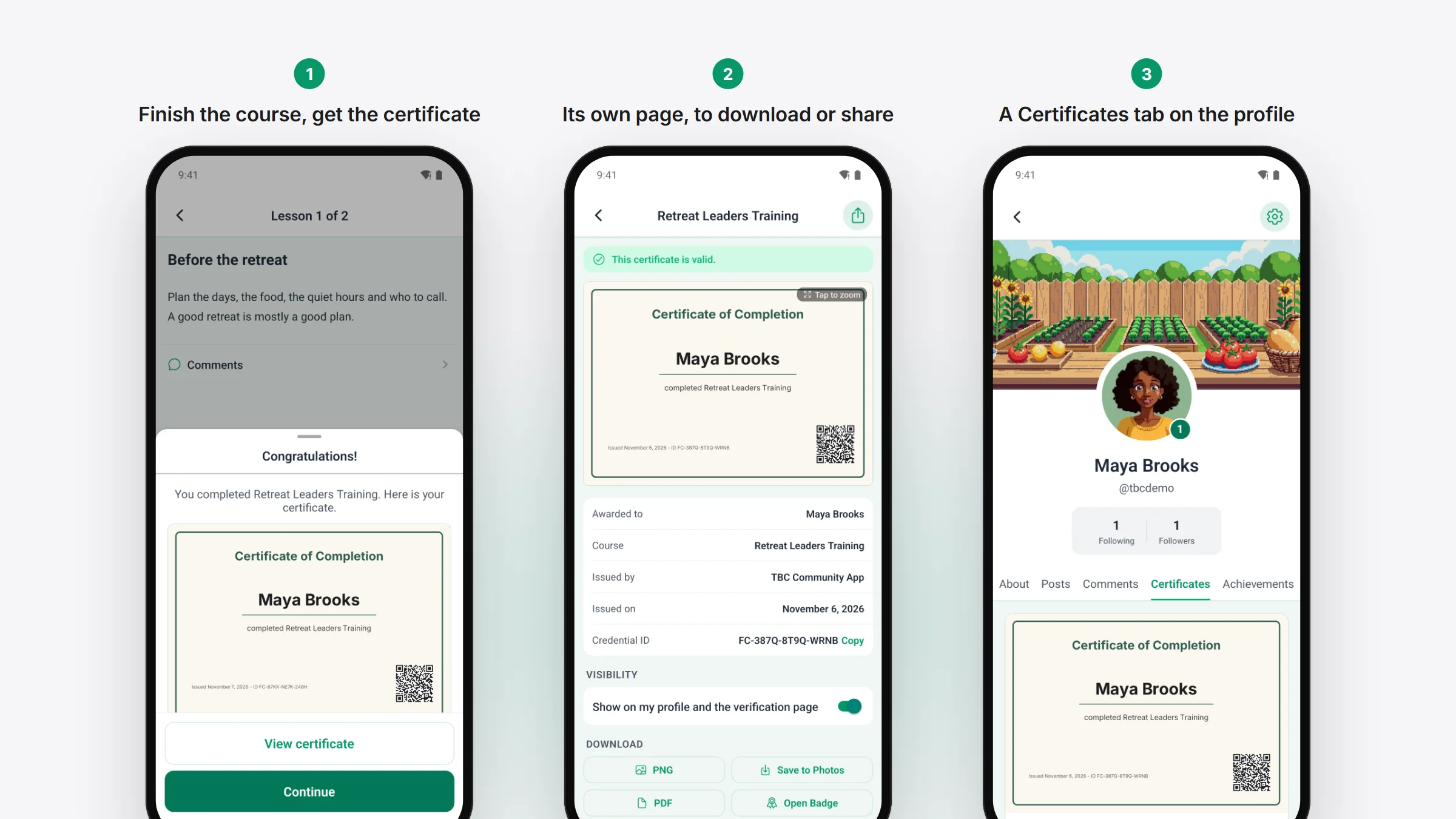
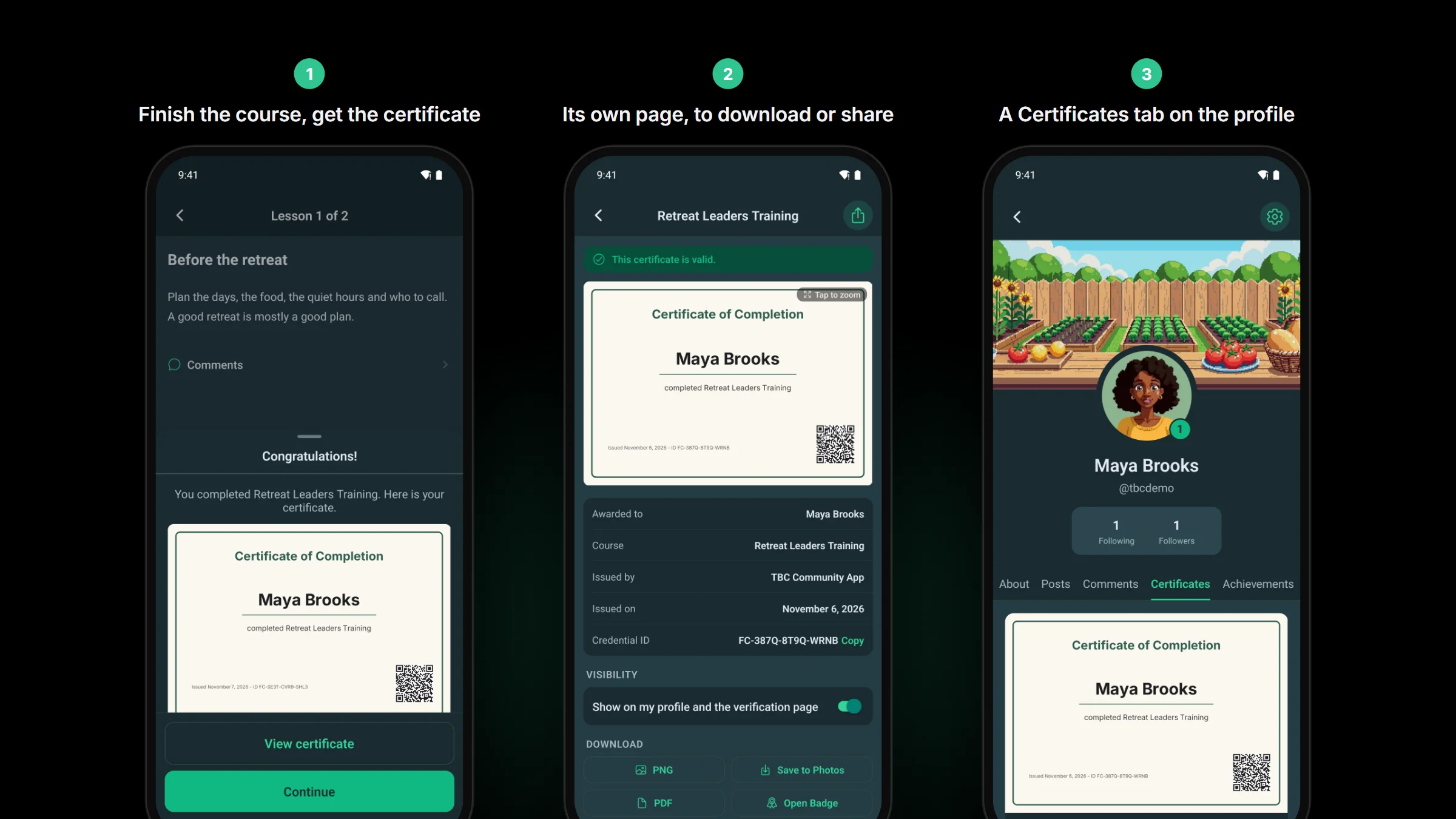
If you use Fluent Community Pro’s certificates, members now see them in the app. When someone finishes a course, the certificate shows on the screen that congratulates them, drawn from the design you made for that course, QR code included. A View certificate button opens it on its own page, where a member can zoom in. Every certificate they have earned sits on a new Certificates tab on their profile.
On that page a member can:
- make the certificate public or private
- add it to their LinkedIn profile
- copy its link or ID
- save it as a picture or a PDF, or as an Open Badge
Quizzes that work the way your website’s do
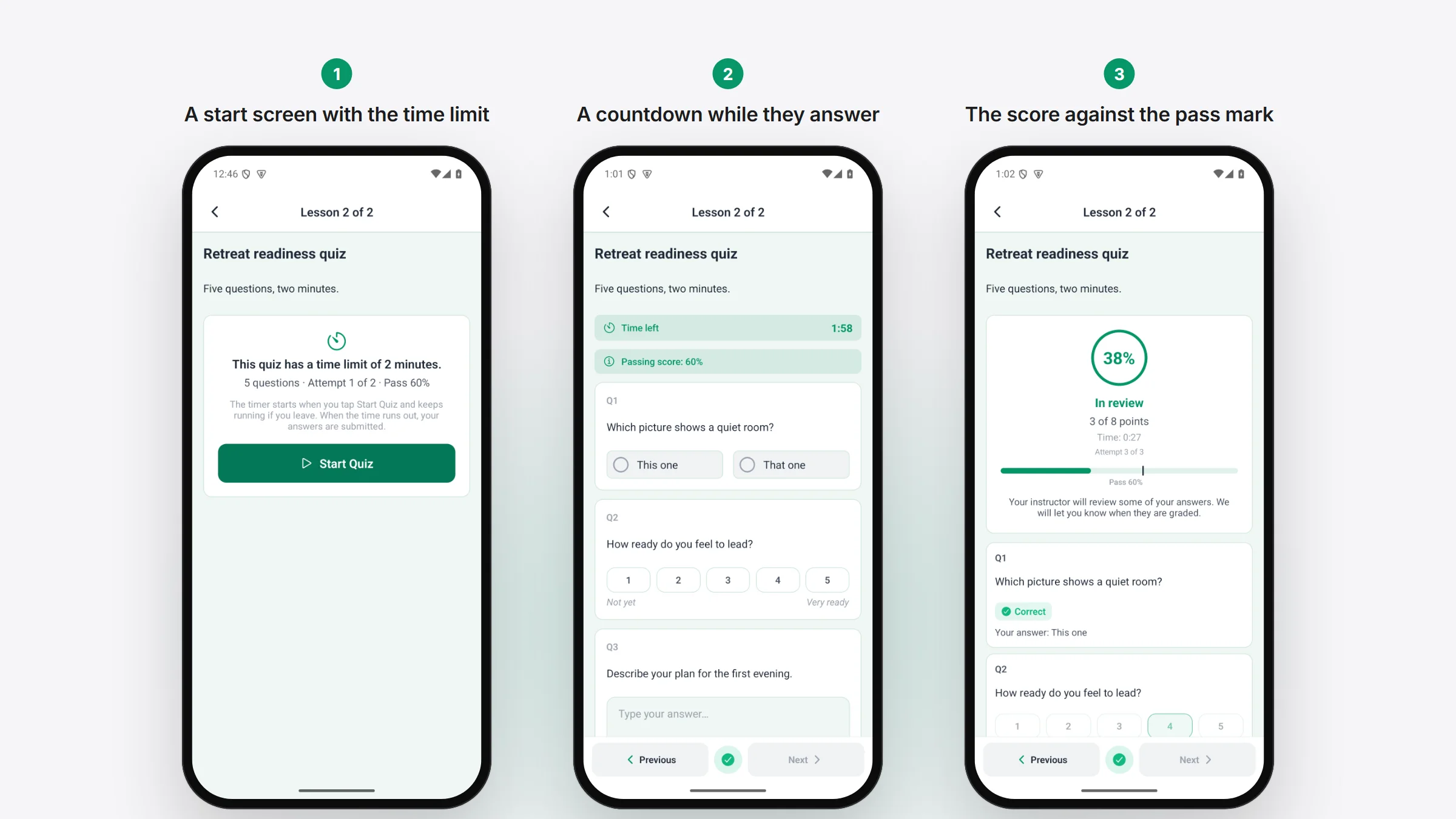
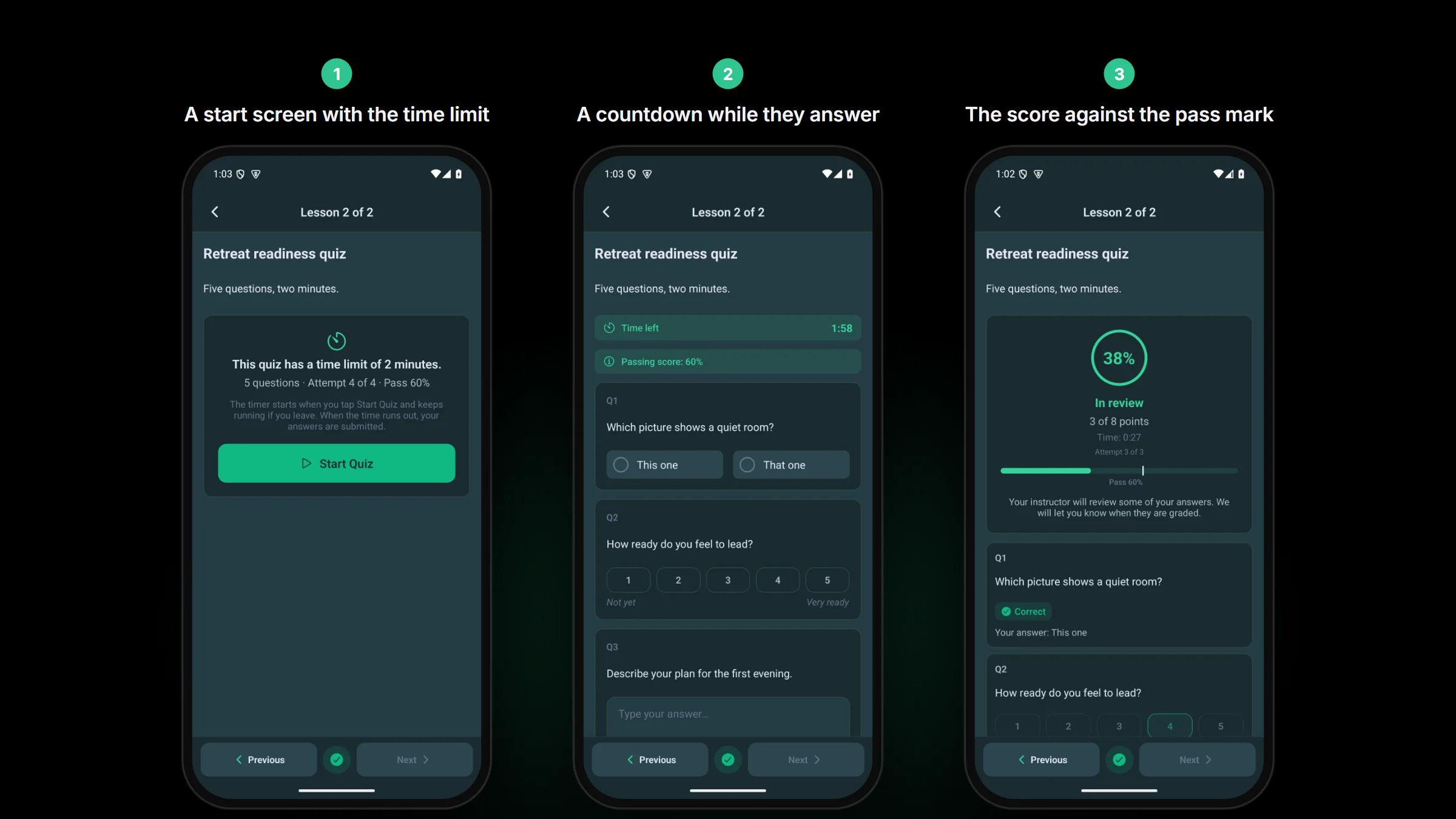
Fluent Community 2.13 hides a timed quiz’s questions until the member presses start, so until now the app showed a timed quiz with no questions in it. The app now does timed quizzes properly: a start screen, a countdown, and the answers handed in when time runs out. If a member leaves and comes back, the timer carries on where it was.
- A quiz with a limit on tries says “Attempt 2 of 3” and how many are left. Retake shows only while a try is left.
- The result shows the points, the time taken, a score bar with the pass mark, and whether they passed, failed, or are waiting for review.
- Rating-scale and picture-choice questions work in the app.
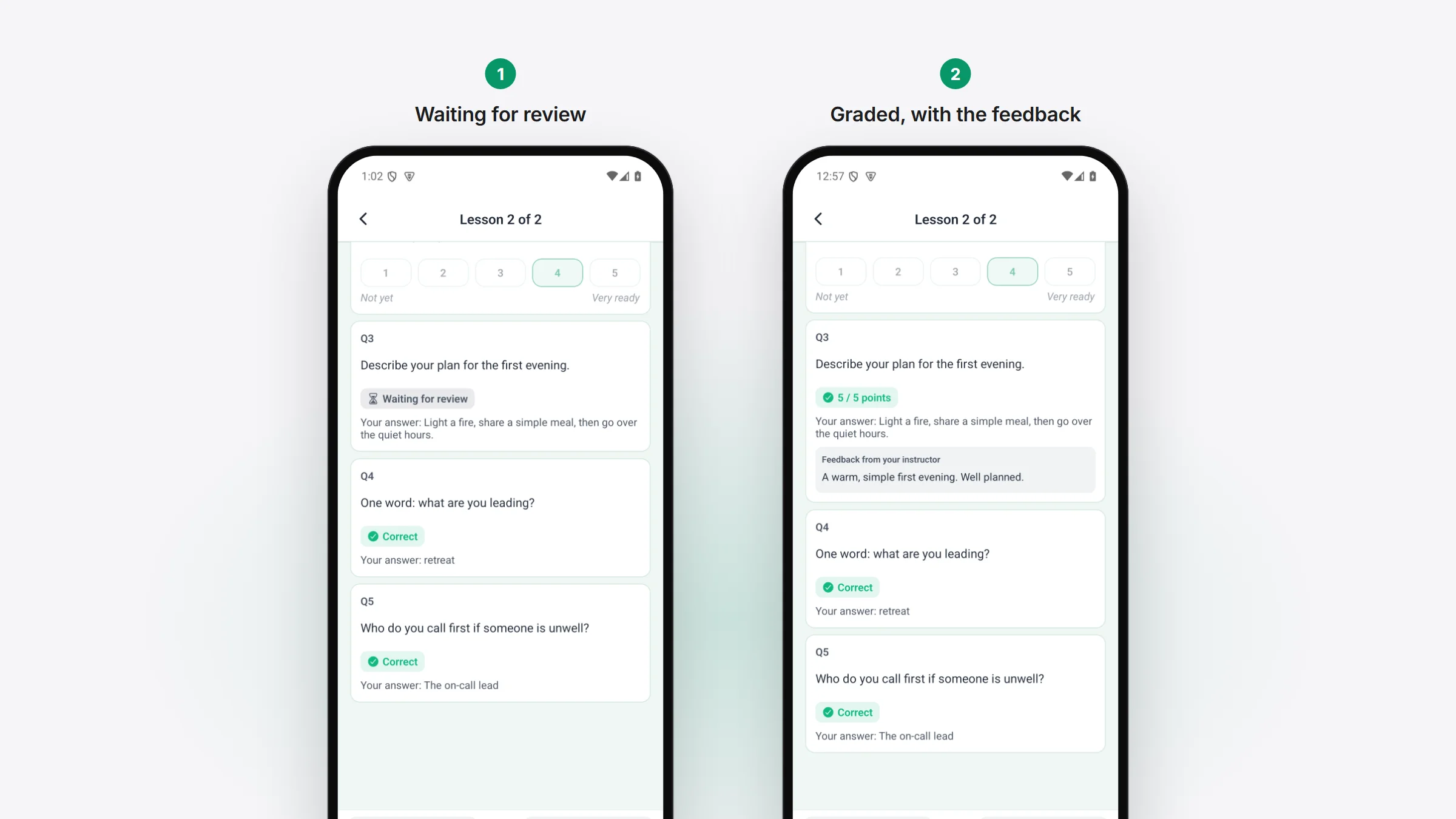
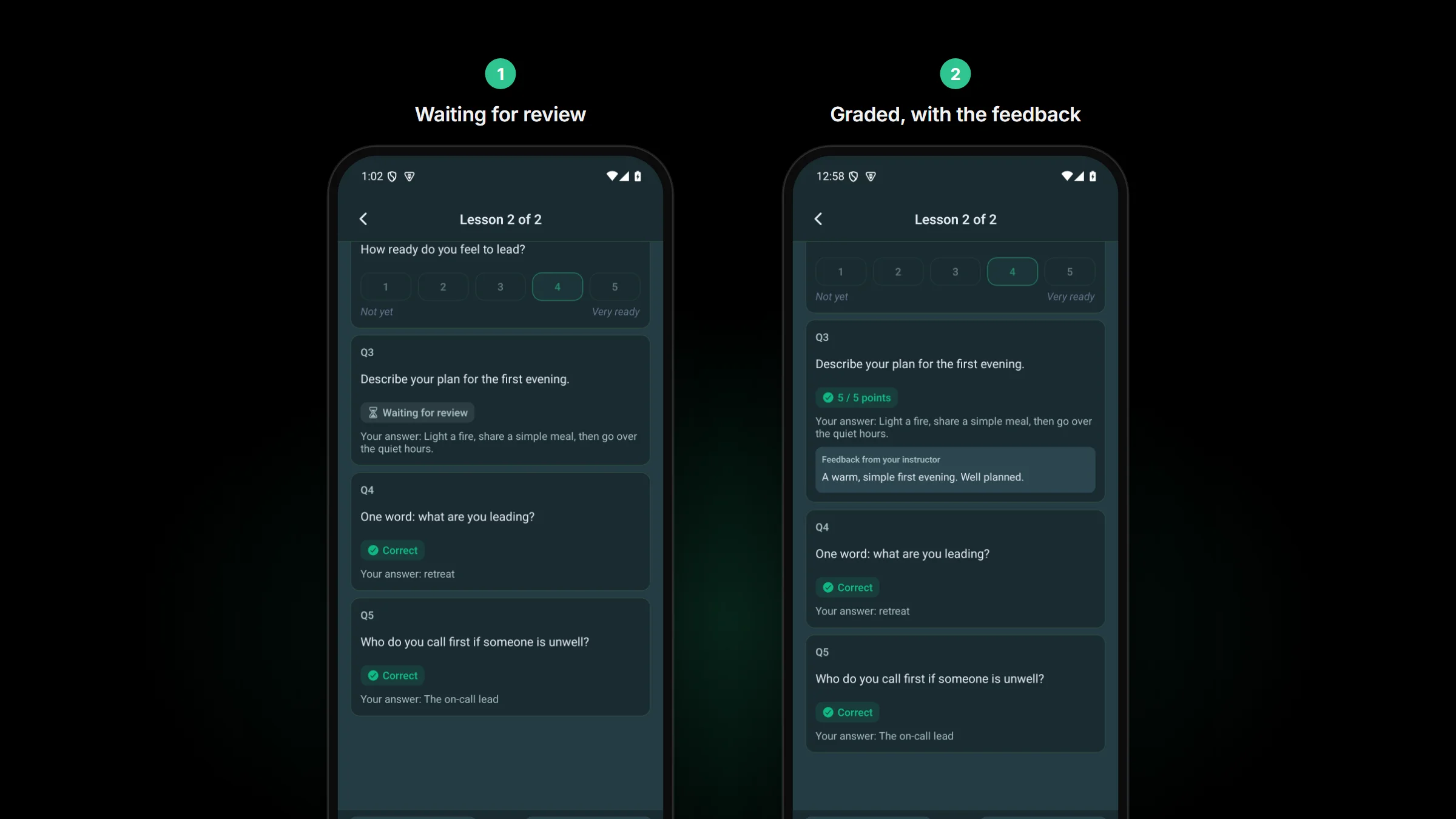
- A written answer that an instructor marks by hand reads “Waiting for review” instead of a red “Incorrect”. Once it is graded, the member gets a notification (a push too, with the 1.4.0 plugin on your site) and sees the points and the instructor’s feedback.
Members can turn the grading push off under Quiz graded in their notification settings.
Set up your app from your desktop
This part is for Dev Bundle owners, who build and publish their own app. Managed owners can skip it: we do all of this for you.
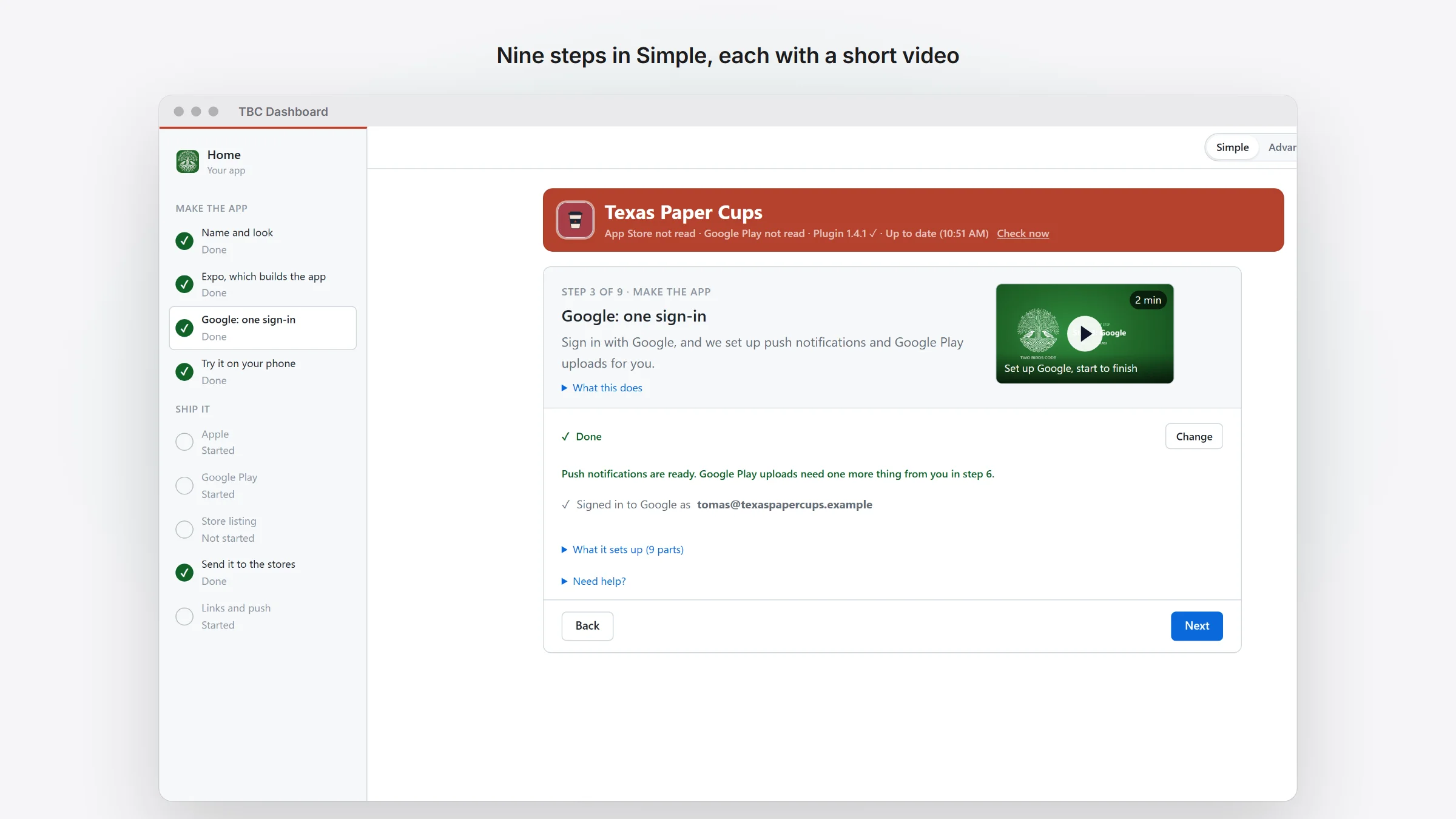
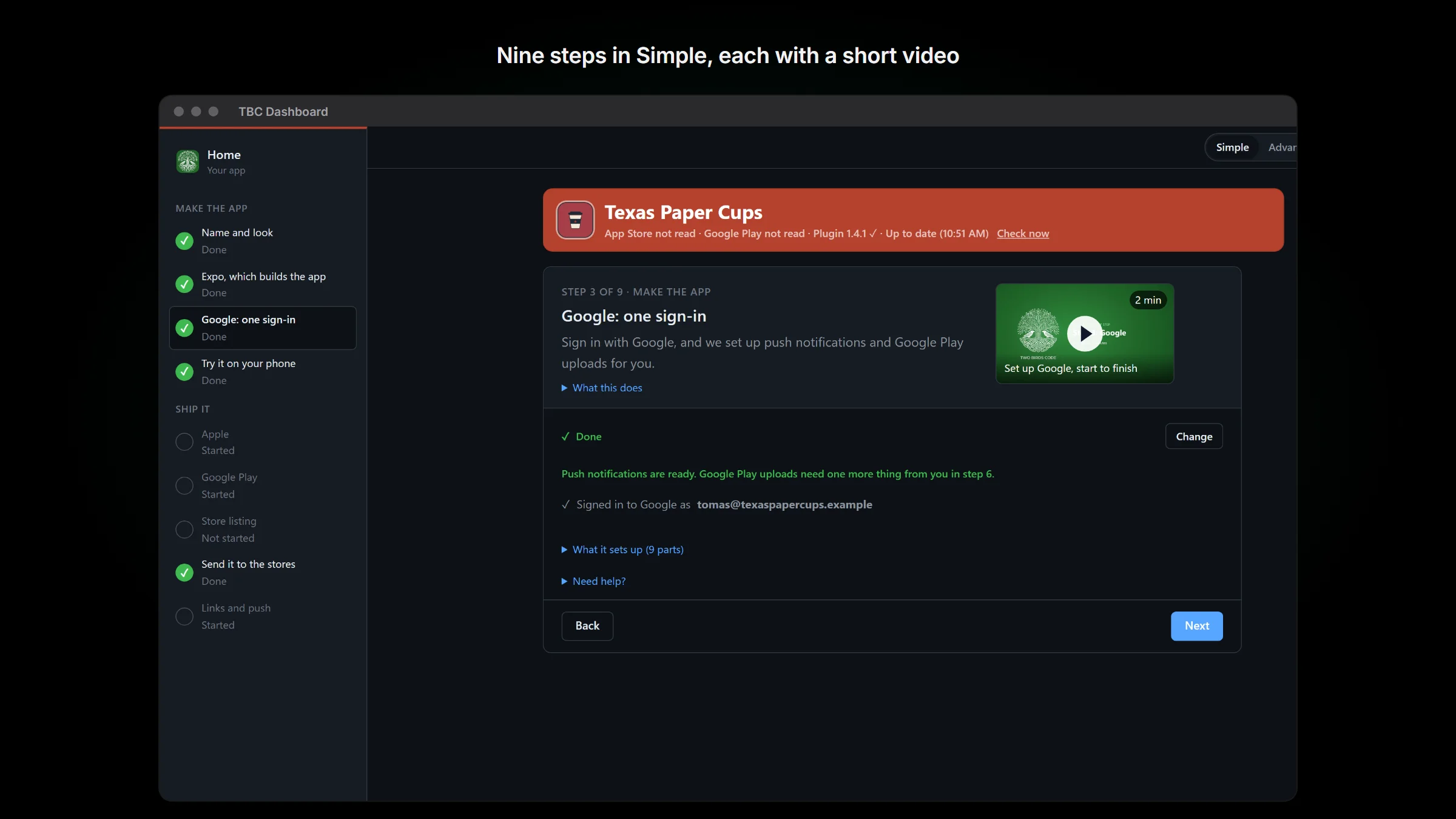
The setup dashboard used to start from a terminal. Now it is TBC Dashboard, a desktop app for Windows and Mac that you download from your account on twobirdscode.com and open like any other program. It brings everything it needs with it.
- It opens in Simple: the setup steps, and a Home for the everyday jobs. A switch in the top bar flips to Advanced, which shows every page, and back again whenever you like.
- Create my app asks for your license key and your community’s web address, then sets the app up.
- Home walks a new app through nine steps, and each step does its work right there. Setting up iPhone signing and signing in to Google are one button each, with no terminal.
- Step 7 is one store listing form for the App Store and Google Play together, and it can fill in the review login straight from your site.
- Step 9 fills in your site’s Deep Linking settings and sends a test push to a member you pick.
- Once the app is live, Home shows one card when an update is ready and takes it to your members’ phones, or through new store builds, in a few presses.
- Each step that happens on Apple’s, Google’s or Expo’s website has a Watch link to a short how-to video, once that video is up.
If your license runs out, your app keeps working
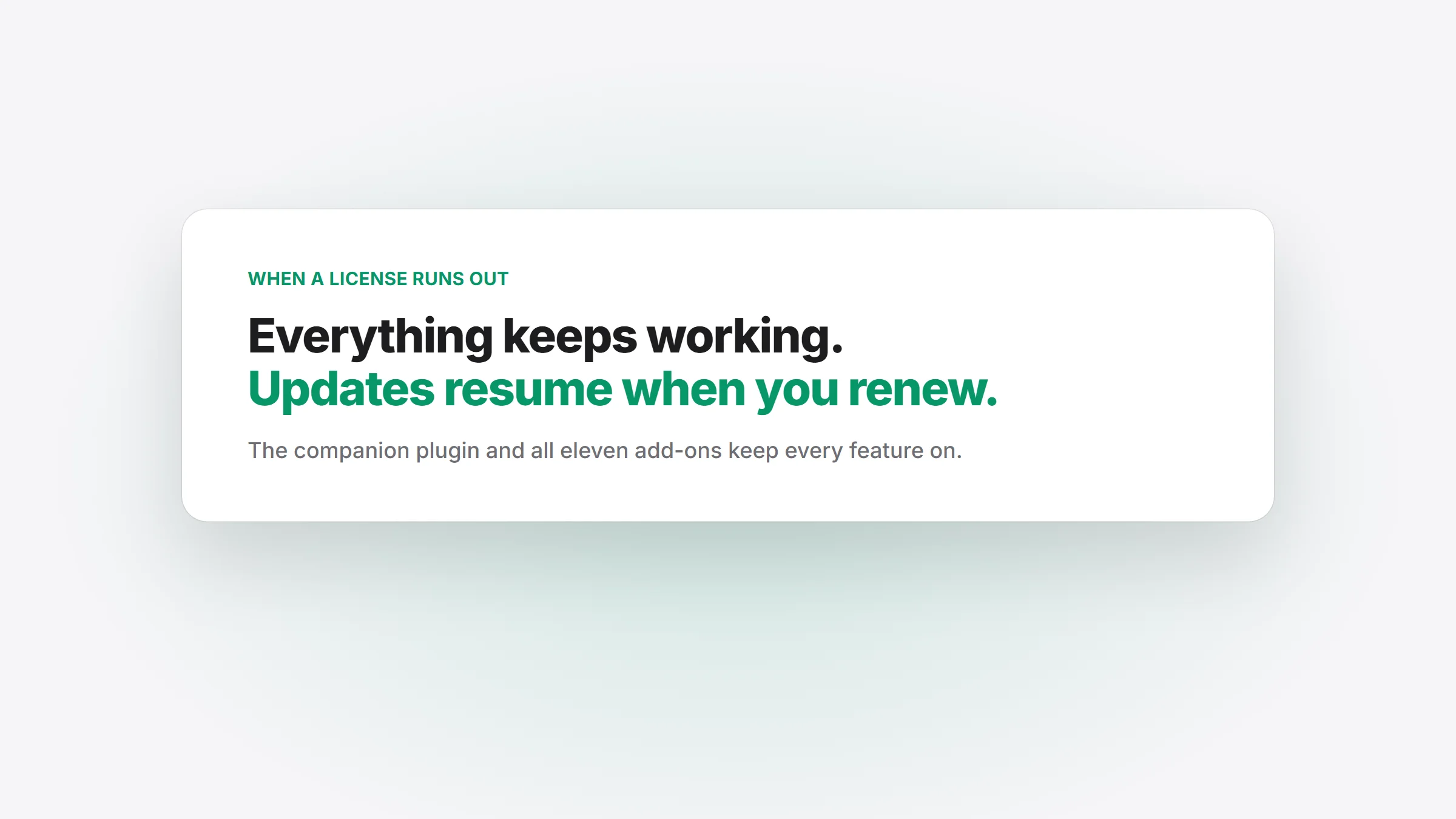
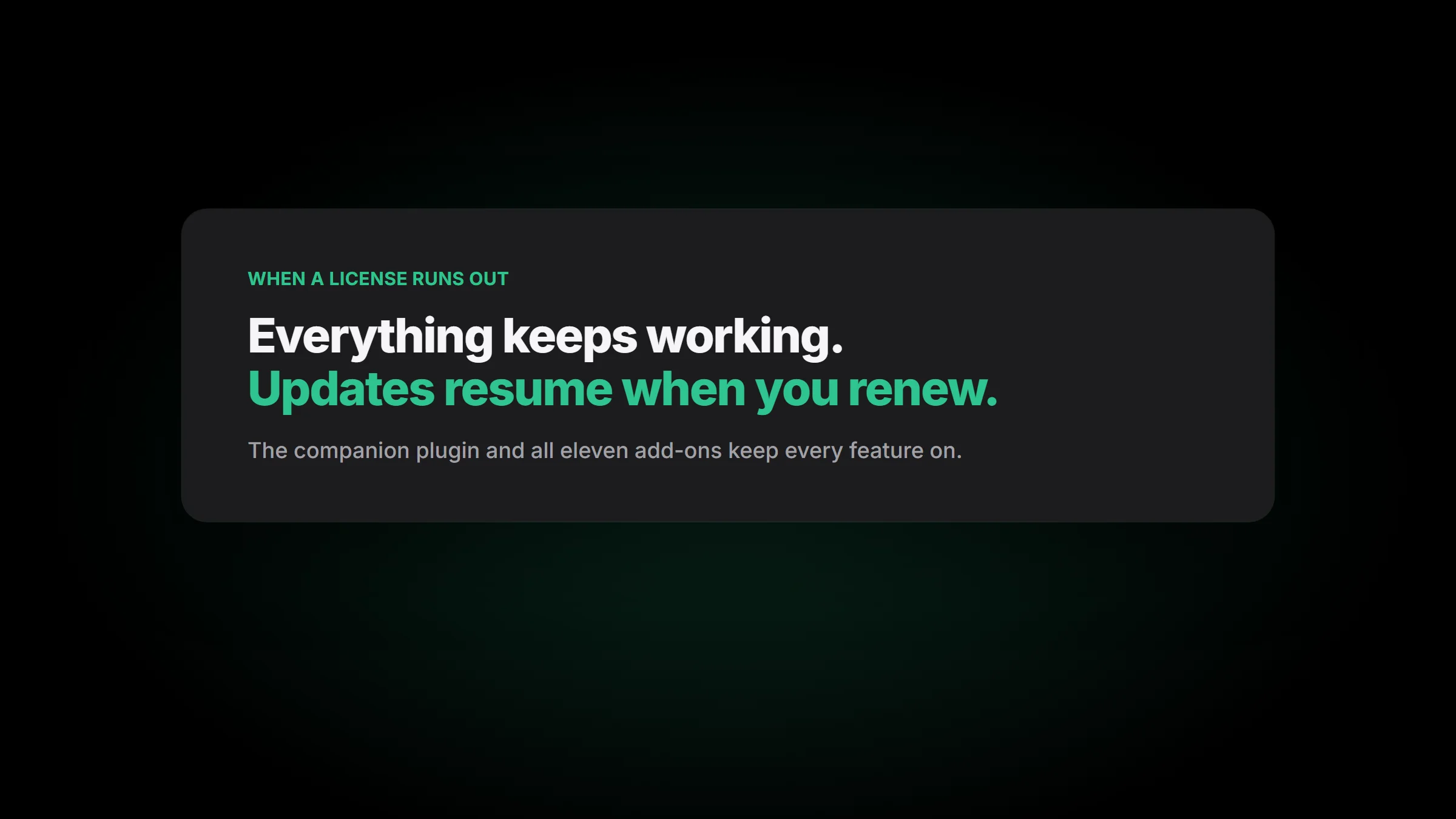
Until now, an expired license made settings read-only, stopped uploads and push broadcasts, and switched off every TBC add-on. From 1.4.0, nothing switches off. The companion plugin and all eleven add-ons keep every feature on, and only updates stop until you renew. The License tab says so in plain words.
Also in this release
For members:
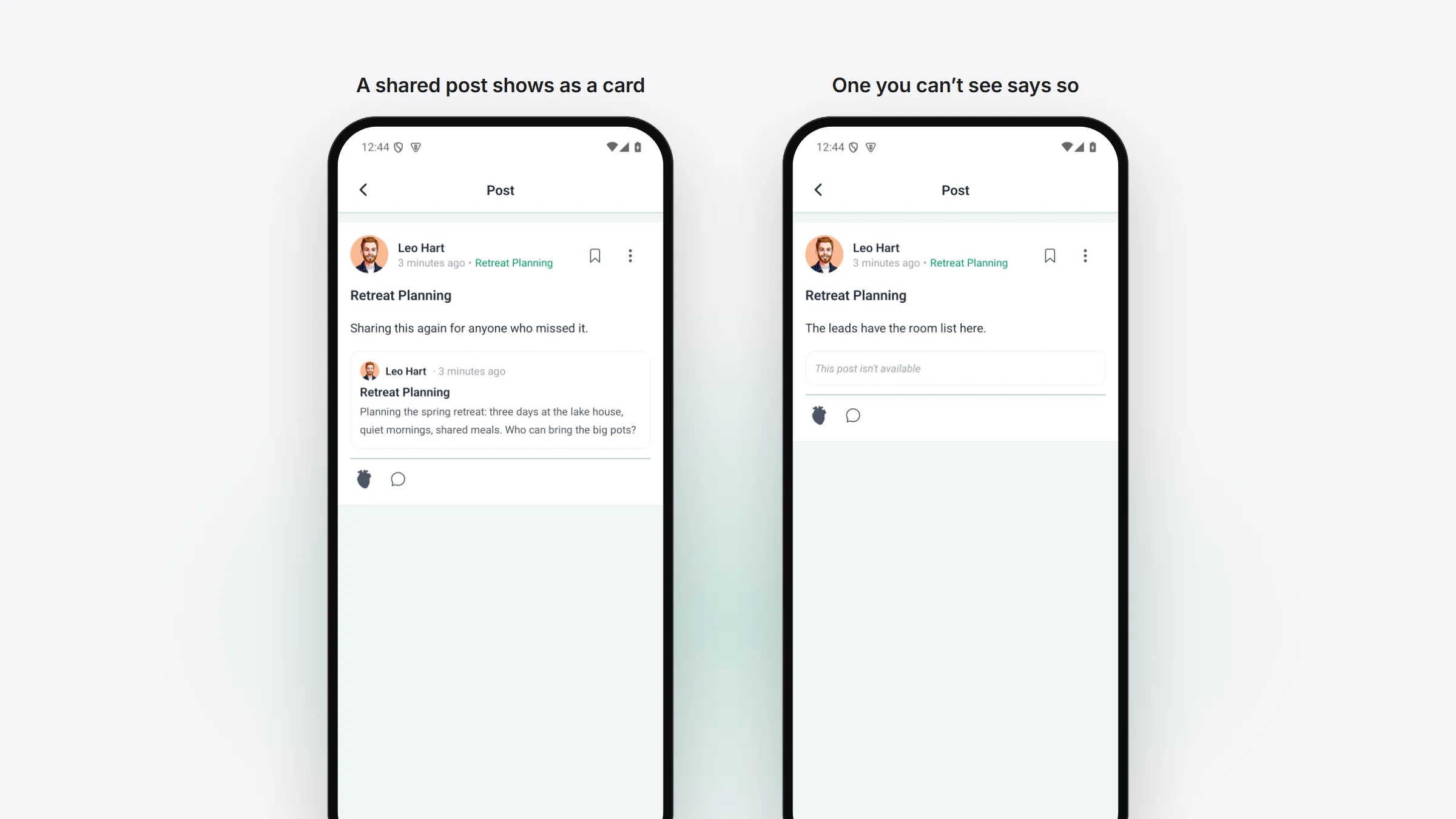
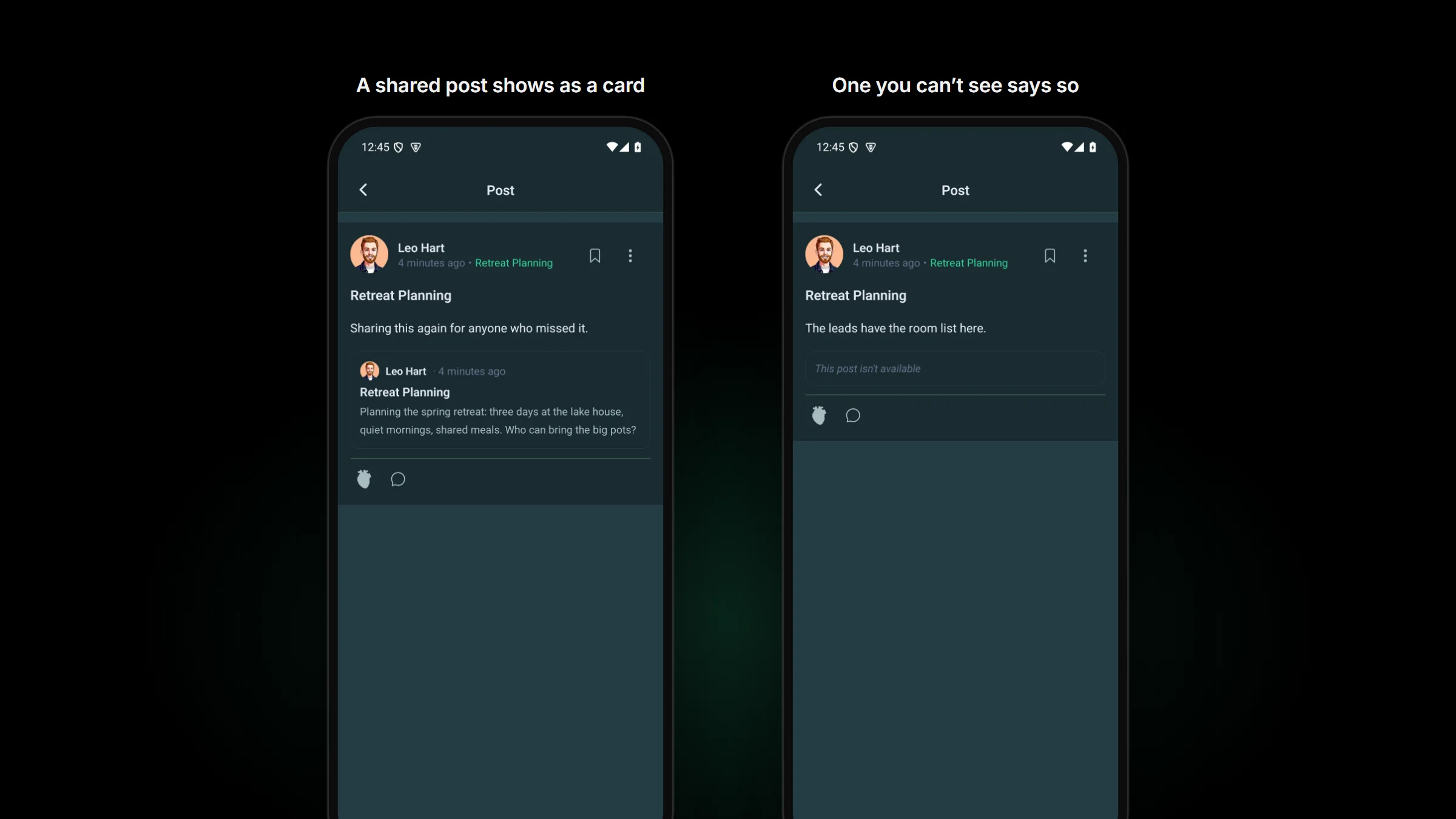
- A post that shares another community post shows it as a card, the way your website does.
- A post that was deleted, or that a member isn’t allowed to see, now says it isn’t available instead of offering a Try Again that could never work.
- The GIF picker shows GIPHY’s logo, in a light or dark version to match the app.
- Space group headings stay in the Spaces tab and the post composer on Fluent Community 2.13.
- The composer follows your site’s limit on pictures per post instead of a fixed 4.
For admins:
- A member who pays in the app is no longer left blocked by one of your FluentCRM automations, and Tools › Diagnostics lists anyone who pays in the app but is shut out.
- The Spaces preview in Customize shows your own space groups and counts instead of made-up ones.
- The privacy policy the plugin writes for you names GIPHY when GIFs are on, and GIPHY or KLIPY for Better Messages’ GIFs.
- On a managed app, Submit sends your setup to us over a secure upload instead of by email, so your Apple and Google keys no longer sit in anyone’s inbox.
- The test push names your app instead of “TBC Community App”.
- Badges given by GamiPress or an automation no longer wipe a member’s website, social links or bio on sites where profiles are private.
For developers
1.4.0 moves to the Expo SDK 58.0.23 patch set with React Native 0.88.1 and adds expo-print, so it needs a new native build. HTML rendering moved from react-native-render-html to @native-html/render. The new Fluent Community features turn on from flags in /app-config (global_search, certificates, can_view_members_page, max_media_per_post), so a site on 2.12 keeps working. TBC Dashboard serves its tools to AI agents over MCP on your own computer, and the core now ships an AGENTS.md and a make-a-module skill for your coding agent. The full list is in the changelog.
Before you update
- Needs a new app build and a store update. It can’t go out over the air.
- The new search, certificates and timed quizzes need Fluent Community 2.13 on your site; certificates and the grading push need Fluent Community Pro 2.13.
- If you build your own app, install TBC Dashboard and open your app folder with Open an app I already have. It offers to update an app on core 1.3.30 to 1.4.0, with your key and site already filled in.