TBC App - Community App (Managed)

Your own branded community app on iOS and Android โ€” built, published, and kept up to date by us. Powered by your WordPress + Fluent Community site. You bring the content and the branding; we handle the builds, the store submissions, and every update. $33/month, cancel anytime, the app stays yours.

$33.00
14 days free then $33.00 per month + $100.00 one-time One time setup

v1.3.2
Changelog ยท v1.3.2

1.3.2 โ€” 2026-07-14

โœจ New

  • App Lock. An optional biometric/passcode gate for the app โ€” Face ID / Touch ID or the device passcode locks the app on launch and return-from-background, with a server-driven admin mode so you can require it (or leave it member-optional). Adds a native module, so this release needs a new build.
  • GamiPress in the app. With the new GamiPress for Fluent Community add-on installed, member profiles gain a points/rank block and an Achievements tab (the full trophy case), and badge chips appear next to member names โ€” all controlled from the Customizer's Profile section. The app lights up automatically when the add-on is present (it ships separately).
  • App logins fire WordPress login hooks. Signing in, up, or out from the app now fires wp_login / wp_logout exactly as a web session would, so gamification (GamiPress), last-login stamps, audit logs, and CRM enrollment finally see app sessions. Both are filterable (default on).
  • Richer add-on profile controls in the Customizer. Add-ons can now register editable app-side profile controls โ€” short text fields (like a custom heading) as well as on/off toggles โ€” and have them render grouped right under their profile tab in Customize โ†’ Profile. Each add-on tab also gains an in-place rename field, so you can retitle it in the app independently of the website. Web settings still live on each add-on's own settings page; the app side is controlled here, so the two never fight.
  • "Shared with web" badges. The Branding and Colors cards in Customize โ†’ Theme now carry a "Shared with web" badge, making it clear those few settings also update your community website โ€” unlike the app-only controls everywhere else in the Customizer.

๐Ÿ›  Fixed

  • Higher-fidelity in-app web views. App-view pages now do a full theme render (reverting the earlier canvas takeover in favor of layered chrome hiding), so embedded WordPress pages look like the real site instead of a stripped canvas.
  • Fluent Cart 1.5.3 compatibility. Cart resolution and variation labels were realigned to Fluent Cart 1.5.3's structure so carts and product options resolve correctly.
  • Password reset signs out every app device. A forgot-password reset now revokes all of a user's JWT app sessions โ€” expected when resetting due to a suspected compromise.
  • Licensing resilience. A rate-limit or brief license-server hiccup (for example right after a cache flush) no longer disables a licensed site; only a definitive invalid/expired answer gates features, and a revoked key can't re-enable in the gap between checks. (Shared across the whole plugin suite.)

๐Ÿ”ง Changed

  • Crash reports carry who + where. Sentry events now include the logged-in user and stamp the site host as the environment, so one shared project cleanly separates issues per site.

๐Ÿ“ก OTA & Internal

  • Tightened spacing under the space topics filter bar.

1.3.1 โ€” 2026-07-10

โœจ New

  • In-app FluentAuth email 2FA. When FluentAuth's email two-factor is enabled, /auth/login now returns a device-bound signed challenge (a 6-digit code is emailed, 10-minute TTL) instead of failing, and a new POST /auth/login/verify endpoint validates the code (5 attempts, single-use, IP rate-limited) and mints the normal token pair โ€” so the mobile app can complete FluentAuth 2FA natively.

๐Ÿ›  Fixed

  • FluentAuth (and security-plugin) redirects no longer break app login. FluentAuth's browser-only 2FA flow issued a wp_safe_redirect + exit mid-REST, which killed the app's JSON login response. Login is now guarded: FluentAuth's redirect is detached and a generic redirect interrupt stops any security plugin from hijacking /auth/login, while real WP_Error vetoes (bans, limits) are still honored.
  • Clearer lockout error. FluentAuth's failed-attempt block now maps to tbc_auth_rate_limited (HTTP 429) instead of a generic invalid-credentials response, so the app can show a proper "too many attempts" message.

๐Ÿ“ก Internal

  • Rebuilt the Spanish catalog (pot/po/mo + JED) and updated the auth endpoint table in the plugin docs.

1.3.0 โ€” 2026-07-09

โœจ New

  • Configurable Smart App Banner. The Smart App Banner moves into its own dedicated settings section and becomes fully configurable instead of hardcoded: banner text, button label, dismiss-for-N-days (clamped 1โ€“90), and an audience selector (everyone / logged-in only / logged-out only) that's enforced server-side for both the iOS meta tag and the Android banner. Blank fields fall back to sensible defaults, and values are sanitized on save and escaped at render.
  • Smart banner uses your Site Icon. The web app-banner now always shows the WordPress Site Icon, and the App Banner tab gains a Site Icon uploader that reads and writes the real site_icon option (like the Theme tab's Logo field) โ€” so changing it updates your favicon site-wide. When no icon is set, the image is omitted entirely (no broken empty <img>). Rendering is now gated on a valid license, closing the trap where an enabled banner couldn't be turned off while unlicensed.
  • Theme editor overhaul + branded color schemes. The Customize island's Theme, Profile, and Login panels become collapsible accordions with modern custom checkboxes and toggles. A custom color scheme now seeds the full token set from its base skin (so it can never leave the site half-styled), with the editor grouped into app vs. web tokens. Ships five new branded light+dark presets โ€” Royal Violet, Rose Blush, Crimson Ember, Golden Harvest, and Slate Mono โ€” via Fluent Community's color-schemas filter.
  • FC 2.7.0 server parity. Exposes content_moderation in the app's detected features (powering the app's Flag-member action); adds an idempotent XProfile "ensure" at login so WP-admin-created users are provisioned even though FC 2.7.0 no longer does it lazily; and makes registration invitation-aware โ€” a valid invitation_token bypasses registration-disabled, mirroring FC's web signup. Also drives the app's new Space Media Gallery and feed layout views through /app-config.
  • Global search in the app menu. Adds a "Search" top-nav item (the header magnifier) to the app's menu system, matching Fluent Community's always-on portal search. It seeds automatically into existing installs as a reorderable header icon and appears in the Customize menu builder; tapping it opens the app's native search screen. Header icons stay icon-only by design, so the label toggle is hidden for that zone.

๐Ÿ›  Fixed

  • Theme-agnostic app-view chrome hiding. WebView chrome hiding was rebuilt from the ground up so app-view pages render content-only markup on any theme by construction (no more per-theme CSS allowlist). Hiding CSS now rides the Fluent Community portal head, fixing the sidebar/top-bar leak seen on iPad landscape and desktop widths; the admin bar is fully suppressed in app view (killing the 32px margin bump, not just hiding it); rebranded/managed app user-agents are recognized; and app-view loads send no-cache headers. Adds tbc_ca_is_app_view and tbc_ca_app_view_css filters for extensibility.

๐Ÿ”ง Changed

  • Retired the General tab; settings now live where they're used. Deep-linking identifiers move into the Managed wizard (and flow into AASA/assetlinks/the banner); Min App Version and store URLs move to the Maintenance tab where the force-update screen consumes them; Crash Reporting and the push flag move to Tools; Data Management (delete-on-uninstall) moves to the shared License tab. The default landing tab is now Customize.
  • Unified admin UI on a shared design system. The plugin's WP-admin screens adopt the shared drop-in admin base library (cards, tabs, tokens) used across the suite, replacing bespoke per-plugin scaffolding and its duplicated CSS, for a consistent look and a single source of truth.
  • Rebuilt the Customize React island bundle and regenerated the translation catalogs (including new Content Moderation strings), plus post-review cleanup with no behavior change.

1.2.7 โ€” 2026-07-03

โœจ New

  • App-Design Studio (Customize v2). The Customize screen is rebuilt as a full app-design studio: the standalone Features tab is dissolved into it, and every feature gains per-feature app overrides so you can turn surfaces on/off and tune them from one place with a live phone preview. Managed and DIY controls are consolidated into the same island.
  • Login & Sign-up v3. The Login tab is renamed "Login & Sign-up" and rebuilt: sign-in copy syncs from Fluent Community, the auth nav chips match the in-app look, a tablet two-pane auth preview is shown, a password-policy control and a login-background Dynamic/Static choice are exposed, and the login preview renders 1:1 with the app.
  • Themed maintenance screen + true-to-app previews. A themed maintenance screen, a 1:1 profile preview rendered natively, a provider dropdown for slot groups, and active-tab icons in the nav preview.
  • Branding on the Theme tab. Branding controls moved onto the Theme tab and the display toggles were regrouped for a clearer layout.

๐Ÿ›  Fixed

  • REST saves and uploads hit the right endpoint. The plugin now builds an absolute REST URL per request, so WordPress core's own api-fetch root middleware can no longer outrace ours and aim saves/uploads at the site root โ€” fixing the intermittent 404 "no route" on save and media upload.
  • Customizer preview polish. Corrected login-card box-sizing and centering, hid the preview scrollbar so a full-width login card stays centered, made the login/maintenance mocks fill the phone frame, unified the nav-icon geometry so the read-only preview reuses the exact MenuChip disc sizing, and re-anchored the slot-deck back cards so the spare card no longer escapes to the page edge.

๐Ÿ”ง Changed

  • Legacy migration paths removed. The one-shot FluentCart menu migration and the older migration scaffolding are gone now that the plugin runs fully on the React island.
  • Native space icons. Dropped the non-native space.icon_html feed enrichment in favor of the app's native space icon.
  • Audit (batch 4): push-devices table rename and lifecycle hardening, more complete uninstall, and small hygiene across the plugin.

1.2.6 โ€” 2026-06-30

โœจ New

  • Settings & Notification Settings as menu items. The app's Settings screen and Notification Settings screen are now first-class built-in menu rows โ€” drop either in the launcher, tab bar, or top nav (or hide it) from the Menus tab, instead of them only being reachable via Profile โ†’ gear. They seed automatically on upgrade and existing menu customizations are left untouched.

๐Ÿ”ง Changed

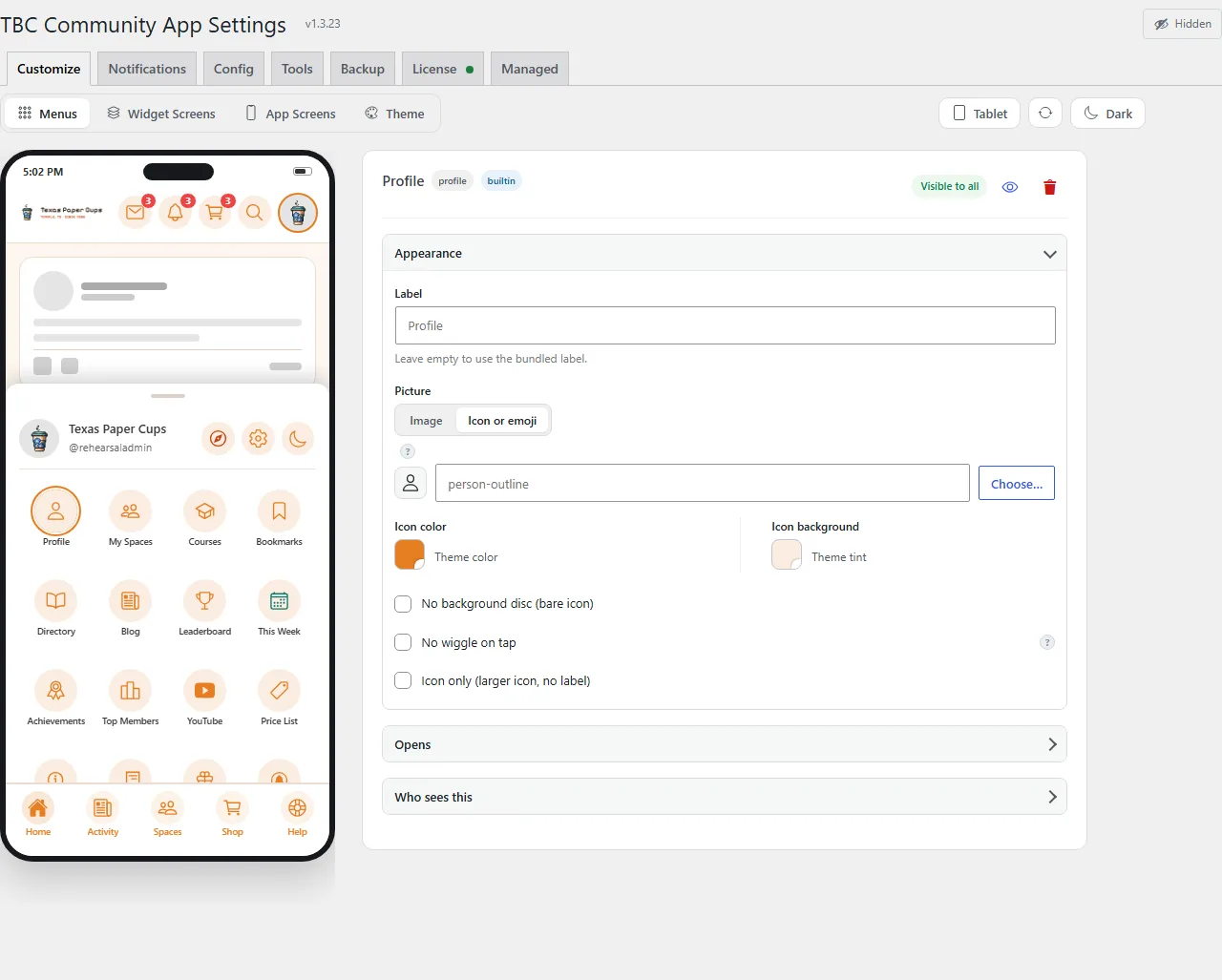
  • Rebuilt Menus builder. The Menus tab is now a drag-and-drop builder with a live phone preview, a popup icon picker (or type any Ionicon name), per-row "Hide label" (icon-only) and "No background" (bare icon) toggles for header icons, and each row's visibility (Visible to all / Hidden from โ€ฆ) shown inline in its header for one-glance status.

๐Ÿ“ก OTA & Internal

  • DB version 1.0.8 โ†’ 1.0.9 so existing installs backfill the two new built-in rows on the next admin load (additive โ€” buyer customizations preserved). Adding a built-in now keeps three lists in lockstep (constants/core-menu-items.ts, includes/class-app-menu.php, includes/admin/class-settings.php); cross-reference comments and the menus docs were updated to match.

1.2.5 โ€” 2026-06-29

โœจ New

  • Header icon customization. Menu entries can carry a buyer-chosen header icon โ€” kind=module entries are now overridable from the menu builder โ€” while the Top Nav stays locked to the core icon set for a consistent look.

๐Ÿ”ง Changed

  • Managed setup opens before purchase. The Managed App setup wizard is now usable before a license is active; only the final Submit is gated on the license, so buyers can walk the entire setup before committing.

1.2.4 โ€” 2026-06-26

Lockstep bump with core 1.2.4 โ€” an app-side UI refresh (the "Unread only" notifications filter, persisted Spaces/directory sort, and tinted header buttons). No plugin-side changes this round.

๐Ÿ“ก OTA & Internal

  • Sync: Core white-label version bumped 1.2.3 โ†’ 1.2.4 in lockstep (manifest.json). No includes/ or lib/ changes.

1.2.3 โ€” 2026-06-25

Settings + onboarding release in lockstep with core 1.2.3. Adds the password-policy gate, server-driven Privacy Policy, and the simplified managed-onboarding wizard. Existing surfaces are unchanged.

โœจ New

  • Add (auth): a Password Policy admin setting โ€” off by default for parity with Fluent Community's website signup; when on, requires a 6โ€“20 character minimum read through a single TBC_CA_Auth::get_min_password_length() helper. The register/fields response carries the policy so the app validates inline, and the previously-unmapped password_too_short error is now returned. Scope: includes/class-auth.php, includes/admin/class-settings.php, includes/class-registration-api.php, includes/class-password-api.php.
  • Add (config): /app-config now exposes a legal block whose Privacy Policy URL comes from WordPress's native Settings โ†’ Privacy (get_privacy_policy_url()), replacing the hardcoded SITE_URL/privacy-policy/ path; login and registration read it from app-config. The privacy built-in launcher tile is fully de-registered (plugin BUILTIN_IDS + admin Menus catalog). Scope: includes/class-app-config.php, includes/class-core.php, includes/class-app-menu.php.

๐Ÿ”ง Changed

  • Managed: the Grant/onboarding wizard merges App Identity + Site URLs into one "App & Site" card โ€” the buyer enters only the app name (+ optional staging URL); slug/scheme/version/APP_NAME/user-agent are derived server-side on save, and the permanent store IDs (iOS bundle ID / Android package) are set by Two Birds at registration. Production URL is a locked field defaulting to home_url(), Privacy Policy is server-driven and readiness-gated, and a new "Expo / EAS" invite card (readiness gate s8) has the buyer create a free Expo org and invite us as Admin so managed builds run on their free tier. The submission snapshot is trimmed to only buyer-provided + name-derived + branding + access-grant data (drops iosBundleId/androidPackage/appleId/ascAppId/key/issuer/track and the whole easCredentials block, which the dashboard fills on import). Scope: includes/admin/class-managed-build.php, includes/admin/class-managed-snapshot.php.

๐Ÿ“ก OTA & Internal

  • Licenser: hook upgrader_process_complete to clear_cache() so the "update available" badge clears the moment a licensed plugin finishes updating instead of lingering until the version transient expires; the License tab now renders the shared status-dot + "activate to unlock" chrome from lib/tbc-license-ui.php. Scope: lib/class-tbc-licenser.php, lib/tbc-license-ui.php.
  • Sync: Core white-label version bumped 1.2.2 โ†’ 1.2.3 in lockstep (manifest.json).

1.2.2 โ€” 2026-06-17

Admin parity + menu-gating release in lockstep with core 1.2.2. Required on the WP site for the app's admin profile-editing, account-deactivation, and feature-aware menu rows to work; existing surfaces are unchanged.

โœจ New

  • Add (managed): the Grant Access wizard is rebuilt โ€” each system (WordPress, Apple, Google, Firebase) is its own card with a self-contained, accurate step-by-step walkthrough and an inline "Open" deep link. WordPress access can detect/create the [email protected] admin in one click with live status (completion is derived live, not from a checkbox), with manual steps kept as a fallback; the Apple/Google/Firebase steps were rewritten for accuracy (Google steers buyers to Account permissions โ†’ Admin, away from the App-permissions wrong turn). Shared render_grant_card() / render_grant_steps_list() shells; memoized wp_user_state().
  • Add (menus): server-side feature-gating in get_menu_for_user() โ€” a built-in row (Courses, Messages, cart) is only returned when its site feature is active, via a BUILTIN_FEATURE_GATES map + TBC_CA_App_Config::is_feature_active() over get_detected_features(). The Fluent Cart cart icon moves from a plugin-registered kind='module' row to a core built-in (fluentcart) โ€” still availability-gated, keeps its live badge + bottom-sheet, sheds the misleading PLUGIN badge. The admin Menus tab shows feature-off rows with a "won't appear" badge and a disabled toggle that preserves the stored value. Idempotent migration converts customized legacy cart rows to the builtin (TBC_CA_DB_VERSION 1.0.7 โ†’ 1.0.8).
  • Add (admin/profile): /app-config now reports viewer capabilities (is_moderator, is_admin, can_deactivate_account) and a normalized active|pending|blocked status enum; the account-deactivation endpoint enforces the site's deactivation privacy setting (403 when off; admins bypass).

๐Ÿ“ก OTA & Internal

  • Sync: Core white-label version bumped 1.2.1 โ†’ 1.2.2 in lockstep (manifest.json).
  • Scope: includes/admin/class-managed-build.php, includes/admin/class-settings.php, includes/class-app-menu.php, includes/class-app-config.php, includes/class-account-api.php, includes/commerce/class-fluent-cart-api.php, assets/admin/admin.css.

1.2.1 โ€” 2026-06-12

Fluent Cart integration release in lockstep with core 1.2.1. No changes to existing surfaces โ€” everything new is runtime-guarded and dormant unless the Fluent Cart plugin is active.

โœจ New

  • Add: TBC_CA_Fluent_Cart_API (includes/commerce/class-fluent-cart-api.php) โ€” native cart endpoints for the app (GET /cart, PATCH/DELETE /cart/items/{key}, POST /cart/coupons, DELETE /cart/coupons/{code}), a live X-TBC-Cart-Count header on authenticated responses, an automatic cart menu row via the existing tbc_ca_register_plugin_menu_items filter, and a fluentcart feature flag in the app config.
  • Add: tbc_ca_web_session_login action โ€” fires after a web-session token logs the user in, before the redirect, so integrations can prime per-user web state while headers are still open. The Fluent Cart bridge uses it to point the fct_cart_hash cookie at the user's canonical cart, so webview checkout sees the same cart as the app.

๐Ÿ”ง Changed

  • Guard: the whole integration no-ops unless Fluent Cart is active, and stands down when the WooCommerce Cart add-on is active โ€” one cart provider at a time.

๐Ÿ“ก OTA & Internal

  • Sync: Core white-label version bumped 1.2.0 โ†’ 1.2.1 in lockstep (manifest.json). The app side binds its built-in cart UI to these endpoints โ€” a core feature like Messaging, not a module.
  • Scope: includes/commerce/ (new), includes/class-core.php, includes/class-app-config.php, includes/webview/class-web-session.php.

Your community. Your brand. A real native app โ€” without becoming an app developer.

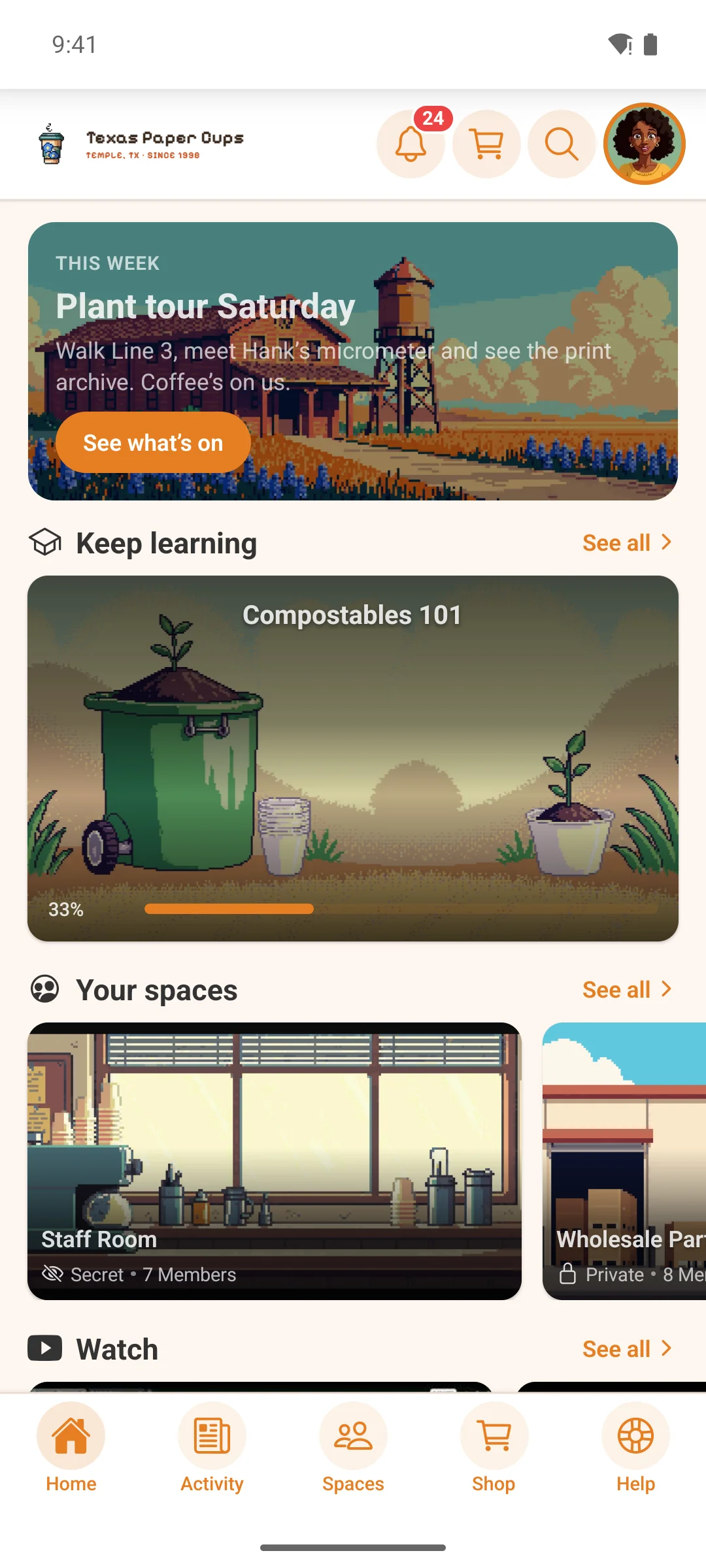
TBC Community App Managed gives your members a polished iOS and Android app for your WordPress + Fluent Community site โ€” and we run the entire technical side for you. You configure your app from a simple panel inside WordPress, grant us access to your store accounts, and click Submit. We build it, publish it to the App Store and Google Play under your accounts, and ship every future update.

No source code to manage. No Expo, no Xcode, no build pipeline. Just your app, live.

What “managed” actually means

  • We build it. Native iOS + Android binaries, done by us, every release.
  • We publish it โ€” on your accounts. Your app lives under your Apple Developer and Google Play accounts, so you own it outright. We submit on your behalf; you never touch a build tool.
  • We keep it current. New features and fixes land in your app as we ship them. Server-side changes (menus, push, branding colors synced from your site) update instantly; anything that needs a new binary, we build and resubmit for you.
  • You stay in control day to day. The companion WordPress plugin is your command center โ€” menus, push notifications, feature toggles, version gating, maintenance mode โ€” all without code and without waiting on us.

TBC Managed vs. LazyCoders “Fluent Community Mobile”

If you’ve shopped for a Fluent Community app, you’ve probably found LazyCoders’ “Fluent Community Mobile.” It’s really the only other option, so here’s the honest difference.

LazyCoders is a shared app. Every community’s members download the same app โ€” “Fluent Community Mobile,” published by LazyCoders โ€” and scan a QR code to sync into your space. It’s quick and cheap, but the app on the phone is theirs, not yours.

TBC Managed gives you your own app, published to the App Store and Google Play under your own accounts.

ย  LazyCoders โ€” Fluent Community Mobile TBC Managed
The app members install One shared app, “Fluent Community Mobile” by LazyCoders Your own app โ€” your name + icon
Store listing None โ€” you sync into theirs Your own App Store & Google Play listing
Published under LazyCoders’ app Your Apple & Google accounts โ€” you own it
How members join Download their app, then scan a QR to connect Search the store for you, download, done
Push notifications From the shared app From your app, your brand
Custom / native features One-size-fits-all container Add-on modules + custom features
If the vendor’s app goes away Every community on it goes down with it Your app stands alone
Build & publishing You run their per-domain build tool We build, submit & update it for you

Both run on Fluent Community + WordPress. The difference is ownership: a slot in someone else’s app, or an app that’s truly yours.

Everything your members get

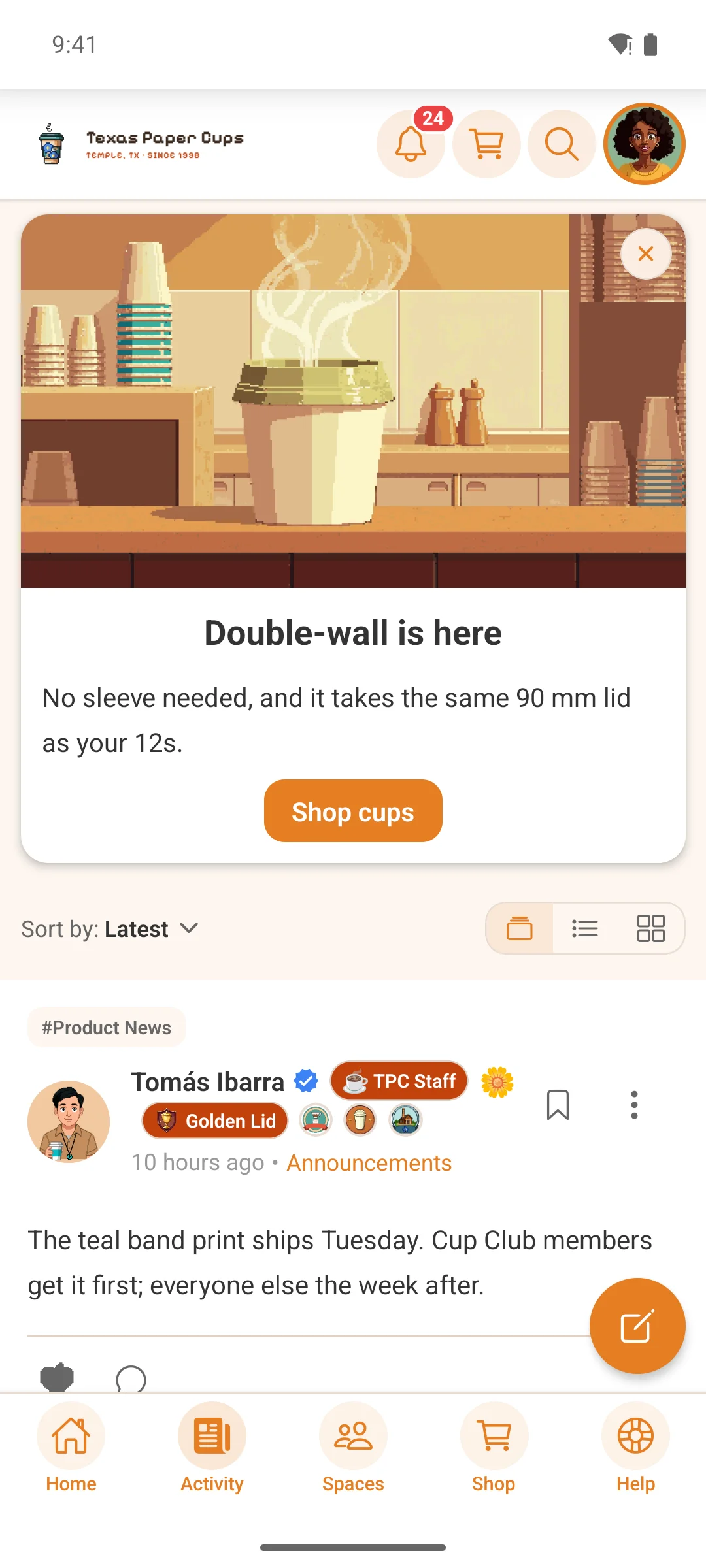
A complete community experience, not a wrapper around your website:

  • Real-time feed โ€” posts, threaded comments, multi-reactions, polls, mentions, bookmarks
  • Spaces / groups โ€” public, private, and secret spaces, each with its own feed and members
  • Direct & group messaging โ€” real-time chat, reactions, images, typing indicators, unread badges
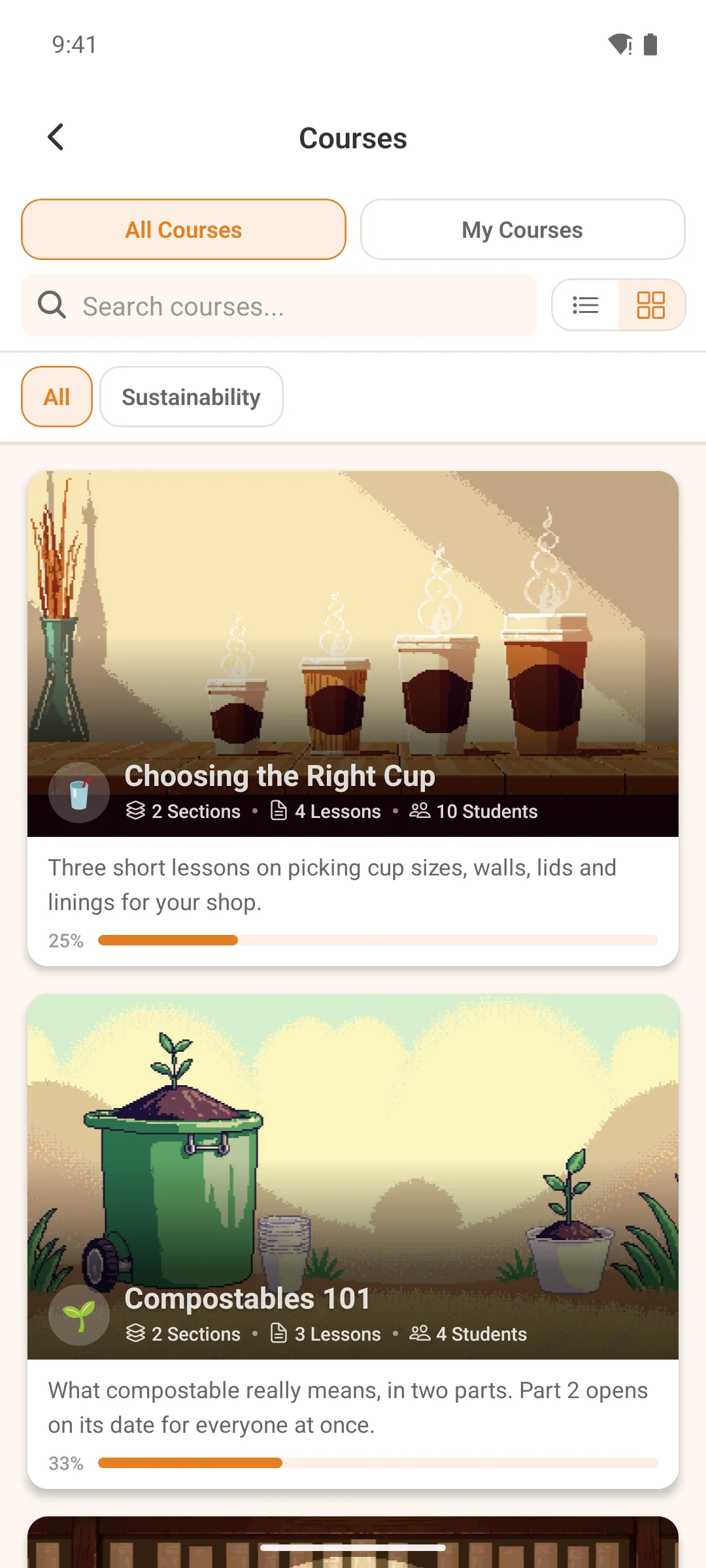
  • Courses & lessons โ€” progress tracking, quizzes, drip content, completion celebrations
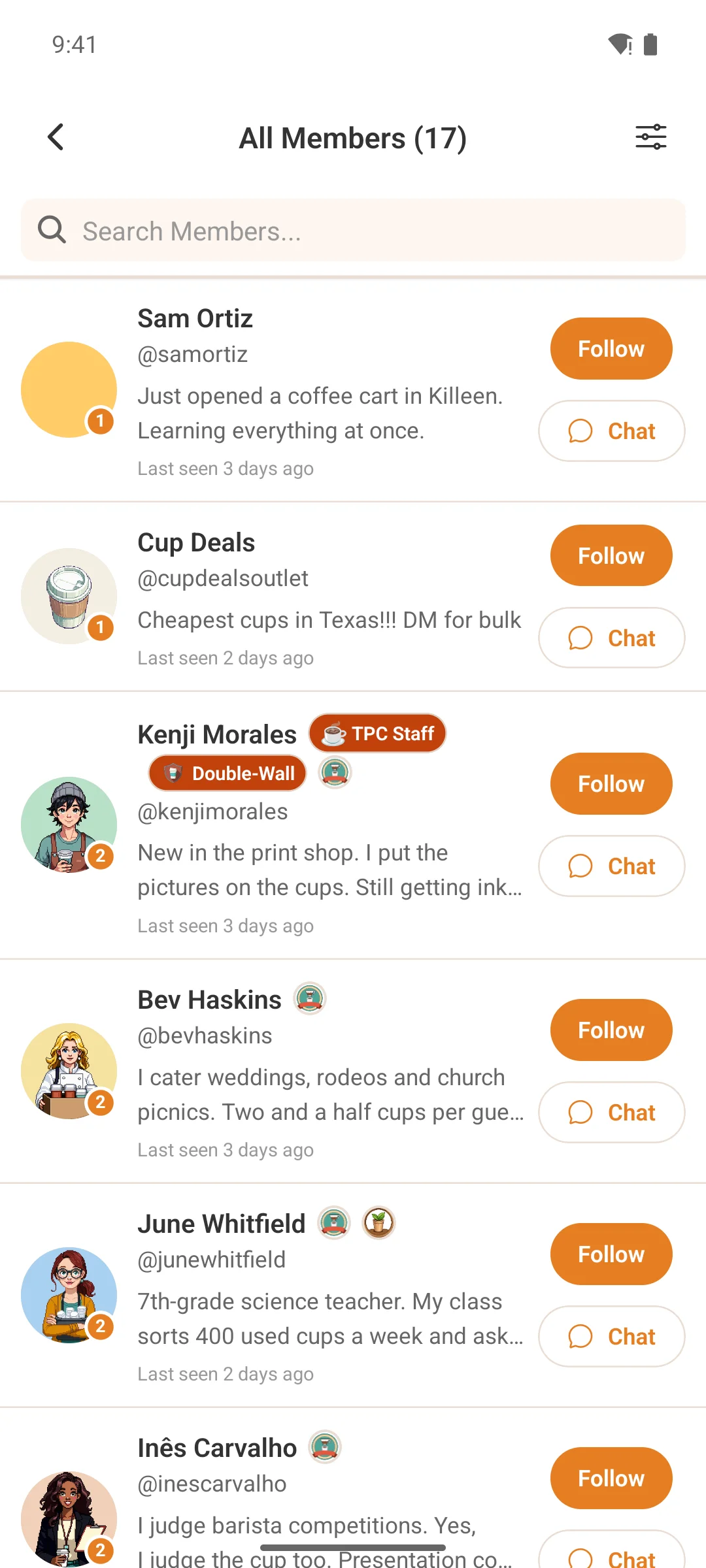
  • Member profiles โ€” follow/unfollow, custom fields, badges, connections
  • Native push notifications โ€” granular, per-category, with deep links straight to the content
  • Search & directory โ€” find posts, spaces, courses, and members
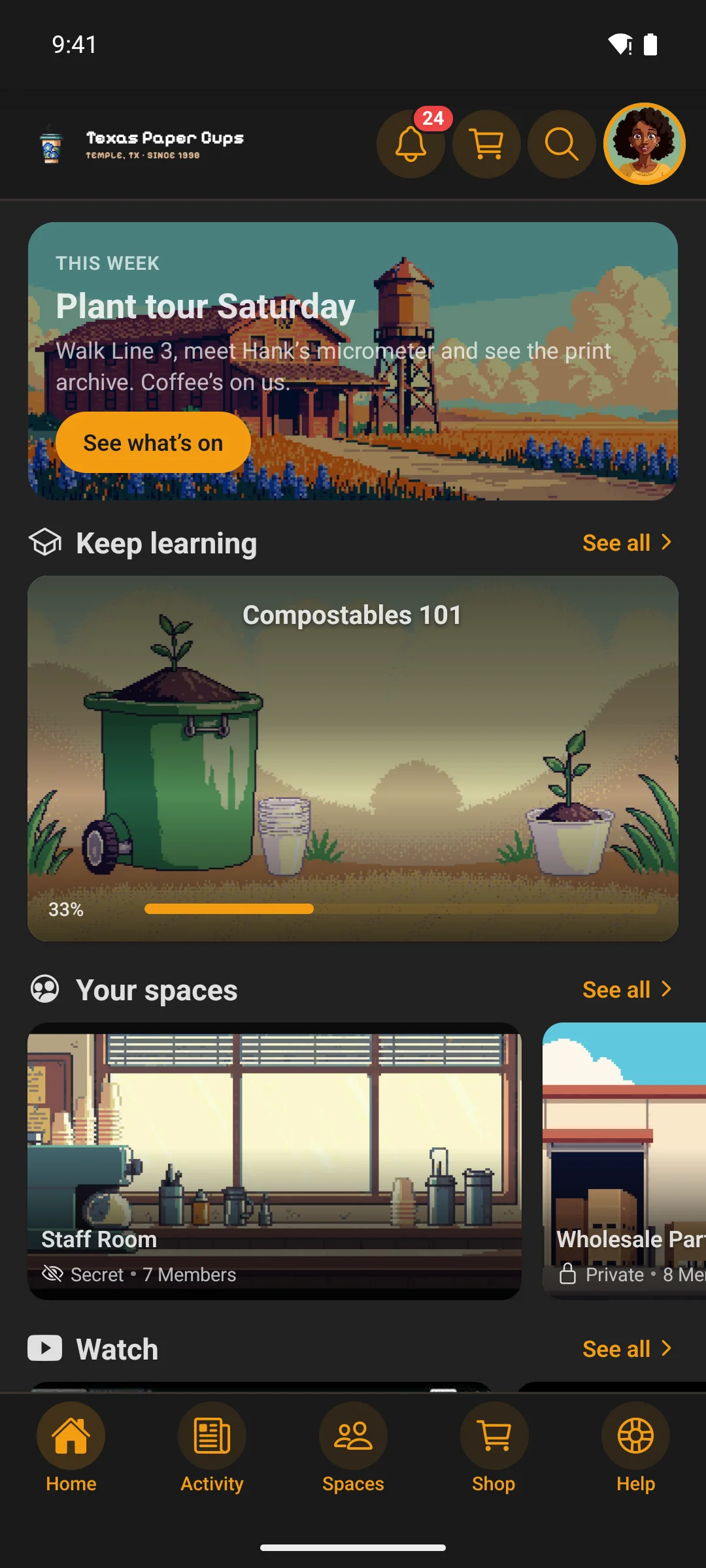
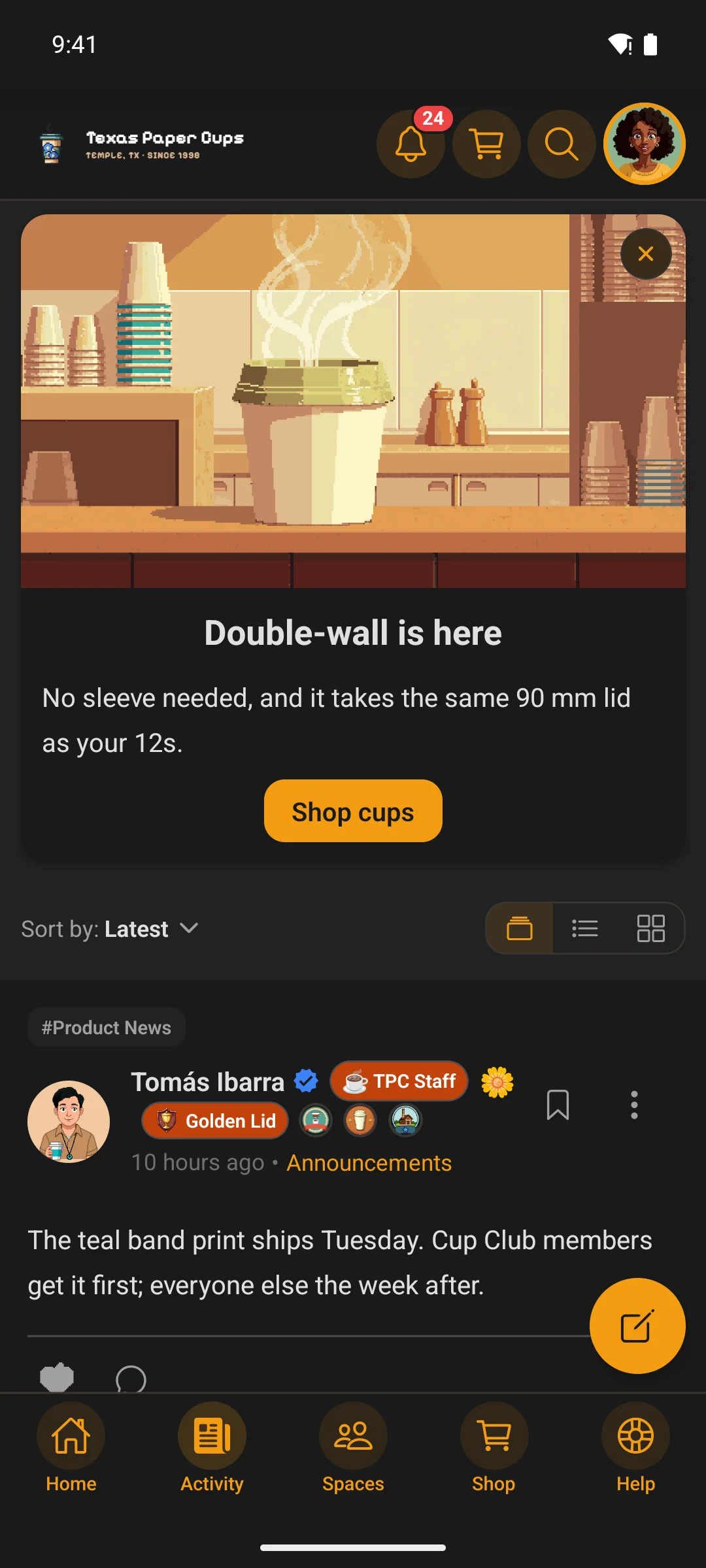
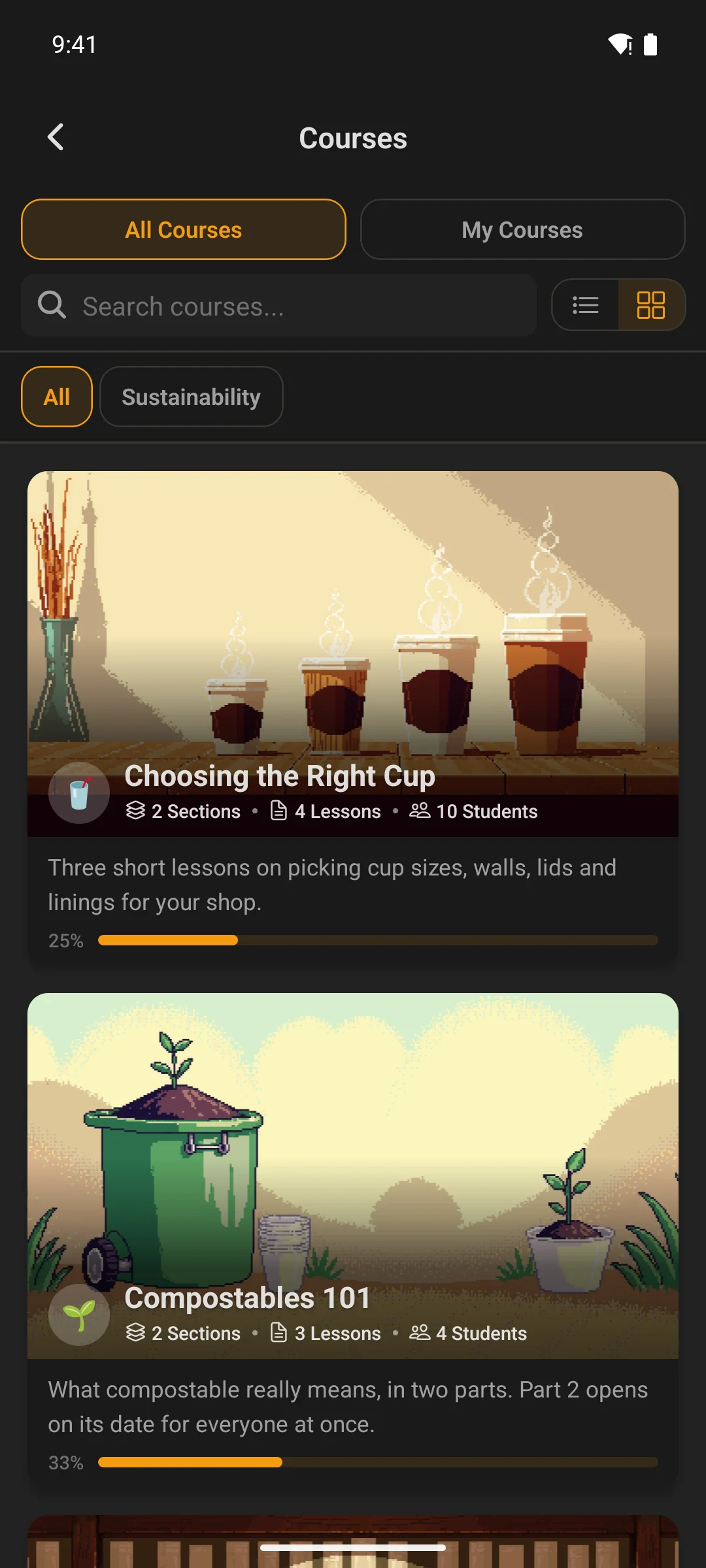
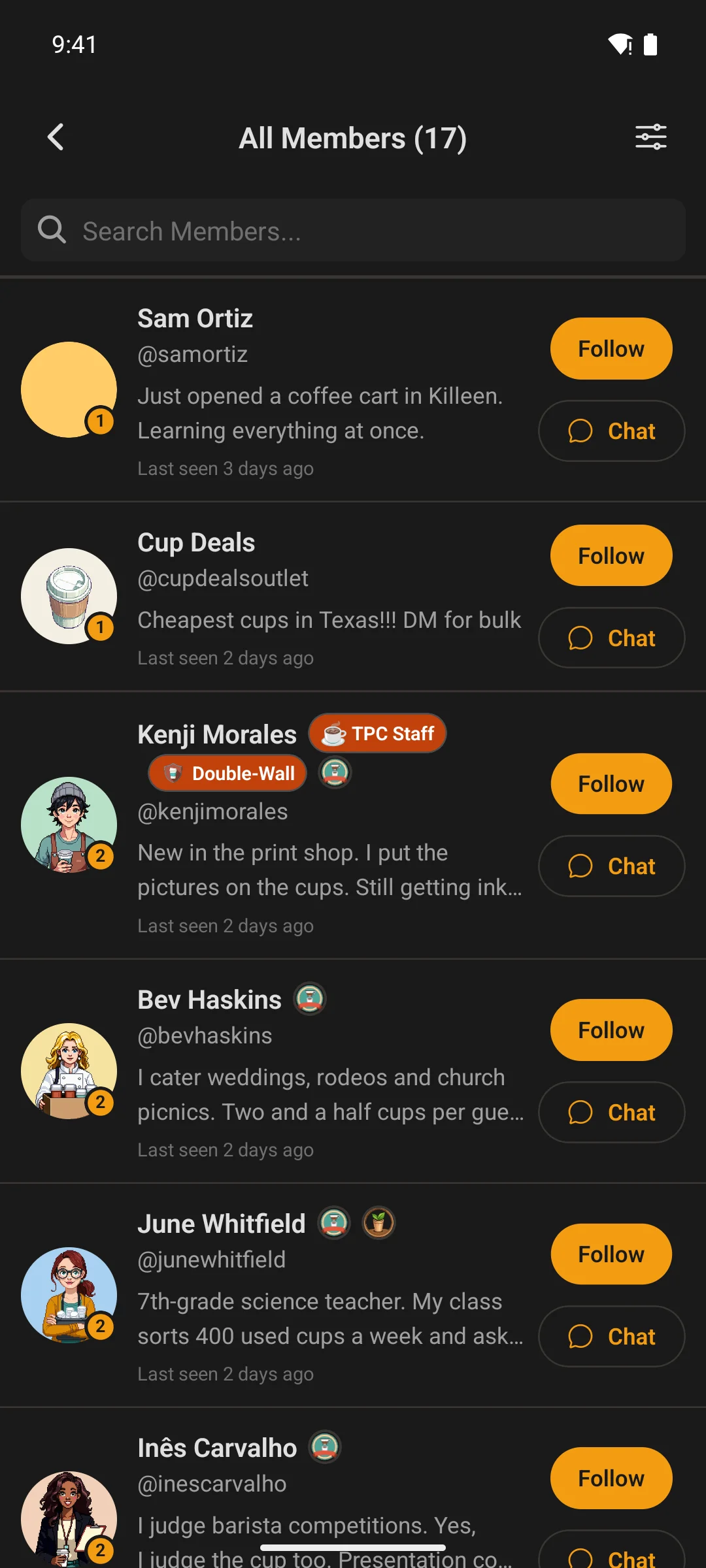
  • Light & dark mode โ€” colors sync automatically from your Fluent Community theme
  • Tablet & phone ready โ€” one app that adapts from phone to tablet to foldable
  • English & Spanish built in, with more languages addable

You control the app from WordPress โ€” no code, no rebuild

Your companion plugin turns the app into something you actually run:

  • Menus & navigation โ€” add, rename, reorder, and hide tab-bar, launcher, and header items, with role-based visibility. Drag-and-drop, 1,300+ icons, links to in-app screens, your website, or anywhere. Changes go live on the next app refresh.
  • Push notifications โ€” enable types, set defaults, broadcast announcements, send test pushes, and review a full delivery log.
  • Version gating โ€” force users onto a minimum app version with a built-in update screen.
  • Maintenance / coming-soon mode โ€” drop a blocking screen with your message, with role bypass.
  • Feature toggles โ€” show or hide profile tabs, home widgets, and more.

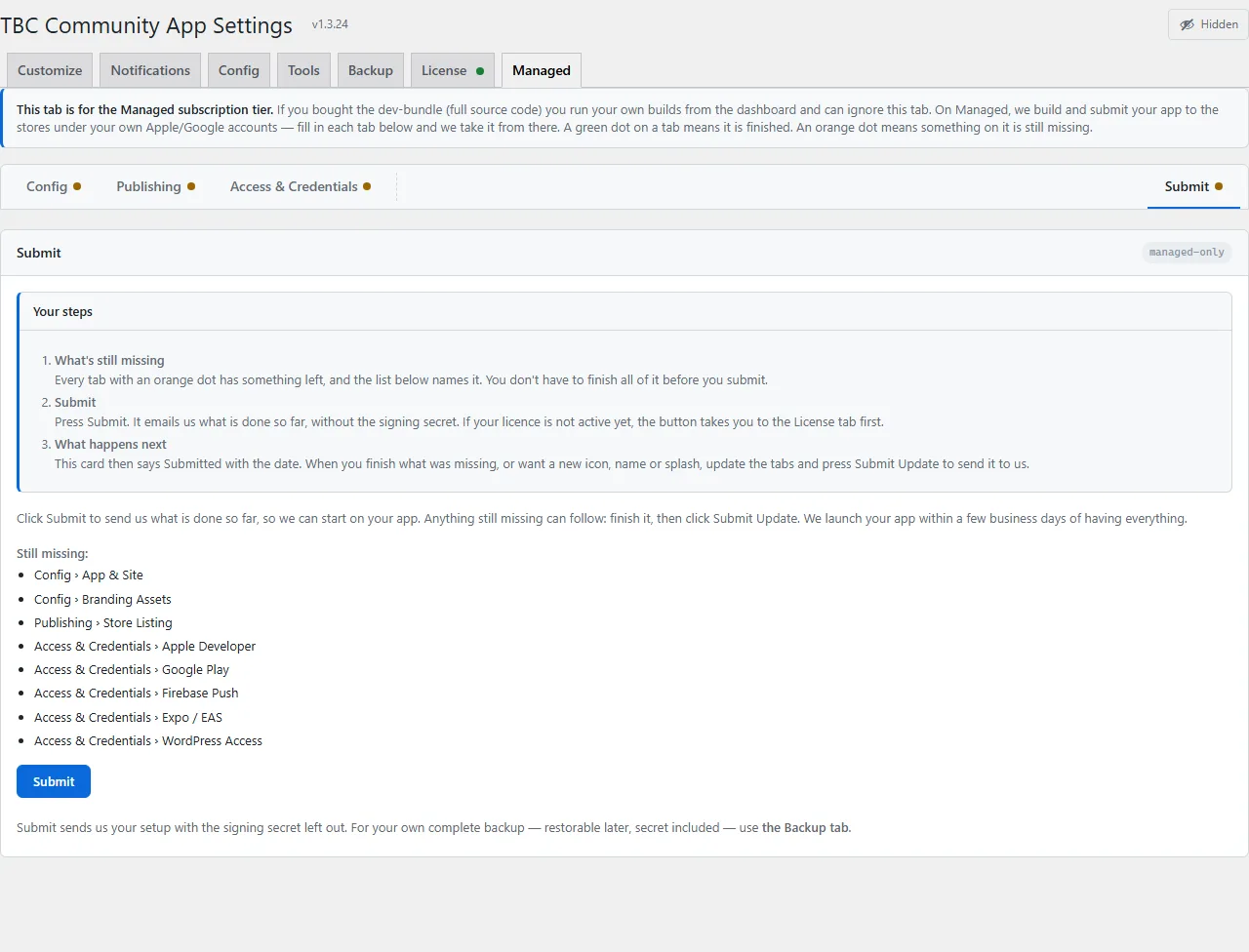
Configure once, then click Submit

Everything we need lives in one Managed App Setup panel inside your WordPress admin:

  1. Config โ€” your app name, bundle IDs, site URL, and store credentials (with step-by-step walkthroughs for Apple and Google built right in).
  2. Assets โ€” drop in your icon, splash, login logo, and brand colors.
  3. Grant Access โ€” add us to your Apple, Google, Firebase, and WordPress accounts (we tell you exactly how).
  4. Submit โ€” hand it off. We take it from there.

Pricing

  • $33 / month โ€” your managed iOS and Android app, including all updates and republishes.
  • $100 one-time setup โ€” first build, first submission, and onboarding.
  • Cancel anytime. Your published app keeps working โ€” it’s yours. You simply stop receiving new updates, new builds, and the plugin’s management controls until you resubscribe.

What you’ll need (and what it costs)

You publish under your own store accounts, so you own everything:

  • Apple Developer Program โ€” $99/year, paid to Apple.
  • Google Play Console โ€” $25 one-time, paid once to Google.
  • Nonprofit, school, or church? Apple and Google waive their store fees for eligible orgs โ€” so you can publish for $0 in store fees.
  • A WordPress site running Fluent Community (Pro recommended).

That’s it โ€” you provide the accounts and the branding; we do the rest. Your members download your app โ€” not a shared one.