TBC App/Web - Gamipress Fluent Integration

Reward the moments GamiPress misses — reactions, comments, mentions, follows, messages — with badges, points, ranks and achievement pages.

$29.00
Buy Now

v1.0.9
Changelog · v1.0.9

1.0.9 — 2026-09-03

Sync — lockstep bump, no plugin changes.

1.0.8 — 2026-08-26

🛠 Fixed

  • Rank templates render, and rank parents resolve. Rank award messages were drawn without being run through the template, and the lookup for a rank's parent returned the wrong record, so the copy a member saw was not the copy you wrote.
  • The leaderboard stops leaking an ordering field. Its field collapse exposed menu_order, which is WordPress plumbing and not something a member's leaderboard has any business showing.

🔧 Changed

  • The shared admin library caught up with the rest of the suite. Every TBC plugin ships a byte-identical copy of the same admin CSS, JS and licenser under one handle, and this plugin's copy had fallen behind. It now carries the Hide sensitive control — which covers credentials on screen so a settings page can be screen-shared or screenshotted without publishing them — the one-open-at-a-time accordion, and newest-wins registration, so the copy WordPress actually loads is the most recent one installed rather than whichever plugin happened to register first.
  • The documentation theme re-synced, so this plugin's HTML reference looks like the rest of the suite again.

1.0.7 — 2026-08-16

Sync — lockstep bump, no plugin changes. The module side took the app's tree-wide lint pass; no behaviour change.

1.0.6 — 2026-08-09

🔧 Changed

  • The widget builder previews your real point types. Ticking "Point balances" in the Community App's widget builder used to draw a single grey placeholder chip. It now draws one chip per points type, each carrying the site's own plural name, read from the same source the leaderboard's Points-type dropdown uses — so you can see what the widget will actually look like before saving. Needs Community App 1.3.9 or newer; on older versions the placeholder is unchanged.

1.0.5 — 2026-08-01

✨ New

  • Your badge chip artwork travels with a site snapshot. Chip images, colors and shapes are part of the Community App's new Backup & Restore export. Chips are matched by badge slug and merged rather than replaced, so a restore can't clobber badges the target site already has.

🔧 Changed

  • The License tab's support contact follows the site's vendor identity. A dev-bundle buyer running managed service for their own clients points it at their own business from the client site's wp-config.php, so their clients see their address rather than ours. Left undefined it stays Two Birds Code, so nothing changes on an ordinary install.
  • Greek. The app module ships a Greek catalog this release, so its screens follow the app's language — see the module changelog. The plugin's own admin screens are unchanged.

1.0.4 — 2026-07-29

🛠 Fixed

  • Award notifications could blank the whole notification list. Fluent Community's portal reads a route on every notification outside its own comment and mention types, so a row saved without one throws — and because the list renders as a single loop, one bad row takes out every notification for every member. The unread badge and pagination keep reporting correct totals, so it reads as "notifications stopped being recorded" against a database that's completely intact. Badge, rank and points award rows now store the recipient's profile route. The app was never affected — it reads its own route field and never touches this one.

1.0.3 — 2026-07-24

✨ New

  • Both widgets preview properly in the Home Screen builder. Top Members and My Progress used to sit in the phone preview as identical grey placeholders. Each now draws its own shape — ranked rows with position, avatar, name and score for Top Members, a wrapping row of stat chips for My Progress — so the layout you arrange matches the one members open. Nothing to configure.

🛠 Fixed

  • Top Members and My Progress agree on a member's score. The board ranked on total points ever earned while My Progress and the profile block show current balance, so the same person could read 433 points on the leaderboard and 100 on their profile. Both were correct, but on a site that deducts, spends or revokes points the two drift apart permanently. Top Members now ranks on current balance by default, matching GamiPress's own Leaderboards add-on. Total earned is still selectable for credits-style sites where spending shouldn't cost someone their rank. Only boards that never had "Based on" saved change; anything you configured yourself is untouched.

1.0.2 — 2026-07-21

✨ New

  • A leaderboard you can configure. Rank members by points, achievements earned or rank, with the settings narrowing to whichever you pick — points type and total-earned versus current-balance, or the achievement type, or the rank type. Then choose the period (all time, week, month, year), how many to list, and whether to hide administrators. Calendar periods follow your site's start-of-week, and heavier queries cache for five minutes.

> On update: existing widgets switch to the new total earned default, where they previously ranked on current balance. Set the basis back to "Current balance" in the widget's settings if you want the old behavior.

  • Launcher tiles, automatically. Activating the add-on adds Achievements and Top Members tiles to the app launcher with no setup. Both appear in Customize → Menus with the purple PLUGIN badge, so you can reorder, retitle, re-icon or hide either. Deactivating removes the tiles and keeps your customizations for when you turn it back on. Previously the only way in was a home widget's "See all".

🔧 Changed

  • The Leaderboard widget is now "Top Members". The Community App ships its own Leaderboard widget for Fluent Community's points board, and a site can run both — they measure different things, since Fluent Community ranks reactions received while this ranks whatever GamiPress economy you configured. Any title you set yourself is untouched.
  • The board moved to /achievements/leaderboard, freeing /leaderboard for Fluent Community's native board. The widget's "See all" and the launcher tile both point at the new address.

🛠 Fixed

  • No more "textdomain loaded too early" notice on WP 6.7. Three paths loaded translations before WordPress was ready — the boot-time settings read, the trigger-registration filters and the activity-trigger index — so sites with debugging on saw a notice on nearly every request, wp-cron included. All three now defer to init.
  • Badge artwork sits centered on the website's Achievements grid. Themes styling images as block elements pinned the badge left while its title stayed centered.

1.0.1 — 2026-07-16

✨ New

  • Achievement triggers live inside GamiPress's own sections. Instead of six separate headings, triggers appear inside the matching native sections — FluentCommunity Spaces and Courses — plus two styled after them for member follows and chat. Each is marked "(TBC)" so you can tell an add-on trigger from a stock one. Existing achievements keep working; only the dropdown placement and labels moved.
  • Four new triggers: get mentioned in a comment, watch a lesson video to its completion threshold, invite a member (email invitations, with space invites scopeable to a specific space), and start a new conversation. All verified against the Fluent Community and Messaging sources, so nothing fires on hooks that don't exist.

🛠 Fixed

  • The Leaderboard home widget renders in the app. Its id used underscores, which the Community App's sanitizer rewrites to hyphens, so server and app never agreed and the widget silently never appeared. Saved Home Screen layouts carry over.
  • Hidden members stay hidden. The REST endpoints and the web Achievements page no longer serve data for members Fluent Community hides as pending or blocked — they 404 like an unknown member. Moderators still see real data, exactly as Fluent Community's own profile page allows.
  • Uninstall honors its promise. The "Delete data on uninstall" toggle now really removes every synced badge from Fluent Community's badge store and from member profiles. The license key is kept so a reinstall doesn't need re-activation.
  • Unknown-member URLs render the theme's own 404 page rather than a bare "Member not found", with a fallback for themes without a 404 template.

🔧 Changed

  • The settings screen matches the rest of the TBC suite. The floating dirty-tracking Save bar replaces the old submit buttons on every tab — chip edits light it up too, and Discard reverts the row's preview — and Badges & Profile saves as one form.
  • Faster Badge Manager on large sites. The GamiPress → FC drift column ran a full member-table scan per row, up to 500 per page load. It now runs one batched scan per group.
  • Admin styles and the chip editor moved into cached asset files and the editor modal uses the shared --tbc-* tokens, so it re-themes with the rest of the suite.

1.0.0 — 2026-07-14

Initial release. Makes GamiPress gamification visible inside Fluent Community and the mobile app.

✨ New

  • Badge, rank and points notifications. Earning a badge, reaching a rank, completing a requirement or gaining and losing points sends an in-app bell notification, plus a mobile push for app users. Every award path is covered — Uncanny Automator recipes, GamiPress step completion, and manual admin awards — because the plugin listens on GamiPress's core award hooks. Each type has its own switch and editable template, with quiet defaults: badges and ranks on, steps and points off. Single-step badges send one notification, not a duplicate for the step.
  • Badge chips everywhere. Earned badges mirror into Fluent Community's badge store, so they appear next to member names in the feed, comments, member lists and profiles, on web and in the app, with no theme or app changes. Requires Fluent Community Pro's User Badges feature; the plugin tells you if it's off.
  • Badge Manager — one place for every chip. A table listing every badge and rank with a single Show toggle, and an Edit chip editor mirroring Fluent Community's own badge UI: Image, Emoji, Shape and Custom SVG tabs with a live avatar-and-name preview in light and dark. The Image tab defaults to the GamiPress artwork but lets you swap in a simpler icon just for the chip, since chips are tiny and the full art still shows on the Achievements page. Optional text and background colors with an Auto option that adapts per theme. A GamiPress → FC column shows earners versus members currently carrying the chip so drift stays visible, with per-row Sync now and a Full resync. Hiding, drafting or deleting a badge cleans up after itself, and re-showing plus a re-sync restores it.
  • Web chip size. Fluent Community renders badge images smaller than the emoji and verified marks beside them; a Default / Large / Extra large setting brings them up to match, keeping artwork proportional.
  • Points, rank and recent badges on member profiles, plus an Achievements tab opening the full trophy case of earned and locked badges. Controlled from the Customizer in the app; on the web an Achievements page is added to each profile.
  • An Achievements screen and leaderboard widget in the app — your own profile or any member's, reachable from a badge notification tap or the profile block, plus a home widget ranking members by points with the points type and count set in the Home Screen builder.
  • Works web-only, better with the app. GamiPress plus Fluent Community gets you web notifications, badge chips and the web Achievements page. Install the Community App plugin and push, the profile block, the Achievements screen and the leaderboard light up automatically.

🔒 Notes

  • GamiPress remains the single source of truth. This plugin never writes to GamiPress's data and never touches Fluent Community's reaction-based points. Uninstalling with "Delete data" on removes only the badges it synced and its own settings.

GamiPress for Fluent Community · WordPress plugin · web + app

You already run the gamification. Nobody can see it.

GamiPress awards the badges, ranks and points — it just has nowhere to show them inside Fluent Community. This is the bridge: notifications, badge chips beside member names, points and rank on profiles, a trophy case and a leaderboard. It never awards anything itself.

0changes to GamiPress data — it listens and publishes, nothing else
4places an award shows up: bell, push, feed post, badge chip
2surfaces — the website, and the app when you run one
1settings page, with templates you write yourself

Three parts · one add-on

What members earn, where it shows, what you configure.

Click a tab. Every capture opens full size and is a real screen.

GamiPress › How it works
Choose a view

Gamification people can actually see

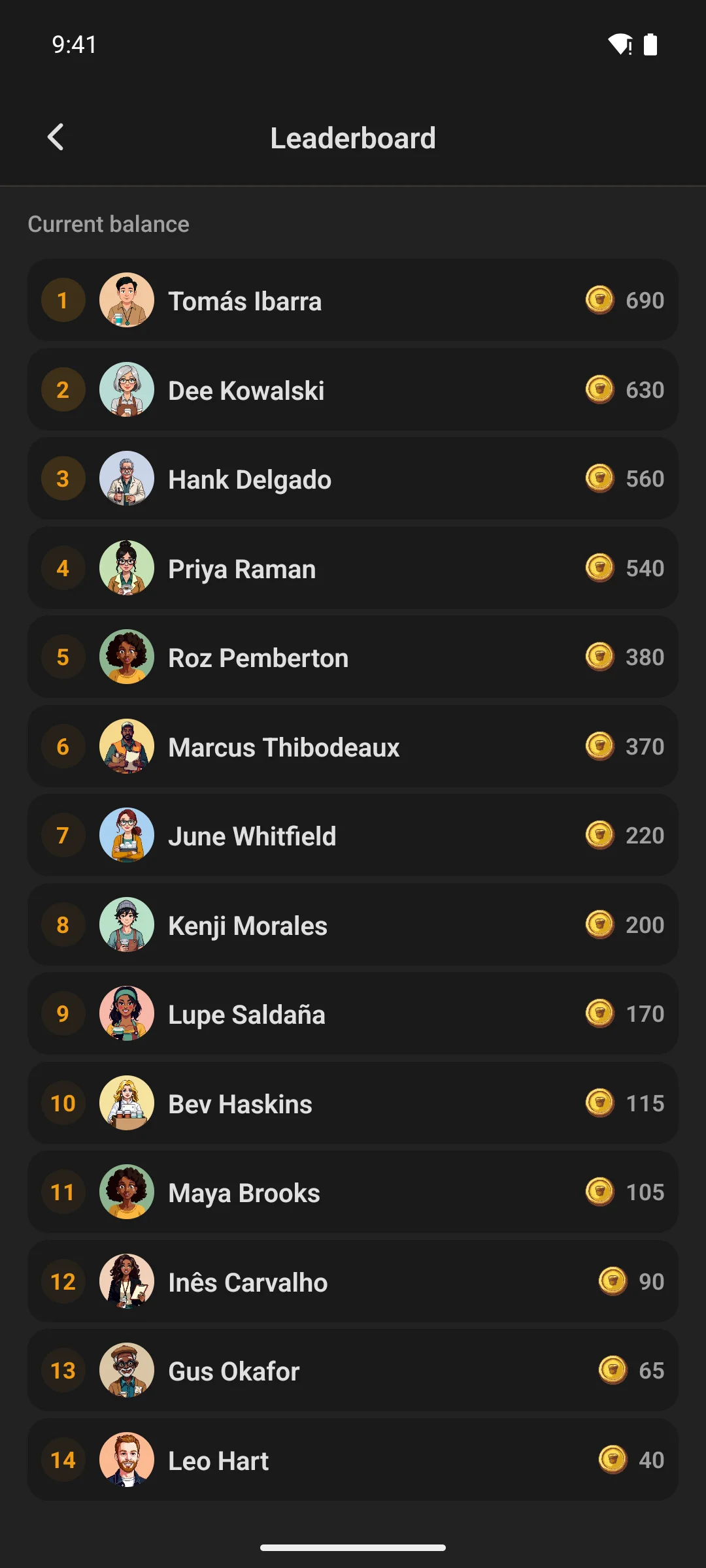
A trophy case and a leaderboard

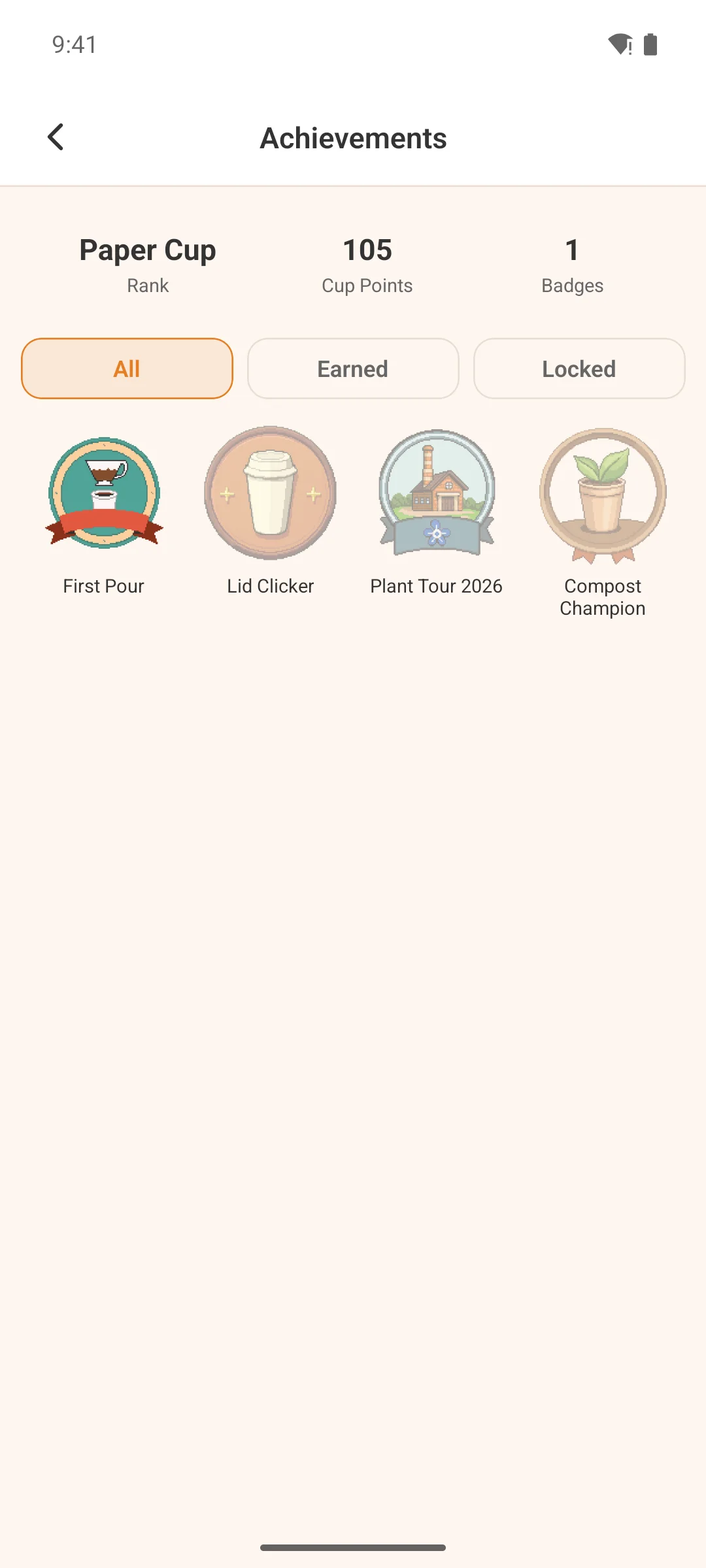
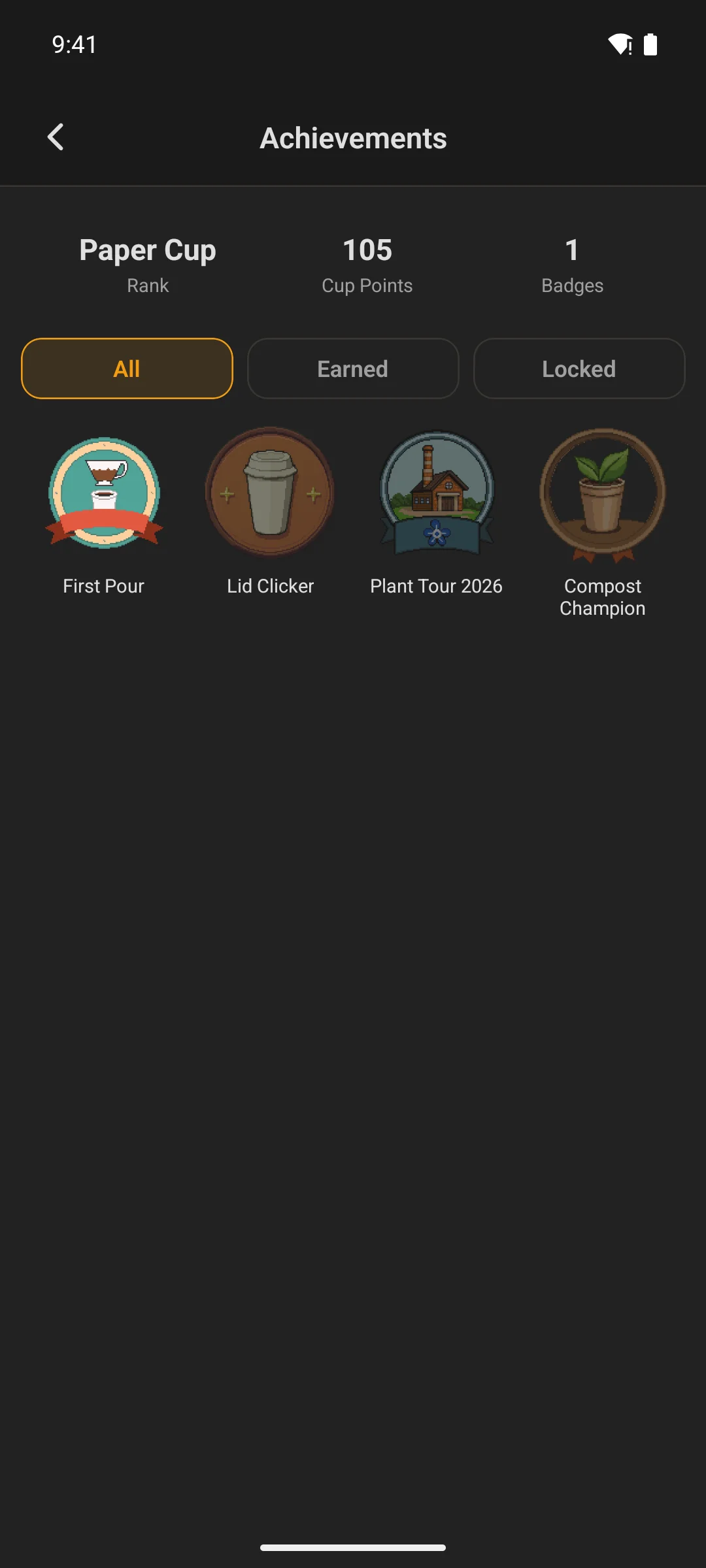
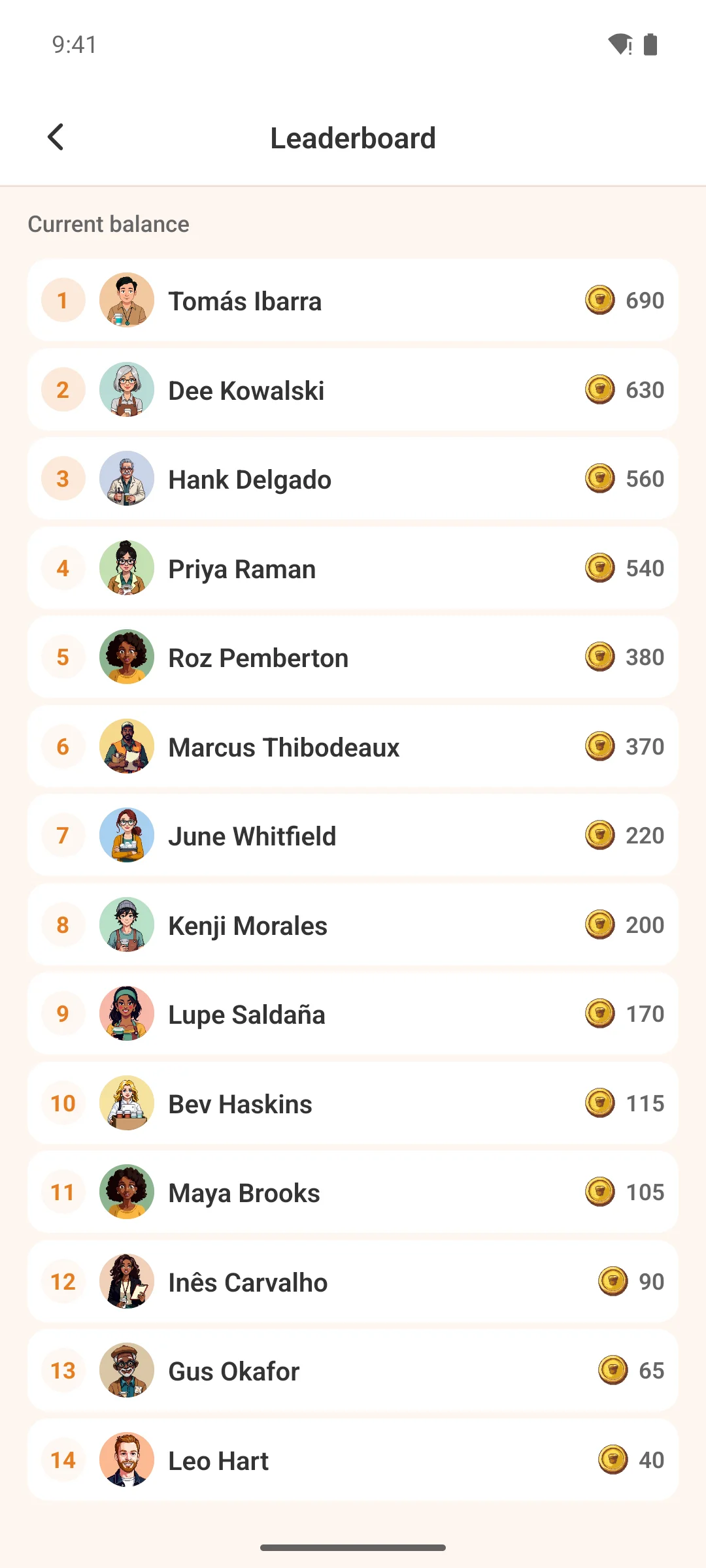
Members get a full achievements screen and a configurable points leaderboard. Earned badges become chips next to member names everywhere Fluent Community renders one, and points and rank appear on profiles.

The achievements screen, showing earned badgesThe achievements screen, showing earned badges
Every badge a member has earned.
The GamiPress points leaderboardThe GamiPress points leaderboard
The leaderboard, however you rank it.

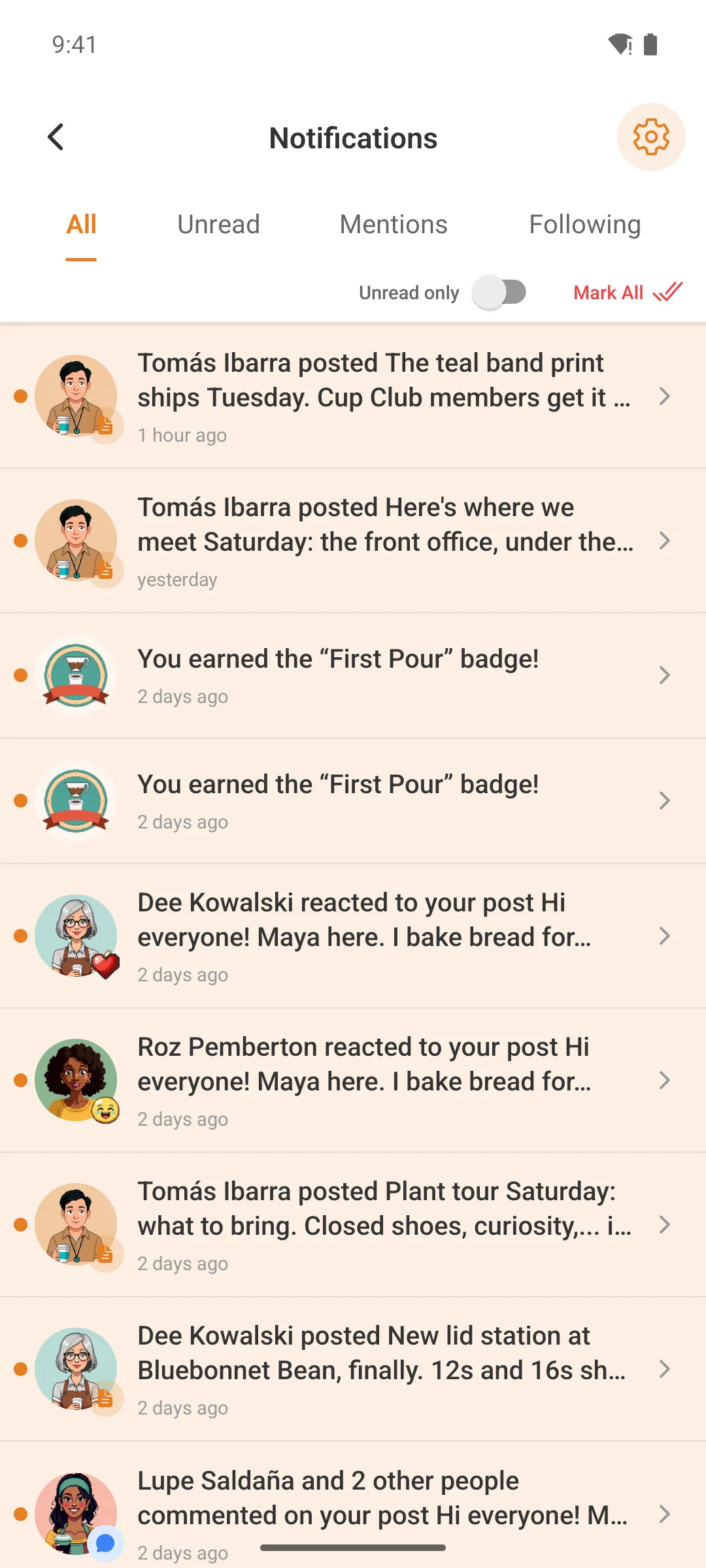
The moment somebody earns something

A bell, a push, and a post if you want one

Badges, steps, points awards and rank changes all converge on one path, whether they came from an Automator recipe, native step completion or an admin awarding it by hand.

  • Bell notification and native push — the same award, both places
  • An optional feed post celebrating it publicly
  • Badge chips synced into Fluent Community’s own badge store, so they appear beside a name everywhere
  • Rank chips swap automatically when a member’s rank changes
  • Fluent Community achievement triggers that GamiPress’s own integration does not cover
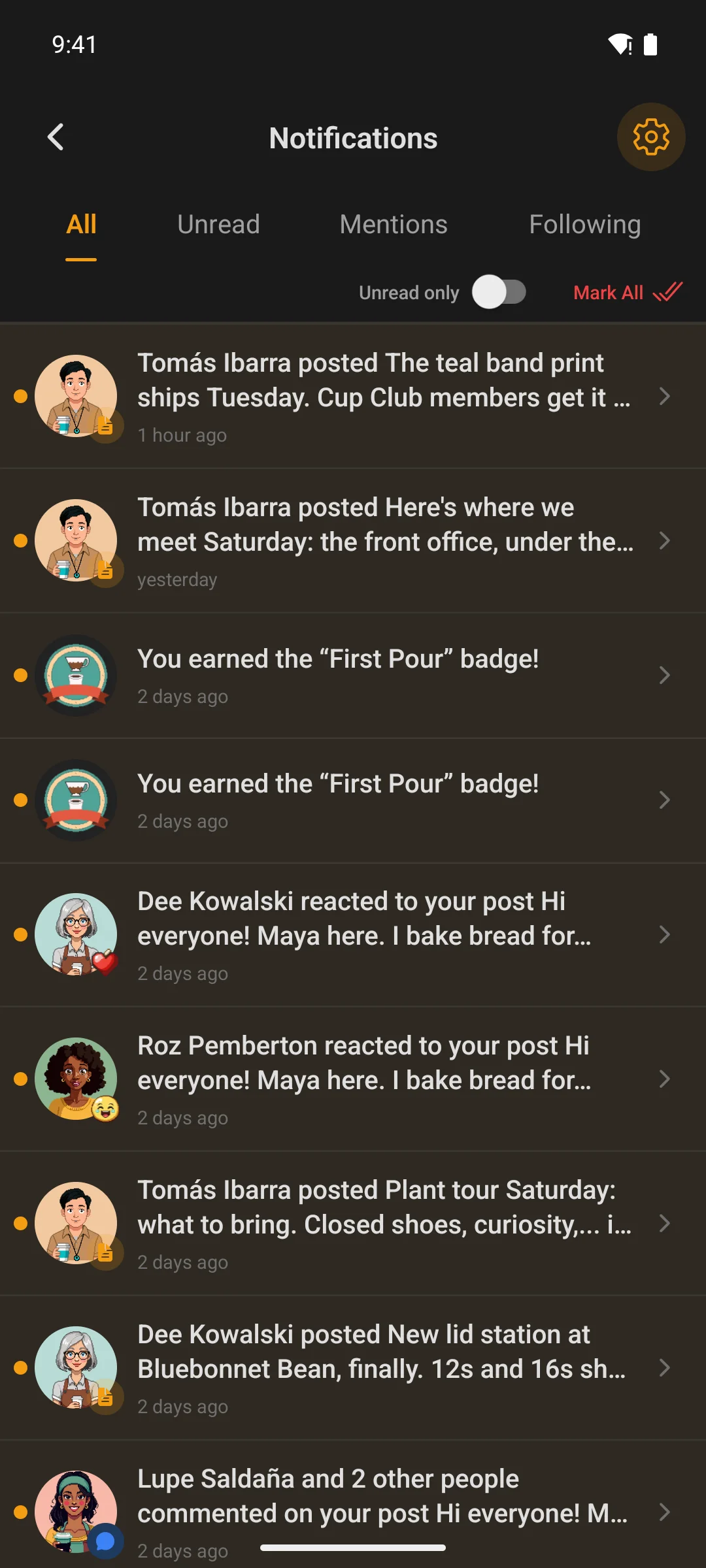
The notification inbox showing an awardThe notification inbox showing an award
Awards land in the bell, and as a push.

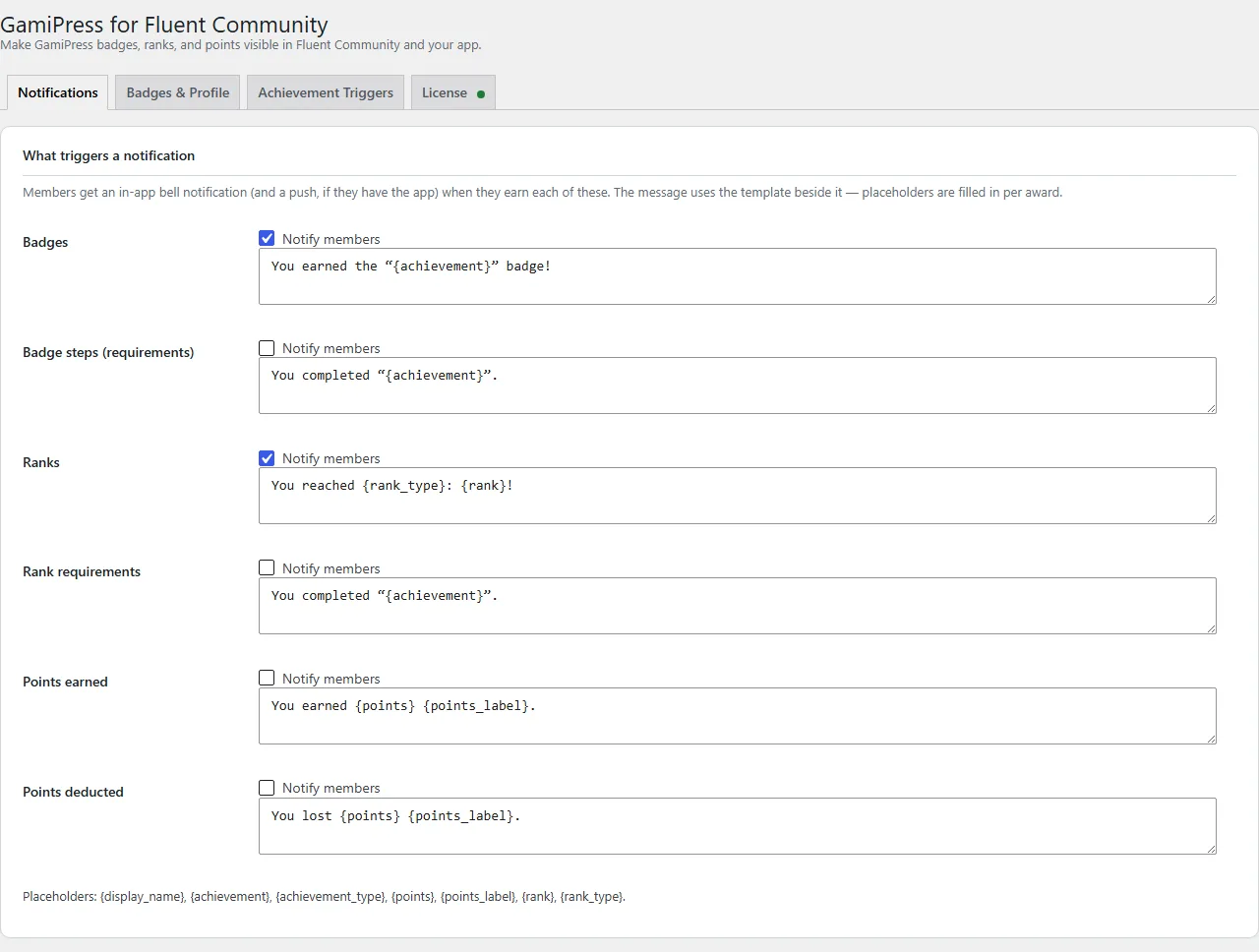
One settings page

Your words, not ours

Notification and feed-post copy is written from templates with placeholders, so a celebration sounds like your community rather than like a plugin.

  • Message templates for each kind of award, with placeholders
  • Choose the surfaces — bell, push, feed post and chips are each yours to turn on
  • A leaderboard you configure rather than one that is simply on
  • Nothing written into GamiPress — it stays the source of truth for every badge, rank and point
The GamiPress add-on settings screen in WordPress
Templates, surfaces and the leaderboard.

What you get

  • Award notifications in the bell, and as native push
  • Optional feed posts celebrating an award
  • Badge chips beside member names, everywhere FC renders one
  • Points, rank and recent badges on member profiles
  • An achievements tab and screen, plus a points leaderboard widget
  • Extra Fluent Community achievement triggers for GamiPress

What you need

  • GamiPress and Fluent Community — both required; with either missing the plugin only shows a notice
  • Fluent Community Pro for badge chips specifically (its User Badges module). Everything else works without it
  • The TBC Community App is optional — the web surfaces work on their own, and the app ones light up when it is present

Pricing

One payment. Then it is yours.

A lifetime licence for the plugin and its app module. No subscriptions and no per-member fees.

GamiPress for Fluent CommunityWordPress plugin + app module$29
At checkout$29